Get a Free WorkTrek Demo
Let's show you how WorkTrek can help you optimize your maintenance operation.
Try for freeWe’re thrilled to announce the arrival of the latest updates to the WorkTrek platform! These enhancements aren’t just minor tweaks; they’re three powerful new features designed specifically to help you streamline your workflows, improve data accuracy, and give a significant boost to your overall efficiency. We know your time is valuable, and these additions are built to save it.
1. Asset Management Gets a Major Upgrade with the New ‘Assets – All’ View
Managing your organization’s physical resources—from facilities to tools—is crucial, and we’ve just made it exponentially simpler. The introduction of the “Assets – All” View provides a singular, centralized hub for all your asset management needs.
This unified view brings together all asset types – including Locations, Facilities, Equipment, and Tools – into one clean, easy-to-use interface.
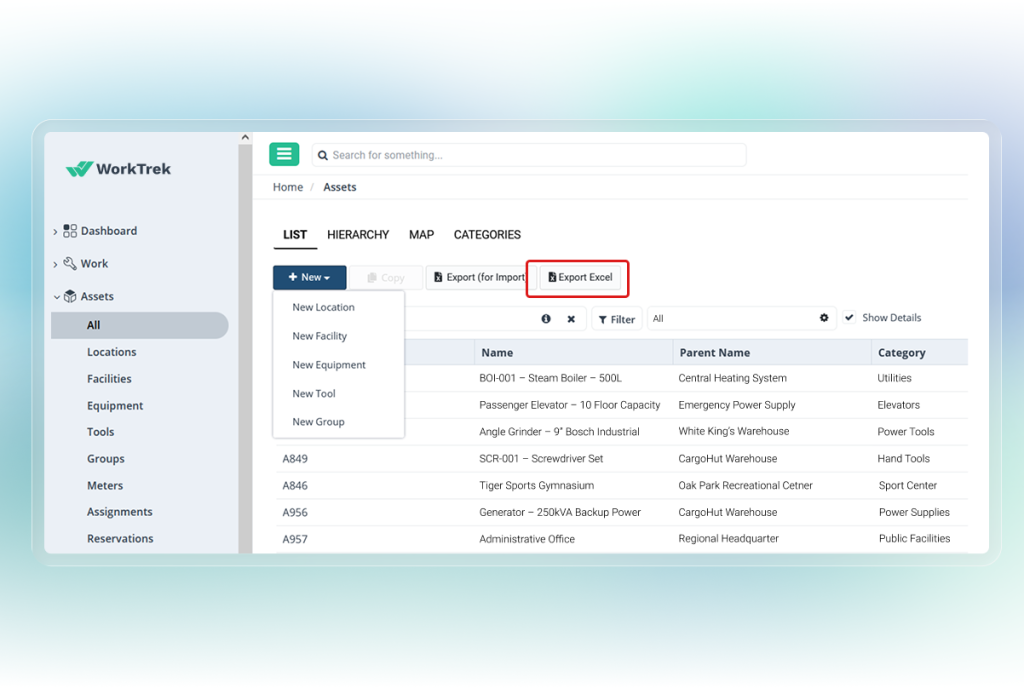
With the new ‘Assets – All’ view, you gain complete visibility and control over everything you manage in WorkTrek. Now you can:
- Search across all asset categories
- Filter and edit records effortlessly
- Export asset lists to Excel
- Copy existing assets
- Create new assets directly
This feature ensures you have everything you need to manage your assets all in one unified place.
2. Enhanced Work Logs: Adding Travel Distance and Robust Security
We’ve injected more control and insight into the Work Log feature to help maintain better data integrity and accountability.
Firstly, we’ve added new security settings that give you granular control over the data. You can now manage precisely who can edit or delete logs, ensuring that your operational records remain accurate and protected from unauthorized changes.
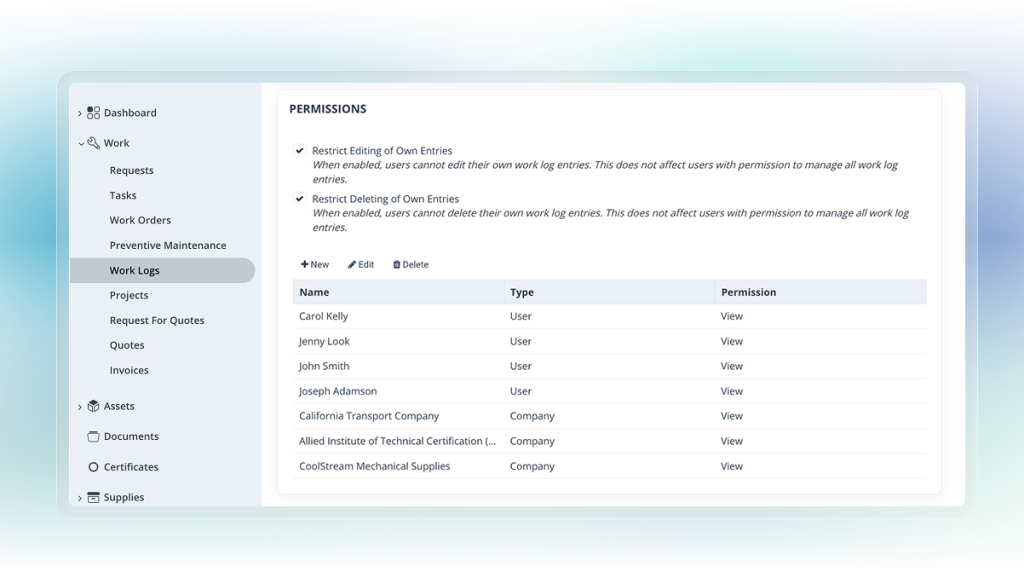
Secondly, the new addition of travel distance tracking brings a significant boost to your reporting. This feature allows for a more accurate accounting of field operations, providing the necessary data for better expense management and overall operational accountability.
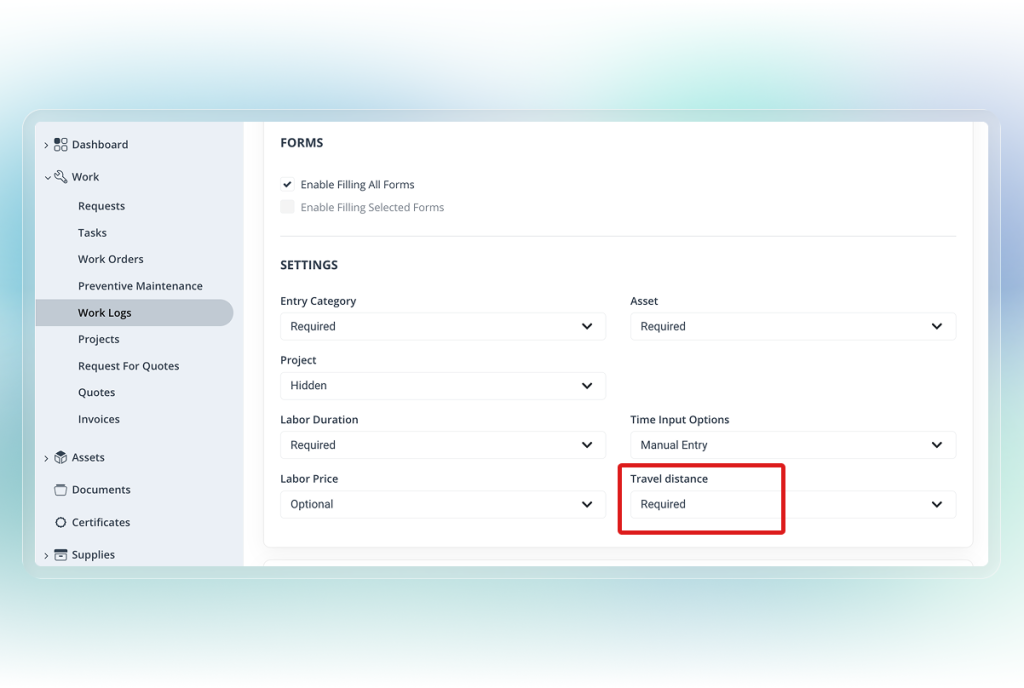
Together, these updates give you better data integrity and visibility into your day-to-day operations.
3. Quick Actions on the Mobile Dashboard: Productivity in the Palm of Your Hand
The goal is simple: to make you productive wherever you are. With the new Quick Actions on the Mobile Dashboard, we’ve put the power to speed up your workflow by quickly creating the following directly from your mobile device’s dashboard:
- Work Orders
- Tasks
- Requests
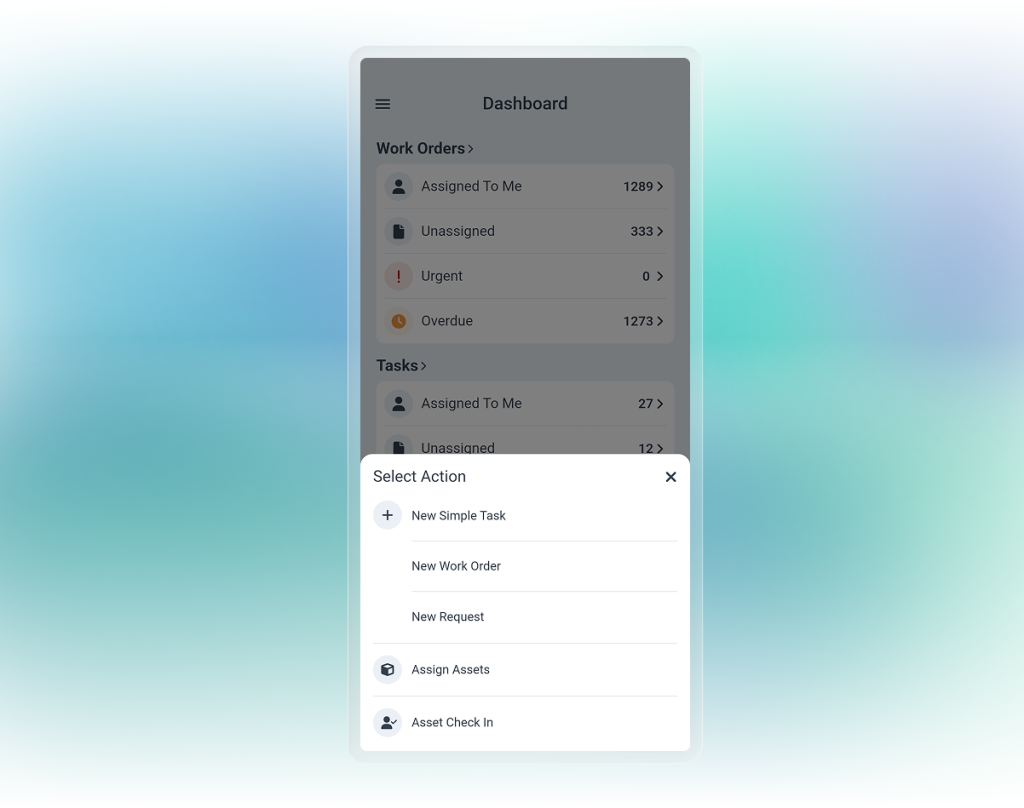
This faster access translates directly into greater productivity. Whether you’re in the office or in the field, you can work started in just a couple of taps.
Ready to Discover These WorkTrek Improvements?
These updates are more than just new buttons; they are built to fundamentally improve your experience by helping you save time, enhance accuracy, and gain better insight into your operations.
Ready to see how much more efficient you can be? Log in to WorkTrek today and explore all three of these powerful new features!