
Get a Free WorkTrek Demo
Let's show you how WorkTrek can help you optimize your maintenance operation.
Try for freeKey Takeaways:
- Paper-based maintenance logs are cheap and simple but prone to damage, loss, and inconsistent records.
- Nearly 50% of organizations used spreadsheets as their primary maintenance tracking method in 2022.
- Two-thirds of organizations now use a CMMS for centralized, automated, and real-time maintenance tracking.
How your team documents maintenance work can make all the difference between a quick repair and hours of downtime spent searching for information that should have been easy to find.
Yet many facilities still rely on methods that create more problems than they solve.
If you manage maintenance operations and struggle with lost records, inconsistent data, or difficulty tracking asset history, this guide is for you.
In this article, we’ll compare common maintenance documentation approaches and help you identify which method best fits your needs.
Paper-Based Maintenance Logs
Let’s start with one of the simplest documentation methods: paper-based maintenance logs.
This is a traditional approach that some teams still use, though it’s becoming increasingly rare as digital tools become more widely available.
In fact, you’ll typically find paper logs in smaller facilities or operations that haven’t yet made the switch to digital systems.
Maintenance teams often record their notes on a structured template like the one shown below.
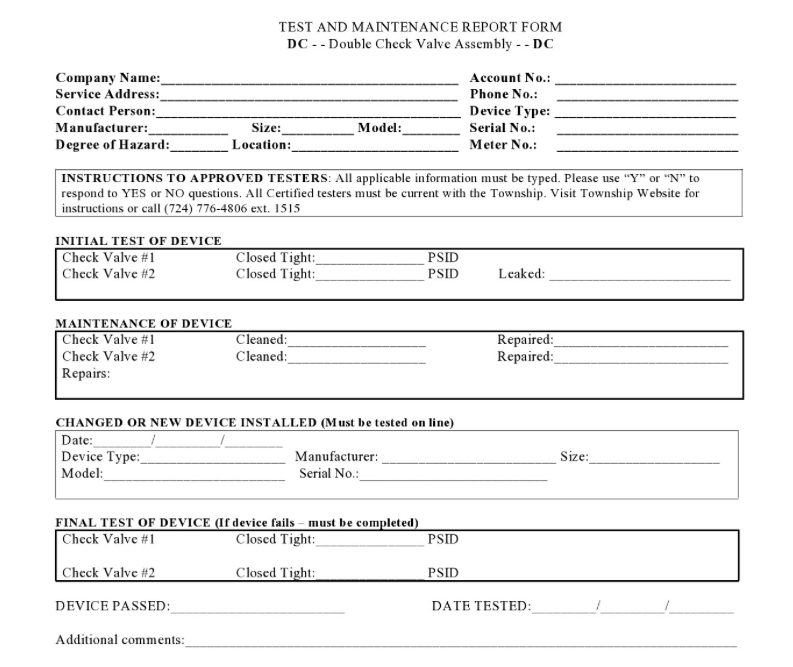
Printable maintenance templates like these help ensure every key detail is accounted for, and nothing is accidentally missed.
Otherwise, workers must take notes on blank sheets or in notebooks, which can lead to inconsistent records.
One technician might record the maintenance date and asset name, while another might skip those details entirely.
Structured templates solve this problem by prompting workers to fill in specific fields every time.
However, even with this structure, this is a fairly low-tech documentation method.
As such, paper logs will have their fair share of disadvantages.
We’ve outlined some specific pros and cons in the table below.
| Pros | Cons |
|---|---|
| Low upfront cost | Prone to damage, loss, and illegible handwriting |
| Simple to start, no training required | Cannot search or analyze historical data quickly |
| Useful as initial notes | No reminders or scheduling |
| Knowledge leaves when key workers retire |
Of course, the pros are the simplicity and low cost of this approach. You don’t need software, subscriptions, or even an internet connection.
Anyone can pick up a pen and start writing immediately.
Additionally, paper logs can sometimes be useful in the field as initial maintenance notes.
A technician working on equipment might jot down observations quickly, just in case they forget important details before returning to a computer.
That being said, even in these situations, one of the main issues is that notes can be illegible due to handwriting or get damaged by water, oil, or general wear.
When that happens, the information becomes useless.
Plus, there are other reasons why paper records aren’t the best choice, such as inefficient data retrieval:
“Paper records can only be in one place at a time, often requiring team members to wait for access or rely on photocopies.”
You’ll also need hours of manual work if you want to search through historical data or identify patterns across multiple assets.
There’s no way to search, filter, or generate reports automatically.
And here’s perhaps the worst part.
Say an experienced employee has developed a certain system for organizing maintenance logs, or they write notes in a way that only they truly understand.
If they leave or retire, that knowledge goes with them.
As a result, the team inherits records that are often incomplete or difficult to decipher.
Overall, paper-based logs are simple and cheap to implement, but they come with significant limitations in reliability, accessibility, and long-term usefulness.
For most facilities looking to grow or improve their maintenance operations, paper logs should be considered a temporary solution at best.
Spreadsheet-Based Maintenance Records
Spreadsheet-based maintenance logs are a step up from their paper-based counterpart.
You’re likely familiar with this digital maintenance tracking method and may currently be using it or have used it in the past.
In fact, a lot of organizations use spreadsheets to track maintenance activities.
That certainly was the case in 2022.
Comparesoft data from that year shows that almost half of the organizations surveyed used spreadsheets as their main maintenance management system.

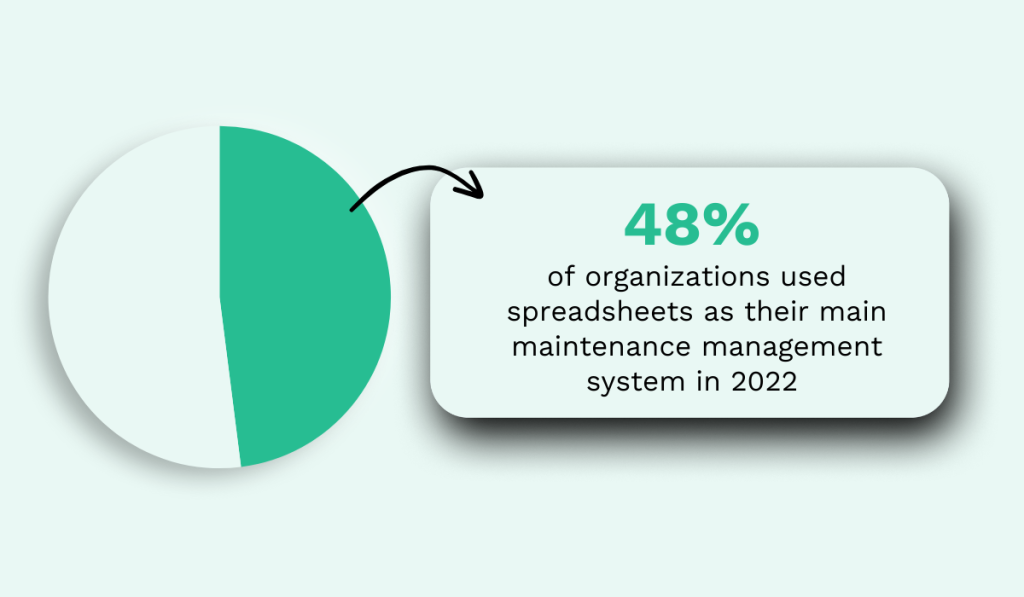
This suggests that they are generally quite effective, doesn’t it?
Well, if we contrast that figure to the findings in the 2024 State of Maintenance Report by Upkeep, we can see that spreadsheet usage, along with the use of paper logs, has dropped to 27%.
That’s a noticeable decline in just two years.
To explain this drop in usage, it helps to look at the advantages and disadvantages of this documenting method:
| Pros | Cons |
|---|---|
| Flexible structure, easy to customize | Version control issues with multiple users |
| Basic sorting and filtering capabilities | Manual data entry leads to errors and inconsistency |
| Can create simple charts and reports | No automation, alerts, or real-time updates |
| Single source of truth | Not scalable |
For starters, the benefits are definitely there.
Spreadsheets are low-cost, versatile tools that can be tailored to many specific maintenance workflows and use cases.
Plus, simple filters along with charts and reports can transform raw data into simple reports, although some tech know-how is necessary.
Having everything in a centralized file also allows teams to have a single source of truth for work orders, asset history, parts usage, and other relevant maintenance-related details.
When done well, a spreadsheet can keep a small team organized and on track.
However, issues can still arise.
What happens when multiple workers update the same spreadsheet, or when team members have separate spreadsheets that they want to consolidate?
These version control issues are a big concern.
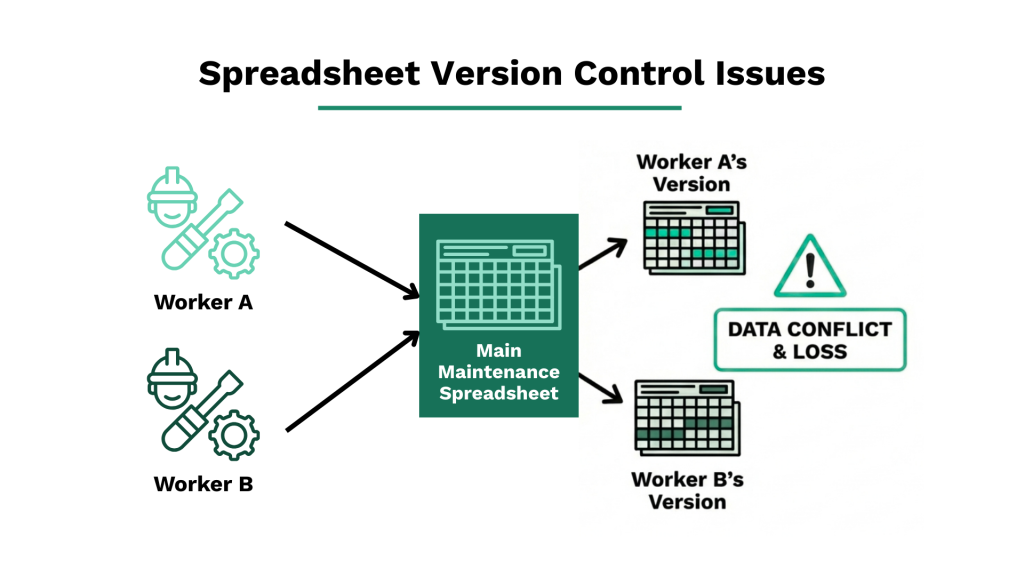
One technician might update their copy of the file while another technician does the same, and suddenly you have two versions with different information.
Worst of all, neither person knows which version is correct.
Cloud-based tools like Google Sheets help reduce this problem, but they don’t eliminate it entirely, especially when edits happen simultaneously or when users forget to refresh their view.
Next, spreadsheets require manual updates and data entry from maintenance teams.
Every work order, every inspection, every parts replacement needs to be typed in by someone.
A technician might enter a date in the wrong format, misspell an asset name, or forget to log a completed task altogether.
These small mistakes add up over time.
And importantly, this manual approach is simply not scalable if operations grow. What works for a facility with 50 assets becomes overwhelming when that number reaches 500.
So, while spreadsheets work well as a starting point, they often become a bottleneck as maintenance operations become more complex.
Messaging-Based Documentation
Messaging can also be used for maintenance documentation, though it generally falls short of the structure provided by spreadsheets.
Some teams rely on email communication to track requests and document maintenance work.
A technician might email their supervisor when a repair is completed, or a manager might forward a maintenance work request to the appropriate team member.
Such an email can be fully unstructured, with just a few sentences describing the issue, or it can follow a more structured approach, like the example below.
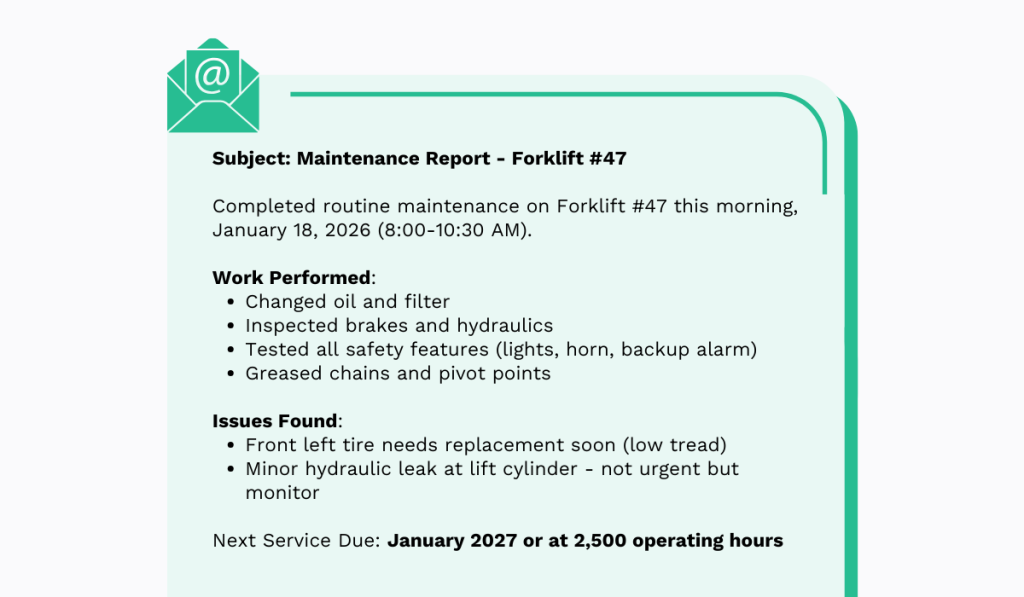
While a step up from paper logs, it still has its shortcomings.
Email avoids issues like illegible handwriting and physical damage to records.
However, as stacks of paper maintenance notes can be overwhelming, a full inbox can quickly become just as chaotic.
As Kristen Griffith, Senior Manager of Corporate Communications at PTC, explains, teams easily get overwhelmed when requests and reports all go through email.
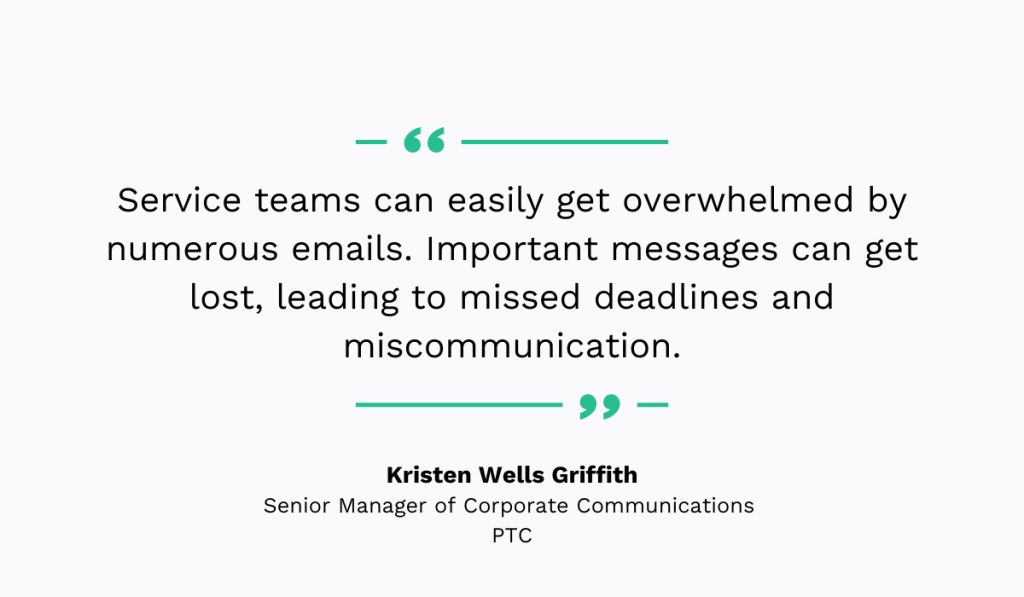
Work orders can get buried among other emails, while reports from workers can get lost and become difficult to retrieve by management.
Important details end up scattered across dozens of message threads, making it nearly impossible to build a clear maintenance history for any single asset.
On top of that, there is no easy way to track whether a request has been completed or is still pending.
A more structured alternative is using communication and collaboration platforms like Slack or Microsoft Teams, or even specialized, custom-built tools.
These tools can help by organizing conversations into dedicated channels for different equipment, locations, or maintenance types.
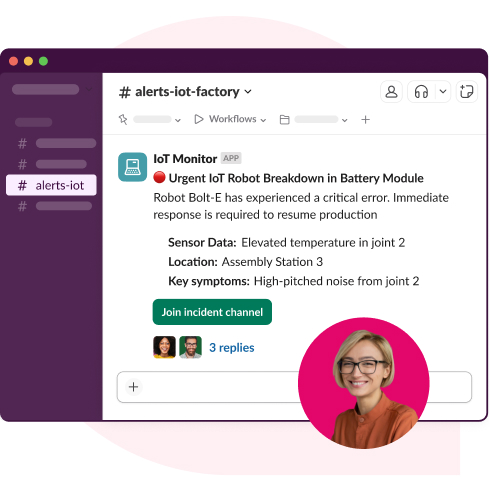
For example, a team might create a channel specifically for urgent repair requests and another for routine inspections.
This keeps related messages together and makes searching easier than digging through a general email inbox.

Some teams also use built-in features like pinned messages or task integrations to track open items.
However, these platforms still lack core functions of maintenance management software like automated scheduling, asset tracking, and reporting.
Before we move on to dedicated maintenance management software, let’s summarize the pros and cons of this method:
| Pros | Cons |
|---|---|
| Fast and convenient for quick requests | Information scattered across inboxes or chat threads |
| Most workers already use email or chat daily | Difficult to search for specific maintenance history |
| Allows photo and file attachments | No structure for tracking work order status |
| Good for urgent communication | Poor accountability, easy to miss or forget requests |
In short, messaging-based documentation offers convenience and speed, but it falls short when it comes to organization, accountability, and long-term record keeping.
For teams that need reliable maintenance history and clear tracking, this method should only serve as a supplement to a more robust system.
CMMS
Speaking of more robust systems, the best choice when it comes to documenting maintenance is using a Computerized Maintenance Management System, or CMMS.
These systems are purpose-built for this exact function and are the most effective way to document, track, and manage maintenance activities.
It’s no wonder that, according to UpKeep’s research, two-thirds of organizations now use a CMMS.
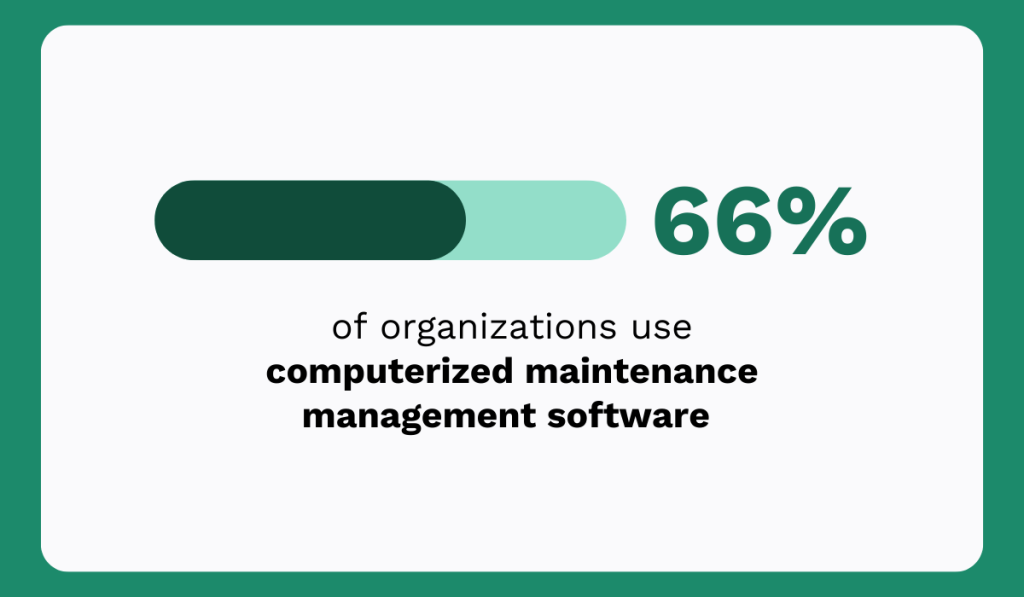
If we look at the table below, it’s clear to see why, as the advantages of these systems far outweigh any cons.
| Pros | Cons |
|---|---|
| Centralizes all maintenance data in one place | Requires upfront investment and implementation time |
| Automates scheduling, reminders, and reporting | Learning curve for teams new to the software |
| Enables trend analysis and data-driven decisions | Some features may go unused without proper training |
| Scales easily as operations grow |
In essence, after an implementation period and some training, you get a centralized system that holds all your maintenance data.
But more than that, powerful CMMS platforms like WorkTrek allow teams to capture maintenance data in real time and automate documentation.
This eliminates the delays and gaps that come with manual methods and unspecialized tools like spreadsheets.
It all starts with structured work log entries that can be easily filled out by maintenance workers, with the customizability to track everything that’s necessary for your operations.
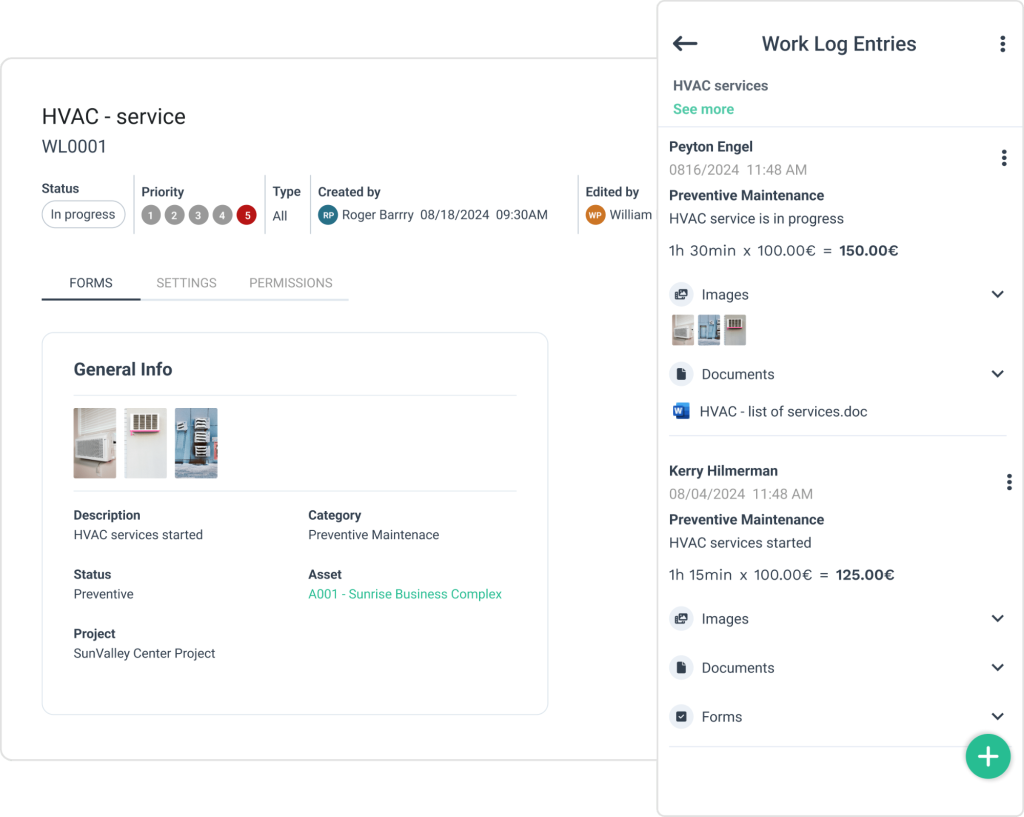
In fact, with custom forms and checklists, you can ensure the right data is collected every single time.
This consistency makes your maintenance records far more reliable and useful for analysis later.
All of these entries can be recorded via a mobile device and instantly synced with the central system.
So, a technician can complete a work order on their phone while still at the equipment, and that information will be instantly available to supervisors and other team members.
Plus, with automation, WorkTrek can create follow-up work orders for any inspections marked as failed or flagged for attention.
The flexibility and benefits are substantially different from all the other methods we’ve covered.
Not to mention that, with the wealth of data collected in the system, you can easily generate detailed reports and track progress over time, enabling better decision-making at every level of maintenance operations.
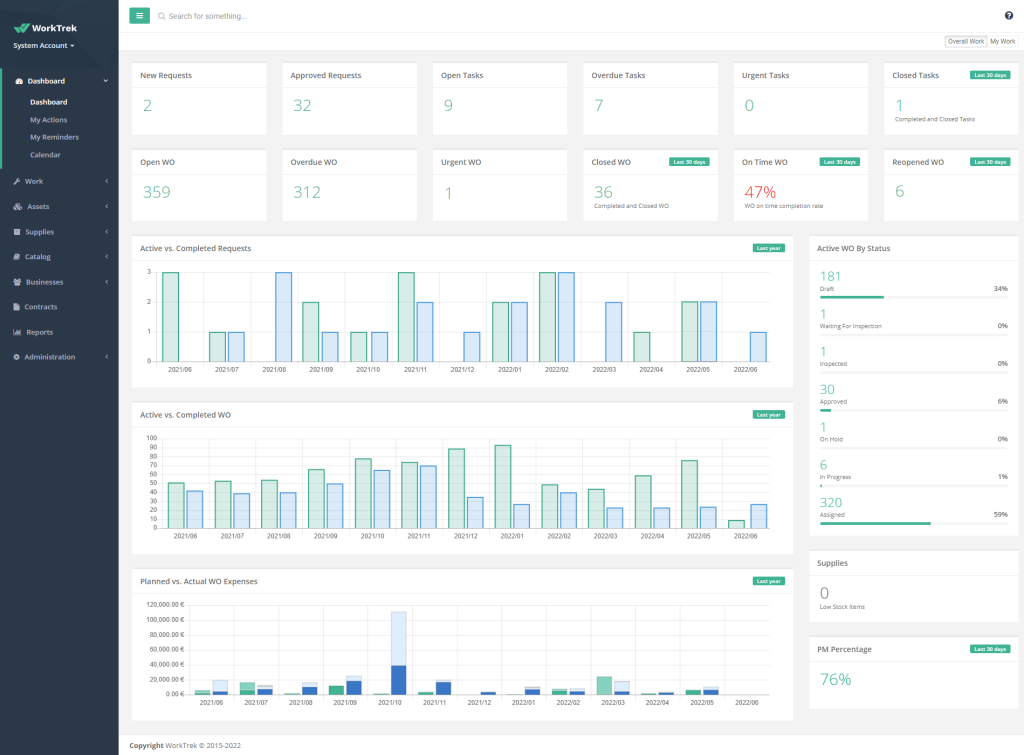
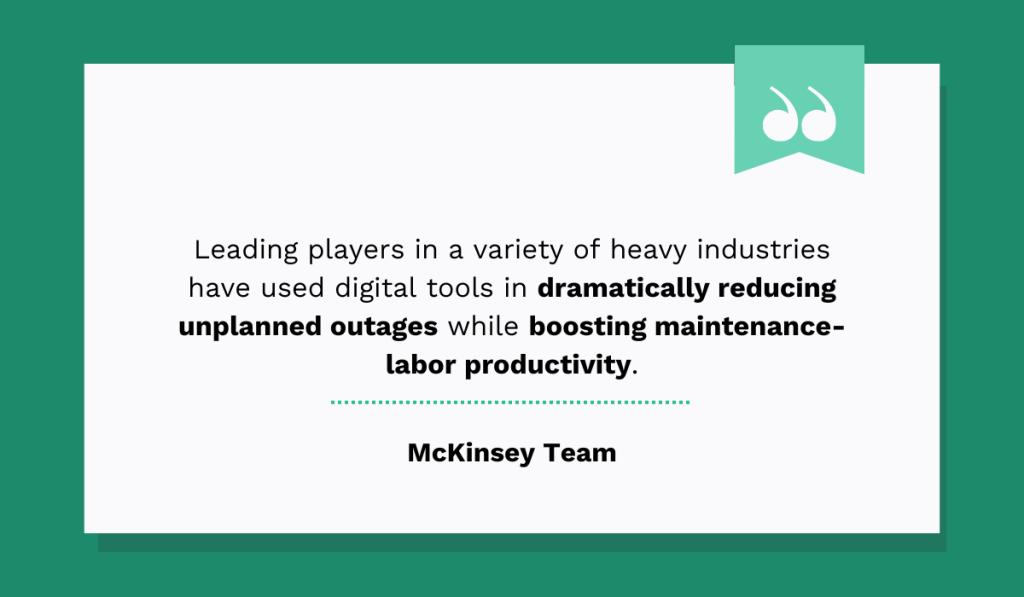
Therefore, it’s not surprising that, according to McKinsey, leading organizations rely on digital tools like these to improve operations and reduce downtime.
After all, a CMMS offers the most complete and scalable solution for maintenance documentation and management.
While it requires an initial investment of time and resources, the long-term benefits in efficiency, accuracy, and visibility make it the clear choice for facilities serious about growth and scaling.
Conclusion
Each maintenance documentation method we covered has trade-offs in cost, scalability, and data reliability.
While there are some more obvious choices on this list, you should still use the information we provided to understand which approach matches your facility’s size and goals best.
Consider evaluating your current system against the criteria discussed here, then decide whether upgrading your documentation method could reduce downtime and improve your team’s efficiency.