Get a Free WorkTrek Demo
Let's show you how WorkTrek can help you optimize your maintenance operation.
Try for freeKey Takeaways:
- U.S. factories currently operate with an estimated $40 billion worth of outdated equipment, resulting in $50 billion in unexpected downtime annually.
- The world-class benchmark for annual maintenance spending is 2–5% of your total replacement asset value (RAV)—once you exceed that threshold consistently, replacement is often the smarter investment.
- Organizations that use a CMMS to track maintenance history make faster, more defensible equipment replacement decisions, reducing both costly repairs and unplanned downtime.
Most maintenance teams don’t have a replacement plan until they desperately need one.
A piece of equipment fails at the worst possible moment. This could happen mid-production, during peak season, right before a major contract delivery. All of a sudden, everyone’s scrambling to find a replacement, get quotes, justify the budget, and explain to leadership why this wasn’t anticipated.
Sound familiar?
The truth is, developing a solid equipment replacement plan isn’t complicated. But it does require discipline, good data, and a process you can apply consistently across your fleet of assets.
Done right, it can transform a reactive, painful decision into a proactive, budget-friendly strategy.
This guide walks you through exactly how to do it.
What Is an Equipment Replacement Plan?
An equipment replacement plan is a process that helps your organization determine when to retire aging or underperforming assets and replace them. The goal is get ahead of any asset failure.
You don’t just need a list of machines that need to be replaced. Here is what to consider:
- Budget
- Maintenance history of your assets
- The level of criticality of each piece of equipment
- Projected lifespan
Think of it as a roadmap. Without one, you’re guessing.
With one, you’re making cost-effective decisions backed by data, and your team, leadership, and finance department are all aligned on the plan.
Why Equipment Replacement Planning Matters
The financial case for replacement planning is compelling.
According to MaintainX’s 2024 State of Industrial Maintenance Report, the average large manufacturing plant loses $253 million per year due to unplanned downtime.
Meanwhile, the average age of industrial fixed assets has reached 24 years. This is the oldest average in nearly 70 years.
Additionally, aging equipment is the leading cause of unplanned downtime, responsible for roughly 44% of unscheduled outages, according to Plant Engineering’s maintenance survey.
In other words, the longer organizations delay replacing worn-out equipment, the more they pay in maintenance costs, emergency repairs, and lost productivity. Generally, the problem compounds over time.
A well-executed equipment replacement plan should help you stay ahead of the curve and avoid surprise expenses and equipment failures.
Step 1: Determine Your Replacement Budget
The first thing to establish is how much money you can realistically allocate to equipment replacement. Without a budget, every other step in the process becomes theoretical.
There are industry benchmarks that provide a useful starting point.
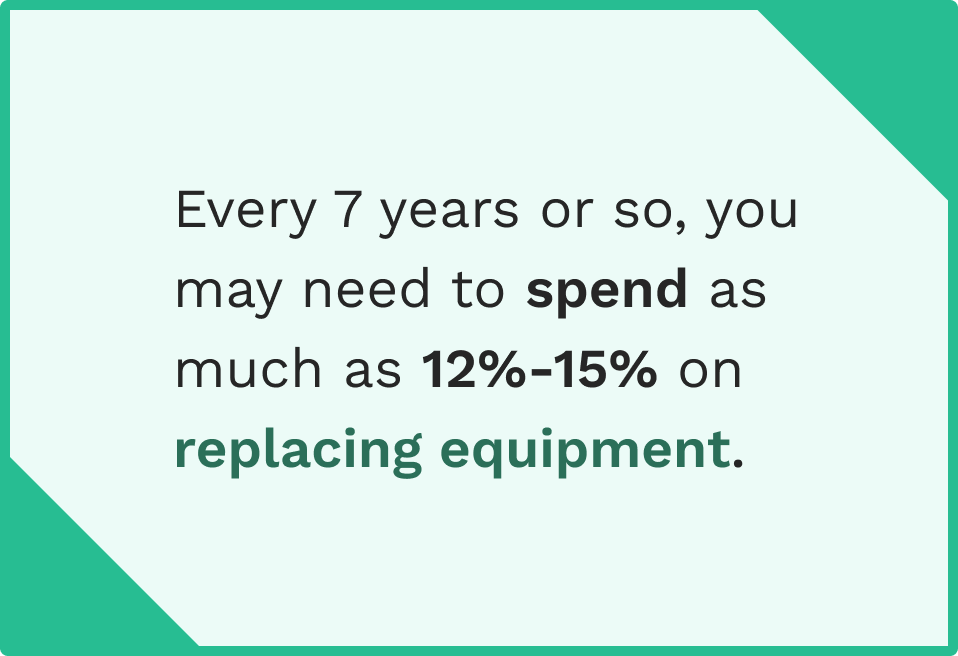
It’s generally recommended that organizations allocate between 1.5% and 4.6% of their annual revenue budget to equipment replacement. However, every five to seven years—particularly when a batch of equipment purchased around the same time reaches the end of its useful life—that figure can jump to 12–15%.
Another useful framework is the Replacement Asset Value (RAV) ratio.
UpKeep’s maintenance benchmarking guidance suggests that world-class facilities keep their annual maintenance spending at 2–5% of total RAV.
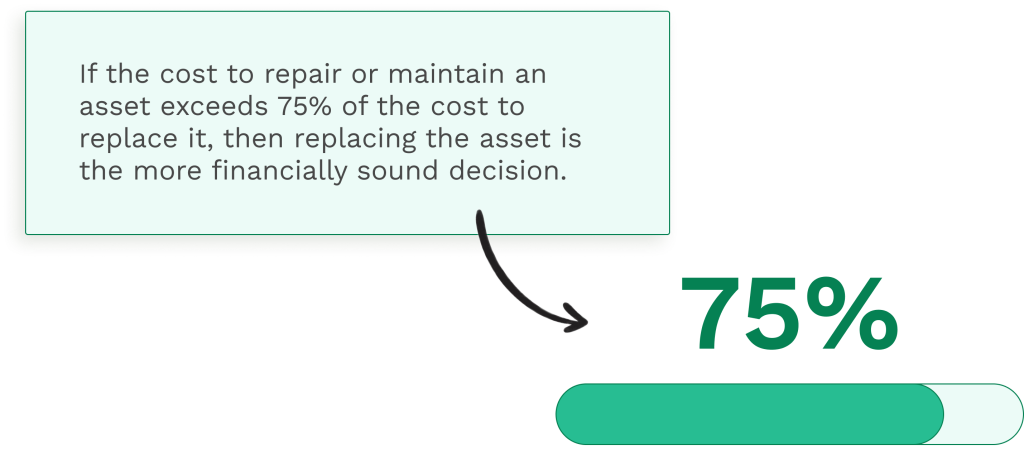
Once you’re spending significantly more than that to maintain an aging asset, replacing it often becomes the more cost-effective option.
It’s worth noting that budget planning for replacement shouldn’t happen in isolation. Loop in your finance team and other stakeholders early.
Step 2: Build a Complete Asset Inventory with Maintenance History
You can’t make smart replacement decisions without knowing what you have and how it’s performing.
Start by creating a complete inventory of all your equipment—every machine, vehicle, computer, HVAC unit, and any other significant asset. For each piece of equipment, you want to document:
- Purchase date and original cost
- Manufacturer and model
- Expected lifespan per manufacturer specifications
- All maintenance and repair work completed to date, including labor and parts costs
- Current condition and performance indicators
- Warranty status
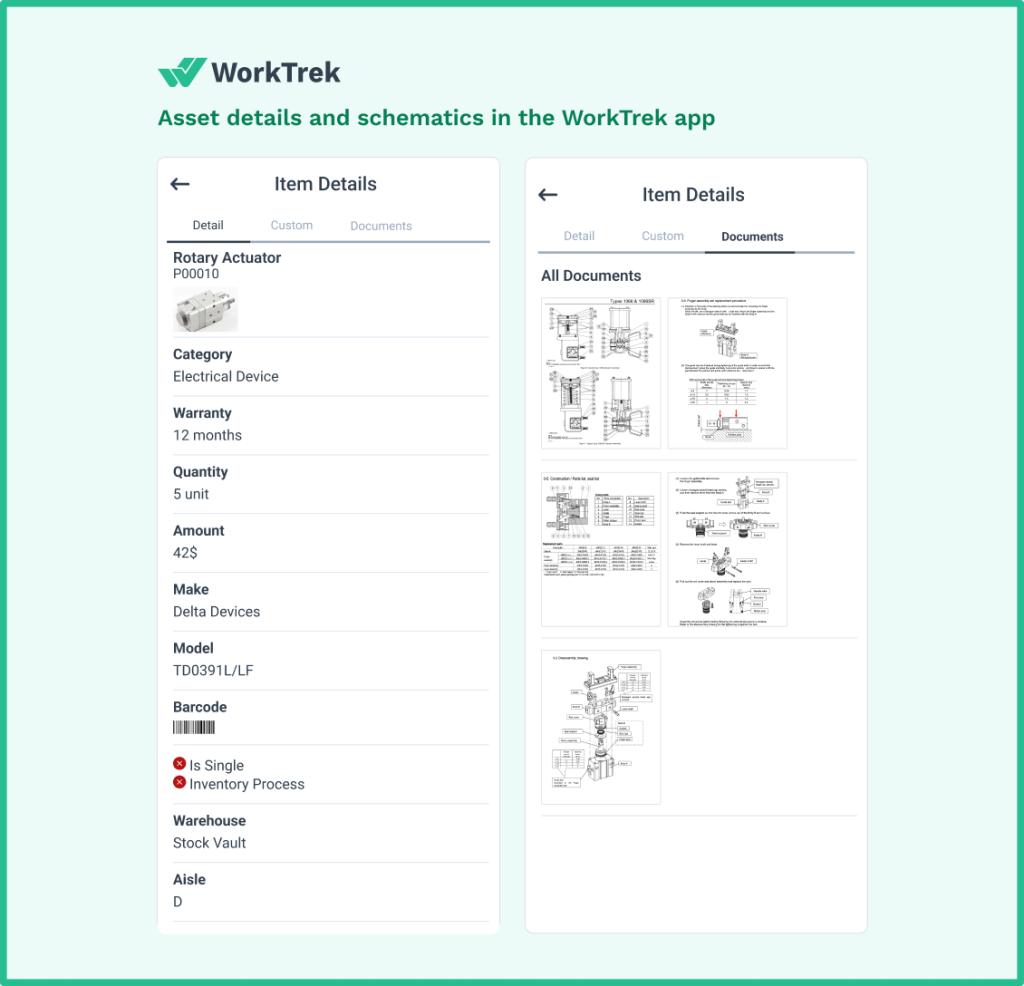
The maintenance history is particularly critical.
Detailed records showing cumulative repair costs, frequency of failures, and parts replacement history allow you to calculate the true cost of ownership for each asset.
When you know what a machine has actually cost you to maintain over time, it can help you make better decisions about whether to repair or replace it.
This is exactly why keeping detailed records in a CMMS is so much more effective than relying on spreadsheets or paper logs. Asset history needs to be searchable, reportable, and actionable.
Step 3: Assess the Need for Replacement
Once you have cost data on each asset, you can begin assessing the need for replacement. The most practical approach is to categorize every piece of equipment into one of three replacement need levels:
- Critical (1): The asset is failing frequently, safety is at risk, or continued operation significantly threatens production. Replacement is urgent.
- Moderate (2): The asset is showing signs of age, repair costs are rising, but it can still function reliably in the near term with attention.
- Low (3): The asset is aging but stable, with no immediate performance or safety concerns.
This categorization exercise forces your team to have honest conversations about asset health.
What looks fine on a maintenance schedule might be quietly draining resources when you actually look at the repair history. What seems like a low priority might be the single piece of equipment that could bring an entire production line to a halt if it fails.
Involve your maintenance technicians in this step.
They work with these machines every day and often have the clearest picture of which assets are struggling. Their insight is invaluable when identifying potential equipment failures before they become expensive emergencies.
Step 4: Determine the Cost to Replace
With replacement priorities established, the next step is to determine what replacing each asset would actually cost.
Start gathering quotes for equipment that falls into the critical and moderate replacement categories.
Research the market: get at least two to three quotes per asset, factor in installation and commissioning costs, and account for any downtime associated with the changeover.
Once you have quotes, categorize each replacement into a cost tier:
- Low cost (1): Relatively minor investment with minimal budget impact.
- Moderate cost (2): A meaningful but manageable capital expenditure.
- High cost (3): A significant investment requiring careful planning, budget allocation, and possibly phased purchasing.
This step is also a good time to research new technology.
In many cases, the replacement isn’t a like-for-like swap. It is might be a simple upgrade.
More energy-efficient equipment, machines with better diagnostic capabilities, or systems with longer expected lifespans may carry a higher upfront price but deliver a better long-term return. Factor that into your analysis.
Step 5: Score and Prioritize Your Assets
Now you have two numbers for each asset: a replacement need score (1–3) and a cost score (1–3). Add them together.
The resulting score runs from 2 to 6:
- Score of 2: Critical need, low cost. Replace immediately. This is your highest priority.
- Score of 3–4: Moderate priority. Plan replacement within the current budget cycle.
- Score of 5–6: Lower priority. Schedule for future budget cycles, but continue monitoring.
This scoring system is simple, but it’s powerful. It gives your team a common language for discussing replacement priorities and makes it much easier to communicate those priorities to leadership and finance.
Instead of advocating for replacements based on gut instinct, you’re presenting a data-driven case.
One important caveat: a score of 6 doesn’t mean the asset is fine. It means it’s critical to replace but expensive to do so.
Don’t let the score obscure the underlying need. In those cases, you may need to make difficult decisions about phased replacements, temporary fixes to extend life, or sourcing alternative funding.
Step 6: Compare Against Manufacturer Lifespan
Every asset has an expected useful life defined by its manufacturer. This is one of the most important and most overlooked reference points in replacement planning.
When you purchased equipment, the manufacturer provided documentation outlining expected maintenance intervals and a projected lifespan.
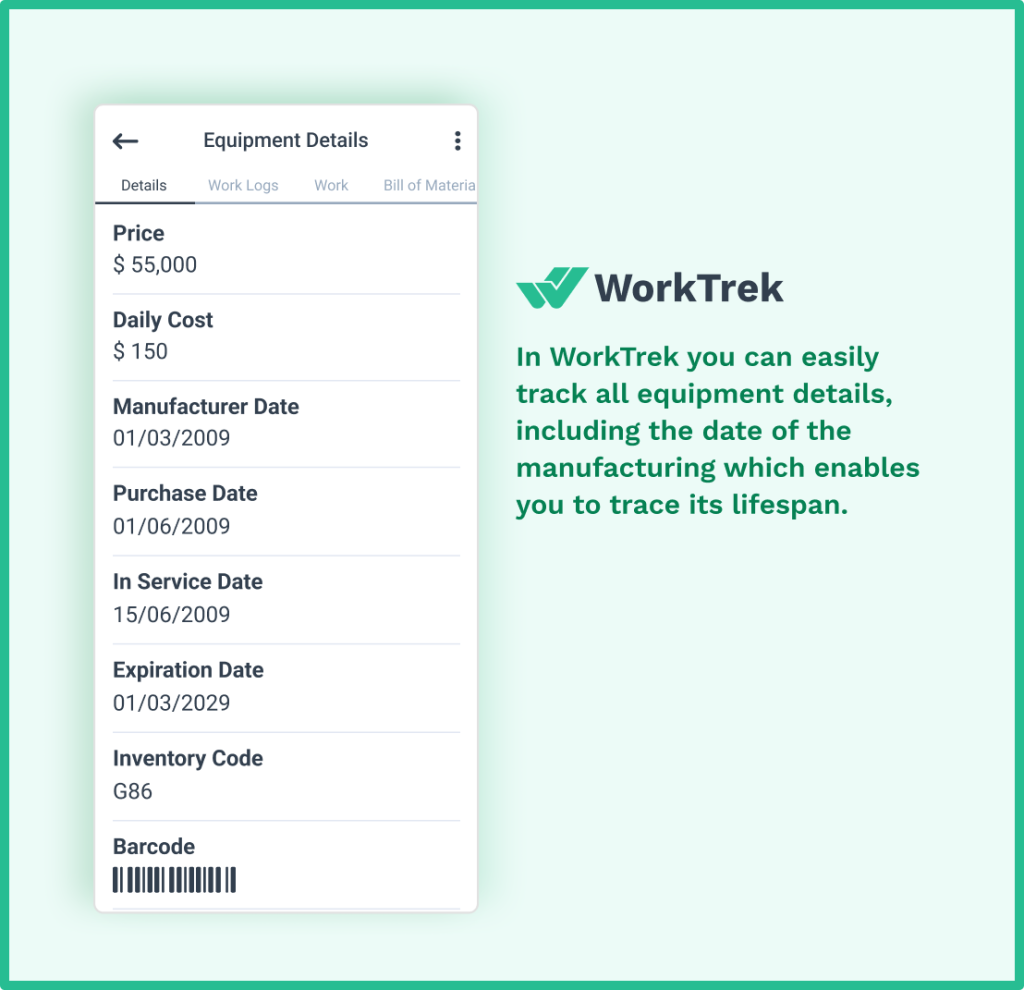
Compare where each asset currently sits relative to that lifespan. An asset at 80% of its expected life will behave very differently than one at 110%.
This comparison helps validate your priority scoring. If an asset scores as moderate priority but is also well past its manufacturer’s recommended lifespan, that should push it higher on your replacement list.
Conversely, an asset with a high replacement cost but years of useful life remaining may be better served by a focused preventive maintenance program than an immediate replacement.
It’s also worth noting that manufacturer lifespans assume average use and conditions.
Heavy-use environments, harsh operating conditions, or inadequate maintenance will accelerate wear. Always apply judgment alongside the numbers.
Step 7: Factor In New Technology and Long-Term ROI
Equipment replacement isn’t just about retiring something that’s broken down. Use it as an opportunity to upgrade your operations.
Before finalizing your replacement plan, research whether newer technology in your asset category offers meaningful advantages over what you’re replacing.
For example, modern manufacturing equipment often comes with built-in IoT sensors that feed data directly into your maintenance management systems. This can help with any predictive maintenance models that you might be using.
Energy-efficient models can reduce operating costs significantly over their lifespan. Machines with longer warranty coverage reduce financial risk in the early years.
According to Deloitte research, companies that invest in predictive maintenance-enabled equipment can increase equipment uptime by 10–20% and reduce overall maintenance costs by 5–10%. Those savings should absolutely factor into your replacement cost analysis.
Don’t just ask: “How much does this cost to buy?” Ask: “What will this cost or save over its expected lifespan?” That’s the lens that leads to truly cost-effective decisions.
Step 8: Write, Share, and Revisit the Plan
The final step is to formalize everything you’ve built into a written plan and put it in front of the right people.
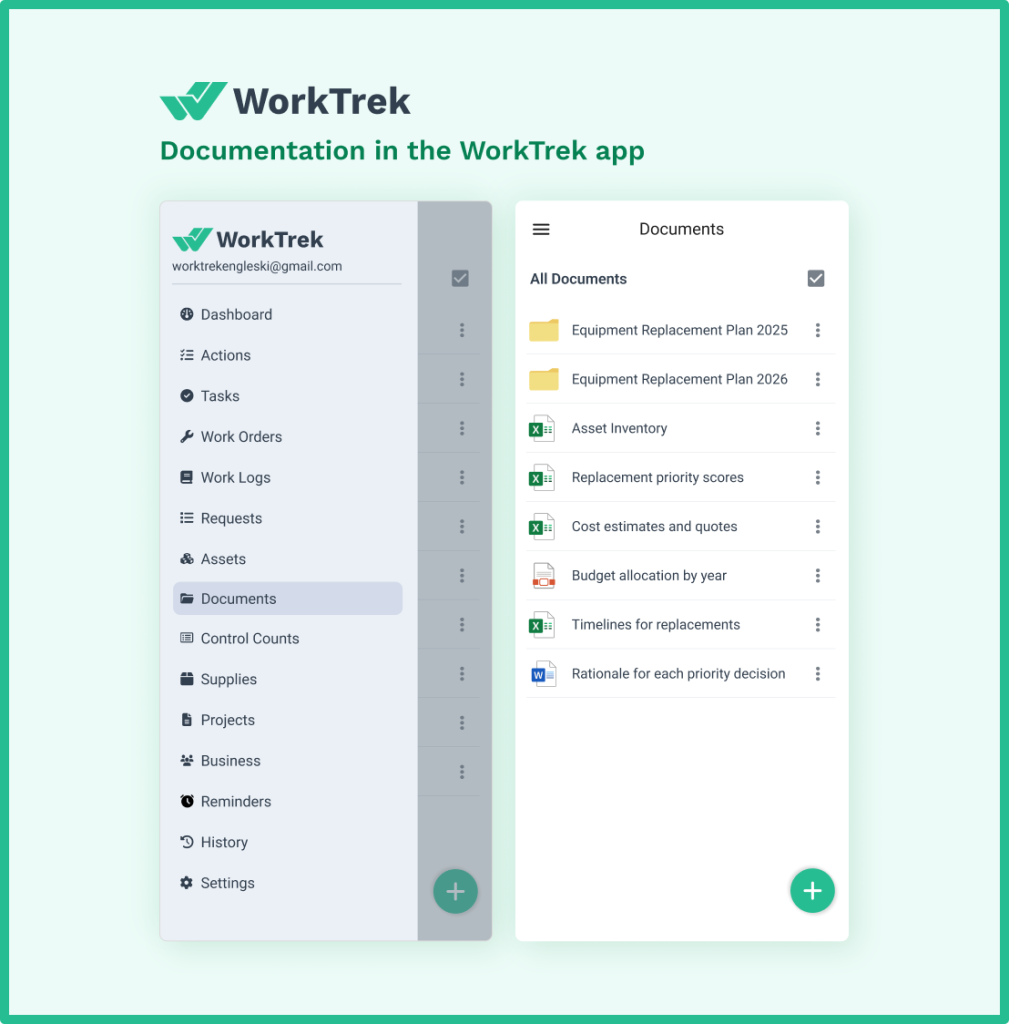
A complete equipment replacement plan should include:
- Your asset inventory
- Replacement priority scores
- Cost estimates and quotes
- Budget allocation by year
- Timelines for replacements
- Rationale behind each priority decision
The more clearly documented it is, the more defensible it becomes when you need to justify spending to leadership or finance.
Don’t forget to share the plan with all relevant stakeholders: maintenance managers, operations leadership, finance, and procurement.
Different teams often have different priorities, and you may discover that someone can source a better price, or that a department considers an asset more critical than your initial assessment indicated. That input improves the plan.
Finally, build a review cycle into the plan itself.
An equipment replacement plan isn’t something you write once and file away. Asset conditions change, budgets shift, new equipment failures emerge, and technology evolves.
Review and update your plan at least annually and immediately after any significant unplanned failure that changes your priority landscape.
How a CMMS Helps You Build a Better Equipment Replacement Plan
Here’s where many organizations struggle: they have a replacement planning process, but they lack the data infrastructure to execute it effectively.
Building a replacement plan on spreadsheets and gut instinct produces a document that’s outdated the moment you finish writing it. The maintenance history is incomplete, the cost data is fragmented across different systems, and the priority scores are based on general impressions rather than actual performance metrics.
A CMMS (Computerized Maintenance Management System) solves this problem directly.
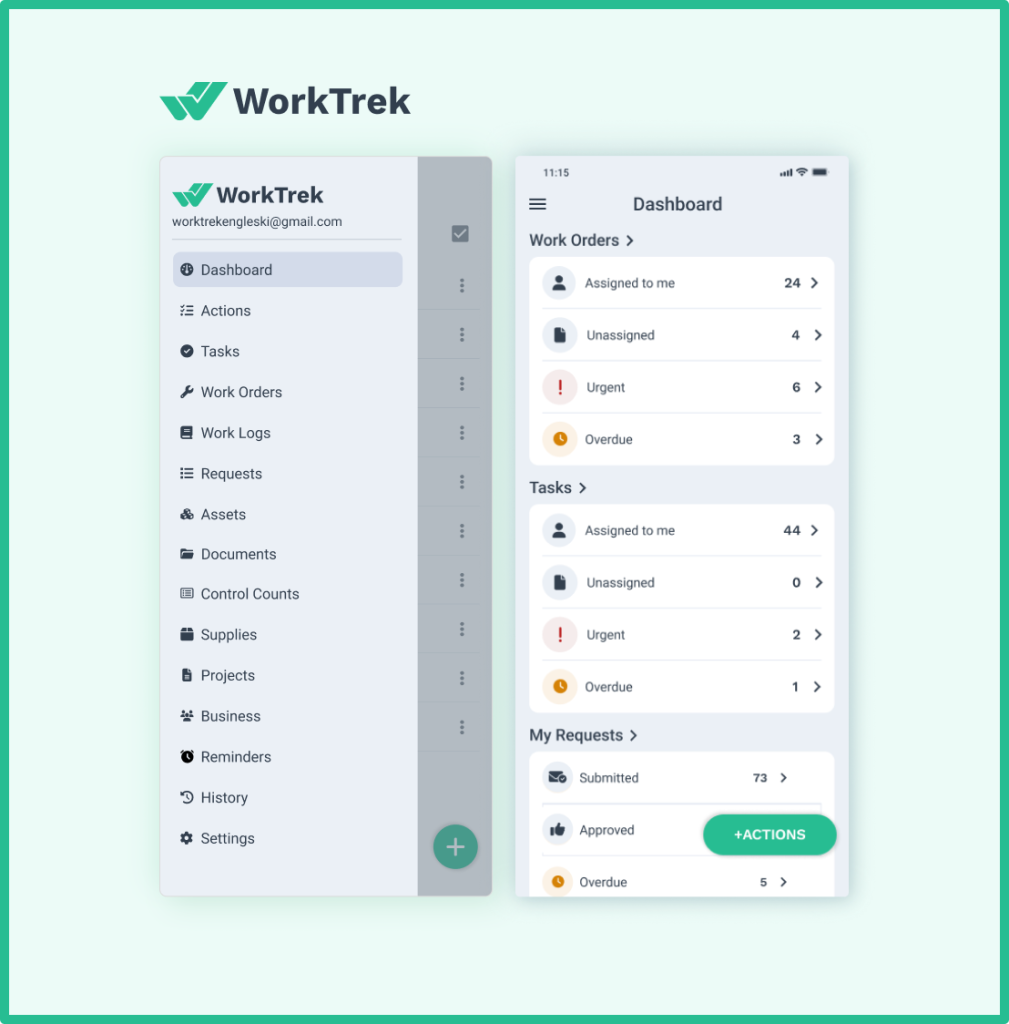
It centralizes all the data your replacement plan depends on maintenance history, repair costs, parts consumption, downtime incidents, and asset conditions into a single, accurate, always-current system.
According to UpKeep’s 2024 State of Maintenance Report, 65% of companies now use a CMMS to manage and optimize maintenance activities.
The reason is straightforward: teams using CMMS platforms consistently report better visibility, fewer unplanned failures, and more informed asset decisions.
WorkTrek is purpose-built for exactly this kind of work.
It equips maintenance teams and managers with the tools to track every asset’s full maintenance history, log all labor and parts costs against individual equipment records.
It can also empower maintenance teams to run reports that surface which assets are consuming disproportionate resources. When it’s time to build or update your replacement plan, that data is already waiting for you.
With WorkTrek’s asset management capabilities, you can maintain a complete, searchable inventory of every piece of equipment in your operation.
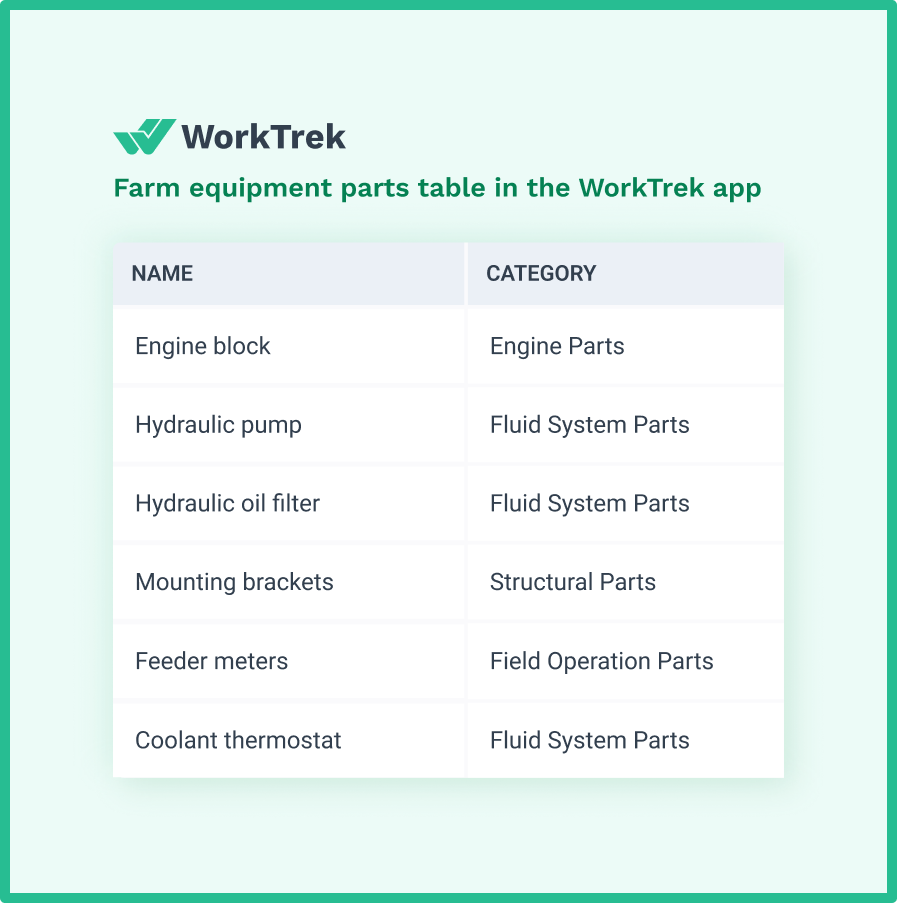
This includes purchase dates, expected lifespans, warranty information, and maintenance schedules.
The work order management system automatically logs all repair costs and labor hours against each asset, so your true cost of ownership data is always accurate and up to date.
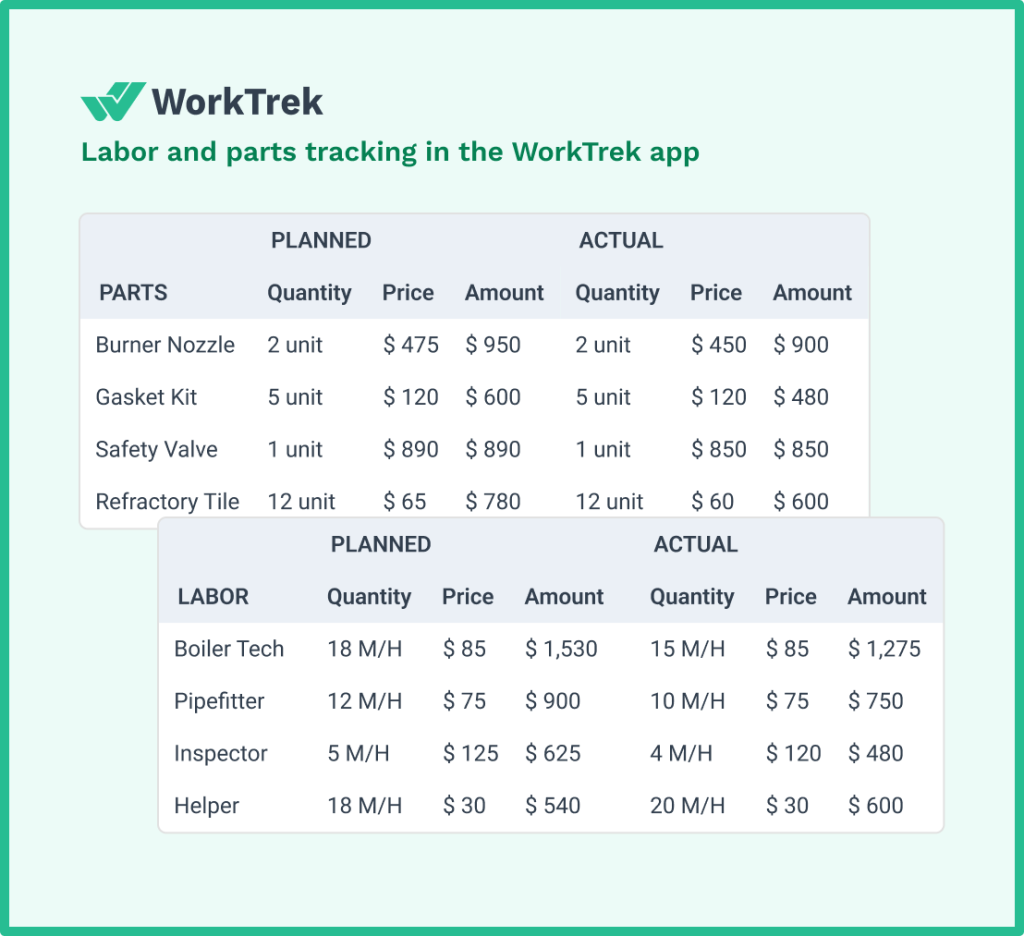
WorkTrek’s reporting and analytics tools let you identify which assets are generating the most corrective work orders.
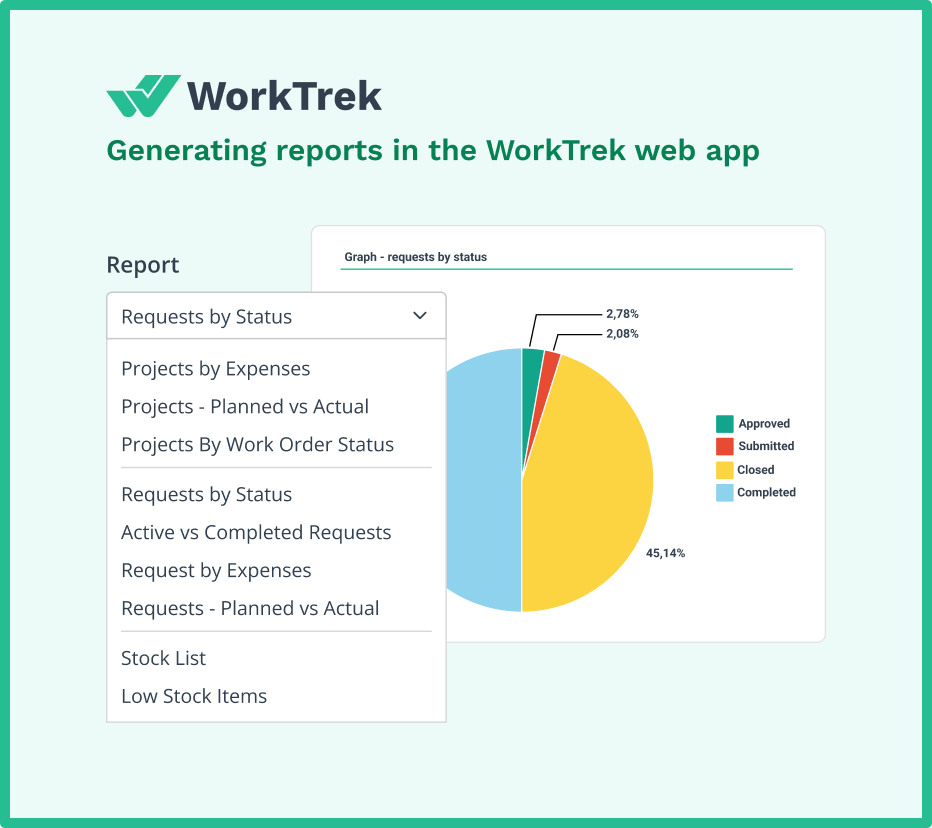
This can help you identify equipment that is exceeding their maintenance budgets, or approaching the end of their useful lives. Instead of pulling data from multiple sources and piecing it together manually, you can run a report and have your priority list in minutes.
And because WorkTrek also manages your preventive maintenance scheduling, you can extend the useful life of assets that aren’t yet ready for replacement. This can reduce maintenance costs and buying time for your replacement budget to align with your priorities.
The result is a replacement planning process that’s faster, more accurate, and far less stressful.
Conclusion
An equipment replacement plan isn’t just reserved for large enterprises with dedicated asset management teams. It’s a fundamental business planning tool that any organization relying on physical assets needs.
As we’ve described in this blog, the process doesn’t have to be complex.
Establish your budget, inventory your assets with accurate cost data, assess replacement needs honestly, score your priorities, and write it all down. Review it regularly. Loop in your stakeholders. Use the right tools to keep the underlying data accurate and accessible.
If you’re ready to build a smarter replacement planning process, WorkTrek gives you the asset tracking, maintenance history, and reporting capabilities to do it right.