Get a Free WorkTrek Demo
Let's show you how WorkTrek can help you optimize your maintenance operation.
Try for freeMaintenance teams often face the same operational challenge: work requests arrive constantly, technicians are already in the field, and schedules change throughout the day.
Without a clear system, dispatching quickly becomes reactive and difficult to manage.
Maintenance dispatch software solves this problem by organizing requests, assigning work orders, and keeping technicians informed in real time.
The following six software are worth considering.
WorkTrek
WorkTrek is a cloud-based CMMS built to make maintenance management easier and more organized.
From the moment a work request comes in, you can see it in a central queue, review it, and turn it into a task or work order without juggling emails or spreadsheets.
Once tasks are created, the Scheduler gives you a clear visual timeline of all scheduled and unscheduled work, allowing you to assign, reassign, or reschedule jobs in seconds.
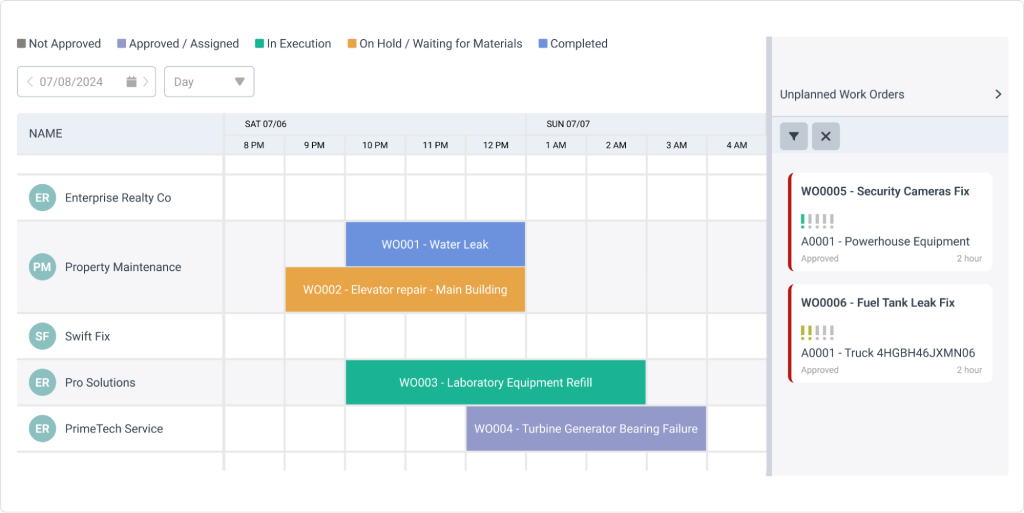
When new work appears, you simply drag the work order onto a technician’s calendar slot to assign it.
If priorities change during the day, you can move tasks between technicians or adjust the schedule in seconds.
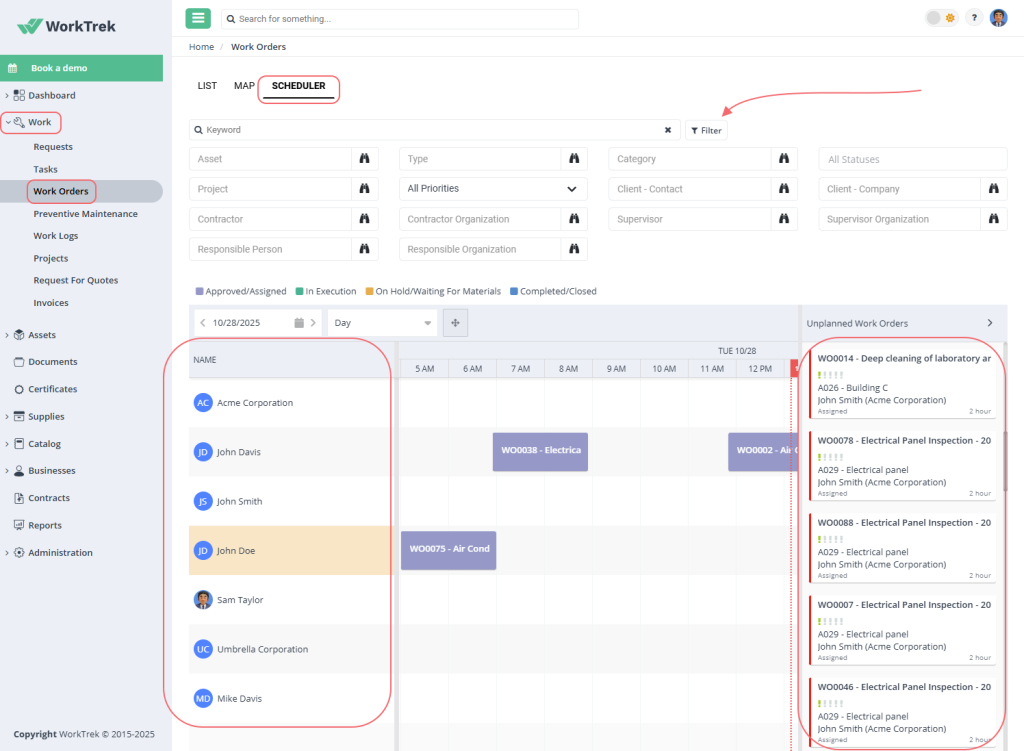
This drag-and-drop approach is similar to scheduling tools in UpKeep and Limble CMMS.
Each task can include instructions, checklists, photos, documentation, asset details, and hazard alerts, so technicians know exactly what to do and how to do it when they open it on their mobile phones.
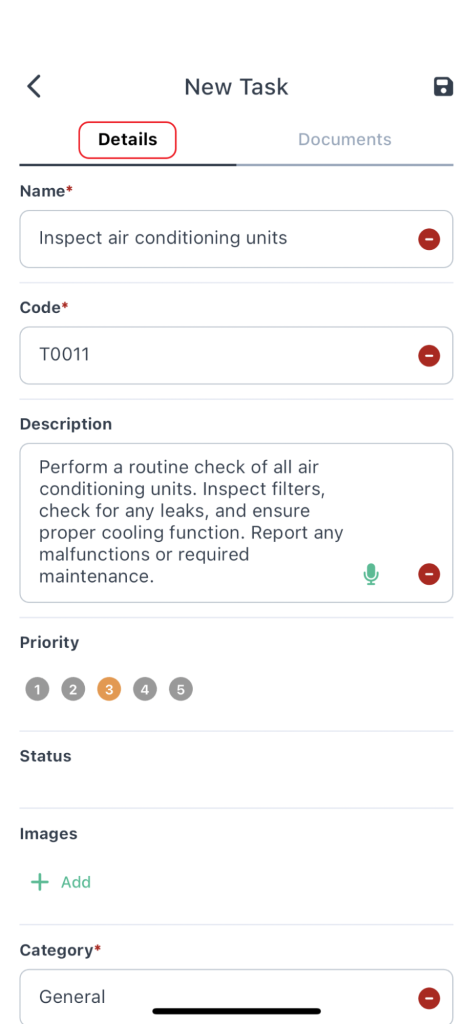
Whether you’re scheduling preventive maintenance, inspections, cleaning, or troubleshooting failures, the system helps you ensure work is done safely and correctly.
Mobile notifications and multiple task views, like list, board, or map, help your team stay aligned, while the “Daily Summary” lets you see all completed work at a glance.
Moreover, the map view makes it easier to dispatch tasks based on location, allowing you to assign the nearest technician and reduce travel time.
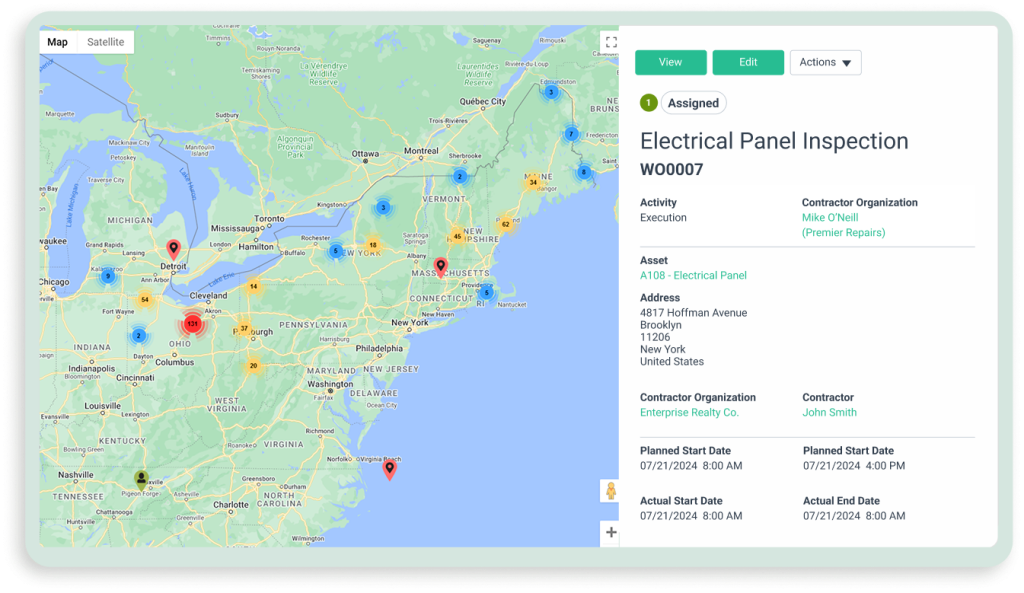
Users often highlight the improved visibility and organization WorkTrek provides.
As Damir Fabijanković, Service Manager at METUS, a Croatian company specializing in the design, manufacturing, and maintenance of elevators and vertical transport equipment, notes:
“WorkTrek application helped us greatly in better visibility, control, and organization of work. With the WorkTrek mobile application, our technicians have a clearer division of work tasks, which improves their efficiency.”
Pricing is flexible to match your team’s needs.
The Starter plan begins at $29 per user per month and includes work orders, asset management, simple inventory, dashboards, and reports.
Professional adds preventive maintenance, service catalogs, advanced inventory, and subcontractor management for $49 per user per month.
Enterprise plans offer custom workflows, API access, and additional features on request.
All plans include unlimited guest requests and mobile access, making WorkTrek suitable for teams of any size.
BuildOps
If your maintenance operations are closely tied to commercial service work, such as HVAC, electrical, or mechanical contracting, BuildOps offers a broader operational platform that includes dispatching alongside:
- CRM
- Quoting
- Scheduling
- Invoicing
- Reporting
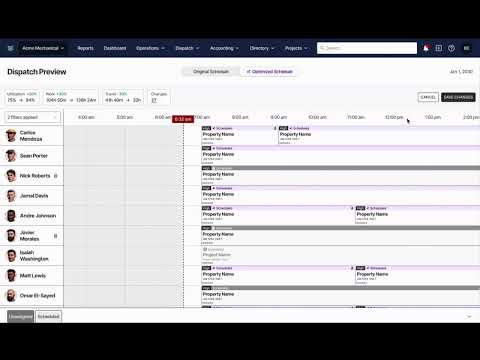
The platform’s dispatch workflow revolves around its dispatch board, where you can view technicians, job assignments, and availability in real time.
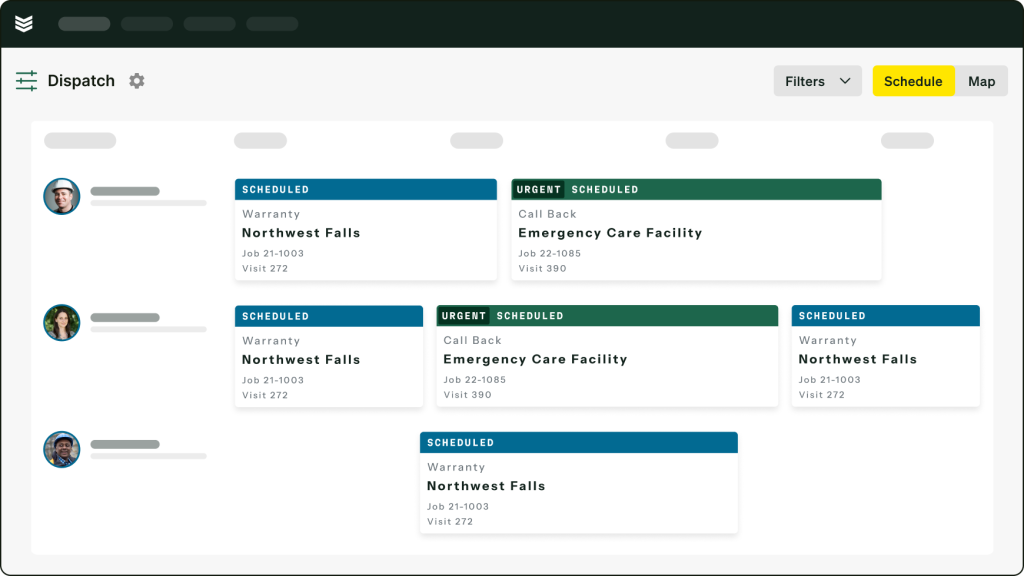
Unassigned jobs appear in a queue, allowing you to drag them directly onto a technician’s schedule.
While this interface resembles a scheduling system in WorkTrek, BuildOps adds another layer by helping you match technicians based on skills, certifications, and job history.
This skill-based dispatching can be especially useful when technicians specialize in specific equipment or systems.
Instead of manually checking qualifications, the system highlights which technicians are best suited for the job, helping improve first-time fix rates and reduce repeat visits.
BuildOps also supports map-based dispatching, which lets you see technician locations in real time and assign nearby jobs when urgent service requests appear.
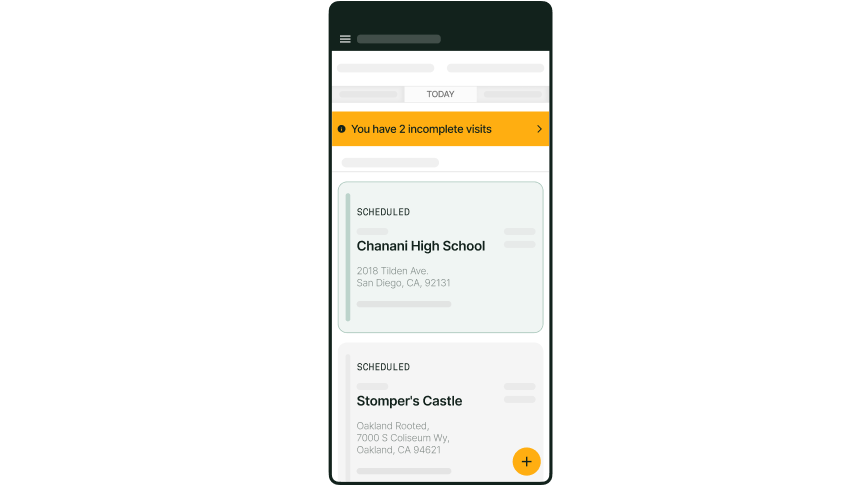
Any schedule changes made by dispatchers are instantly pushed to technicians through the mobile app, keeping field teams informed without constant phone calls.
Despite these features, user opinions on the platform are mixed.
Reviews on G2 and Capterra often praise its comprehensive feature set and suitability for large commercial contractors.
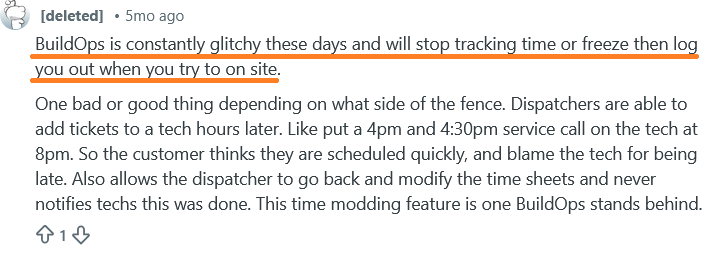
However, some technicians on Reddit have reported occasional performance glitches and concerns about how dispatchers can adjust job timestamps after assignments.
BuildOps does not publish fixed pricing publicly, but based on buyer reports collected by Capterra, many organizations pay somewhere between under $55 and over $165 per user per month, depending on company size and configuration.
UpKeep
UpKeep is one of the most widely recognized maintenance management platforms and is commonly used by facility managers and maintenance teams transitioning from manual scheduling methods.
Dispatching in UpKeep happens through the Scheduler, where you can view technician schedules and unscheduled work orders in a single planning interface.
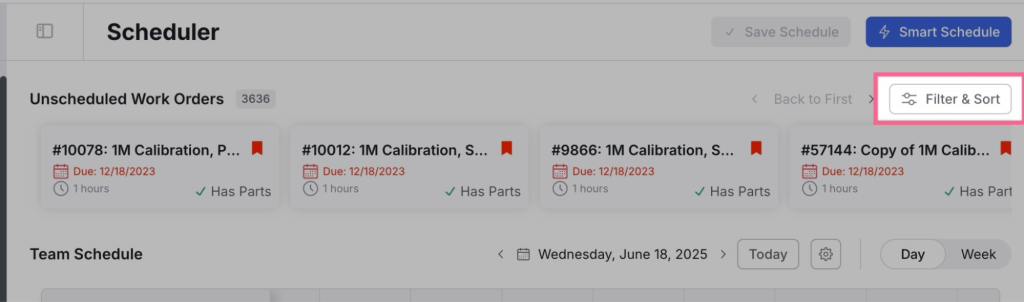
When new tasks appear, you drag them from the unscheduled panel directly onto a technician’s calendar.
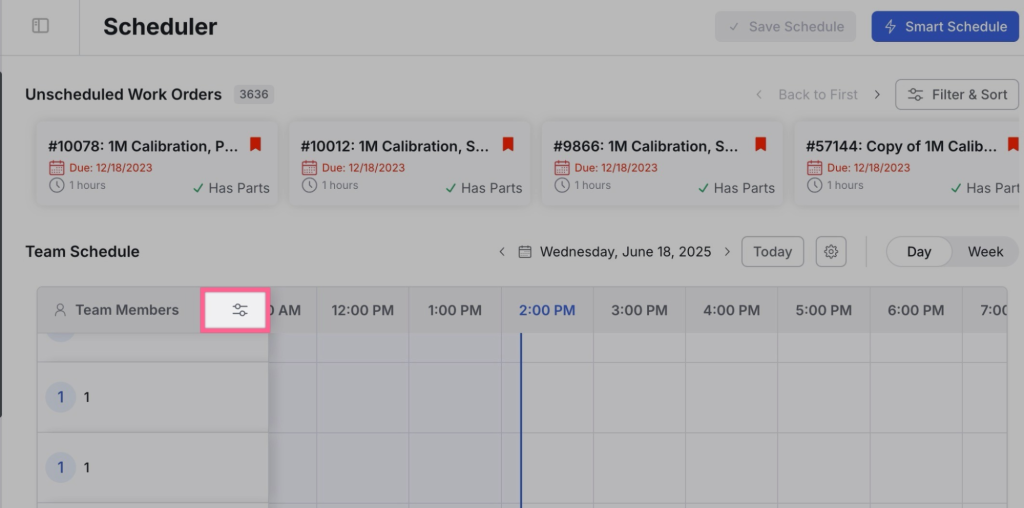
The system allows you to filter work orders by asset, location, technician, or priority, making it easier to focus on the most urgent jobs.
The Scheduler also flags risks like double-booked technicians or overdue orders, giving supervisors a clear view of potential issues.
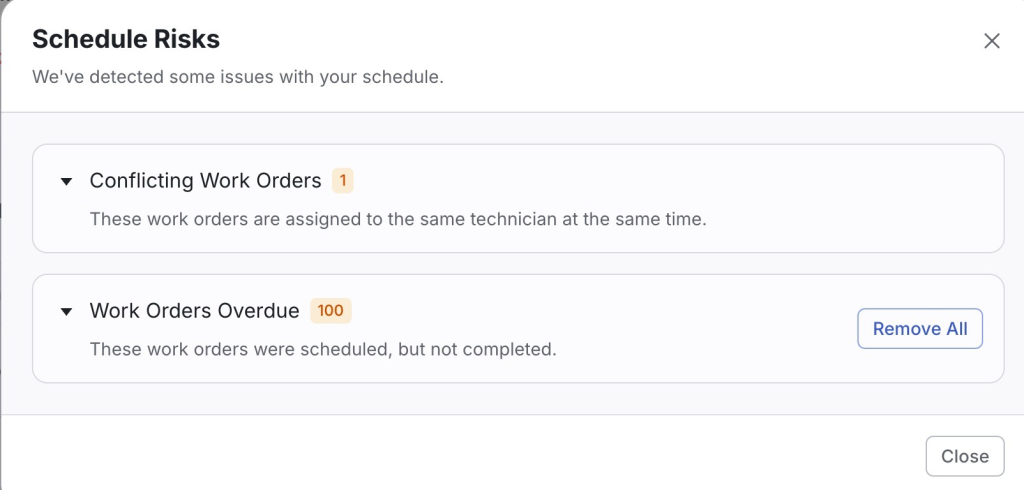
Work orders themselves can include instructions, photos, manuals, and other documentation, similar to WorkTrek.
Technicians access these details through the mobile app, where they can update job status, log labor time, and add notes from the field.
Push notifications ensure technicians are alerted whenever new tasks are assigned or schedules change.
For more advanced dispatch planning, UpKeep offers UpKeep Studio, a web-only extension accessible to Administrators.
Studio includes apps like Work Order Routing & Dispatch, which let you plan routes with real-time map visibility, GPS-based start points, drive-time tracking, turn-by-turn navigation, and activity updates.
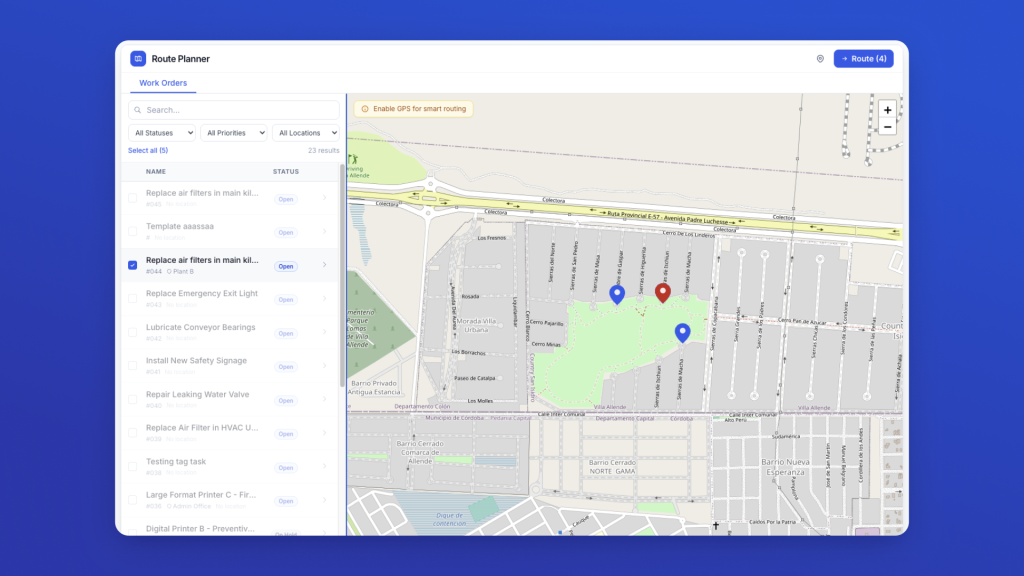
These apps leverage your existing UpKeep data to expand functionality, though they are currently only visible to the installing Administrator.
User reviews generally highlight the platform’s ease of setup and accessibility.
Many reviewers on G2 note that UpKeep helps teams quickly create maintenance schedules and process incoming work requests.
However, some users also mention that certain functions require customization and that performance may occasionally slow down when handling large datasets:
“The program requires a lot of customization, and it would be great if the customization options were more thorough. At times, the system crashes because of connectivity issues, and in those situations, it can be a bit slow to load information.”
Pricing starts at $20/user/month for the Essential plan, with Premium ($55) adding Studio access, PM scheduling, checklists, and parts tracking.
Higher tiers (Professional and Enterprise) offer mobile offline mode, advanced analytics, multi-site support, workflow automation, and API integrations.
Limble CMMS
Limble is a cloud-based CMMS that combines robust resource planning with full maintenance management.
Its Resource Planning feature allows you to schedule technicians, balance workloads, and ensure coverage for every work order or preventive maintenance (PM) task.
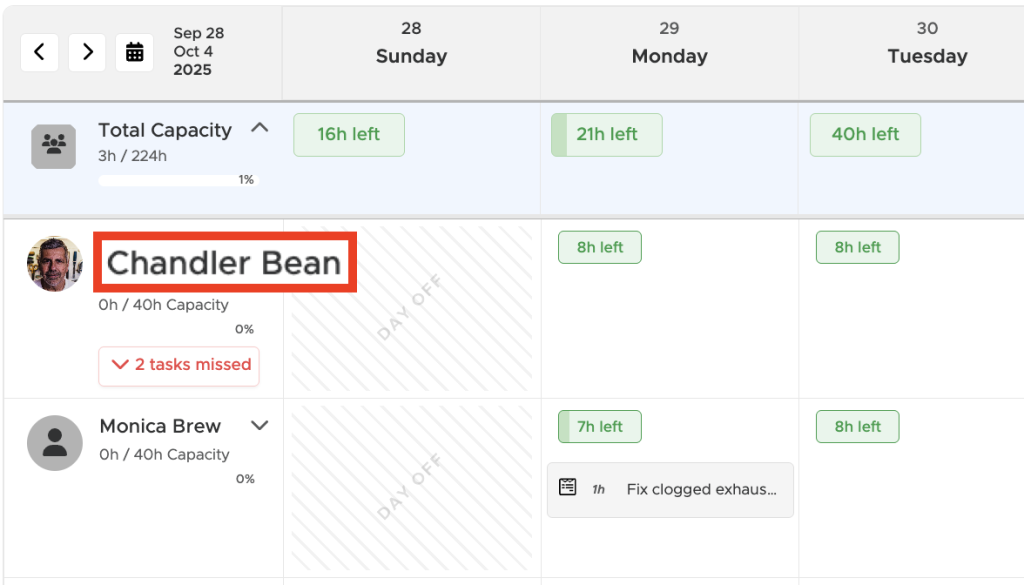
You can set individual, team, or rotating schedules, account for exceptions like PTO or sick time, and assign tasks using drag-and-drop scheduling.
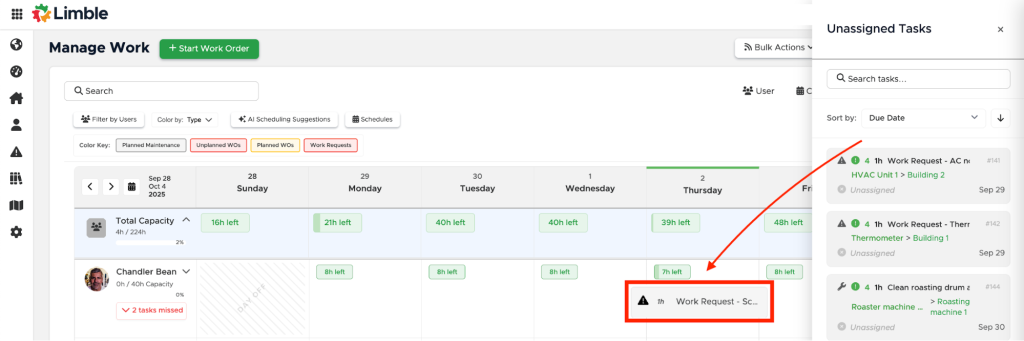
Limble also supports smart time estimates and AI scheduling suggestions, which help consolidate tasks by location, type, or technician.
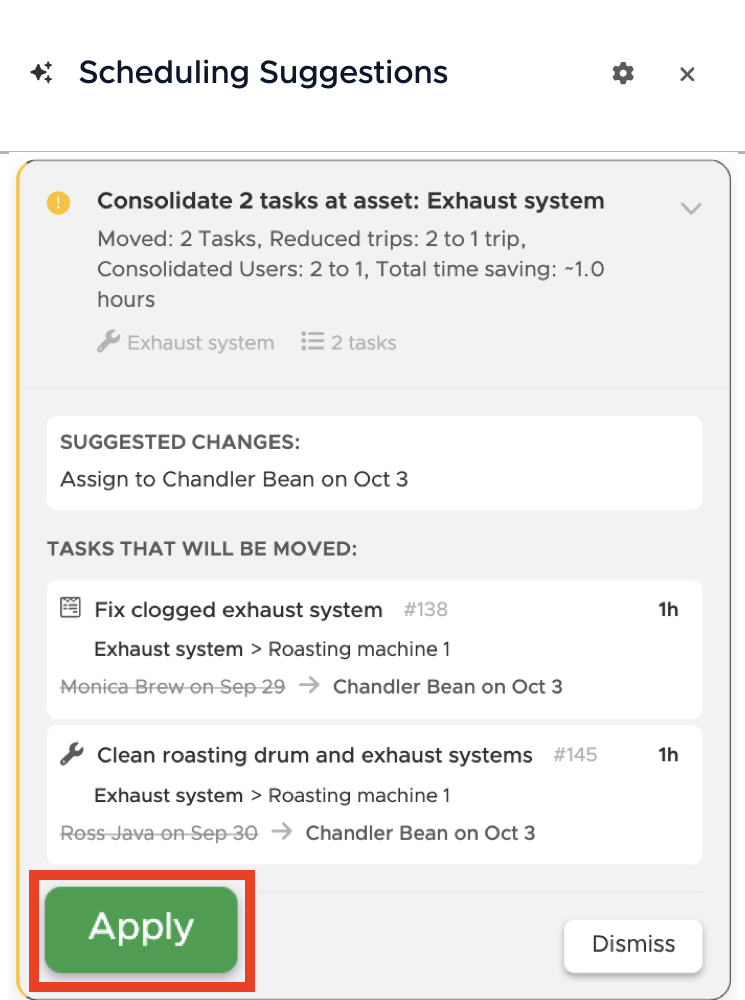
However, keep in mind that once you apply the suggestion to your schedule, there’s no way to undo it.
Beyond scheduling, Limble handles the full maintenance workflow.
Work requests are centralized and can be converted into detailed work orders, which include checklists, photos, notes, parts, and tool requirements.
Technicians can access task information from mobile devices, while supervisors can track progress, missed work, and overall capacity through dashboards and reporting.
Users generally like Limble for improving task visibility, as this reviewer notes:
“I love being able to delegate to everyone from one platform without needing to have individual conversations about their tasks. All instructions, notes, parts and tools needed are right in the work order.”
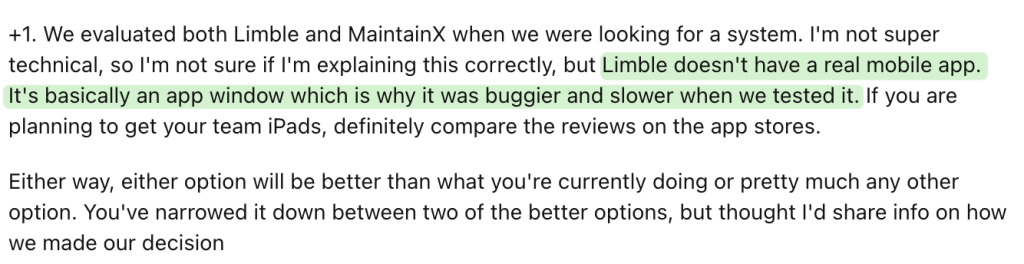
Reported drawbacks include a non-native mobile interface, which can feel slower in the field, and the lack of built-in team chat.
Pricing begins with the Standard plan, including unlimited work orders, PMs, and assets.
Premium+ adds offline mobile access, spare parts tracking, and vendor management, while the Enterprise plan provides multi-location support, custom workflows, SSO, and system integrations.
Importantly, the Resource Planning feature is available only for Enterprise users.
Maintenance Care
For teams seeking a straightforward maintenance dispatch solution without extensive configuration, Maintenance Care offers a cloud-based system that organizes upkeep requests and work orders.
Dispatching is managed through a central work order dashboard, where you can review incoming requests, convert them into work orders, and assign them to technicians.
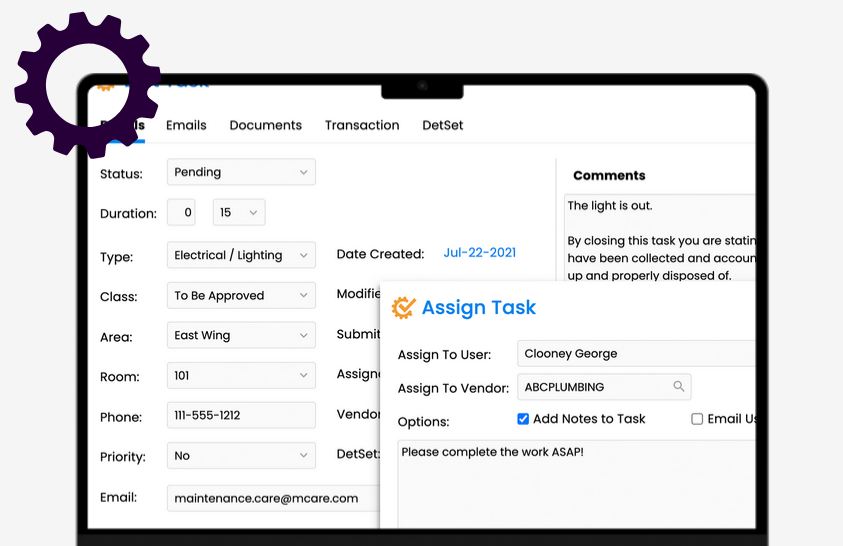
As in all other software on this list, each work order can include asset information, due dates, attachments, and communication notes, giving technicians the details they need once the task is dispatched.
Technicians receive notifications when new work orders are assigned and can update task status directly from the mobile app.
This allows supervisors to track job progress without needing constant check-ins with the field team.
As with the other tools mentioned, Maintenance Care supports preventive maintenance scheduling, automatically generating recurring tasks for inspections or equipment servicing.
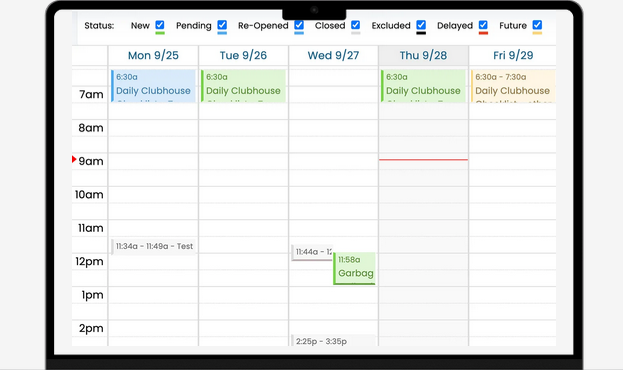
These preventive work orders appear alongside reactive requests, allowing dispatchers to prioritize urgent issues while still keeping scheduled maintenance on track.
Compared with platforms like BuildOps or Limble CMMS, Maintenance Care focuses more on simplicity than advanced automation.
However, it still includes features such as inventory tracking, document storage, and reporting dashboards.
User opinions about the platform are mixed.
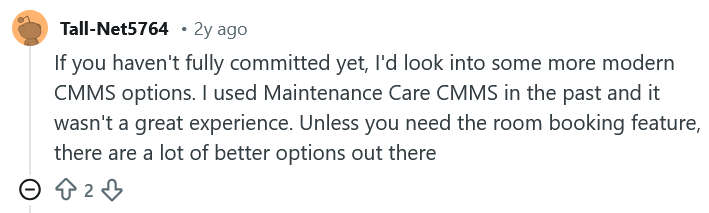
Some facility managers appreciate its simple interface and quick setup, while discussions on Reddit suggest teams needing more advanced automation sometimes move toward newer CMMS platforms.
When it comes to pricing, Maintenance Care offers a Free Edition with limited users and assets, while the Enterprise plan costs $225 per month and supports unlimited users and work orders.
A bundled plan with additional modules and integrations can reach $500 per month.
Coast
The last software on our list is Coast, designed for teams that want a simpler way to coordinate maintenance tasks and schedules without implementing a complex CMMS.
The platform combines work order management with communication and workforce coordination tools.
Dispatching is handled through its task and work order system, where you create jobs, set priorities, and assign them to technicians.
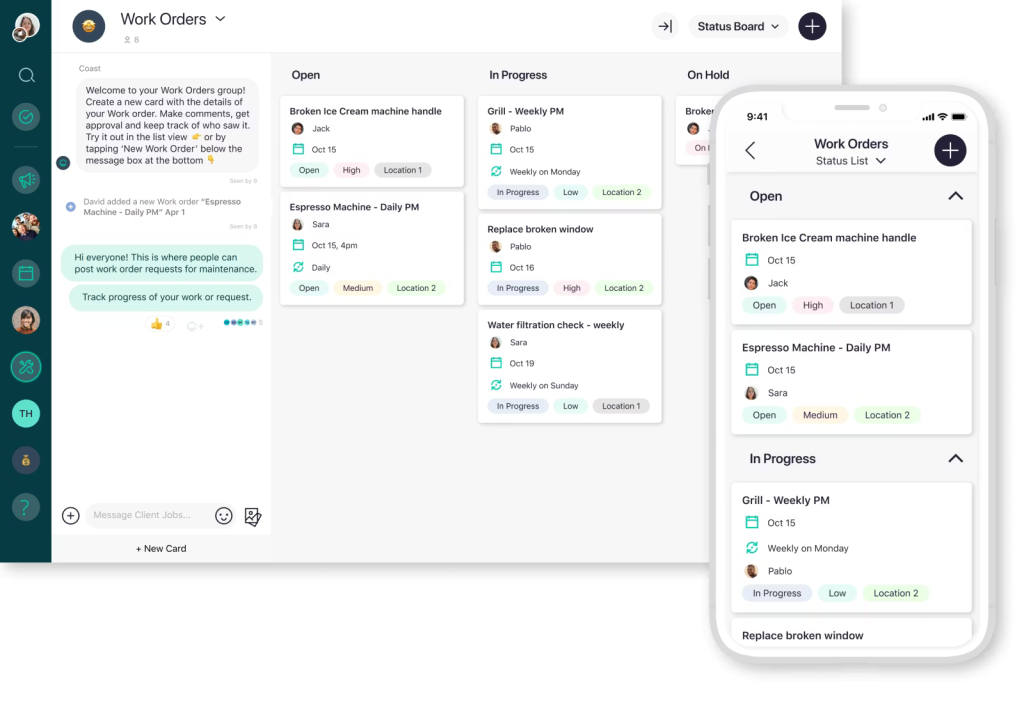
Tasks can be scheduled as one-time assignments or recurring jobs for routine maintenance activities.
Once assigned, technicians receive notifications through the mobile app and can update task status as work progresses.
Compared with asset-heavy CMMS platforms like Limble CMMS or UpKeep, Coast focuses more on team coordination and daily operational visibility.
One notable feature is its built-in communication system, which allows technicians and supervisors to discuss maintenance issues directly within a task.
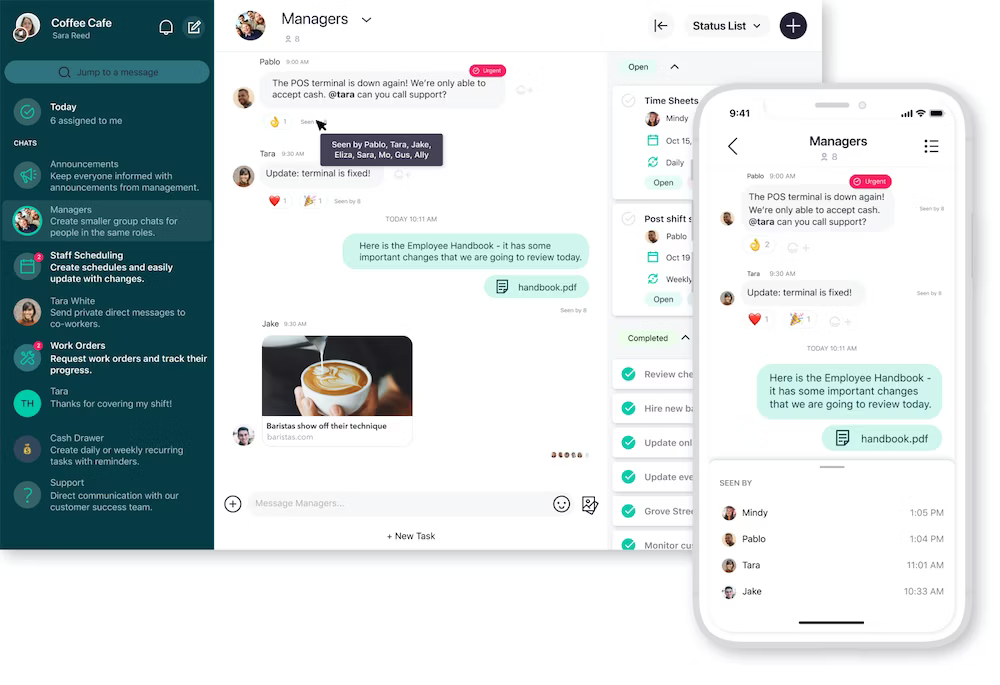
Photos, comments, and updates remain attached to the work order, helping teams keep all relevant information in one place.
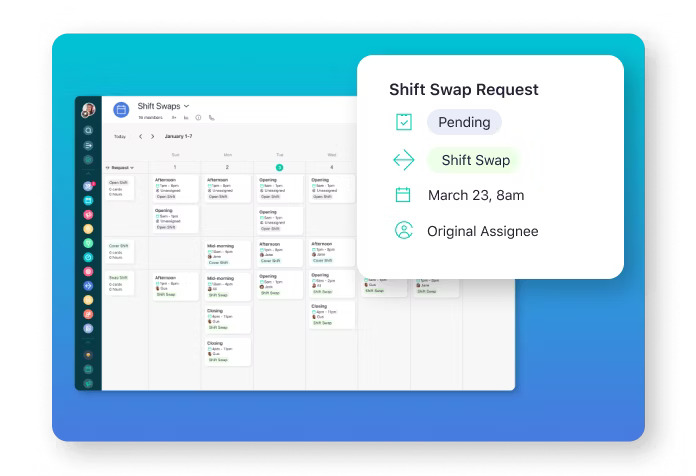
Coast also includes workforce management features such as shift swapping and time tracking.
Technicians can exchange shifts through the platform while managers review and approve requests.
The integrated time clock helps track attendance, working hours, and overtime, providing better visibility into technician productivity.
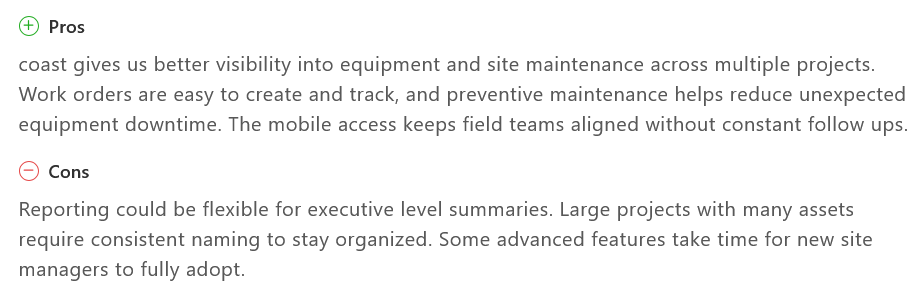
User reviews on Capterra often highlight the platform’s ease of use and the ability to manage maintenance work across multiple sites without excessive complexity.
Some reviewers note that reporting tools are somewhat limited for executive-level analysis.
Coast offers a Free plan with basic task management features, while the Starter plan costs $20 per user per month.
The Pro plan costs $49 per user per month and adds reporting, automation, and customizable dashboards.
Enterprise plans are available for organizations requiring multi-site management and advanced integrations.
Conclusion
Overall, choosing the right maintenance dispatch software for you depends entirely on how your team organizes work in the field.
Some platforms focus mainly on scheduling and assigning work orders, while others combine dispatching with broader maintenance management capabilities.
Software like WorkTrek, BuildOps, and UpKeep provide robust dispatching alongside operational features, while solutions such as Coast prioritize simplicity and team coordination.
In the end, the best solution is the one that helps you assign work quickly, keep technicians informed, and ensure maintenance tasks are completed efficiently.