Get a Free WorkTrek Demo
Let's show you how WorkTrek can help you optimize your maintenance operation.
Try for freeKey Takeaways
- Common CNC maintenance issues include power supply problems, tool wear, programming errors, overheating, vibration, lubrication failures, debris accumulation, and calibration drift—each with distinct warning signs and solutions.
- 82% of companies have experienced unplanned downtime in the past three y
- ears, yet most CNC machine failures are preventable with proper care and proactive maintenance scheduling.
- CNC machines can last 15-25 years with regular maintenance, but neglect can dramatically shorten that lifespan and destroy operational efficiency.
Computer numerical control (CNC) machines have revolutionized manufacturing. These precision workhorses run around the clock, producing everything from aerospace components to medical devices with remarkable accuracy.
But here’s the reality: even the best CNC machines break down. And when they do, the costs add up fast.
The International Society of Automation reports that manufacturing facilities lose 5-20% of their productive capacity annually to unplanned downtime.

For CNC operations, that translates directly into missed deadlines, scrapped parts, and frustrated customers.
The good news? Most common CNC maintenance issues follow predictable patterns. Understand those patterns, and you can catch problems before they shut you down with effective preventive maintenance.
This guide breaks down the eight most common CNC maintenance challenges, explains their causes, and provides practical solutions to keep your machines running at optimal performance.
Whether you’re a machine operator troubleshooting a spindle problem or a maintenance manager building out preventive schedules, you’ll find actionable strategies here.
1. Power supply problems can stop production instantly
Few things halt CNC machine operation faster than electrical issues. When your power supply fails, everything stops. Which, to those managing the equipment, means no warning, no gradual decline, just sudden silence on the shop floor.
The culprits behind power supply problems vary widely.
Incorrect voltage settings top the list, especially after machine relocations or facility changes. Power surges damage sensitive electrical components without visible evidence. Blown fuses hide in power distribution boards, making them easy to miss. And fluctuating power input from aging facility infrastructure creates intermittent problems that drive technicians crazy.
Warning signs to watch for
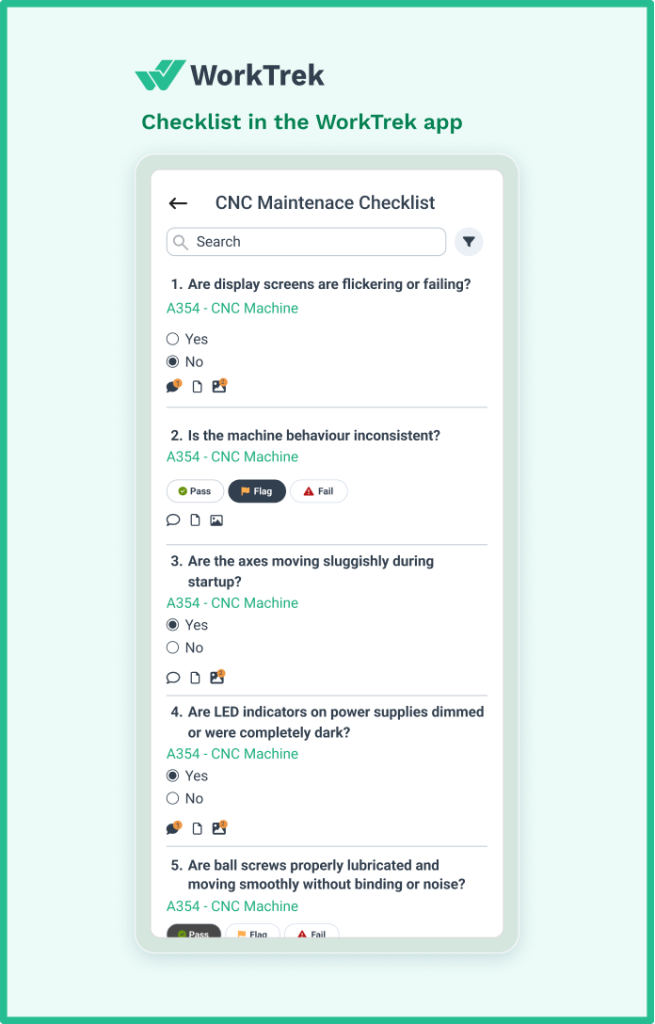
Display screens are flickering or failing. Axes are moving sluggishly during startup. Inconsistent machine behavior that comes and goes. LED indicators on power supplies dimmed or were completely dark.
Troubleshooting approach that works
Start by verifying that the power input matches your machine’s specifications. The correct voltage matters enormously.
- Check the output side of each power supply using a meter, not just the LED indicators (they can lie).
- If readings come up low, disconnect output wires with the machine powered down, then power up again and reassess.
- Remember that CNC machines have multiple power supply locations: behind CRT screens, in door interlock circuits, on I/O cards, and in individual drive units.
Prevention comes down to infrastructure. Surge protectors and UPS systems pay for themselves after a single prevented failure.
Keep electrical cabinets clean since dust accumulation near electrical components causes more problems than most people realize. And schedule regular inspections with a certified electrician who understands CNC equipment.
2. Dull tools destroy surface finish and accuracy
Tool wear might be the most common CNC maintenance issue. It is also something that is often ignored until it’s too late.
Cutting tools don’t fail catastrophically. They degrade gradually, producing slightly worse results each cycle until someone finally notices the parts look terrible.
Machine operators running inappropriate cutting tools for their material compound the problem. So does ignoring manufacturer specifications for feed rates and spindle speeds.
When coolant delivery to the cutting zone fails, friction increases and tool life plummets. Running tools beyond their recommended hours practically guarantees problems.
The symptoms appear in your parts
Rough edges that should be smooth. Visible cutter marks across machined surfaces. Burn spots are appearing on the corners. Dimensional variations that creep larger with each run. And that distinctive sound—experienced operators can hear when a tool is struggling.
Effective troubleshooting starts with inspection.
Examine cutting edges under magnification for chips, wear patterns, or damage. Verify the tool geometry matches the material being cut.
- Measure runout with a dial indicator.
- Remember that excessive runout accelerates wear and kills surface finish.
- Check that coolant actually reaches the cutting process, not just the general vicinity.
Research from MachineMetrics demonstrates that systematic tool wear monitoring can save $72,000 per machine annually. That’s real money left on the table when shops run tools to failure instead of proactively managing tool life.
3. Programming errors turn expensive machines into expensive problems
Human error in CNC programming causes more problems than most shops want to admit.
A single wrong digit in a G-code or M-code command can crash a tool into a workpiece, gouge a fixture, or produce hundreds of parts that go straight into the recycling bin.
The root causes trace back to training gaps and process failures. Operators who don’t fully understand programming fundamentals make mistakes when modifying programs.
Incorrect tool offset entries send tools to the wrong positions. Software bugs in outdated CAM systems generate faulty toolpaths. And rushed job setups skip verification steps that would catch errors before they cause damage.
Incorrect programming issues
Parts that don’t match design specifications. Unexpected tool movements during cycles. Error messages are flooding the control screen. The sickening sound of a collision. Dimensions that drift consistently in one direction.
The fix requires systematic verification.
Validate every program for syntax errors before running. Most modern controls automatically highlight problems.
- Run new programs in single-block mode, watching each movement.
- Use simulation software to preview toolpaths virtually.
- Verify tool offsets and work coordinates are entered correctly.
- Cross-reference programs against original CAD designs when dimensions seem off.
- Building a culture of program verification prevents most programming errors.
- Peer review of new programs before production runs catches mistakes that the original programmer missed.
- Standardized templates reduce variation.
Comprehensive training in G-code and M-code fundamentals gives machine operators the knowledge to spot problems before they escalate.
4. Machine overheating shortens component life dramatically
Heat is the silent killer of CNC machine precision. When spindles, motors, and drives run too hot, thermal expansion throws off tolerances. Bearings wear faster. Electrical components degrade. And eventually, thermal shutdowns interrupt production at the worst possible times.
Overheating problems usually stem from cooling system failures. Clogged air filters restrict airflow to heat sinks. Blocked coolant lines starve the cutting zone. Failing pumps reduce circulation. Debris buildup insulates components that need to dissipate heat.
Running aggressive feeds and speeds continuously pushes thermal limits. Poor ventilation in the workshop compounds everything.
Proper ventilation and cooling system maintenance are non-negotiable.
CNC spindles should typically run between 85 and 95°F. Temperatures exceeding 150°F indicate serious problems requiring immediate attention. Thermal shutdown alarms, unusual heat radiating from motor housings, and coolant evaporating during operation all signal overheating.

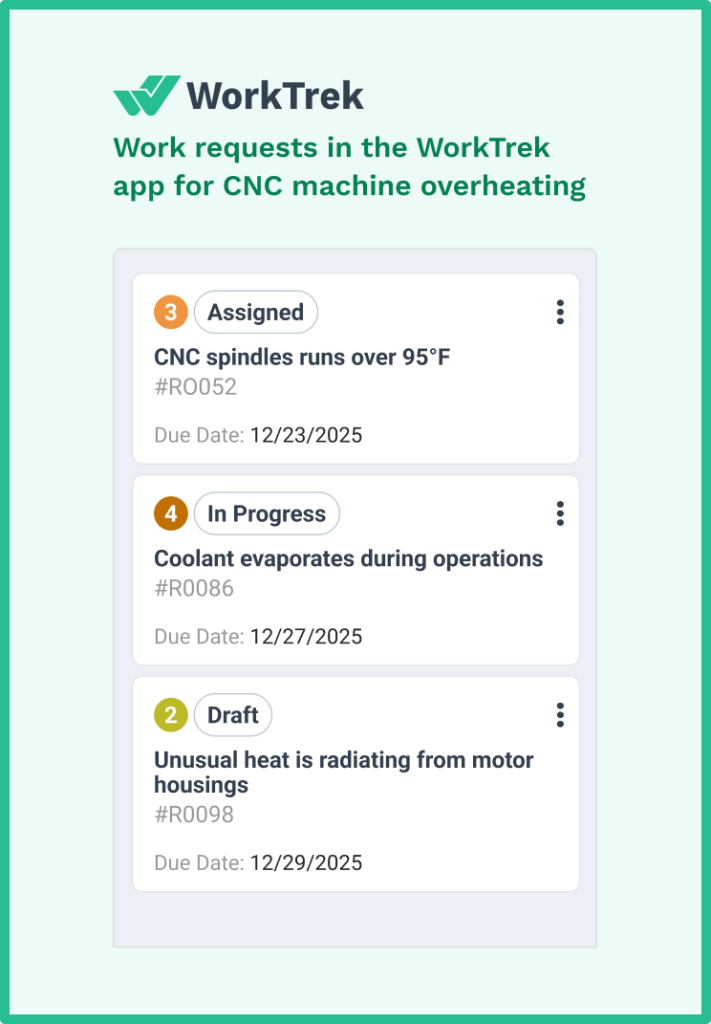
Troubleshooting overheating requires checking the entire cooling chain.
Verify coolant levels and circulation, including flow rate and pressure. Inspect air filters and ventilation paths for blockages.
- Confirm chiller units are functioning correctly.
- Monitor spindle load during operation to catch excessive cutting forces.
- Check ambient temperature and shop environments against specifications; stress-cool systems.
- Daily checks of coolant levels take thirty seconds and prevent hours of downtime. Weekly air filter cleaning maintains proper airflow.
- Monthly coolant system flushes remove accumulated contamination.
5. Machine vibration and chatter ruin parts and accelerate wear
That distinctive chattering sound during cutting isn’t just annoying. It can destroy your surface finish, prematurely wear out tools, and potentially damage spindle bearings.
Machine vibration problems create a cascade of issues that extend far beyond the immediate noise.
Vibration sources fall into several categories.
Tool-related causes include excessive overhang, worn cutting edges, and incorrect flute counts for the application. Workholding problems, such as insufficient clamping pressure or poor fixture design, allow workpieces to shift.
Machine condition issues can include worn ball screws, loose components, and bearing play, which can create mechanical resonances.
And process parameters sometimes hit unfortunate sweet spots where cutting forces excite natural frequencies.
Chatter leaves distinctive evidence
Wave-like patterns across machined surfaces. Rapid tool wear or sudden breakage. Visible tool deflection during cuts. Squealing sounds are particularly in corners and during direction changes.
Diagnosing vibration requires isolating the source
- Is chatter coming from the tool, workpiece, or machine itself?
- Check workpiece clamping security first—loose parts cause obvious problems.
- Inspect tool holders for proper grip and measure runout.
- Verify machine components are tight, particularly gibs and bearing preloads.
- Try adjusting spindle speed by 5-10% in either direction to move away from resonant frequencies.
Prevention strategies focus on maximizing rigidity throughout the system. Use the shortest possible tool overhang. Select the largest appropriate tool diameter.
Consider variable-pitch or variable-helix end mills that disrupt harmonic vibration patterns.
Hydraulic expansion tool holders provide dampening that reduces chatter under challenging applications. Modern CAM strategies that maintain constant engagement reduce the force variations that excite vibration.
6. Lubrication failures cause the most expensive repairs
Proper lubrication keeps CNC machine components moving smoothly.
Without it, metal contacts metal directly. Friction skyrockets. Heat builds. Wear accelerates exponentially. And components that should last years fail in months.
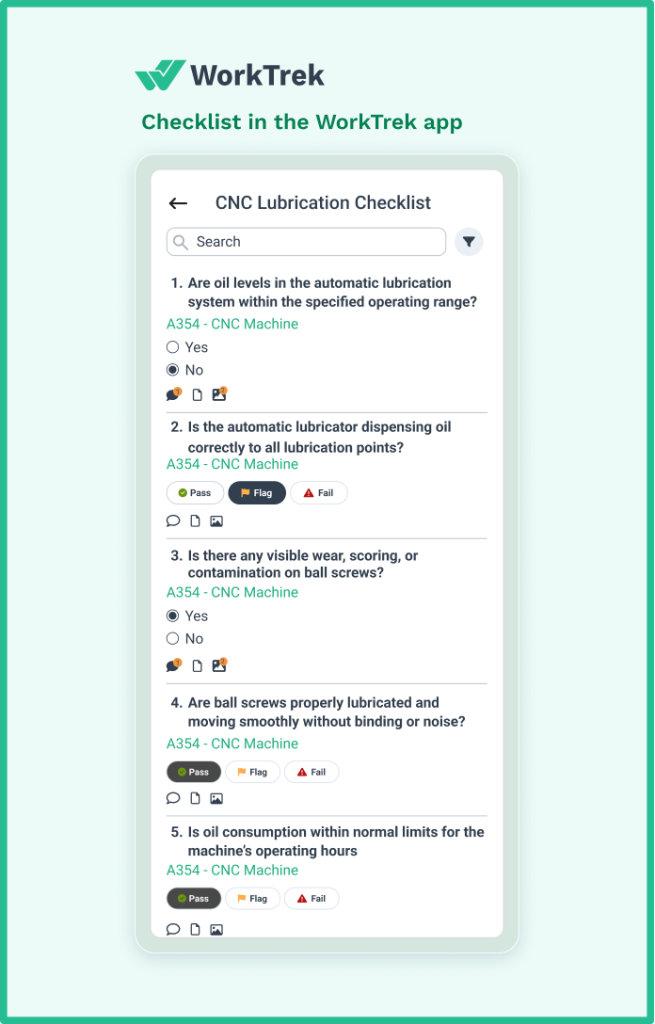
Lubrication problems stem more often from neglect than from equipment failure. Depleted lubricant levels because nobody checked. Contaminated fluids contain metal particles and cutting fluid. Clogged distribution lines prevent oil from reaching critical points.
Using the wrong lubricant type or viscosity. Irregular manual lubrication when automatic systems need attention.
The symptoms of lubrication problems progress predictably
First come low-level alarms that get dismissed. Then unusual noises—squeaking, grinding, roughness in movement. Heat increases in moving parts. Leaks appear on the floor. Axis movements become erratic. Chuck clamping loses force. Eventually, something seizes.
Systematic inspection catches problems early
Check oil levels daily; it takes seconds and prevents disasters.
- Observe lubricant color: transparent to light yellow indicates healthy fluid; black or cloudy fluid needs immediate replacement.
- The hand-twist test reveals contamination: rub a small amount between fingers and feel for grit or metal particles.
- Verify that oil actually reaches lubrication points by manually triggering the pump and checking each location.
SKF’s Reliability Maintenance Institute research demonstrates that properly lubricated CNC machines achieve 300% longer component life with 90% fewer unplanned shutdowns.
Hydraulic pump failures alone can sideline machines for days while replacement parts arrive. A few minutes of daily lubrication verification prevents thousands in repair costs.
7. Dust and debris accumulation cause subtle but severe damage
CNC machines generate debris constantly. Metal chips, cutting fluid mist, fine particles from certain materials—all of it accumulates on machine parts, sensors, and electronics. The problems develop gradually, making debris accumulation one of the sneakier common CNC maintenance issues.
The accumulation accelerates when chip evacuation systems struggle or cleaning schedules slip.
Machining aluminum, composites, or graphite produces fine particles that penetrate everywhere. Neglected air filters and coolant filters stop working effectively.
Opening machine doors during operation invites contamination. And every minute of cutting without proper cleanup adds to the problem.
Debris causes multiple failure modes
Contaminated linear guides lose positioning accuracy. Clogged air filters cause overheating. Dirty sensors generate false readings or fail. Buildup on ball screws increases wear.
Chips packed around the way covers eventually penetrate the protection and damage precision surfaces.
Prevention requires consistent cleaning discipline.
Daily tasks include:
- Removing chips from work areas and chip pans
- Clearing coolant drains
- Wiping down way covers.
Weekly task include:
- Cabinet air filters
- Chip conveyors
- Areas around the spindle housings
Monthly tasks include:
- Coolant tank sludge
- Fixture buildup
- Accumulated grime in enclosure corners.
8. Calibration drift makes accurate parts impossible
CNC machines lose calibration over time. It’s inevitable. Ball screws wear. Bearings develop play. Thermal cycling expands and contracts components. Even the machine foundation settles. The question isn’t whether calibration drifts—it’s whether you catch it before producing out-of-tolerance parts.
Multiple factors contribute to alignment and calibration problems. Normal mechanical wear accumulates over thousands of operating hours.
Temperature changes cause predictable dimensional shifts. Sometimes a single degree Celsius can cause steel components to move by 10-12 micrometers.
Machine crashes, even minor ones, shift alignment that may not be visible. Backlash in drive systems creates positioning errors when axes reverse direction.

Calibration drift shows up in your parts
Dimensions that slowly creep out of tolerance. Features are positioned incorrectly relative to each other. Poor repeatability, where the same program produces different results. Multi-axis movements that create skewed geometry.
Verifying calibration requires measurement.
- Dial indicators check individual axis positions
- Ball bar testing (using tools like the Renishaw QC20) reveals circular interpolation accuracy and can detect bearing problems
- Bent shafts and loose components.
- Laser interferometry provides the highest accuracy for critical applications
- Practical test cuts confirm that theoretical accuracy translates to actual parts
Regular calibration schedules follow manufacturer recommendations. This is typically an annual comprehensive calibration with more frequent checks on critical dimensions.
Always verify alignment after any crash or hard stop, even if damage isn’t visible. Post-repair verification ensures new components haven’t introduced new errors. Software-based backlash compensation can correct minor issues without mechanical adjustment.
How CMMS supports CNC preventive maintenance success
Managing CNC maintenance across multiple machines, shifts, and technicians creates complexity that spreadsheets and paper logs can’t handle effectively. That’s where a modern CMMS solution transforms maintenance from reactive firefighting into strategic asset management.
Preventive Maintenance Scheduling
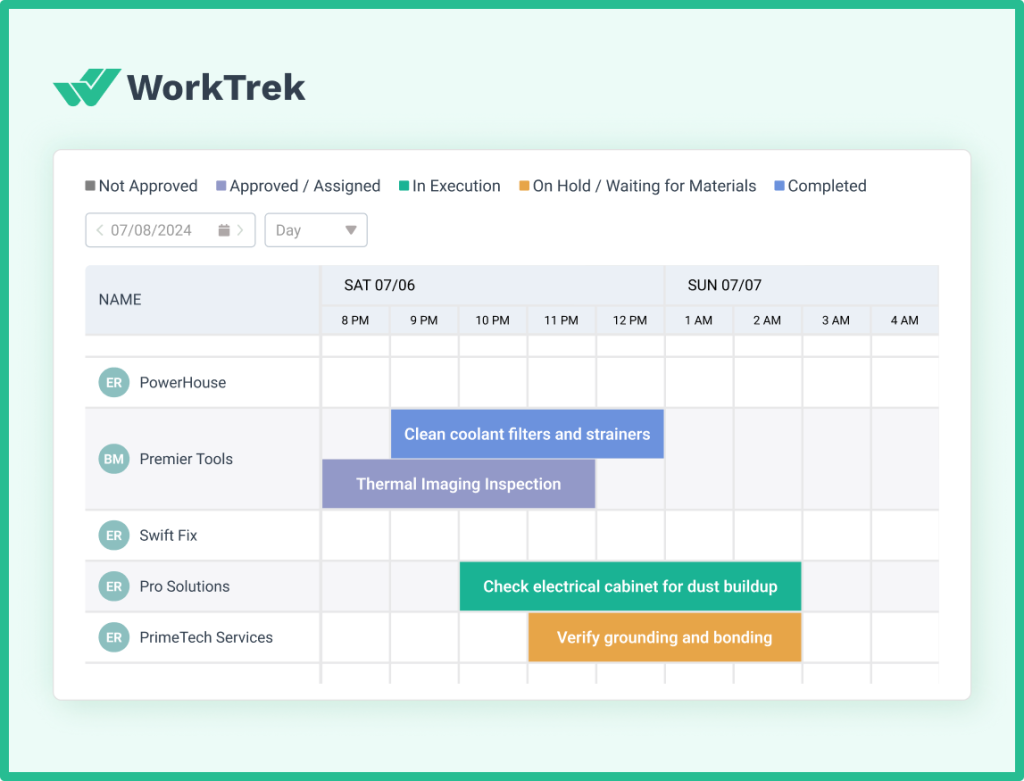
A CMMS like WorkTrek automatically generates work orders based on calendar schedules or equipment runtime hours. Daily coolant checks, weekly filter cleaning, and monthly lubrication system inspections—all scheduled automatically and assigned to the right technicians. Nothing falls through the cracks because the system tracks completion and flags overdue tasks.
Work Order Management
When a machine operator notices unusual vibration, they can submit a work order from a mobile device in seconds. The maintenance manager sees the request immediately, assigns it to a qualified technician, and tracks progress through completion.
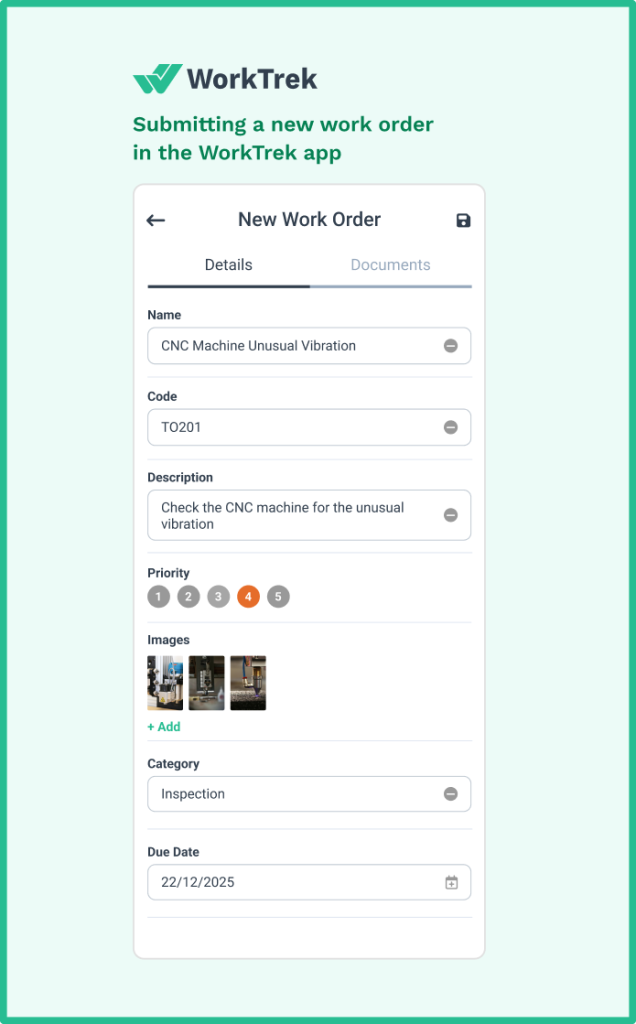
Every maintenance activity becomes part of the machine’s permanent record, building the data foundation for smarter decisions.
Asset tracking provides visibility into machine history and costs

Which CNC machines require the most attention? What spare parts get consumed fastest? Where should capital investment focus? A CMMS answers these questions with data rather than guesses. Understanding actual maintenance costs per machine enables informed decisions about repair versus replacement.
Reporting Capabilities

When the same machine repeatedly overheats every August, a CMMS can surface that correlation.
It can do that by suggesting a seasonal maintenance adjustment, among other predictive maintenance recommendations.
When tool consumption on one machine exceeds that of similar equipment by 40%, the data points toward investigation. These insights improve operational efficiency across the entire shop.
Inventory Management
Tracking spare parts inventory, setting automatic reorder points, and maintaining vendor information means critical components are available when failures occur. For CNC maintenance specifically, having spindle bearings, lubrication system components, and electrical parts on hand dramatically reduces downtime duration.
According to Siemens research, companies implementing structured maintenance management reduce unplanned downtime by up to 50% and cut maintenance costs by 40%.
For CNC operations where a single hour of downtime can cost tens of thousands in lost production, those improvements deliver substantial ROI.
WorkTrek specifically addresses CNC maintenance needs with an intuitive interface that machine operators and maintenance technicians actually use. For further guidance, refer to these top 10 tips for spare parts management.
Mobile access enables real-time updates from the shop floor. Customizable maintenance checklists ensure nothing gets missed during routine inspections. And cloud-based architecture means your maintenance data remains accessible and secure without IT infrastructure headaches. Learn more about the benefits and advantages of an effective maintenance workflow.
The proactive approach enabled by CMMS transforms maintenance from a cost center into a competitive advantage.
This means that: machine maintenance best practices
- Machines run longer between failures
- Parts maintain product quality consistently
- Maintenance staff accomplish more with better organization
- Management gains visibility into one of the largest operational cost categories.
Conclusion
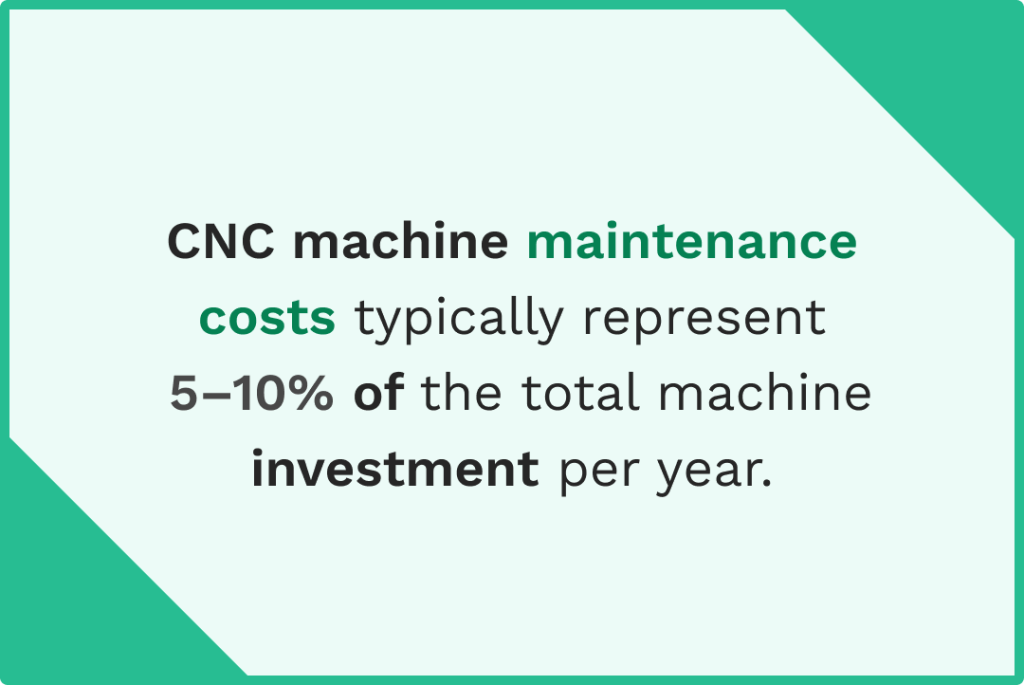
CNC machines represent significant capital investments. Protecting those investments through proper maintenance is good practice and can lead to higher product quality, lower cost of production, and keeping production on schedule.
The eight common CNC maintenance issues covered here, starting with power supply problems, tool wear, programming errors, overheating, vibration, lubrication failures, debris accumulation, and calibration drift, account for the vast majority of CNC machine problems.
Each follows identifiable patterns. Each produces warning signs before catastrophic failure. Each responds to proactive intervention.
Building a maintenance culture that catches problems early requires three elements:
- Trained machine operators who recognize warning signs
- Systematic preventive maintenance schedules that address issues before they escalate
- Tools to manage the complexity of multi-machine operations.
CMMS software like WorkTrek provides that third element, turning maintenance from a reactive burden into a manageable system.