





Blog
Operations & Maintenance
Why Is Regular Farm Equipment Maintenance Important?
Key Takeaways: Your farm equipment represents one of your most significant investments—and how you maintain it directly affects your farming operation’s profitability, efficiency, and long-term success. When valuable equipment breaks down during critical planting or harvest windows, you’re not just facing costly repairs. You’re dealing with lost productivity, missed deadlines, and potential crop damage that […]
Key Takeaways:
Unplanned breakdowns cost farmers approximately $3,348 per season—routine preventive maintenance reduces repair bills by 25%.
Farm equipment repair costs have spiked 41% since 2020, making proactive maintenance more critical than ever.
Preventive maintenance delivers a 400% return on investment, with every dollar spent saving an average of $5 in future repair costs.
Your farm equipment represents one of your most significant investments—and how you maintain it directly affects your farming operation's profitability, efficiency, and long-term success.
When valuable equipment breaks down during critical planting or harvest windows, you're not just facing costly repairs. You're dealing with lost productivity, missed deadlines, and potential crop damage that can severely impact your bottom line.
The good news?
Regular maintenance is essential for preventing these disruptions, extending equipment lifespan, and maximizing your return on investment.
In this guide, we'll explore why regular farm equipment maintenance is so important and show you how to implement a maintenance strategy that keeps your agricultural machinery running smoothly year-round.
Prevent Costly Repairs and Emergency Breakdowns
Regular maintenance ensures your farm equipment stays operational when you need it most, preventing the expensive disruptions that come with unexpected breakdowns.
According to research by AgTech, unplanned equipment failures cost farmers approximately $3,348 per season. These emergency repairs typically occur at the worst possible times—right when you need your machinery most.
Illustration: WorkTrek / Data: FarmstandApp
Picture this scenario:
It's harvest season, and your combine breaks down in the middle of the field. The weather forecast calls for rain in 48 hours, and every hour of downtime means potential crop loss.
You're facing not just the repair costs, but also:
Lost productivity during peak season
Rush charges for emergency parts and service
Potential crop damage from delayed harvesting
Overtime pay for technicians and operators
The ripple effect on your entire farming schedule
This is exactly why proactive maintenance tasks matter so much. When you perform regular maintenance, you catch minor issues before they become major problems.
Brett Wilder, a maintenance expert, explains the reality:
"The true cost of equipment breakdowns is often far higher than the dollars spent on parts to get up and running again."
Regular maintenance activities, such as checking fluid levels, inspecting belts and hoses, and replacing worn parts, help you identify and address problems during scheduled downtime rather than in the middle of critical operations.
According to data from the American Society of Agricultural and Biological Engineers, annual repair costs typically range from 2% to 4% of the original equipment cost when properly maintained.
However, when maintenance is neglected, these costs can skyrocket to 8% or more.
Regular maintenance also helps you avoid the domino effect of equipment failure. When one piece of agricultural equipment goes down, it doesn't just stop that machine. It can also halt your entire farming operation.
Your well-maintained equipment becomes a reliable asset rather than a liability, ensuring you can maintain your farming schedule and avoid the stress of unexpected breakdowns during crucial periods.
Extend Equipment Lifespan and Maximize ROI
Farm equipment is a significant investment, and regular maintenance is essential to protect it and maximize equipment lifespan.
Modern tractors, combines, and other agricultural machinery can cost hundreds of thousands of dollars. Proper maintenance ensures you get the full value from these expensive assets.
According to Iowa State University research, well-maintained farm equipment can maintain up to 37% of its original value after 10-12 years of use.
Without proper upkeep, that salvage value drops significantly, directly impacting your return on investment.
Regular maintenance tasks extend equipment lifespan in several key ways:
Reducing wear on critical components
When you keep engine oil clean, maintain proper fluid levels, and lubricate moving parts regularly, you prevent the accelerated wear that shortens machinery life. A well-maintained tractor can easily reach 10,000-15,000 hours of operation, while neglected equipment might fail at half that.
Preventing corrosion and deterioration
Farm equipment faces harsh conditions daily. That can include dirt, moisture, chemicals, and extreme temperatures.
Illustration: WorkTrek / Data: AGDAILY
Routine maintenance, including cleaning, rust prevention, and protective coatings, helps prevent dirt buildup and corrosion that can permanently damage valuable equipment.
Maintaining peak efficiency
Equipment that's functioning correctly puts less stress on all components, from the engine to the hydraulic systems. This reduces wear across the board and helps machinery last longer.
While this might seem expensive, it's far less than replacing the entire machine prematurely.
Store agricultural machinery in covered locations when not in use, and this simple step significantly extends equipment life by protecting it from the elements. Following the manufacturer's instructions for storage, winterization, and seasonal preparation keeps equipment in top condition between uses.
Regular maintenance ensures your farming operation gets the maximum lifespan from every piece of equipment, turning what could be a 5-7 year investment into reliable machinery that serves you for a decade or more. That's the difference between frequent, costly part replacements and a well-planned maintenance strategy.
Improve Efficiency and Performance
Well-maintained equipment operates at peak efficiency, delivering better performance, higher productivity, and more reliable results across your farming operation.
When agricultural machinery is functioning correctly, every system works in harmony. The engine runs smoothly, hydraulic fluid flows properly, fuel consumption stays optimized, and all moving parts operate without friction or resistance.
According to maintenance research from Brightly, regular maintenance optimizes energy efficiency and ensures equipment operates at peak levels. This translates directly into fuel cost savings and improved productivity.
Here's how regular maintenance improves efficiency:
Optimal fuel consumption
Clean air filters, properly tuned engines, and maintained fuel systems ensure your equipment uses fuel efficiently.
BusinessDojo research shows that implementing proper maintenance practices can reduce fuel consumption by 10-20%.
When you perform regular maintenance on fuel systems, you prevent inefficiency caused by clogged filters, dirty injectors, or poorly tuned engines, all of which waste costly diesel fuel.
Maximum power delivery
A well-maintained tractor delivers full power to the ground, allowing you to complete tasks faster and with less fuel.
Low fluid levels, worn belts, or neglected hydraulics rob power, forcing equipment to work harder to accomplish the same tasks.
Consistent performance
Regular maintenance ensures your equipment performs reliably day after day. You're not dealing with inconsistent operation, unexpected slowdowns, or equipment that needs constant adjustment to function properly.
Reduced downtime
When you stay on top of maintenance tasks, you avoid the unscheduled downtime that disrupts your farming schedule. Your machinery is available when you need it, running smoothly without interruption.
Illustration: WorkTrek / Data: Minnuo
Beyond the immediate efficiency gains, proper maintenance also prevents the gradual performance degradation that occurs when minor issues go unaddressed.
A small problem, such as slightly low hydraulic fluid levels or a partially clogged filter, might not stop your equipment immediately, but it reduces efficiency over time.
Your farming operation depends on equipment working at peak efficiency during critical windows. Regular maintenance ensures you don't lose productivity to preventable performance issues that slow you down when every hour counts.
Reduce Operating Costs
Strategic maintenance planning significantly lowers your total operating costs by preventing expensive problems and optimizing resource use across your farming operation.
The cost savings from regular maintenance extend far beyond avoiding major repairs. When you implement a comprehensive maintenance program, you reduce expenses in multiple areas simultaneously.
Research data show that preventive maintenance can reduce costs by 12-18% compared to reactive approaches.
Even more impressive, every dollar invested in preventive maintenance saves an average of $5 in future repair costs, which translates to a 400% return on investment.
Let's break down the key areas where regular maintenance reduces your operating costs:
Lower repair bills
Studies show that farmers who improve their maintenance procedures reduce maintenance costs by 25%. By catching and addressing equipment deterioration early, you pay for minor fixes instead of major overhauls.
Reduced fuel costs
Properly maintained engines run more efficiently on fuel, saving you money on every gallon of diesel. With fuel representing a significant portion of operating costs, these savings add up quickly across your entire fleet.
Fewer emergency service calls
Emergency repairs cost more than planned maintenance work. You pay premium prices for rush parts, after-hours labor, and expedited shipping. Regular maintenance eliminates most of these expensive emergency situations.
Optimal parts inventory
Source: WorkTrek
When you follow a planned maintenance schedule, you can stock spare parts strategically and purchase them at regular prices rather than paying premium costs for rush orders.
Extended replacement cycles.
Well-maintained equipment lasts longer, allowing you to delay costly part replacements and maximize the useful life of expensive machinery.
According to BusinessDojo, annual maintenance and repair costs typically run 5-8% of machinery's purchase price when properly managed.
However, if you employ reactive maintenance, it can significantly increase costs.
Consider the total cost picture.
Data from Investigate Midwest shows that farm equipment repair costs spiked 41% between 2020 and 2024. In this environment of rising costs, the predictability and savings from regular maintenance become even more valuable.
Regular maintenance also reduces the hidden costs of poor equipment performance. Inefficient equipment uses more fuel, takes longer to complete tasks, and requires more operator attention, draining resources from your farming operation.
By investing in routine maintenance, you gain control over your operating costs and avoid the financial unpredictability that comes with running poorly maintained equipment.
Enhance Safety for Operators
Maintaining agricultural equipment in proper working condition is vital for operator safety, protecting your workers from accidents, and creating a safer farming environment.
Farm equipment poses inherent risks, and malfunctioning machinery significantly increases the danger.
According to the U.S. Bureau of Labor Statistics' maintenance data, up to 30% of manufacturing deaths are related to maintenance activities, underscoring the critical importance of proper equipment upkeep.
Regular maintenance enhances safety in several crucial ways:
Preventing mechanical failures.
Well-maintained equipment experiences fewer sudden failures that could endanger operators. Brake systems that are properly serviced, steering mechanisms that function correctly, and safety features that work as designed all protect the people operating your machinery.
Ensuring safety systems function
Agricultural equipment comes with important safety features—rollover protection, emergency shutoffs, guards on moving parts, and warning systems. Regular maintenance ensures these vital components work when needed.
Maintaining visibility and control
Keeping equipment in good repair means lights work properly for early-morning or late-evening operations, mirrors are intact, and controls respond predictably. These factors prevent accidents caused by reduced visibility or unexpected equipment behavior.
Reducing fire hazards
Proper maintenance prevents fuel leaks, manages heat buildup, and keeps electrical systems in good condition—all critical for preventing equipment fires that endanger operators and threaten your entire farming operation.
Minimizing exposure to breakdowns
When equipment breaks down in the field, operators often resort to quick fixes under less-than-ideal conditions, increasing the risk of injury. Regular maintenance prevents these dangerous situations.
One farm equipment dealer explains the safety impact:
"A piece of malfunctioning farming equipment can be dangerous. They can pose a threat to the person operating the machine."
Beyond protecting individual operators, well-maintained equipment creates a safer work environment overall. When machinery operates reliably, operators can focus on their work rather than compensating for equipment problems, reducing the risk of accidents caused by distraction or workarounds.
Regular inspections also identify safety issues before they cause injuries.
Checking for worn belts that could snap, frayed hydraulic hoses under pressure, or loose components that could come free during operation helps prevent accidents in the first place.
Your workers are your most valuable asset.
Regular maintenance protects them from preventable injuries while demonstrating your commitment to their safety—something that pays dividends in morale, retention, and peace of mind.
How CMMS Solutions Transform Farm Equipment Maintenance
A computerized maintenance management like WorkTrek streamlines your entire maintenance program, making it easier to keep equipment in top condition while reducing costs and improving reliability.
Managing maintenance manually, with spreadsheets, paper logs, or memory, becomes increasingly difficult as your farming operation grows. Important maintenance tasks get overlooked, service histories are incomplete, and valuable equipment doesn't receive the attention it needs.
This is where modern CMMS platforms like WorkTrek transform how you approach farm equipment maintenance.
According to recent industry data, 65% of companies now use a CMMS to monitor and optimize maintenance operations. This is with good reason.
These systems deliver measurable improvements across all aspects of maintenance management.
Here's how a CMMS enhances your maintenance program:
Automated scheduling prevents missed maintenance
Source: WorkTrek
WorkTrek automatically schedules preventive maintenance based on calendar intervals, operating hours, or both. You'll never miss an oil change, filter replacement, or inspection because the system tracks everything and alerts you when service is due.
Complete service histories improve decision-making
Every maintenance activity is documented in one central system, creating detailed records for each piece of equipment. When you need to decide between repairs and replacement, you have all the data you need.
Parts inventory management eliminates delays
Track spare parts inventory, set reorder points, and ensure critical components are always available. WorkTrek automatically deducts parts from inventory when work orders are completed, giving you real-time visibility into stock levels.
Mobile access supports field operations
Technicians can access work orders, view service instructions, and update maintenance records directly from their mobile devices—even while working in remote fields or equipment storage areas.
Data analytics optimize maintenance strategies
Illustration: WorkTrek / Data: DataCalculus
WorkTrek provides over 50 pre-built reports and more than 20 KPIs that help you analyze maintenance costs, identify problematic equipment, and continuously improve your maintenance program.
Streamlined workflows save time
Automate work order creation, approval processes, and completion tracking. What used to require multiple phone calls, emails, or trips to the office now happens automatically within the system.
The impact is substantial.
According to maintenance industry research, 65% of organizations point to more proactive maintenance practices as the key factor in reducing unplanned downtime.
WorkTrek makes this proactive approach practical by:
Creating automatic work orders when maintenance is due
Sending notifications before service deadlines
Providing checklists that guide technicians through complex procedures
Tracking maintenance completion rates and identifying overdue tasks
Analyzing cost trends to optimize your maintenance budget
For farming operations managing multiple tractors, combines, planters, and implements across different locations, this centralized visibility is invaluable. You can see at a glance which equipment needs attention, what maintenance is scheduled, and where potential problems are developing.
The platform also supports continuous improvement. As you build service histories and track costs over time, you identify patterns—which equipment has the highest repair costs, which maintenance tasks deliver the best results, and where you should focus resources for maximum impact.
Conclusion
Regular farm equipment maintenance is important for running a successful, profitable farming operation in today's challenging agricultural environment.
When you invest in proper maintenance, you're not just avoiding costly repairs; you're protecting valuable equipment, improving efficiency, reducing operating costs, and ensuring the safety of everyone who operates your machinery.
Illustration: WorkTrek / Data: Business Wire
The data is clear:
Farmers who implement comprehensive maintenance programs reduce repair costs by 25%, experience fewer unexpected breakdowns, and achieve significantly better ROI on their equipment investments.
In an industry where margins are tight and equipment costs continue rising, these improvements directly impact your bottom line.
Start by evaluating your current maintenance practices, identifying areas for improvement, and implementing CMMS systems like WorkTrek to keep equipment in top condition.

Operations & Maintenance
Farm Equipment Maintenance: What You Need to Know
Key Takeaways:
Farm equipment repair costs have spiked 41% since 2020, making preventive maintenance more critical than ever.
Unplanned breakdowns cost farmers an average of $3,348 per season in repair downtime and restrictions.
Farmers who follow strict preventive maintenance programs see 25% lower repair bills compared to reactive approaches.
When your tractor breaks down during planting season or your combine fails mid-harvest, the financial impact goes far beyond the repair bill.
Between lost productivity, rushed parts orders, and missed weather windows, equipment downtime can transform a profitable season into a financial setback. That's why understanding farm equipment maintenance isn't just about keeping machinery running—it's about protecting your operation's bottom line.
Illustration: WorkTrek / Data: Business Wire
Modern agricultural equipment represents a massive investment.
A single combine can cost anywhere from $300,000 to $500,000, while tractors and other implements add hundreds of thousands more to your capital expenses. With stakes this high, implementing a comprehensive maintenance program is critical.
Why Farm Equipment Maintenance Matters More Than Ever
The costs of farm machinery are rising at an alarming rate.
According to the Bureau of Labor Statistics, the costs of parts and labor for agricultural machinery and equipment have nearly doubled over the past two decades, with a particularly sharp 41% spike since 2020 alone.
This dramatic increase makes every maintenance decision more consequential. When a hydraulic hose fails or an air filter clogs, you're not just facing repair costs, you're dealing with inflated parts prices, expensive labor rates, and the very real possibility of costly breakdowns during critical farming periods.
The financial impact of equipment failures extends well beyond the repair invoice.
Research from the U.S. PIRG Education Fund found that restrictive repair policies and unplanned breakdowns cost farmers about $3,348 per season. This figure accounts for downtime, expedited shipping for emergency parts, overtime labor, and the cascade of expenses that follow when critical equipment sits idle.
During harvest season, timing is everything.
Even a 12-hour breakdown can allow time for a rainstorm, forcing you to wait multiple additional days for harvest or put your crop through a mechanical drying process. According to Iowa State University Extension, just one eight-hour day of downtime can cost growers $2,400 at planting and $900 at harvest when using 12-row equipment.
The good news?
These costs are largely preventable. Farmers who implement strict preventive maintenance programs see approximately 25% lower repair bills compared to those who rely on reactive maintenance.
Illustration: WorkTrek / Data: FarmstandApp
When you consider that annual repair costs typically run 5-8% of a machine's purchase price, this reduction represents substantial savings over the life of your equipment.
Important Farm Equipment Maintenance Tasks
Proper maintenance of agricultural equipment requires attention to multiple systems and components. Each piece of equipment on your farm has specific maintenance needs, but certain routine tasks apply across most machinery types.
Oil Changes and Engine Maintenance
Just like your personal vehicle, farm equipment needs regular oil changes to keep engines running smoothly and efficiently.
However, the demanding conditions of agricultural work, which include long hours, heavy loads, and dusty environments, mean your farm machinery may need more frequent service intervals than what you'd expect from a car or truck.
Illustration: WorkTrek / Data: Heavy Vehicle Inspections & Maintenance
When performing oil changes, always replace engine oil according to the manufacturer's recommended schedule and use the recommended oil type and weight.
Most modern tractors and combines use hour meters to track usage, making it easier to follow manufacturer guidelines for service intervals.
Consider having a professional oil analysis performed periodically. This simple test can diagnose potential issues before they become major problems, identifying contamination, metal particles, or viscosity breakdown that might indicate wear in critical engine components.
Air Filters and Fuel Filters
Internal combustion engines require the proper mix of fuel and air to run efficiently. Clogged air and fuel filters interfere with combustion efficiency, reducing power output and increasing fuel consumption.
Under dusty field conditions, air filters may need to be replaced more frequently than the standard maintenance schedule suggests.
Black smoke from the exhaust is often a sign of over-fueling and may indicate you need to clean injectors or replace fuel filters.
Don't wait for visible symptoms. Check and replace filters at regular intervals based on operating hours and field conditions. Keep spare filters on hand so you can quickly swap them out as necessary without waiting for parts delivery.
Lubrication and Greasing
Farm machinery handles tremendous stress from regular use, making proper lubrication critical for preventing premature wear. All moving parts, from chains and bearings to hydraulic systems, need regular greasing to reduce friction and maintain smooth operation.
Illustration: WorkTrek / Data: Shell
Create a lubrication schedule based on the operator's manual for each piece of equipment. Factors such as your local climate and the manufacturer's recommendations will affect how often you complete this task.
During peak operating seasons, you may need to grease fittings daily or even multiple times per day on heavily used equipment.
Hydraulic Fluid and Systems
Hydraulic systems power critical functions on modern farm equipment, from implements and loaders to steering and braking systems. Maintain proper hydraulic fluid levels and regularly check for leaks, as low fluid levels or contamination can cause system failures.
Examine hydraulic hoses for signs of wear, cracking, or deterioration. A failed hydraulic hose during operation can halt work immediately and create safety hazards. Replace any questionable hoses before they fail in the field, and keep standard sizes in your spare parts inventory for emergency replacements.
Tire Pressure and Condition
Proper tire pressure affects everything from fuel efficiency to equipment performance and soil compaction.
For every ten PSI a tire is underinflated, vehicles lose approximately 1% of their fuel economy. This adds up quickly across a large fleet of farm equipment.
Source: WorkTrek
Check tire pressure regularly using a reliable gauge and adjust as needed for your specific application. Additionally, inspect the tread condition for signs of wear or damage. Uneven wear patterns can indicate alignment issues or improper inflation that needs correction before more serious problems develop.
Belts, Chains, and Moving Parts
Inspect belts and chains for wear, proper tension, and alignment during your regular maintenance schedule.
These components are under constant stress and can wear down over time, particularly during heavy use.
When replacing a belt or chain, also inspect and replace related components, such as sprockets and pulleys, if they show wear. If you only have the broken part, it is a temporary fix that often leads to repeat failures.
Creating a Farm Equipment Maintenance Schedule
Illustration: WorkTrek / Data: Folio3 AgTech
Good maintenance practice requires organization and consistency. Rather than relying on memory or hoping someone remembers to complete tasks, establish a structured maintenance schedule that tracks all service activities across your entire fleet of agricultural equipment.
Daily Maintenance Checks
Before startup each day, perform basic inspections to catch potential problems early. Walk around equipment looking for obvious damage, loose fasteners, fluid leaks on the ground beneath machinery, or unusual sounds when starting engines.
Check that all safety guards are in place and functioning properly before the operation begins.
These daily maintenance tasks take only a few minutes but can prevent hours of downtime by identifying issues before equipment fails in the field. Train all operators to complete these basic checks and report any concerns immediately.
Weekly and Monthly Tasks
Weekly maintenance tasks focus on deeper inspections and routine service. Examine belts, hoses, and connectors for any signs of wear, cracks, or deterioration. Apply grease to fittings as recommended by the manufacturer. Check battery terminals for corrosion and ensure secure connections to prevent starting issues.
Monthly maintenance now includes oil changes, fuel filter replacements, and more comprehensive system checks.
This is when you'll want to thoroughly inspect hydraulic systems, test battery voltage, and address any minor issues identified during weekly checks before they escalate into major problems.
Seasonal Maintenance Programs
Farm maintenance needs change with the seasons, making it essential to adapt your approach throughout the year. A mid-season maintenance checklist helps you prepare equipment for upcoming demands, while off-season maintenance ensures machinery is properly stored and protected during downtime.
Source: WorkTrek
Before planting season, conduct thorough inspections of all equipment that will see heavy use. Clean machines thoroughly, inspect for winter damage, lubricate all fittings and bearings, and top off all fluids.
Test lights, signals, and hazards to ensure they're in working order. This comprehensive pre-season preparation can prevent breakdowns during critical planting windows.
Prior to harvest, sharpen or replace cutting blades on combines and balers to ensure clean cuts that protect crop quality.
Inspect and replace worn belts and chains that might fail under the heavy workload of harvest. Having these components in optimal condition prevents mid-harvest failures that could cost thousands in lost time and damaged crops.
During the off-season, perform extensive preventive maintenance that's difficult to complete during busy farming periods.
Change engine oil, transmission fluid, and coolant. Empty fuel tanks or use fuel stabilizers to prevent fuel degradation while the equipment is not in use. Clean equipment thoroughly to remove debris and prevent corrosion, paying particular attention to areas like engine bays, undercarriages, and storage areas.
Proper Storage Prevents Damage
Preventative maintenance of farm tools and equipment extends beyond mechanical service. It includes proper storage, which is important to your investment.
Equipment stored outside faces constant assault from the weather, leading to rust, deteriorated seals, and sun-damaged components that shorten equipment lifespan.
If you have a garage or barn for your equipment, use it.
Indoor storage is the best option for proper maintenance when machinery is not in use. If you don't have room to store all the equipment inside, consider installing an overhang that keeps rain and snow off your most valuable machinery.
For equipment that must stay outside, use tarps or fitted covers to offer some protection from the elements.
The Role of Maintenance Logs and Record Keeping
Comprehensive maintenance records provide the foundation for an effective equipment management program. Without accurate service records, you're forced to rely on memory or guesswork about when maintenance was last performed—an approach that leads to both over-maintenance and under-maintenance, neither of which is cost-effective.
Source: WorkTrek
Maintain a logbook or digital system for each tractor, implement, and piece of equipment. Record dates, hours, or odometer readings, tasks completed, parts replaced, and any issues identified. This practice ensures you follow through on needed maintenance tasks rather than hoping someone "just remembers" what needs to be done.
Beyond tracking routine maintenance intervals, detailed maintenance logs help identify patterns. If a particular component fails repeatedly, your service notes will reveal this trend, allowing you to investigate root causes rather than simply replacing parts. These records also prove invaluable when selling equipment, as buyers pay premium prices for well-maintained machines with documented service histories.
Common Farm Equipment Maintenance Mistakes to Avoid
Even experienced farmers can fall into maintenance traps that increase costs and reduce equipment reliability. Understanding these common pitfalls helps you avoid expensive mistakes.
Ignoring the Operator's Manual
Many farmers never open the owner's manual, relying instead on experience or assumptions about how equipment should be maintained.
However, manufacturer guidelines are developed specifically for each piece of equipment, and ignoring them can void warranties, cause premature failures, and create safety risks.
The operator's manual specifies upkeep activities, recommended lubricants, proper adjustment procedures, and troubleshooting guides. Following these recommendations maintains warranty coverage and ensures you're caring for the equipment as its designers intended.
Delaying Preventive Maintenance
When schedules get tight, it's tempting to skip routine maintenance and "just get the crop in." However, this shortsighted approach inevitably leads to emergency repairs at the worst possible times. Equipment that misses scheduled oil changes, filter replacements, or adjustments will fail—usually during peak demand when downtime is most expensive.
According to industry research, 65% of harvest failures could have been prevented with proper pre-harvest inspection and routine tasks completed on schedule. The time invested in preventive maintenance is minimal compared to the hours lost when equipment breaks down in the field.
Incomplete Repairs
When a part breaks, some farmers replace only that specific component without investigating the cause of the failure.
This approach creates a cycle of repeated breakdowns. For example, replacing a drive chain when the sprocket is damaged or swapping a belt when the pulley is worn sets you up for another failure in the near future.
When making repairs, inspect related components and replace anything that shows significant wear. This comprehensive approach may cost more initially, but it prevents the frustration and expense of addressing the same system multiple times.
Pushing Equipment Beyond Design Limits
Constantly running machines at maximum performance or forcing them to do things they weren't designed for strains joints and causes premature equipment failure. While it might save time in the short term, this practice significantly shortens equipment lifespan and increases maintenance costs.
Run machines just under their intended maximum performance level most of the time to avoid undue stress. Understanding and respecting equipment limitations—whether it's speed, load capacity, or operating conditions—prevents the kind of abuse that leads to costly breakdowns.
Poor Spare Parts Inventory Management
Running out of critical spare parts during peak season can turn a 30-minute repair into a multi-day disaster while you wait for expedited shipping.
Maintain an inventory of essential components based on your equipment's common failure points and usage patterns.
Stock items like belts, hoses, bearings, filters, and hydraulic fittings are appropriate for your equipment. Having these parts on hand allows for quick replacements, reducing downtime and keeping operations running smoothly. However, avoid excessive inventory that ties up capital.
How Farm Equipment Maintenance Software Streamlines Operations
Managing maintenance across multiple pieces of farm equipment can quickly become overwhelming, especially when relying on paper logs or spreadsheets, or when trying to track everything in your head.
Modern maintenance software solutions like WorkTrek provide centralized systems that automate scheduling, track service history, and ensure nothing falls through the cracks.
Digital tools eliminate the guesswork of equipment maintenance by providing automated reminders at set intervals or on calendar dates.
When a tractor reaches its scheduled service interval, the system sends notifications to ensure maintenance occurs at the optimal time, not when someone remembers or after a breakdown forces the issue.
Many farm equipment maintenance software platforms tie maintenance activities to parts inventory and accounting systems. When you replace an air filter, the system can automatically deduct one filter from inventory and log the expense.
Work orders and purchase orders link together so you always know which replacement parts are on hand and which need ordering, avoiding surprises that could ground equipment during critical periods.
Advanced maintenance software can include digital equipment inspections with customizable checklists. Rather than pencil-whipping paper forms, operators complete inspections in a mobile app with just a few clicks, documenting issues immediately and creating service records that inform future maintenance decisions.
How WorkTrek Transforms Farm Equipment Maintenance
While many farmers still track maintenance using notebooks, whiteboards, or spreadsheets, these manual methods leave too much room for error and make it nearly impossible to gain comprehensive visibility into your fleet's health.
WorkTrek offers a purpose-built CMMS solution designed to eliminate these challenges and bring efficiency to every aspect of farm maintenance.
Centralized Equipment Management
WorkTrek creates a complete digital asset inventory of all your farm equipment in one centralized system. Every tractor, combine, implement, and piece of machinery has its own record containing specifications, purchase information, service history, and current condition data. This asset inventory provides the foundation for all maintenance planning and helps you make informed decisions about repair-versus-replace scenarios.
Source: WorkTrek
Unlike scattered paper records or multiple spreadsheets, WorkTrek's centralized system means everyone on your team works from the same information. When a technician needs service notes from the last hydraulic repair or the shop manager wants to review parts consumption across all equipment, that data is instantly accessible from any device.
Automated Maintenance Scheduling
One of WorkTrek's most powerful features is automated preventive maintenance scheduling based on time intervals, hour meters, or custom triggers. The system tracks equipment usage and automatically generates work orders when service is due, sending service reminders to the appropriate personnel.
This automation ensures that routine tasks like oil changes, filter replacements, and inspections happen on schedule rather than being forgotten during busy periods. By staying ahead of maintenance intervals, you avoid the costly emergency repairs that result from neglected equipment.
WorkTrek also allows you to create custom maintenance schedules tailored to your specific equipment and operating conditions. If certain machinery works in particularly dusty or demanding environments, you can adjust service frequencies without affecting other assets.
Mobile Access for Field Teams
Farm maintenance doesn't happen in an office. It often happens in barns, shops, and fields across your operation. WorkTrek's mobile app puts complete maintenance information in the hands of operators and technicians wherever they are.
They can view upcoming tasks, access step-by-step instructions, record completed work, and update equipment status in real-time.
This mobile accessibility dramatically improves efficiency. When an operator notices a potential issue during daily checks, they can document it immediately with photos and notes, creating a work order that alerts the maintenance team. No more trying to remember details later or losing critical information because it wasn't written down.
Comprehensive Maintenance Data and Analytics
WorkTrek captures detailed maintenance data across all service activities and transforms it into actionable insights through built-in reporting and analytics. Track maintenance costs per asset, monitor equipment downtime, analyze failure patterns, and measure the effectiveness of your preventive maintenance program.
Illustration: WorkTrek / Data: DataCalculus
These insights help you make data-driven decisions about equipment management. If maintenance costs for a particular piece of machinery are consistently high, the data support decisions about whether to perform major repairs or replace it. When you can see which assets require frequent service, you can adjust inspection frequencies or investigate underlying issues causing excessive wear.
Streamlined Parts Inventory Management
Managing spare parts inventory is a constant challenge.
Stock too little and you face downtime waiting for deliveries; stock too much and you tie up capital in unused parts.
Source: WorkTrek
WorkTrek's inventory management features help you find the right balance by tracking parts consumption, monitoring stock levels, and automating reordering.
When technicians complete maintenance tasks, they assign spare parts to work orders. The system automatically deducts used parts from inventory totals, keeping accurate real-time counts.
You can set minimum thresholds for critical items, and WorkTrek will notify you when parts need reordering, preventing stockouts of essential components.
Improved Communication and Collaboration
WorkTrek enhances team communication by ensuring everyone stays informed about equipment status and maintenance needs.
When a work order is created, assigned technicians receive notifications. As work progresses, status updates keep supervisors informed. Comments and notes attached to work orders create a running record of issues and resolutions.
This transparency prevents duplicate efforts, missed communications, and confusion about who's responsible for what. Everyone from operators to shop managers to farm owners can see the same information, fostering collaboration and accountability.
By bringing all these capabilities together on a single platform, WorkTrek transforms farm equipment maintenance from a reactive, paper-intensive process into a proactive, data-driven program.
The result is reduced equipment downtime, lower maintenance costs, extended machinery lifespan, and the peace of mind that comes from knowing your equipment will be ready when you need it most.
Conclusion
Farm equipment maintenance is more than just preventing breakdowns.
It's about protecting one of your operation's largest investments and ensuring you can execute critical farming tasks when weather and market conditions demand it. With repair costs climbing 41% in recent years and downtime expenses measured in thousands of dollars per day, the cost of poor maintenance has never been higher.
The good news is that effective maintenance doesn't require expensive overhauls or complicated programs.
Start with the fundamentals: follow manufacturer guidelines, establish regular service intervals, maintain detailed records, and address small issues before they become major problems.
These basic practices alone can reduce your repair costs by 25% while significantly extending equipment lifespan.
As your maintenance program matures, consider implementing digital tools like WorkTrek to automate scheduling, centralize information, and gain visibility into maintenance operations.
The efficiency gains and cost savings these systems deliver quickly justify the investment, particularly for operations managing multiple pieces of equipment across diverse farming activities.

Operations & Maintenance
How to Implement Total Productive Maintenance
Key Takeaways:
Manufacturers face a level of disruptions that hasn’t been seen since 2020.
By providing training for all employees, Pepsci built a strong foundation for TPM.
The 5S method helps maintain low inventory levels and cut down unnecessary costs.
Total Productive Maintenance (TPM) isn’t your average maintenance strategy.
It involves absolutely everyone, from operators to executives, in caring for assets, emphasizing shared responsibility, collaboration, and practices such as autonomous maintenance.
As a result, TPM offers numerous benefits, including increased productivity, prolonged asset lifespan, and reduced costs.
However, because of its broad scope, TPM can also be challenging to implement.
That’s why this article shows you exactly how to roll it out successfully.
We’ll walk you through seven steps, explaining how to execute each one effectively, which tools and methods can support the process, and what mistakes to avoid.
Let’s begin.
1. Secure Executive Support
First, you need a visible, ongoing commitment from senior leadership to support TPM as a long-term cultural and operational transformation.
After all, this new maintenance system will fundamentally change roles and responsibilities across the organization, from technicians and operators to executives themselves.
Without leadership backing, the program will inevitably face resistance, be seen as “extra work” rather than a priority, and ultimately fail.
That’s why it’s vital to educate senior leaders on the value of TPM.
Just remember that they already have a lot on their plates.
Dave Evans, Co-Founder and CEO of Fictiv, the operating system for custom manufacturing that streamlines mechanical parts sourcing, explains:
Illustration: WorkTrek / Quote: Fictiv
As a result, TPM must be positioned as a strategic enabler.
You need to clearly show how TPM helps organizations navigate uncertainty and improve overall business performance, not merely optimize maintenance activities.
In other words, link TPM outcomes to broader organizational goals.
Avoid focusing solely on metrics like fewer defects or improved preventive maintenance compliance.
Instead, translate those into benefits leaders care about, such as:
Higher throughput
Reduced overtime
Lower operating costs
Greater operational resilience
Feel free to support this with industry research and real-world case studies.
For example, in 2024, Bajaj Auto, a major Indian multinational automotive manufacturer, received the World-Class TPM Achievement Award for one of its facilities.
In the accompanying press release, the company highlighted tangible benefits of TPM, including increased agility in responding to sudden demand spikes.
Their President of Engineering, Pradeep Shrivastava, noted:
Illustration: WorkTrek / Quote: The Economic Times
Stories like these provide concrete proof that TPM delivers measurable business value.
When leadership sees real examples and data, they’re far more likely to recognize TPM as a strategic advantage and commit to supporting the program.
2. Identify the Pilot Area
TPM can be difficult to implement successfully because it introduces a whole set of new behaviors, routines, metrics, and systems.
That’s why it’s best to start with a pilot project to reduce risk.
The area you choose for the pilot becomes a learning ground for these new practices and serves as a template for a facility-wide rollout.
If anything goes wrong at this stage, it is easier to correct, and you can capture valuable lessons before scaling the approach to the rest of the organization.
When choosing a pilot area, consider the following three questions:
QuestionProConWhat’s the easiest to improve?Selecting equipment that is easiest to improve allows you to achieve quick, visible wins.This option may not fully test the robustness of the TPM process.Where’s the bottleneck?Choosing assets that are clearly constraining production can quickly increase total output and provide a rapid financial payback.Using a critical asset as a pilot carries risk, as it may be offline longer than desired.What’s the most problematic?Fixing equipment that causes the most frustration is often well-received and helps build strong support for the TPM program.This approach may not deliver immediate payback, and solving long-standing issues can take time.
Now, you don’t have to choose the pilot area alone.
In fact, it’s best to involve employees from all parts of the business in the selection process.
After all, the project will affect everyone.
This collaborative approach is what Bajaj Auto used, according to Pradeep Shrivastava, whom we mentioned earlier:
“The most important part here is the reviews you do and the targets you set. The team sits together, brainstorms, and checks out ideas in order to achieve the goals set.”
He attributes the program’s success to this team-based decision-making process.
By deciding together, the organization gained a broader context, stronger commitment, and a shared belief in TPM.
3. Provide Training for Employees
TPM cannot succeed without proper training. All employees must understand what it is, why it matters, and their role in it.
Les Cyfko, former Director of Maintenance & Warehousing, Operations, Engineering, and Continuous Improvement at PepsiCo, understood this well over a decade ago.
At the time, he was responsible for implementing TPM alongside another efficiency program, Lean Six Sigma, and his first priority was training:
Illustration: WorkTrek / Quote: MRO Magazine
This created a strong foundation and ensured the successful implementation of both programs over time.
By prioritizing training, you can achieve the same.
For best results, consider scheduling training in stages.
Start with foundational training for everyone, covering the key pillars of TPM and core concepts such as OEE, loss types, and more.
Once that baseline is in place, move into role-specific training that connects theory to everyone’s daily work.
For example:
OperatorsDaily inspections, basic lubrication, and early problem detectionMaintenance teamsAdvanced troubleshooting, predictive maintenance techniques, and root cause analysisLeadershipSustaining TPM, reviewing OEE data, and driving continuous improvement
Above all, prioritize hands-on, practical training. That’s how most people learn best.
Giving everyone the opportunity to practice what they’ve learned ensures the knowledge is truly retained and translated into lasting improvement across the organization.
4. Restore Equipment to Prime Operating Condition
Now, it’s time for some real, practical work.
At this stage, have your team perform a deep clean and initial maintenance of the pilot equipment and the pilot area to restore them to their original designed performance.
Think of this as starting with a clean slate, helping everyone get on the same page regarding routine cleaning and maintenance procedures.
A widely used tool for this step is the 5S methodology, which consists of the following elements:
Sort Separate essential from non-essential items, removing unnecessary tools, parts, and clutter to free up space and minimize distractions.Set in OrderArrange necessary items logically so they are easy to find, use, and return, reducing wasted motion.ShineClean the workspace and equipment regularly, turning cleaning into a form of inspection to detect issues like leaks or wear before they lead to breakdowns.StandardizeEstablish consistent procedures and visual controls (such as labels and color-coding) for the first three steps, turning them into habits.SustainBuild the discipline to maintain these standards through audits, training, and integration into the company culture, ensuring long-term success.
The reason many use this methodology is simple: it works.
For instance, back in 2010, Hemas Manufacturing, a major Sri Lankan firm that produces various fast-moving consumer goods, won an award for its successful implementation.
According to Hemas FMCG Director at the time, Canicius Fernando, the concept was foundational for improving productivity:
“It facilitates a more organised working environment, helps maintain low inventory levels, cut down unnecessary costs, and saves money. Added to this is the high morale and enthusiasm among employees at all levels, thus increasing productivity in the long term.”
In short, when implemented correctly, 5S sets the tone for the rest of the TPM program.
It restores equipment and workspaces to peak operating condition and equips teams with the tools to maintain high productivity.
It is also particularly valuable for the next step.
5. Implement Autonomous Maintenance Practices
Once a baseline state of the equipment is established, the autonomous maintenance program can be implemented.
In this step, equipment operators are trained to take responsibility for routine maintenance tasks such as cleaning, inspection, lubrication, and minor adjustments.
However, remember that this does not turn operators into mechanics. They are simply becoming part of the broader maintenance system.
Eric Whitley, Director of Smart Manufacturing at L2L, a connected workforce platform unifying asset management and production performance, equates their role to that of a car driver:
“The driver of the car isn’t the mechanic who’s going to change the transmission. They’re the ones who put gas in, make sure there’s air in the tires [...] that’s the operator. And then you [also] got a mechanic out there.”
Essentially, operators and maintenance personnel serve different but complementary roles.
That’s why it’s important to clearly separate operator tasks from maintenance tasks and train operators only on what is relevant to their role.
Drawing from the 5S methodology, create clear SOPs that outline their responsibilities, instructions, and safety procedures.
Digital checklists can be quite helpful here.
Operators can quickly pull them up whenever they need and tick off all the vital tasks, ensuring they’re following procedures consistently:
Source: WorkTrek
This not only makes their job easier but also helps catch small issues before they escalate, relieving pressure on the maintenance team and minimizing downtime.
After all, operators are the ones closest to the machines and are best positioned to notice early signs of problems.
That’s what makes their role in TPM invaluable.
6. Measure OEE to Identify Major Losses
TPM is highly data-driven.
Therefore, to implement it effectively and measure its success over time, you need to track the right metrics, aligning teams around facts rather than opinions.
That’s where OEE (Overall Equipment Effectiveness) plays the main role.
Considered the gold-standard metric for measuring efficiency in manufacturing, OEE analyzes production across three factors:
AvailabilityLost time due to equipment downtime (breakdowns, setups, adjustments)PerformanceLost time when equipment runs slower than its maximum speed (idling, minor stops, reduced speed)QualityLost output due to defects, rework, or scrap
By measuring how well equipment converts planned production time into quality output, OEE helps identify major losses within a plant.
That makes it the foundation for improving productivity in every TPM program.
TPM identifies six “major” or “big” losses that harm efficiency:
Breakdowns
Setup and adjustment
Idling and stoppages
Slowdowns
Quality defects
Startup and yield losses
Interestingly, each of these losses corresponds to one of OEE’s three components:
AvailabilityBreakdowns and setup/adjustmentPerformanceIdling, stoppages, and slowdownsQualityQuality defects and startup/yield losses
Analyzing losses in terms of these categories will help you identify areas for improvement more easily, enabling you to prioritize issues that matter most to you.
Just make sure you bring your supervisors, operators, and maintenance team into the conversation.
Together, analyze OEE and pick the single biggest loss to tackle first.
Study its symptoms and examine potential causes.
Here, the Ishikawa diagram, also called a fishbone or cause-and-effect diagram, is typically used to trace every symptom back to its root causes.
Source: WorkTrek
Once you understand what the issue is, how it affects productivity, and why it happens, you’ll be able to develop data-driven solutions, reducing risk and achieving your main goal: boosting productivity.
7. Introduce Proactive Maintenance
Finally, there can be no effective TPM without proactive maintenance.
Moving away from a reactive approach and adopting preventive or predictive programs is the most effective way to improve overall equipment reliability and stabilize production.
Zach Williams, Engineering Manager at Kito Crosby Australia, an industrial equipment supplier specializing in custom hoists and lifting solutions, explains why such programs are so effective:
Illustration: WorkTrek / Quote: Manufacturers’ Monthly
Essentially, the goal is to prevent major failures that disrupt production through smaller, but frequent upkeep tasks and inspections.
However, for that maintenance strategy to work, you need a strong system that will support planning, scheduling, and efficient task execution.
That’s where a CMMS (Computerized Maintenance Management System) comes in.
A CMMS helps you plan, schedule, track, and optimize every maintenance task based on equipment history, condition monitoring, and production performance.
So, instead of relying on paper logs or tribal knowledge, maintenance becomes digitally controlled, predictive, and repeatable.
Our own CMMS, WorkTrek, was also designed with efficient proactive maintenance as the core priority.
Our preventive maintenance (PM) feature enables users to quickly and easily schedule recurring maintenance based on their operational and asset needs.
Whether tasks need to be performed daily, weekly, monthly, or yearly, you can set them up, assign them to the right personnel, and track their progress from one place.
Source: WorkTrek
WorkTrek also supports condition-based maintenance, allowing tasks to be scheduled based on meter readings, usage time, mileage, temperature, pressure, or other factors.
Source: WorkTrek
Additionally, work orders for recurring tasks can be prepared in advance using pre-built templates.
These templates include customizable required fields to ensure all vital information, from spare parts to SOPs, photos, and more, is consistently captured.
Source: WorkTrek
No more searching through scattered paperwork or calling around for important details.
Everything is centralized, organized, and visible in real time.
This makes it easier for technicians to follow schedules safely and correctly, while supervisors can track progress, identify inefficiencies, and plan future work.
In short, a CMMS makes your PM program more efficient, data-driven, and streamlined.
As a result, your maintenance team is much better positioned to maintain asset reliability and support your TPM efforts.
Conclusion
By now, you can probably tell that implementing TPM requires far more than adjusting maintenance schedules or increasing the number of inspections.
On the contrary, it demands a true culture change across the entire organization.
Many companies underestimate this fact and jump into TPM without a strong plan or stakeholder buy-in.
That’s when they encounter resistance, and their efforts ultimately fail.
Don’t follow in their footsteps.
Set your TPM efforts up for success by being upfront about what the journey will require, and just as importantly, by clearly communicating the value it can bring.
When people understand the “why” and are actively involved in shaping the plan, momentum builds naturally.
So, get everyone aligned early, and you’ve already cleared the biggest hurdle, creating a strong foundation for a TPM program that lasts and delivers real results.

Operations & Maintenance
How to Maintain an Effective Equipment Maintenance Log
Key Takeaways:
86% of employees say job training is important to them.
Workers spend 2 hours a day looking for information they need to do their job.
Maintenance managers are digitizing their operations to increase efficiency.
If you’ve been struggling with poor PM schedule compliance, unexpected cost increases, or unplanned downtime, it may be time to take a closer look at how you manage your maintenance logs.
These records are easy to overlook, yet they quietly shape every maintenance decision you make.
Small errors, typos, and inconsistencies may not raise alarms at first, but over time, they blur the truth, leading to misguided strategies and costly mistakes.
That’s why, in this article, we’ll share five best practices to help you nip any inefficiencies in the bud and ensure accurate data that supports smarter, proactive decisions.
Digitize Your Maintenance Log
Moving maintenance records from paper or spreadsheets into a digital maintenance management system is the foundation of effective logging.
With this single change, you can eliminate many errors, inconsistencies, and repetitive tasks, ultimately increasing the reliability of your maintenance log.
That’s precisely why so many organizations are currently digitizing their maintenance operations.
According to Gartner, users of manual and non-specialized tools are frustrated by functional limitations, inefficiency, and poor user experience, and are seeking a better alternative.
Illustration: WorkTrek / Data: Gartner
Many report spending hours sorting through data across multiple platforms or chasing technicians for updates.
In the end, they spend more time managing data than managing maintenance.
CMMS tools are the most widely used solution to this issue.
Daniel Golub, Sales and Marketing Leader specializing in SaaS businesses, specifically in CMMS, explains why:
Illustration: WorkTrek / Quote: MRO Magazine
Unlike manual record-keeping methods, CMMS platforms centralize all vital data, serving as a single source of truth for asset history, maintenance activities, and performance trends.
Everything your team needs is easy to access and can be updated on the go.
Take our own CMMS, WorkTrek, as an example.
WorkTrek enables users to record and track:
Work requests
Work orders
Preventive maintenance
Inventory
Asset details, and more.
WorkTrek offers built-in templates with customizable required fields, which enable you to define which information must be entered for each of these documents.
Documents cannot be submitted until all required fields are completed, ensuring your maintenance log remains complete and consistent at all times:
Source: WorkTrek
No need to worry about missing data ever again.
Retrieving this information later is just as easy as recording it.
Everything lives in one intuitive, easy-to-navigate system, rather than being scattered across stacks of paper or countless spreadsheets.
With just a few clicks, you can check a work order’s status, a spare part's availability, an asset’s location, and so much more.
Source: WorkTrek
With WorkTrek, your maintenance log is always accurate, always up to date, and always ready to support smarter decisions.
Train Technicians on Proper Logging
It’s also important to ensure technicians understand what to record, how to record it, and why detailed, accurate logging matters in the first place.
Without this kind of training, even the best CMMS won’t make a difference, says Baron Brown, Senior Project Engineer at FST Technical Services, a provider of TICC services:
"I can have a CMMS in my building all day long, but it goes back to personnel. You have to have the proper people there to maintain, to keep things updated, to track it, to check it on a daily basis."
In maintenance, the importance of safety training or proper equipment handling is well understood, but information management training often takes a back seat.
That’s a mistake.
Record-keeping is foundational to safe, efficient, and reliable maintenance operations, which is why teams must learn about it, too.
Research from SurveyMonkey shows that employees want training, recognizing that it boosts their performance and confidence.
Illustration: WorkTrek / Data: SurveyMonkey
That’s why, when they do receive it, they are more engaged at work and meet or even exceed expectations.
Therefore, if you’re struggling with poor logging despite having a solid system in place, the missing piece may be training, not technology.
When teaching your team maintenance logging best practices, ensure that guidance is always accessible and not delivered as a one-time event.
This is where clear, easy-to-access standard operating procedures (SOPs) come in.
An effective SOP should document all correct steps and record-keeping requirements in a simple, easy-to-follow format, covering areas such as the following:
PurposeExplains why the logging SOP exists and clarifies expectations, eliminating ambiguityDefinitions and TerminologyDefines standard terms (e.g., downtime, corrective maintenance, root cause) and document naming conventions to ensure consistent data entry and reportingWhen Logging Is RequiredLists all events and activities that must be logged, ensuring no maintenance work goes undocumentedQuality RequirementsSpecifies the required level of detail and prohibited entries (e.g., “OK,” “fixed,” or “N/A” without explanation) to improve clarity and consistencyTimeliness RequirementsDefines logging deadlines (real-time, end of task, same shift) to prevent the loss of critical informationRecord RetentionStates how long logs must be retained to ensure long-term traceability and compliance
To take your SOP one step further, consider including real examples.
The Federal Aviation Administration does this exceptionally well, showing how to properly record data through multiple examples.
The document even shows the process of voiding and correcting a log entry:
Source: The Federal Aviation Administration
Including examples like these in your own SOPs helps your team understand exactly what’s required, accelerates learning, and, ultimately, improves compliance with logging standards.
Set Clear Responsibilities
It’s particularly important to clearly define who on your team is responsible for creating, updating, reviewing, and approving maintenance log entries.
Doing so eliminates confusion, increases accountability, and reduces data gaps and inaccuracies.
Tamra Chandler, Founder and CEO of PeopleWyze, a human resources and organizational development consultancy, sums it up well:
“Most of us work in teams and are closely connected to our team’s work. When people clearly understand their team’s objectives and their role in achieving them, they become more motivated to contribute and engage.”
Setting clear responsibilities ensures that every aspect of the maintenance logging process is owned and accountable across the entire team, from technicians to supervisors and accountants.
As a result, your maintenance data is more likely to remain accurate, complete, and up to date.
According to a Glean survey, workers often encounter situations where they create a work item only to discover that it already exists.
Illustration: WorkTrek / Data: Glean
Clearly defined roles and responsibilities help eliminate issues like these.
When it’s obvious who should do what, duplicate entries or missed tasks become a thing of the past.
While this information should be documented in your SOPs, digital maintenance management systems offer an even more effective way to reinforce ownership.
These systems typically allow you to create user profiles that include names, job titles, certifications, and contact information, along with role-based access rights:
Source: WorkTrek
For example, technicians may be able to enter work details but not modify logs once they’re submitted, while supervisors can review, edit, and approve entries.
This automates ownership.
Each team member stays focused on their assigned responsibilities without worrying about tasks outside their role, saving time and improving overall efficiency.
Therefore, if you use a CMMS or another similar tool, be sure to take advantage of this useful feature.
Keep the Log Up-to-Date
Technicians need to record maintenance activities as they happen or immediately afterward, rather than days or weeks later.
The longer they wait, the greater the risk of forgetting or misremembering critical details, which can compromise the overall reliability of the maintenance log.
However, this is often easier said than done, particularly when companies struggle with inefficient record-keeping processes.
According to the aforementioned Glean survey, American workers spend an average of two hours a day, or 25% of their workweek, searching for documents, information, or colleagues needed to complete tasks.
Illustration: WorkTrek / Data: Glean
When finding the right document is so time-consuming, it’s no surprise that many put it off or abandon it entirely.
Fortunately, the solution to this issue is quite straightforward: make it easy to access and update the equipment maintenance log.
Technicians spend most of their day in the field, so they need a system that travels with them.
A mobile app connected to a centralized CMMS or other maintenance platform lets them view and edit data and request additional information on the go.
Source: WorkTrek
Many such systems now enable users to also attach photos, documents, comments, or signatures for even more context, all from their smartphones or tablets.
Marc Knight, Product Manager at RTA, a fleet management software provider, notes that mobile technology is perfect for maintenance:
Illustration: WorkTrek / Quote: Fleet Equipment Magazine
In the end, with mobile solutions, logging maintenance stops being a chore and starts being effortless.
Technicians spend less time on paperwork and more time on actual work, while managers get accurate, up-to-date records.
It’s a system where everyone wins.
Perform Periodic Log Audits
Even with the best training, tools, and workflows, mistakes happen.
That’s why it’s vital to regularly review maintenance logs to ensure their accuracy, completeness, and consistency.
This is the most effective way to identify gaps, errors, or non-compliance before they become the norm and start harming your decision-making.
Christopher Risher, CTO and Senior Director of Consulting and Digital Innovation at RedHelm, an IT management services provider, explains why such due diligence is important:
Illustration: WorkTrek / Quote: Business.com
Your operations depend on the reliability of your data. If you don’t monitor its quality closely, errors will slip through the cracks.
To prevent this, consider establishing a data audit schedule.
You can audit your data weekly, monthly, or quarterly, based on your operational needs, log volume, and available time.
In fact, if time is limited, you don’t even need to review every single piece of information.
Instead, select a random sample for inspection.
Whatever approach you choose, always use a checklist to stay consistent and ensure nothing important gets overlooked.
For example:
Verify all completed work orders are closed and signed
Confirm preventive maintenance tasks are completed on schedule
Check that tasks are correctly prioritized
Ensure all mandatory fields are filled out
Review issue descriptions for clarity
Equally important is sharing your findings and feedback with the team, ensuring you always highlight both positive behaviors and areas that need improvement.
Research by eLeaP shows that organizations with continuous feedback systems see significant benefits, from reduced employee turnover to higher goal achievement rates.
Illustration: WorkTrek / Data: eLeaP
In other words, don’t wait for those monthly meetings or annual performance reviews.
Address issues and recognize good work as soon as you identify them.
When your team sees what’s working and what isn’t in real time, they understand expectations better and take ownership of their work.
Conclusion
As you can see, maintaining an effective maintenance log requires far more effort than many people assume.
That’s why they often fail to invest in the right tools, develop effective workflows, or properly train their employees, thereby missing out on significant opportunities.
You, however, now have the tools to avoid that mistake.
So, work on building a culture of diligent record-keeping and always prioritize data quality.
In no time, you’ll unlock new levels of operational efficiency that your competition can only dream about.

Operations & Maintenance
What is an Equipment Maintenance Log?
Key Takeaways:
Maintenance cost and schedule control are the biggest challenges in fleet management.
Maintenance costs will rise by 17% by 2029.
95% of companies have had a data quality issue that affected business outcomes.
In this article, we explore everything you need to know about equipment maintenance logs.
These documents are the foundation of successful maintenance operations, helping you cut costs, reduce downtime, and extend asset lifespans.
Yet, surprisingly, many teams fail to recognize their value.
And that’s good news for you.
By improving just this one aspect of your operations, you can outpace competitors without them even realizing why. What a powerful weapon, hiding in plain sight.
Let’s take a closer look at what maintenance logs are, what to include in them, and how to manage them effectively.
What Is an Equipment Maintenance Log?
An equipment maintenance log is a document that records all maintenance activities performed on a specific piece of machinery.
It typically includes two main components: essential asset information (like the name, model, serial number, and location) and a chronological history of every repair or service performed.
This tool is used in all industries that depend on reliable assets, from manufacturing to IT, to track upkeep and make better-informed decisions.
Tyler Smith, Product Manager at Volvo Construction Equipment, puts it this way:
Illustration: WorkTrek / Quote: CON/AGG
Just as a doctor uses medical history to make accurate diagnoses, maintenance teams use equipment logs to identify inefficiencies, reduce downtime, and lower operational costs.
According to the 2025 Teletrac Navman survey, many challenges modern fleets face are directly tied to maintenance, particularly in managing schedules and controlling costs.
Illustration: WorkTrek / Data: Teletrac Navman
Fleets, just like any other asset-heavy sector, currently find themselves in a difficult situation: machinery is becoming more advanced, repairs are getting pricier, and teams are expected to do more with less.
That’s where an equipment maintenance log proves invaluable.
It provides the visibility and transparency needed to plan better, react faster, and ultimately take back control of maintenance operations.
Important Components of an Equipment Maintenance Log
Here’s what data to collect to unlock this kind of visibility and transparency for yourself.
Equipment Details
This is the core information that uniquely identifies each piece of equipment.
It typically includes data like the equipment name, make, model number, serial number, manufacturer, purchase date, and location:
Source: WorkTrek
You may also include warranty details, insurance information, and any certificates to create a more complete picture of your assets.
While basic, this information is vital for accurately tracking maintenance history for each unit, particularly in facilities with multiple similar machines.
Without it, upkeep records can easily get mixed up and attributed to the wrong equipment, limiting visibility and leading to inefficiencies and unnecessary downtime.
Insurance and warranty claims can also get chaotic.
The 2025 Cheqroom survey backs this up, revealing that many asset managers admit they’re missing this kind of foundational data and want more of it.
Illustration: WorkTrek / Data: Cheqroom
It’s easy to see why.
Without a strong data foundation, it’s nearly impossible to reliably track warranties, costs, maintenance schedules, or total cost of ownership.
In short, rich equipment profiles are where all successful maintenance and asset management processes begin.
No maintenance log is complete without them.
Maintenance Schedules
It’s also important to diligently track all maintenance activities.
This is where many teams fall short; they only record what was done, when it was done, and perhaps add a vague description of the actions taken.
High-quality maintenance records should provide much more than that.
They should include detailed task descriptions, responsible personnel, supervisors, planned costs, spare parts, and due dates.
Task frequency or intervals, SOPs, and safety information should be included, too, particularly for recurring (preventive) tasks and critical assets:
Source: WorkTrek
This information serves two important purposes.
First, it ensures technicians have everything they need to perform their work efficiently and safely.
With a detailed log, they can easily confirm exactly how to complete a task and understand potential hazards or any special quirks of the equipment.
No more unnecessary calls or guesswork. No more preventable safety incidents and wasted time.
Second, it enables supervisors to more accurately plan future maintenance.
When every task is documented thoroughly, a maintenance history develops over time, complete with all the past issues, costs, and spare parts used.
This allows supervisors to monitor compliance with PM schedules, compare planned versus actual costs, and identify inefficiencies.
Users of digital maintenance management systems can also get these analyses automatically, like this:
Source: WorkTrek
That way, they can allocate resources more strategically and make timely adjustments to protect operational efficiency, equipment reliability, and, ultimately, the bottom line.
Usage Information
Usage Information records how, when, and by whom equipment is being used.
This includes operational data, environmental conditions, and workload metrics like the number of cycles, units produced, or load weight:
Source: WorkTrek
Any deviations from normal operation should also be documented here.
Tracking this information is important because it helps maintenance teams understand the real-world stresses on equipment.
This is a key component of condition-based maintenance, which adjusts schedules based on actual asset usage and, as the name implies, condition.
So, instead of relying on calendar-based intervals, which can lead to under- or over-maintenance, work is scheduled only when it is truly needed.
India Gibson, Launch Leader at Schneider Electric, a French corporation that specializes in digital automation and energy management, explains the benefits of such an approach:
“Rather than spending time and money and having downtime to do a reactive approach or check the box on a typical maintenance protocol, we can respond quicker to changes that require immediate attention.”
She adds that condition-based maintenance focuses efforts on areas that need them most, making maintenance activities both efficient and effective.
That’s why usage data is so valuable. It gives you a more complete picture of your assets’ needs, making your upkeep planning more precise and cost-effective.
Cost Tracking Data
Your maintenance log should also include all expenses associated with a piece of equipment throughout its life.
This covers repairs, labor, spare parts, downtime costs, and potentially depreciation or miscellaneous costs, such as PPE used during maintenance:
Source: WorkTrek
The reason for tracking this kind of information is straightforward.
It enables more accurate cost forecasting and budget planning, helping you determine the total cost of ownership and whether it’s more cost-effective to repair or replace equipment.
In short, it supports more cost-effective maintenance management decisions.
And those are more important than ever.
The 2025 BCIS Facilities Management Forecast predicts that maintenance costs, as measured by the BCIS All-in Maintenance Cost Indices, will rise by 17% by Q4 2029.
Illustration: WorkTrek / Data: BCIS
Various factors drive this increase.
On one hand, there are labor shortages, rising wages, and broader economic uncertainty plaguing all sectors and industries.
On the other hand, safety regulations are tightening, and the fines for noncompliance are only increasing.
Managing maintenance under these conditions is becoming more challenging every day, leaving little room for error, particularly when it comes to spending.
The only way to stay ahead of these growing risks is to diligently track all costs and use this data to plan more strategically.
Spare Parts Usage
Lastly, ensure your maintenance log includes detailed information about parts replaced or consumed during maintenance.
Record the part name, number, quantity, cost, date of replacement, supplier, and, if applicable, installation instructions:
Source: WorkTrek
This creates a clear picture of your inventory usage, helping you optimize inventory management.
Instead of overordering and wasting money and space, or underordering and causing costly downtime, you’ll know exactly what to order, how much, and when.
That way, you ensure your team has the tools and materials they need without putting unnecessary pressure on the budget.
Jim Owens, President at Marrad, a sustainable materials management solutions provider, agrees that parts management is no easy feat.
Its biggest issue is, he notes, the lack of ownership, which often leads to a tangled web of competing priorities:
Illustration: WorkTrek / Quote: Modern Materials Holding
Logging parts usage solves this problem by providing everyone with cold, hard data on what is actually needed and its cost.
It can also show if a cheaper option ends up being more expensive due to more frequent replacements or serious malfunctions.
No more endless debates, guesswork, or finger-pointing among different departments.
All the evidence is right there, laid out clearly for everyone to see.
Equipment Maintenance Log Common Mistakes
Now, that’s a lot of data to manage. It’s only natural that some mistakes will be made along the way.
Here are some of the most common ones and how to fix them.
Failing to Document All Relevant Details
Often, technicians fail to record all relevant details, whether it’s parts replaced, task descriptions, or signatures, without realizing the impact of this mistake.
But in reality, incomplete data can be worse than no data at all.
It misrepresents the state of your operations, leading to misinformed decisions.
It causes you to miss cost-saving opportunities, overlook important tasks, and, ultimately, harm equipment reliability.
The 2024 Anomalo research shows how damaging poor data can actually be.
Nearly every company has experienced a data quality issue that directly affected business outcomes.
Many even admit they won’t make data-driven decisions if they don’t trust their data.
Illustration: WorkTrek / Data: Anomalo
To solve this problem, you need to first understand what causes it.
Most of the time, the answer is the lack of a standardized data entry system.
There are simply too many different data points to track. Technicians can’t be expected to stay on top of it all without any guidance.
CMMS solutions like WorkTrek provide that guidance, offering pre-built templates for all the documents your team creates daily.
That includes work requests and orders, invoices, PM schedules, and more.
As you can see below, each template features customizable required fields that must be filled in before submission, making it impossible to submit incomplete forms.
Source: WorkTrek
This ensures your workers will capture every piece of critical information. No exceptions.
Over time, diligent record-keeping becomes routine, and incomplete logs become a thing of the past.
Not Recording Maintenance Immediately
Similarly, technicians don’t always record their work immediately.
The longer they wait, the greater the risk of misremembering or forgetting vital details, which, yet again, undermines the reliability of your maintenance log.
The 2021 EDH Technology study identifies both the possible cause and a solution to this very problem.
Most manufacturing professionals agree that their jobs would be easier if they could quickly and easily access the data they need.
Yet, nearly half report that they cannot access important documents via mobile devices.
Illustration: WorkTrek / Data: EDH Technology
This is a significant missed opportunity.
Mobile accessibility allows technicians to find, access, and update equipment logs in the field, instead of having to drive to and from the office just to complete and collect paperwork.
When recording information is that simple, technicians are far more likely to do it immediately.
With just a few taps on a phone, they can log work, sign documents, take photos, and close out the work order:
Source: WorkTrek
It’s a system that benefits everyone.
It simplifies the data-entry process for technicians, allows supervisors to track progress in real time, and ensures data is captured accurately and consistently.
Undervaluing the Importance of a Maintenance Log
Many record-keeping inefficiencies and mistakes stem from technicians not understanding the full value of accurate, complete maintenance logs.
It makes sense. With so many other tasks that seem more urgent, it’s easy for administrative work to feel like something to push to the bottom of the list.
As Aaron Zimmerman, a Partner at the construction defect law firm Berding & Weil, explains, frontline personnel often aren’t even thinking about the bigger picture issues, such as compliance:
“People who are documenting these issues, the people who are actually keeping the records – the plant engineers, maintenance personnel, even the janitors – they're not thinking that six years from now we’re going to be in a lawsuit.”
And realistically, it isn’t their job to do so.
However, it is the leadership’s responsibility to educate staff on the strategic value of accurate maintenance logs.
You can do that by providing case studies and real-world examples where poor documentation led to financial loss or reputational damage.
If your organization has internal examples, share those.
Explain what happened and the costs to the organization and the individuals involved.
Ruth Edge, Records and Information Management Specialist at Intech Records and Information, a data management firm, offers some additional advice:
Illustration: WorkTrek / Quote: LinkedIn
These real-life case studies will make the impact of good (and bad) record-keeping more tangible and easy to understand.
With that context, your team will be much more likely to comply with your maintenance log requirements and avoid cutting corners.
Conclusion
Once your entire team internalizes good maintenance log practices, you’ll finally have a strong foundation for smarter decision-making, greater agility, and more effective risk management.
This will take some time, effort, and the right tools, but you’ll get there.
And when you do, you’ll see that every bit of trouble was worth it.
Because, in the end, without transparency and accountability, you can’t have the control you need to take your maintenance operations to the next level.
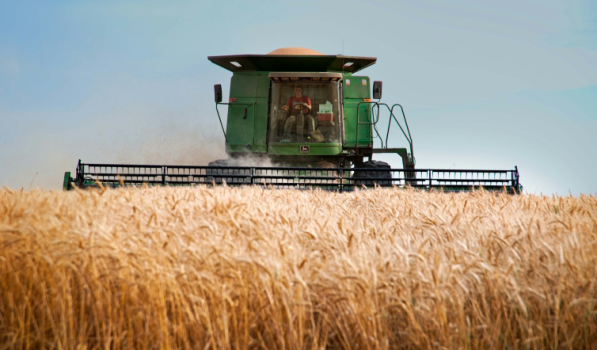
Operations & Maintenance
10 Essential Tips for Farm Equipment Maintenance
Key Takeaways:
Farm equipment repair costs have spiked 41% since 2020, nearly doubling in the past two decades.
Preventive maintenance reduces unplanned downtime by 30% and can resolve 25% of service issues remotely.
Unplanned breakdowns cost farmers approximately $3,348 per season in lost productivity and emergency repairs.
Picture this: It's 5 p.m. on a Friday during harvest season. Your fields are ready, the weather forecast shows rain coming tomorrow, and you're prepared to work through the night if necessary. But your combine refuses to start, your tractor needs a critical part, and your harvest equipment sits idle.
This scenario plays out on farms across the country every season, and the consequences extend far beyond a simple repair bill.
Farm equipment is one of the largest capital investments in modern agriculture, and proper maintenance is essential to protect that investment.
Source: WorkTrek
In this guide, we'll explore ten essential tips for farm equipment maintenance that successful farmers use to maximize equipment reliability, minimize repair costs, and avoid unexpected breakdowns during critical operations.
1. Follow Manufacturer's Maintenance Schedules
Your farm equipment comes with detailed maintenance procedures outlined in the operator's manual, and there's a compelling reason to follow them closely.
Manufacturers spend millions developing these maintenance procedures based on extensive testing and real-world performance data. These schedules account for the specific engineering tolerances, component wear patterns, and operational stresses your equipment faces.
Ignoring manufacturer's recommendations can void warranties and lead to catastrophic failures that could have been prevented through routine maintenance.
Modern agricultural equipment features complex hydraulic systems, electronic components, and precision-engineered moving parts that require specific maintenance intervals. What worked for older, simpler machinery won't keep today's sophisticated farm machinery operating at peak performance.
Keep all equipment manuals organized and accessible, whether in a home office, workshop, or digital format on your phone.
Create a farm equipment maintenance checklist based on these schedules, noting daily tasks, weekly inspections, and seasonal maintenance requirements. For further guidance, review an effective maintenance plan with 10 key tips.
Source: WorkTrek
According to the American Society of Agricultural and Biological Engineers, following proper maintenance schedules keeps annual repair costs in the 2-4% range of original equipment cost, significantly lower than reactive maintenance approaches.
2. Perform Daily Pre-Operation Inspections
Before starting any piece of equipment, successful farmers conduct visual inspections that take just minutes but prevent hours of downtime.
Daily inspections catch early signs of wear, leaks, or damage before minor issues escalate into major problems.
Illustration: WorkTrek / Data: Minnuo
During critical operations like planting or harvest season, these quick checks ensure the equipment's reliable performance when you need it most.
Your daily inspection routine should include:
Walking around each piece of equipment to check for obvious damage
Inspecting hoses and hydraulic systems for leaks or wear
Checking fluid levels, including engine oil, hydraulic fluid, and coolant
Examining belts and chains for proper tension and wear
Verifying tire pressure on all equipment
Testing all lights and safety features
Looking for loose belts, damaged wiring, or accumulated dirt
Pay special attention to critical components that experience the most stress. On tractors, check engine oil levels and look for oil leaks. On harvest equipment and combines, inspect the header, belts, and cleaning systems.
These routine maintenance activities become second nature with practice, taking only 5-10 minutes per machine while providing invaluable peace of mind that your equipment is ready for efficient operation.
3. Change Fluids and Filters Regularly
Engine oil, hydraulic fluid, transmission fluid, and filters are the lifeblood of farm machinery, yet they're often neglected until problems arise.
Regular oil changes dramatically extend equipment lifespan and prevent engine wear.
Dirty oil causes friction between moving parts, accelerates component wear, and reduces fuel efficiency. The cost of routine oil changes pales in comparison to the cost of engine rebuilds or premature equipment failure.
Don't forget the filters. Air filters, fuel filters, oil filters, and hydraulic filters all require regular attention:
Replace air filters when they show signs of restriction or when the manufacturer recommends it. Clean air filters ensure proper combustion and fuel economy.
Change fuel filters to prevent contaminants from reaching fuel injectors and other critical components.
Replace oil filters with every oil change to maintain proper lubrication.
Service hydraulic filters to protect expensive hydraulic systems from damage.
The Bureau of Labor Statistics reports that farm equipment repair costs have increased 41% since 2020. Regular fluid and filter changes represent a small investment that prevents the costly repairs this data reflects.
Consider implementing an oil analysis program. This simple test analyzes a small oil sample to detect early signs of engine wear, contamination, or other issues before they cause equipment to break down.
4. Lubricate All Moving Parts
Proper lubrication is a no-brainer, and one of the simplest yet most effective maintenance tasks you can perform to extend the lifespan of your agricultural equipment.
Farm machinery contains countless moving parts. This includes bearings, chains, hinges, pivot points, and gearboxes.
All of these parts require regular greasing to prevent friction and wear. Without adequate lubrication, these components generate excessive heat, wear prematurely, and eventually fail.
Illustration: WorkTrek / Quote: Farmers Review Africa
Use the right grease for each application. Consult your equipment manual to identify the correct lubricant type and grade for different components.
Using the wrong lubricant can be as harmful as using none at all.
Establish a regular lubrication schedule based on equipment use:
Grease all lube points before and after heavy use periods
Inspect chains and sprockets for proper lubrication
Check gearbox oil levels regularly
Lubricate pivot points on implements and attachments
Grease wheel bearings according to the manufacturer's intervals
Pay special attention to harvest machinery during busy seasons.
The combination of dust, chaff, and extended operating hours can quickly degrade lubrication, making frequent greasing essential for keeping your farm running smoothly.
Keep a well-organized supply of essential tools and the right grease types in your workshop. A few minutes spent greasing critical components can prevent hours of downtime and thousands in repair costs.
5. Monitor and Maintain Tire Pressure
This is one of the simplest maintenance tasks that you can perform regularly - check the tire pressure.
Tire pressure might seem like a minor detail, but it significantly impacts equipment performance, fuel efficiency, and operational costs.
Properly inflated tires on tractors, combines, and harvest equipment provide better traction, reduce soil compaction, and improve fuel economy.
Under-inflated tires increase rolling resistance, waste fuel, and accelerate tire wear. Over-inflation reduces the contact patch, decreasing traction and potentially damaging tires on rough terrain.
Check tire pressure weekly during active seasons and monthly during storage periods. Temperature changes affect pressure, so verify readings when tires are cold for accuracy.
The benefits of proper tire maintenance extend beyond the tires themselves:
Improved fuel efficiency: Properly inflated tires can reduce fuel consumption by 3-5%
Better traction: Correct pressure maximizes the contact patch for optimal grip
Reduced soil compaction: Proper inflation distributes weight more evenly
Extended tire life: Correct pressure prevents irregular wear patterns
Higher resale value: Well-maintained equipment commands premium prices
Don't forget spare parts inventory. Keep spare tires or at least tire repair supplies on hand to avoid delays during critical operations.
A flat tire during harvest season can cost more in lost productivity than years of tire maintenance.
Inspect tire treads regularly for excessive wear, cuts, or damage. Replace worn tires before they fail in the field, and consider rotating tires on equipment to ensure even wear across all positions.
6. Keep Equipment Clean
Keeping farm machinery clean might seem counterintuitive given the nature of agricultural work, but regular cleaning is a crucial maintenance procedure that pays significant dividends.
Accumulated dirt, mud, crop residue, and chemical buildup accelerate corrosion, hide damage, obstruct cooling systems, and attract moisture that promotes rust. What starts as harmless debris becomes a maintenance issue that shortens equipment lifespan.
Source: WorkTrek
Develop a cleaning routine that fits your operation:
Remove crop residue, chaff, and plant material after each use
Wash equipment thoroughly at season's end before proper storage
Pay extra attention to moving parts where debris can interfere with operation
Clean under covers and shields where moisture and debris collect
Remove fertilizer and chemical residue that can corrode metal surfaces
For harvest equipment, thorough cleaning between crops prevents contamination and removes abrasive materials that accelerate wear.
On tractors and general farm equipment, keeping the engine bay clean helps prevent overheating and makes leak detection easier during daily inspections.
Use a pressure washer for efficient cleaning, but avoid directing high-pressure water at electrical components, bearings, or other sensitive areas. A soft brush works well for removing stubborn residue from delicate parts.
Clean equipment also makes maintenance easier. When you can clearly see components, identifying worn parts, detecting leaks, and performing routine maintenance becomes much simpler and more effective.
7. Store Farm Machinery Properly
How you store equipment between seasons dramatically affects its condition and longevity. Exposure to sun, rain, snow, and temperature extremes accelerates wear and deterioration.
Indoor storage under a roof or in a dedicated shed provides the best protection. If indoor storage isn't available for all equipment, prioritize protecting the most valuable pieces and those with sensitive electrical components.
Illustration: WorkTrek / Data: SteelPRO PEB
For equipment that must remain outside:
Use quality waterproof tarps to protect from precipitation
Park on level, well-drained ground to prevent moisture accumulation
Block or support equipment to take the weight off the tires and prevent flat spots
Remove batteries and store them indoors in temperature-controlled conditions
Drain fluids from sprayers and other systems that could freeze
Proper storage extends beyond just parking equipment. Take these additional steps before storage:
Change oil and filters so the equipment isn't sitting with contaminated fluids
Fill fuel tanks to prevent condensation
Apply rust preventative to exposed metal surfaces
Disconnect batteries or use trickle chargers
Cover exhaust and air intake openings to prevent pest intrusion
According to agricultural industry research, proper storage and preventive maintenance can reduce unexpected breakdowns significantly, avoiding the $3,348 average seasonal cost of equipment failures.
8. Inspect and Replace Worn Components
Proactive parts replacement prevents unexpected breakdowns at the worst possible times. Waiting for complete failure wastes time, increases repair costs, and risks damaging other components.
Regular inspections help identify parts nearing the end of their service life. Look for early signs of wear on belts, hoses, chains, bearings, and other high-wear components. These items have predictable lifespans and should be replaced on schedule, not after failure.
Key components requiring regular inspection include:
Belts: Check for cracks, fraying, glazing, or improper tension
Hoses: Inspect for cracks, bulges, leaks, or deterioration
Chains: Look for stretch, worn pins, or damaged links
Bearings: Listen for unusual noises indicating wear
Cutting edges and blades: Replace when dull to maintain efficient operation
Electrical components: Check wiring for damage or corrosion
Keep commonly needed spare parts in stock. During harvest season or other critical periods, having parts on hand eliminates the downtime associated with emergency ordering and shipping.
When you inspect hoses and other components, don't just look at visible sections. Many critical hoses and belts are partially hidden, making thorough inspection important.
Use a flashlight and a mirror to examine hard-to-reach areas.
Document when parts are replaced to track component lifespan and predict future replacement needs. This data helps you stock the right spare parts and budget accurately for maintenance costs.
9. Document All Maintenance Activities
Focus on transforming reactive maintenance into proactive asset management. Detailed documentation helps track costs, identify patterns, predict failures, and maintain warranty coverage.
Source: WorkTrek
This process is greatly simplified if you implement a Computerized Maintenance Management System (CMMS) like WorkTrek.
Create a maintenance logbook for each piece of equipment that records:
Date and hours of operation for all service
Specific maintenance tasks performed
Parts replaced with part numbers
Fluids used and amounts
Issues discovered during inspections
Repair costs and labor hours
Preventative maintenance completed
This information becomes invaluable when:
Troubleshooting recurring problems
Planning annual maintenance budgets
Determining optimal replacement timing
Negotiating trade-in values with dealers
Providing documentation for warranty claims
Training new operators on maintenance procedures
Digital maintenance software offers significant advantages over paper records. Modern CMMS solutions automatically track maintenance activities, send reminders for scheduled tasks, and generate reports showing equipment performance and cost trends.
Illustration: WorkTrek / Data: DataCalculus
Industry data shows that annual repair costs typically range from 2-4% of the original machine cost. Good records help you track whether specific equipment falls within this range or requires more frequent attention.
Historical data also helps identify whether equipment has become unreliable enough to justify replacement. When repair costs exceed a certain threshold relative to replacement cost, it's time to consider upgrading to newer, more reliable machinery.
10. Train Operators on Equipment Use
Operator error causes a significant percentage of equipment failures. Improper operation accelerates wear, causes damage, and voids warranties.
All of which is preventable through proper training.
Illustration: WorkTrek / Data: Rutgers University
Every person who operates your farm equipment should receive thorough training on:
Proper starting and shutdown procedures
Daily inspection requirements
Normal operating parameters
Warning signs of problems
Emergency shutdown protocols
Basic troubleshooting techniques
Safe operating practices
Many operators assume they know how to run equipment without reading the manual. This attitude leads to costly mistakes. New technology, updated safety features, and model-specific operational requirements make manual reading essential, not optional.
Encourage operators to report unusual sounds, vibrations, or performance changes immediately. These early warnings often indicate minor issues that can be addressed before causing equipment failure.
Create standard operating procedures for complex equipment. Written checklists ensure consistency and prevent operators from skipping important steps. Laminated checklists mounted in operator cabs provide a ready reference during operation.
For seasonal or temporary workers, invest time in proper training before turning them loose on expensive equipment. The few hours spent on training prevent thousands of dollars in damage from improper operation.
Remember that even experienced operators benefit from refresher training when manufacturers introduce new features or technologies.
Modern agricultural equipment includes sophisticated electronics and automated systems that require a thorough understanding to operate correctly and be adequately maintained.
Conclusion
Farm equipment maintenance isn't just about preventing breakdowns. The goal is to protect your farm's most valuable assets and ensure reliable operations during critical windows.
The ten essential tips covered in this guide provide a comprehensive framework for maintaining agricultural equipment at peak performance. From following manufacturer's recommendations to implementing digital maintenance tracking, each strategy contributes to reduced repair costs, improved equipment reliability, and extended machinery lifespan.
With equipment repair costs rising 41% since 2020 and unplanned breakdowns costing thousands per season, the importance of preventive maintenance has never been clearer.
Successful farmers understand that time invested in routine maintenance activities saves far more time and money than constantly fighting equipment failures.
Start implementing these practices today, beginning with daily inspections and proper documentation. As your maintenance program matures, consider adding CMMS software to streamline processes and maximize efficiency.

Operations & Maintenance
Guide to Wind Turbine Maintenance
Key Takeaways:
O&M costs for wind turbines represent 20-35% of the total levelized cost per kWh over a turbine's lifetime
Wind turbines experience an average of 2-4 failures per turbine per year, with gearbox failures causing the longest downtimes
Proper maintenance can extend turbine lifespan to 20-30 years, maximizing renewable energy production
The global wind turbine maintenance market is valued at over $20 billion annually
Wind turbines are among the world's most vital renewable energy sources, converting wind power into clean electricity across wind farms worldwide. However, maintaining these massive structures requires specialized knowledge, careful planning, and consistent execution.
Without proper maintenance, wind turbines face costly repairs, extended turbine downtime, and reduced energy production. That's why understanding the fundamentals of wind turbine maintenance is essential for wind farm operators and wind turbine technicians alike.
Source: WorkTrek
In this guide, we'll explore everything you need to know about keeping wind turbines running at peak performance, from routine maintenance tasks to advanced predictive maintenance strategies.
Understanding Wind Turbine Maintenance
Wind turbine maintenance involves inspecting, servicing, and repairing components to ensure optimal performance and longevity.
It includes:
Routine inspections
Turbine cleaning
Proper lubrication
Addressing both minor and major repairs in a timely manner
According to industry data, maintenance costs typically range from 1.2 to 1.5 eurocents per kWh of wind power produced over the turbine's lifespan. For a new turbine, these costs may initially constitute 10-15% of total expenses, but can increase to 20-35% by the end of the turbine's lifespan.
The importance of proactive maintenance cannot be overstated. Most wind turbines are designed to operate for 20-30 years, but achieving this lifespan requires consistent care and attention to critical components.
Research shows that wind turbines typically experience 2-4 failures per turbine per year, with offshore turbines facing even higher failure rates due to extreme weather conditions and environmental factors.
Regular maintenance ensures:
Consistent energy production without unexpected breakdowns
Prevention of costly repairs through early detection
Extended component life and overall turbine lifespan
Enhanced safety for wind turbine technicians and surrounding communities
Optimal performance under varying wind speed conditions
Essential Wind Turbine Components Requiring Maintenance
To effectively maintain wind turbines, it's crucial to understand the key components that require regular attention. Each plays a vital role in turbine operation and energy production.
Wind Turbine Blades and Rotor System
The rotor blades are perhaps the most visible turbine components, capturing kinetic energy from the wind. These massive structures face constant exposure to harsh environmental conditions, from lightning strikes to extreme temperatures.
Illustration: WorkTrek / Data: Windtech International
Common issues include:
Leading-edge erosion from rain, hail, and debris impact
Surface cracks due to fatigue and UV exposure
Lightning damage requiring immediate repairs
Ice accumulation affecting aerodynamic efficiency
Studies indicate that approximately 10-15% of wind turbines experience blade cracking during their lifetime, with blade failures causing an average downtime of 15-30 days per incident.
Gearbox and Drive Train
The gearbox converts the low-speed rotation of the rotor blades into the high-speed rotation required by the generator. It's one of the most maintenance-intensive components in a wind turbine operation.
Illustration: WorkTrek / Data: Soar
Research from multiple databases identifies the gearbox as particularly critical because downtime per failure is high compared to other turbine components.
Gearbox failures account for approximately 10-15% of all wind turbine failures, with an average downtime of around 15 days per incident.
Generator and Electrical Systems
The generator converts mechanical energy into electrical energy. According to IRENA statistics, generators account for about 30% of total maintenance costs and 5.5% of downtime.
Generator failures represent roughly 15% of all turbine failure causes, with older turbines (over 10 years) experiencing failure rates of 7-10% annually.
The electrical systems, including cables, control panels, and electrical connections, require regular inspection to prevent electrical faults that could lead to system failures.
Yaw System and Tower Structure
The yaw system positions the turbine nacelle to face the wind, optimizing energy capture. Yaw system failures are among the most common causes of turbine shutdowns, accounting for approximately 12% of total failures.
The tower structure and foundation bear enormous static and dynamic loads.
Regular inspection of structural integrity, including bolts, welds, and the foundation, is essential to prevent catastrophic failures. Tower failures, while representing only about 4% of all failures, can have severe consequences.
Hydraulic and Lubrication Systems
Proper lubrication is vital for reducing friction and extending component life. The hydraulic system controls blade pitch and braking mechanisms, making it critical for turbine safety and performance.
Illustration: WorkTrek / Data: zipdo
Research indicates that up to 25% of wind turbines fail prematurely due to inadequate lubrication in gearboxes. Oil leaks and contamination can lead to bearing damage and eventual system failure.
Wind Turbine Maintenance Checklist: Essential Tasks
A comprehensive wind turbine maintenance checklist should systematically address all critical components. Here are the essential maintenance tasks that wind farm operators need to incorporate into their maintenance schedule.
Routine Inspections
Visual inspections form the foundation of any maintenance program. Wind turbine technicians should regularly inspect:
Rotor blades for cracks, erosion, and surface damage
Tower and foundation for structural issues
Electrical components, including cables and connectors
Oil levels and quality in the gearbox and hydraulic systems
Control systems and sensors for accurate operation
Most turbines need servicing at least once every two years, though some models require more frequent maintenance depending on turbine age, location, and operating conditions.
Turbine Cleaning and Lubrication
Turbine cleaning involves removing dirt, debris, and contaminants from critical areas. The nacelle, blades, and generator all accumulate dust that can impact performance and create safety hazards.
Illustration: WorkTrek / Data: MDPI
Lubrication schedules should address:
Yaw and pitch bearings for smooth rotation
Main shaft bearings to prevent premature wear
Gearbox components according to the original equipment manufacturer's specifications
Generator bearings for continuous operation
Electrical System Maintenance
Source: WorkTrek
The electrical systems require specialized attention to prevent failures. Regular tasks include:
Testing and cleaning electrical connections
Inspecting control panels for signs of overheating or damage
Verifying proper operation of lightning protection systems
Checking sensor calibration and control system functionality
Monitoring transformer and converter performance
Blade Inspection and Repair
Given the critical role of turbine blades in energy production, blade maintenance deserves special attention. Advanced inspection techniques include:
Ultrasonic testing for internal damage detection
Thermal imaging to identify delamination
Visual inspection using drones or rope access
Leading-edge protection system verification
Industry statistics indicate that blade fatigue accounts for approximately 20-25% of blade-related failures, underscoring the importance of proactive inspection and repair.
Predictive Maintenance Technologies
Modern wind farms increasingly employ predictive maintenance approaches using condition monitoring systems. These technologies include:
Vibration analysis to detect bearing and gearbox issues
Motor current analysis for electric motor fault detection
Oil analysis for contamination and wear particle detection
Thermal monitoring for electrical component health
SCADA system data analysis for performance trends
Illustration: WorkTrek / Data: Gitnux
According to recent studies, predictive maintenance using advanced oil analysis and condition monitoring can reduce the median levelized cost of energy by 1-2% across the U.S. fleet, with cumulative savings estimated at approximately $6 billion by 2050.
Wind Turbine Maintenance Schedule and Frequency
A good maintenance schedule can balance thoroughness with cost efficiency.
Maintenance frequency varies based on several factors. Those include turbine type, environmental conditions, and manufacturer recommendations.
Standard Maintenance Intervals
Industry best practices recommend the following general schedule:
Semi-annual inspections (every 6 months): Basic visual checks, oil level verification, minor adjustments
Annual maintenance (every 12 months): Comprehensive inspection, lubrication service, minor component replacement
Major service (every 5 years): Extensive inspection, major component overhaul, complete system testing
Offshore turbines typically require more careful maintenance planning due to limited accessibility during extreme weather conditions.
Weather windows for offshore maintenance work must be carefully planned to ensure safe working conditions.
Condition-Based Scheduling
Rather than following a strictly time-based schedule, many operators now implement condition-based maintenance. This approach uses real-time monitoring data to schedule maintenance only when performance indicators suggest the need.
Advantages include:
Reduced unnecessary maintenance activities
Prevention of unexpected breakdowns through early warning
Optimized maintenance crew deployment
Lower overall maintenance costs while maintaining reliability
Seasonal Considerations
Environmental factors play a significant role in maintenance scheduling:
Winter maintenance: Ice detection systems monitoring, blade de-icing, cold-weather lubrication
Spring/Fall: Ideal for comprehensive inspections and major repairs
Summer: Lightning protection system verification, cooling system maintenance
Storm season: Pre and post-storm inspections, emergency preparedness
Common Wind Turbine Maintenance Costs and Challenges
Understanding the cost structure and challenges of wind turbine maintenance helps operators plan budgets and resources effectively.
Maintenance Cost Breakdown
According to Thunder Said Energy analysis, wind power operating costs average $40/kW-year, with approximately $25/kW dedicated to maintenance activities. This translates to a global maintenance market worth over $20 billion annually.
Costs typically include:
Labor costs for scheduled and unscheduled maintenance
Spare parts and replacement components
Equipment rental (cranes, specialized tools)
Transportation and logistics
Insurance and safety equipment
Emergency repairs and expedited services
The average cost of wind turbine repair after failure is approximately $150,000, though this varies significantly based on failure type and component complexity.
Common Maintenance Challenges
Wind farm operators face several persistent challenges:
Accessibility Issues
Offshore turbines and remote onshore locations create logistical difficulties. Weather conditions can prevent access for extended periods, delaying critical maintenance and extending turbine downtime.
Component Lead Times
Many turbine components require long procurement cycles. When major components fail, obtaining replacements can take weeks or months, particularly for older turbine models.
Skilled Technician Shortage
Illustration: WorkTrek / Data: Global Wind Safety
The specialized nature of wind turbine maintenance creates demand for highly trained technicians. The industry faces ongoing challenges in recruiting and retaining qualified personnel.
Unpredictable Failures
Data show that approximately 70% of wind turbine failures occur within the first 10 years of operation. These early-life failures often result from manufacturing defects or installation issues that aren't always predictable.
Environmental Stressors
Illustration: WorkTrek / Data: ScienceDaily
Continuous improvement in turbine design hasn't eliminated vulnerability to environmental factors:
Lightning strikes, causing electrical and blade damage
Extreme temperatures affect lubrication and component expansion
High wind speeds create excessive loads on structural components
Salt exposure in offshore and coastal environments causes corrosion
Cost Management Strategies
Cost management requires a balanced approach:
Implementing preventive maintenance to avoid emergency repairs
Maintaining adequate spare parts inventory for critical components
Using quality components from original equipment manufacturers - don't skimp
Training in-house maintenance teams to reduce contractor dependency
Leveraging data analytics to optimize maintenance schedules
Conclusion
Wind turbines represent a significant investment in renewable energy infrastructure. This makes proper maintenance an essential investment to protect wind turbines.
Illustration: WorkTrek / Data: Sherwood
The challenges are real.
From the physical demands of working at extreme heights to managing complex maintenance schedules across distributed assets. Environmental factors, component complexity, and the critical importance of minimizing downtime all demand sophisticated approaches to maintenance management.
However, modern CMMS platforms like WorkTrek provide the tools needed to overcome these challenges.
By centralizing asset information, automating preventive maintenance, enabling mobile access, and delivering data-driven insights, these systems transform maintenance from a reactive cost center into a strategic advantage.
The future of wind energy depends on well-maintained turbines operating at peak efficiency. With the right approach to maintenance and the support of advanced CMMS platforms, wind farm operators can confidently meet this challenge while contributing to a sustainable energy future.

Operations & Maintenance
8 Tips for Wind Turbine Maintenance
Key Takeaways:
Wind turbines require maintenance 2-3 times per year, with proper preventive maintenance reducing operational costs by up to 18%.
Blade damage accounts for the leading cause of turbine failure, with leading-edge erosion threatening structural integrity and energy production.
Companies using CMMS for wind turbine maintenance report a 25-50% reduction in unplanned downtime and a 200-400% improvement in ROI.
Wind energy has become a cornerstone of the global transition to clean energy, with wind turbines transforming how we generate power across residential, commercial, and utility-scale operations.
Illustration: WorkTrek / Data: Sherwood
However, maintaining these sophisticated machines requires more than just occasional check-ups.
From horizontal-axis wind turbines dominating commercial wind farms to vertical-axis wind turbines serving specialized applications, proper maintenance is the difference between optimal performance and costly failures.
In this guide, we'll explore eight essential tips for wind turbine maintenance that wind farm operators and wind technicians use to maximize efficiency, prevent costly repairs, and ensure their assets deliver peak performance year after year.
1. Establish a Comprehensive Preventive Maintenance Schedule
Reactive maintenance might seem like a cost-saving strategy, but when it comes to wind turbines, waiting for parts to fail is a recipe for disaster.
Preventive maintenance is the foundation of any successful wind energy operation.
According to the U.S. Department of Energy, small wind systems should undergo annual maintenance at a minimum. At the same time, larger commercial turbines typically follow maintenance schedules at predetermined intervals of 4, 6, 12, 24, and 48 months.
Wind turbine maintenance procedures should cover essential maintenance tasks including:
Routine inspections of turbine blades, tower structure, and nacelle components
Lubrication schedules for bearings, gearbox, and yaw system
Electrical systems checks, including control panels and SCADA systems
Structural integrity assessments ofthe tower and foundation
Source: WorkTrek
The maintenance frequency depends on several factors: turbine age, operating conditions, and whether you're managing onshore or offshore installations.
Carsten Andersen, CEO of the Danish Wind Power Academy, emphasizes the importance of timing:
"Preplanning and organization can result in significant benefits. Servicing should not just be about fixing a machine – it should be about looking after it so that you can achieve maximum uptime and efficiency."
By scheduling maintenance during low-wind periods, you avoid losing valuable energy production during peak performance times.
This proactive approach helps wind farm operators control maintenance costs while ensuring turbines operate correctly throughout their operational life.
2. Prioritize Turbine Blade Maintenance and Inspection
Rotor blades are among the most critical components of any wind turbine, directly impacting aerodynamic efficiency and power generation.
These massive structures face constant assault from extreme weather conditions, lightning strikes, and environmental wear.
Research published in the National Center for Biotechnology Information identifies blade damage as a leading cause of turbine failure, with several failure modes requiring close attention:
Leading edge erosion: Constant exposure to rain, hail, and airborne debris weakens blade surfaces, creating cracks and compromising structural integrity
Blade tip damage: High-speed operation makes tips vulnerable to erosion, cracking, and lightning strike damage
Trailing edge failures: Debonding and buckling from stress loads can lead to premature failure
Wind turbine technicians should regularly inspect blades for these issues, focusing on visual inspections to catch problems before they escalate.
Small cracks may seem minor, but they can quickly progress to major damage that requires expensive repairs or complete blade replacement.
When you clean blades regularly—removing dirt, debris, and biological growth—you maintain the aerodynamic efficiency that drives energy production.
Illustration: WorkTrek / Data: Zipdo
Even seemingly insignificant buildup can alter blade performance, reducing the turbine's ability to capture wind energy effectively—a challenge best addressed with robust maintenance management software solutions.
For wind techs working hundreds of feet in the air, blade inspections also represent a critical safety concern.
Damaged blades operating at high speeds pose risks not just to equipment but to personnel and nearby structures.
3. Monitor and Maintain Critical Components
Beyond the blades, wind turbines contain numerous turbine components that require regular attention to prevent costly breakdowns.
The gearbox, generator, and bearings form the heart of wind turbine operation, converting mechanical energy from rotating blades into electrical power.
According to Enerpac's analysis of wind turbine maintenance, at least 62.9% of all failure causes are internal engineering-related failure modes, making component monitoring essential.
Key components requiring regular inspection include:
Gearbox maintenance
Check oil levels, monitor for leaks, and watch for signs of wear. Gearbox failures can cause weeks of downtime and cost $200,000-$500,000 to replace.
Generator maintenance
Inspect electrical connections, test insulation, and ensure proper cooling system function. Generator issues can halt power generation entirely.
Bearing inspection
Proper lubrication reduces friction and prevents overheating. Bearings support massive loads and high rotational speeds, making them vulnerable to failure without adequate care.
Source: WorkTrek
Yaw system
This mechanism keeps turbines aligned with the wind direction. Regular checks ensure smooth operation and prevent misalignment that reduces efficiency.
Wind turbine parts fail at different rates depending on operating conditions and maintenance quality.
The more proactive your approach to monitoring these critical elements, the better you can prevent unexpected breakdowns that lead to costly failures and lost revenue.
Condition monitoring systems using sensors provide real-time data on vibration, temperature, and other performance indicators, allowing maintenance scheduling based on actual equipment condition rather than arbitrary timelines.
4. Implement Predictive Maintenance Technology
While preventive maintenance follows fixed schedules, predictive maintenance takes a smarter approach by using data to anticipate when wind turbine parts fail before catastrophic breakdowns occur.
This strategy represents the future of wind turbine maintenance and is increasingly becoming standard practice at advanced wind farms.
Predictive maintenance leverages SCADA systems, IoT sensors, and advanced analytics to monitor turbine performance in real-time.
According to Deloitte's research on predictive maintenance, this approach can:
Increase equipment uptime by 10-20%
Reduce overall maintenance costs by 5-10%
Decrease maintenance planning time by up to 50%
How does it work in practice?
Sensors placed on key components continuously collect data on:
Vibration levels in bearings and gearboxes
Temperature fluctuations in electrical systems
Lubrication levels and oil quality
Foundation displacement and structural stress
Wind speed and turbine performance correlation
This monitoring data flows into maintenance management software that uses machine learning algorithms to identify patterns indicating impending failure.
When the system detects anomalies—such as unusual vibration signatures in a bearing or temperature spikes in the generator—it triggers alerts allowing wind techs to schedule maintenance before complete failure occurs.
The BMW Group's Regensburg plant provides a compelling example from industrial maintenance that applies equally to wind energy operations.
Their AI-powered predictive system prevents approximately 500 minutes of production disruption annually by catching potential failures early.
Illustration: WorkTrek / Data: Gitnux
For wind farm operators, this translates to fewer emergency repairs, better parts inventory management, and significantly improved turbine availability during high-wind periods when revenue potential is greatest.
5. Maintain Proper Lubrication Throughout the System
Proper lubrication might sound basic, but it's one of the most critical and most commonly neglected aspects of wind turbine maintenance.
Moving parts operating under extreme loads and high speeds generate tremendous friction and heat, highlighting the importance of maintenance strategies.
Without adequate lubrication, components wear rapidly, leading to minor repairs escalating into major component failures.
The lubrication requirements for wind turbines are extensive:
Gearbox oil
Maintains smooth gear operation and heat dissipation. Regular oil changes prevent contamination and degradation that accelerates wear, and are a fundamental aspect of predictive maintenance strategies.
Bearing grease
Applied to main shaft bearings, pitch bearings, and yaw bearings. These components support massive loads and require high-quality lubricants formulated for extreme conditions, making predictive maintenance an increasingly valuable approach.
Illustration: WorkTrek / Data: MDPI
Pitch system lubrication
Ensures blade angle adjustments occur smoothly, optimizing turbine performance across varying wind speeds.
Yaw drive grease
Keeps the turbine rotation mechanism functioning correctly, allowing the nacelle to track wind direction efficiently.
Wind turbine manufacturers provide specific lubrication schedules and specifications in their maintenance manuals.
Following these guidelines isn't optional. It's essential for maintaining warranty coverage and preventing premature wear.
According to wind farm management best practices, inadequate lubrication accounts for a significant share of bearing failures, one of the most common and costly turbine problems.
Modern turbines may incorporate automated lubrication systems that deliver grease at scheduled intervals, reducing manual labor and ensuring consistent application.
For turbines without automated systems, wind technicians must manually apply lubricants during routine maintenance visits, verify proper distribution, and identify any components showing signs of inadequate lubrication.
Temperature monitoring helps identify lubrication issues. When that happens, components running hotter than normal often indicate lubrication problems requiring immediate attention.
6. Conduct Regular Electrical Systems Inspection
While mechanical components often get the most attention, electrical systems are equally critical to wind turbine operation and maintenance.
From the generator that converts mechanical energy into electricity to the control panels that manage turbine operation, electrical components require systematic inspection and maintenance.
Essential electrical maintenance tasks include:
Control panel inspection
Verify all connections are secure, check for signs of corrosion or overheating, and ensure proper grounding. Control panels coordinate all turbine functions and must operate flawlessly.
Wiring assessment
Examine cables for fraying, rodent or weather damage, and proper insulation. Wind turbines operate in harsh environments where electrical systems are constantly exposed to moisture, extreme temperatures, and physical stress.
Lightning protection verification
Wind turbines are prime targets for lightning strikes. Regular inspection of lightning protection systems prevents catastrophic damage from electrical surges.
Generator testing
Beyond mechanical inspection, electrical testing ensures the generator produces clean power at the proper voltage and frequency.
SCADA system verification
These monitoring tools provide the data essential for both immediate operational control and long-term predictive maintenance. Any malfunction in SCADA systems leaves operators blind to turbine performance issues.
Source: WorkTrek
According to the U.S. Department of Energy, electrical system failures contribute significantly to unplanned downtime, making regular inspection a priority for maintaining turbine availability.
For offshore wind installations, electrical system maintenance becomes even more critical due to the additional challenges posed by saltwater corrosion and limited access during severe weather.
Wind technicians working on electrical systems must follow strict safety protocols, as the combination of high voltage, elevated work environments, and potentially explosive conditions in the nacelle creates significant hazards.
7. Address Environmental and Weather-Related Challenges
Wind turbines operate 24/7 in some of the harshest environmental conditions imaginable. This obviously means that the environment takes a toll on every component.
From coastal installations battling salt spray and humidity to inland turbines enduring temperature extremes and dust storms, environmental factors significantly impact maintenance requirements and turbine lifespan.
Strong winds and extreme weather conditions
While wind is obviously essential for power generation, excessive wind speeds force turbines into shutdown mode to prevent damage. Regular inspection after extreme weather events helps identify stress damage before it becomes critical.
Salt corrosion for offshore and coastal turbines
Marine environments accelerate corrosion of metal components, requiring more frequent inspections and protective coating applications. Offshore wind turbines face particularly aggressive corrosive conditions.
Temperature extremes
Both intense heat and extreme cold affect lubrication viscosity, material expansion/contraction, and component stress. Maintenance scheduling should account for seasonal variations in operating conditions.
Ice accumulation
In cold climates, ice buildup on blades disrupts aerodynamic efficiency and adds dangerous weight loads. Some advanced turbines include heating systems to prevent ice formation, but these require their own maintenance.
Illustration: WorkTrek / Data: ScienceDaily
UV degradation
Constant sun exposure, especially on composite blade materials, can weaken structural integrity over time. Regular blade coating inspection and maintenance help prevent this gradual degradation.
Debris and biological fouling
Birds, insects, and airborne debris can accumulate on blades and in nacelle ventilation systems, reducing efficiency and potentially causing component damage.
Industry data shows that external weather-related effects account for approximately 37.1% of failure causes, underscoring the importance of environmental considerations in maintenance planning.
Effective maintenance schedules account for local environmental conditions, increasing inspection frequency, and adjusting maintenance tasks based on the specific challenges each wind farm faces.
Wind farm operators in harsh environments may need more frequent blade cleaning, more aggressive corrosion prevention measures, and specialized equipment to handle region-specific challenges.
8. Train and Equip Your Maintenance Team Properly
Even the best maintenance schedule means nothing without skilled wind technicians who can execute it safely and effectively.
The wind energy industry faces a growing need for qualified professionals who understand both the mechanical complexity of modern turbines and the safety requirements of working at extreme heights in challenging conditions.
Illustration: WorkTrek / Data: Global Wind Safety
According to Universal Technical Institute's wind turbine maintenance guide, professional wind technicians, often called "wind techs", require specialized training covering:
Mechanical systems, including gearboxes, bearings, and hydraulic components
Electrical systems and power generation equipment
Climb and rescue procedures for working safely at heights exceeding 300 feet
Confined space safety for nacelle work
First aid and emergency response
Equipment-specific knowledge for various turbine models and manufacturers
The complexity of modern wind turbines means general mechanical knowledge isn't sufficient.
As Carsten Andersen of the Danish Wind Power Academy notes:
"You have to be realistic about what your service engineers can achieve. While they may be specialized in one area or understand one platform well, there are very different approaches to different technologies. Many engineers simply don't receive the additional training they need for new platforms."
Beyond training, proper equipment is essential.
Advanced tools for wind turbine maintenance now include:
Drone inspections: Unmanned aerial systems with thermal imaging and high-resolution cameras can inspect blades and tower structures without requiring technicians to climb, improving both safety and efficiency
Vibration analysis equipment: Portable devices that detect bearing problems and other mechanical issues through vibration signature analysis
Thermographic cameras: Identify electrical hot spots and insulation problems before they cause failures
Torque tools: Ensure bolts are properly tightened to manufacturer specifications—critical given that turbines may contain up to 25,000 bolts
Investing in continuous training and modern diagnostic tools pays dividends through improved turbine performance, reduced safety incidents, and lower long-term maintenance costs.
How CMMS Can Transform Wind Turbine Maintenance
Modern wind energy operations require more than just skilled technicians and proper tools—they need intelligent systems that coordinate, track, and optimize every aspect of turbine maintenance.
This is where Computerized Maintenance Management System (CMMS) software like WorkTrek becomes invaluable for wind farm operators seeking maximum efficiency and uptime.
Source: WorkTrek
According to UpKeep's State of Maintenance Report, organizations using CMMS platforms report significant improvements including:
Better visibility into completed work and overall maintenance operations
25-50% reduction in unplanned downtime
Enhanced team communication and collaboration
Improved resource allocation and parts inventory management
These benefits directly address the most pressing challenges in wind turbine maintenance, where downtime costs can reach $695 million annually at large automotive-scale operations, according to Siemens' research.
The WorkTrek Advantage in Wind Energy
While many CMMS platforms exist, WorkTrek's combination of user-friendly design, powerful automation, and industry-specific features makes it the ideal choice for wind energy operations.
The platform scales effortlessly from small wind installations to large commercial wind farms, managing hundreds of turbines across multiple locations.
Wind farm operators report dramatic improvements after implementing WorkTrek:
200-400% return on investment through reduced downtime and optimized maintenance costs
Elimination of missed preventive maintenance tasks
Faster emergency response through better parts availability and technician coordination
Improved turbine reliability and energy production
Reduced administrative burden through automation
Whether you're managing a single wind turbine or an entire wind farm, WorkTrek provides the tools, insights, and automation necessary to achieve optimal performance, minimize maintenance costs, and ensure your wind energy operations deliver maximum value throughout their operational life.
Conclusion
Wind turbine maintenance is more than just preventing breakdowns. It's about maximizing the return on your clean energy investment while ensuring safe, reliable operation over decades of service.
The eight tips covered in this guide represent the foundation of successful wind energy operations, from establishing comprehensive preventive maintenance schedules to investing in skilled technicians and modern diagnostic tools.
As wind energy continues expanding globally, the importance of proactive maintenance only grows.
The difference between reactive and preventive approaches can mean millions in avoided downtime costs, extended equipment life, and consistent energy production, making wind power economically viable.
Modern CMMS platforms like WorkTrek transform wind turbine maintenance from a reactive scramble into a strategic, data-driven operation that consistently delivers peak performance.
Whether you're managing horizontal-axis wind turbines at a utility-scale wind farm or maintaining small vertical-axis wind turbines for distributed generation, the principles remain the same: prevent problems before they occur, monitor critical components continuously, and leverage technology to work smarter rather than harder.
Your wind turbines represent a significant investment in renewable energy infrastructure. maintenance operations
Give them the maintenance they deserve, and they'll deliver clean, sustainable power for decades to come.

Operations & Maintenance
Top 6 Conveyor Maintenance Mistakes to Avoid
Key Takeaways:
Unplanned conveyor downtime costs manufacturing facilities between $10,000-$260,000 per hour depending on operation size
82% of companies have experienced unplanned equipment downtime in the past three years, with average outages lasting four hours and costing $2 million
Emergency repairs cost 3-4 times more than routine preventive maintenance, yet 70% of facilities aren't fully aware of when equipment needs servicing
Implementing a structured CMMS-based preventive maintenance program can reduce unexpected downtime by 30-50% and extend equipment lifespan by 20-40%
Conveyor belt systems are essential to material handling operations across manufacturing facilities, distribution centers, and assembly lines across many industries. These systems move everything from bulk materials to finished products, making them critical to operational efficiency and productivity.
However, even the most robust conveyor systems require regular attention to maintain optimal performance.
The good news?
Most conveyor issues are preventable. By understanding and avoiding the top conveyor maintenance mistakes, facility managers can significantly reduce downtime, extend equipment life, and protect their bottom line.
In this comprehensive guide, we'll explore the top conveyor maintenance mistakes to avoid, along with proven strategies to avoid them.
1. Neglecting Preventive Maintenance Plans
One of the biggest mistakes facility managers make is treating conveyor maintenance as a reactive task rather than a proactive strategy. The "run it until it breaks" mentality might seem cost-effective in the short term, but it's a recipe for major failures and expensive emergency repairs down the line.
Without a structured preventative maintenance plan, small issues go unnoticed until they become significant problems. A worn roller that could have been replaced during scheduled maintenance instead causes belt damage, material spillage, and eventually complete system failure during peak production hours.
Source: WorkTrek
The financial impact of this reactive approach is staggering.
Research shows that emergency conveyor repairs and downtime cost between $10,000 to $100,000 per incident, while routine preventive maintenance averages just $7,500 to $20,000 annually, depending on system size. That's a 3-4x difference in costs, not even accounting for lost orders, damaged reputation, or overtime expenses.
Consider the real-world example from a GE study, which found that manufacturing operations with reactive repair strategies experienced 58% more downtime per year than businesses that invested in planned maintenance.
How to Avoid This Mistake
Develop a comprehensive preventive maintenance program that includes:
Daily Inspections:
Visual checks for belt wear, tracking issues, and unusual noises
Debris removal from belt surfaces, pulleys, and rollers
Quick assessment of belt tension and proper alignment
Verification that safety guards and emergency stops function properly
Weekly Maintenance Tasks:
Detailed inspection of idlers and rollers for wear, corrosion, or seizure
Examination of pulleys for misalignment or lagging deterioration
Checking drive systems for overheating, vibrations, or leaks
Testing belt cleaners and scrapers for effectiveness
Lubrication of bearings and moving parts per manufacturer specifications
Monthly Deep Inspections:
Source: WorkTrek
Comprehensive belt system examination (with conveyor shut down and locked out)
Structural alignment checks of the conveyor frame
Motor and gearbox inspection for abnormal temperature or vibration
Review of maintenance logs to identify recurring issues
Testing of all safety systems and sensors
Quarterly and Annual Reviews:
Complete system audit, including all components
Bearing and mounting bolt inspections alongthe entire length
Replacement of worn components before they fail
Review and update of maintenance procedures
Analysis of maintenance costs vs. system performance
A structured maintenance plan not only prevents breakdown but also creates predictability.
Some strategies include scheduling downtime during slow periods rather than dealing with unexpected failures during your busiest hours. This level of control is essential for maintaining productivity and meeting customer commitments.
2. Ignoring Material Buildup and Carryback
Material carryback, which is the residual material that sticks to conveyor belts after discharge, is one of the most common yet overlooked maintenance issues.
When material clings to the belt and is carried back on the return side, it causes a cascade of problems that affect system efficiency, safety, and operational costs.
This seemingly minor issue creates significant challenges.
Illustration: WorkTrek / Data: Flexco
Material spillage occurs when carryback falls off the belt, creating cleanup costs and potential slip hazards. The accumulated material adds weight to the return side, causing premature wear on return rollers and increasing energy consumption.
Studies show that carryback leads to roller build-up, increased belt wear, and long-term inefficiency that compounds over time.
The problem extends beyond just the belt itself. Material buildup on pulleys creates uneven surfaces that can cause belt mistracking.
Debris accumulating on sensors and photo eyes disrupts automated systems. In manufacturing facilities handling bulk materials, the lost product from spillage directly impacts material costs and productivity.
What makes carryback particularly insidious is that it often starts small. A little material sticking here and there doesn't seem worth addressing.
But as carryback accumulates, it accelerates wear on multiple conveyor components, eventually requiring expensive repairs or complete belt replacement far sooner than expected.
How to Avoid This Mistake
Implement a comprehensive material containment and cleaning strategy:
Install Effective Belt Cleaners:
Primary scrapers at the discharge point to remove bulk material
Secondary cleaners on the return side for the remaining carryback
Tungsten carbide or polyurethane belt scrapers are designed for your specific material type
Proper installation at manufacturer-recommended angles and tension
Regular Cleaning Procedures:
Daily inspection and cleaning of belt scrapers
Removal of material buildup from return rollers, pulleys, and idlers
Cleaning of chute areas and transfer points where spillage commonly occurs
Use of proper cleaning tools that won't damage belt surfaces
System Design Improvements:
Install dust containment systems in areas where fine materials create carryback
Add skirting systems at loading points to prevent spillage
Consider belt cleaners with automatic tension adjustment for consistent performance
Implement wash-down stations for belts handling sticky materials
Material Handling Considerations:
Ensure proper loading techniques to minimize material scatter
Control material moisture content when possible
Use appropriate belt surface types (smooth, rough top, cleated) for the material being conveyed
Maintain proper belt speed for the product being handled
By proactively addressing material buildup, you reduce cleanup labor, extend component life, and maintain system efficiency. The investment in quality belt cleaners typically pays for itself within months through reduced maintenance costs and improved uptime.
3. Improper Belt Tensioning
Belt tension might seem like a simple concept. However, getting it is critical for conveyor system performance.
Too much tension causes excessive strain on motors, bearings, and the belt itself, leading to premature failure. Too little tension results in belt slippage, inconsistent material flow, and tracking problems.
The challenge with belt tensioning is that it's not a "set it and forget it" task.
Conveyor belts naturally stretch during operation, particularly when new. Temperature fluctuations, load variations, and everyday wear all affect tension over time.
According to conveyor maintenance experts, improper tension is one of the leading causes of belt slippage and tracking issues.
Illustration: WorkTrek / Data: Scops.ai
When tension is too high, the entire system suffers. Excessive force accelerates wear on pulley lagging, strains drive motors, and can even cause structural damage to the conveyor frame.
The belt itself experiences increased internal stress, leading to premature cracking or failure. Energy consumption rises as motors work harder to overcome the unnecessary resistance.
Conversely, insufficient tension allows the belt to slip around the drive pulley, especially under varying loads.
This slippage creates loud squealing noises, causes hot spots on the belt surface, and prevents proper material transport. Over time, repeated slipping damages both the belt and pulley surfaces, requiring costly repairs.
How to Avoid This Mistake
Develop a systematic approach to belt tensioning:
Initial Tensioning:
Follow manufacturer specifications for your specific belt type and width
Use proper tensioning equipment—never guess or eyeball tension
Account for the new belt stretch during the break-in period
Document initial tension settings for future reference
Regular Tension Monitoring:
Check tension at least monthly during routine maintenance
Inspect more frequently after belt installation or replacement
Monitor for seasonal variations—ambient temperature affects belt tension
Watch for visible signs like excessive sag in the return side or slip marks on pulleys
Proper Adjustment Techniques:
Use adjustable tensioning systems or take-up assemblies
Make small, incremental adjustments and test system operation
Ensure equal tension across the entire belt width
Recheck tension after adjustments and during operation
System Components:
Inspect pulley lagging condition—worn lagging reduces grip
Check take-up bearings and slides for smooth operation
Verify that counterweights or springs in gravity take-ups function properly
Monitor motor amperage—changes can indicate tension problems
Environmental Considerations:
Account for temperature changes in facilities without climate control
Adjust tension seasonally if needed
Consider automatic tensioning systems for critical applications
Document any correlation between ecological conditions and tension issues
Many facilities benefit from installing tension monitoring sensors that provide real-time data on belt tension.
These sensors integrate with CMMS platforms like WorkTrek to alert maintenance teams when tension falls outside acceptable parameters, enabling proactive adjustments before problems occur.
4. Poor Belt Tracking and Alignment
Belt tracking refers to how the conveyor belt travels along its intended path.
When a belt "mistracks" or runs off-center, it creates a host of problems that compromise system performance, damage equipment, and pose serious safety hazards.
Mistracking is one of the most visible signs of conveyor trouble. Industry data shows that belt tracking problems often stem from misaligned components, but the consequences extend far beyond simple aesthetics.
A belt running off-center rubs against the conveyor frame, causing premature edge wear. Material spillage increases as the belt no longer properly contains the load. In severe cases, the belt can completely derail, requiring emergency shutdown and extensive repairs.
The root causes of tracking issues are numerous. Misaligned idlers or rollers create uneven support, causing the belt to shift to one side. Debris lodged in pulleys creates false crowns that redistribute weight incorrectly. Worn or damaged components no longer provide even support. Even poor splice quality or uneven loading can contribute to tracking problems.
What makes tracking issues particularly frustrating is their progressive nature. A slight misalignment might initially seem tolerable, but it accelerates wear on that section of the belt.
As wear increases, tracking worsens, creating a downward spiral that eventually demands costly belt replacement months or even years before the belt's expected lifespan.
The safety implications can't be overlooked either.
A mistracking belt poses pinch point hazards. Material spillage creates slip hazards on the floor. In extreme cases, a completely derailed belt can injure nearby workers or damage surrounding equipment.
How to Avoid This Mistake
Source: WorkTrek
Implement comprehensive tracking and alignment procedures:
Regular Alignment Checks:
Visually inspect belt travel during daily walkthroughs
Use laser alignment tools or string lines for precision measurements
Check idler alignment along the entire conveyor length
Verify that pulleys are square to the frame and parallel to each other
Proactive Adjustments:
Make small, incremental corrections when tracking issues first appear
Adjust only one component at a time and observe results
Use the conveyor's built-in adjustment mechanisms (take-up screws, adjustable idlers)
Document adjustments made and their effects
Component Maintenance:
Keep pulleys free of material buildup that creates false crowns
Replace worn or damaged idlers promptly
Ensure all rollers rotate freely without binding
Inspect and maintain proper alignment of loading points and skirting
Belt Considerations:
Verify proper belt installation with straight splices
Check for even load distribution across the belt width
Ensure belt cleaners don't contact belt edges incorrectly
Monitor belt condition for uneven wear patterns, indicating misalignment
Advanced Solutions:
Install automatic belt tracking devices for critical conveyors
Use training idlers at strategic points to correct minor tracking issues
Consider remote monitoring systems that detect tracking problems early
Implement routine belt tracking as part of scheduled maintenance
For conveyors handling bulk materials or operating at high speeds, proper alignment from installation through operation helps prevent a cascade of downstream issues. The time spent on routine tracking checks is minimal compared to the cost of emergency repairs, material loss, and production delays from tracking failures.
5. Using Inferior or Incorrect Replacement Parts
When conveyor components need replacement, the temptation to save money with cheaper aftermarket parts can be strong.
However, using inferior quality or incorrect replacement components is a false economy that often leads to greater expenses down the road.
Illustration: WorkTrek / Data: Linkedin
High-quality replacement parts are engineered specifically for your conveyor system's design parameters. They're manufactured to precise tolerances, tested for durability, and guaranteed to perform under your operating conditions.
In contrast, cheap alternatives may fit physically but fail to meet performance requirements, leading to premature failure, safety issues, and potential warranty avoidance.
Industry experts emphasize that using OEM (Original Equipment Manufacturer) parts ensures compatibility, reliability, and optimal performance. OEM suppliers provide technical support, proper installation instructions, and documentation that aftermarket vendors often can't match. This support becomes invaluable when troubleshooting issues or optimizing system performance.
The hidden costs of inferior parts extend beyond the component itself. A cheap roller that fails prematurely might damage the belt, incurring repair costs many times the original savings.
Low-quality bearings that seize can cause catastrophic motor failure. Incorrect belt specifications lead to poor performance, increased energy consumption, and shortened system lifespan.
Consider the total cost implications: A quality replacement roller might cost $200, while a cheap alternative costs $80. But if the cheap roller fails in 6 months instead of 3 years, you'll replace it 6 times over the quality roller's lifespan, costing $480 versus $200—plus the labor and downtime for each replacement. The math clearly favors quality components.
How to Avoid This Mistake
Develop a strategic approach to parts replacement:
Component Sourcing:
Prioritize OEM parts for critical conveyor components
Maintain relationships with authorized distributors
Verify part specifications match manufacturer recommendations
Be cautious of deals that seem too good to be true
Quality Standards:
Use high-quality replacement parts from reputable suppliers
Verify certifications and material specifications
Check warranty coverage—quality parts come with meaningful warranties
Review supplier reputation and industry standing
Parts Inventory Management:
Stock critical wear items based on maintenance history
Maintain adequate inventory of fast-wearing components (belts, rollers, bearings)
Store parts properly to prevent deterioration
Use CMMS software to track part usage, costs, and performance
Set reorder points to avoid emergency purchases at premium prices
Documentation and Tracking:
Record all part replacements with part numbers and suppliers
Track component lifespan and failure patterns
Compare OEM versus aftermarket performance when alternatives are used
Maintain equipment manuals and parts lists for quick reference
Strategic Decisions:
Evaluate the total cost of ownership, not just the initial purchase price
Consider downtime costs when choosing between quality and price
Factor in warranty coverage and supplier support
Account for energy efficiency differences between components
Supplier Relationships:
Work with suppliers who provide technical support
Engage manufacturers for critical applications
Seek suppliers who stock emergency parts for rapid delivery
Value suppliers who offer training on proper installation
For truly critical conveyors in your facility—those whose downtime has the most significant operational impact—using anything less than OEM- or equivalent-quality parts is an unacceptable risk.
The small savings on individual components pale in comparison to the costs of unexpected failures during production runs.
6. Failing to Train Maintenance Staff Properly
Even the best maintenance plans and quality replacement parts can't overcome inadequately trained personnel. Proper training is fundamental to effective conveyor maintenance, yet many businesses overlook this critical investment in their maintenance program.
Untrained or inadequately trained staff make costly mistakes. They might over-tighten bolts, causing fastener failure.
They may incorrectly tension belts, creating the problems discussed earlier. They could misdiagnose issues, leading to unnecessary repairs or overlooking the actual problem. In the worst cases, improper maintenance procedures create safety hazards that put workers at risk.
The complexity of modern conveyor systems demands specialized knowledge.
Today's conveyors often incorporate advanced sensors, automated controls, and sophisticated drive systems. Maintenance personnel need to understand not only mechanical components but also electrical systems, programmable logic controllers, and condition-monitoring technologies.
Training deficiencies reveal themselves in multiple ways.
Research indicates that human error causes 18% of unscheduled downtime on average. This includes obvious mistakes, such as equipment damage, but also subtle errors, such as failing to recognize early warning signs of impending failure. When technicians don't know what regular operation looks like, they can't identify abnormal conditions until problems become critical.
Illustration: WorkTrek / Data: Martin Engineering Learning Center
The costs extend beyond just downtime.
Improperly maintained equipment consumes more energy, experiences accelerated wear, and requires more frequent repairs.
Documentation suffers when technicians don't understand the importance of accurate record-keeping.
Safety incidents increase when personnel don't follow proper lockout/tagout procedures or work around energized equipment incorrectly.
How to Avoid This Mistake
Invest in comprehensive training and development:
Initial Training:
Provide manufacturer-specific training for all conveyor systems
Cover proper maintenance procedures for each component type
Include both mechanical and electrical system fundamentals
Emphasize safety procedures, including lockout/tagout protocols
Train on the proper use of maintenance tools and testing equipment
Specialized Skills Development:
Belt splicing techniques appropriate for your belt types
Proper alignment and tracking adjustment procedures
Bearing installation and lubrication best practices
Troubleshooting methodologies for common issues
Emergency repair procedures for minimizing downtime
Ongoing Education:
Regular refresher training on critical procedures
Updates on new equipment or system modifications
Cross-training to build depth in maintenance capabilities
Industry certification programs, where applicable
Vendor-provided training on new products or technologies
Knowledge Transfer:
Document tribal knowledge from experienced technicians
Create standard operating procedures for routine tasks
Develop troubleshooting guides based on common issues
Use photos and videos to illustrate proper techniques
Establish mentorship programs pairing experienced and new personnel
Safety Emphasis:
Comprehensive safety training for all maintenance activities
Regular safety refreshers and hazard recognition exercises
Proper personal protective equipment use and selection
Emergency response procedures
Incident investigation and root cause analysis training
Documentation Training:
CMMS data entry procedures and importance
Work order completion best practices
Parts tracking and inventory management
Maintenance metrics and reporting
Use of mobile devices for real-time data capture
Continuous Improvement:
Regular skills assessments to identify gaps
Industry conference attendance for leading personnel
Manufacturer training updates when equipment changes
Internal knowledge sharing sessions
Root cause analysis of maintenance failures to identify training needs
Training isn't just about preventing mistakes; it's about building a maintenance culture where personnel take pride in their work and understand how their efforts impact overall operations.
Well-trained technicians spot potential issues earlier, make better decisions, and work more efficiently, ultimately reducing maintenance costs while improving system reliability.
How CMMS Software Supports Successful Preventive Maintenance
The conveyor maintenance mistakes we've discussed share a common thread: they're all easier to prevent with proper organization, documentation, and systematic approaches.
This is precisely where Computerized Maintenance Management System (CMMS) software delivers tremendous value.
Source: WorkTrek
Modern CMMS platforms transform maintenance from a reactive, paper-based process into a proactive, data-driven operation.
By centralizing asset information, automating routine tasks, and providing real-time visibility into maintenance activities, CMMS software addresses the root causes of most conveyor maintenance mistakes.
Benefits of a CMMS include:
Preventive Maintenance Scheduling
Work Order Management
Asset Management
Detailed Documentation
Spare Parts Inventory
Key Performance Indicators (KPI's) and reporting and analytics
Training and Knowledge Management
Mobile Access for Real-Time Updates
Extensive Integration with ERP and other critical systems
Conclusion
Conveyor belt maintenance mistakes cost manufacturing facilities and distribution centers millions of dollars annually in unplanned downtime, emergency repairs, and lost productivity.
Yet these expenses are largely preventable with proper maintenance strategies and the right tools.
The six mistakes covered in this guide—neglecting preventive maintenance, ignoring material buildup, improper tensioning, poor tracking, using inferior parts, and inadequate training—share common solutions.
They all improve dramatically when facilities adopt systematic approaches, clear documentation, and proactive management enabled by CMMS technology.
The data is clear: routine preventive maintenance costs 3-4 times less than emergency repairs, reduces downtime by 30-50%, and extends equipment life by 20-40%.
Facilities that invest in proper maintenance programs, quality parts, trained personnel, and CMMS systems like WorkTrek consistently outperform those that don't.
Start addressing these mistakes today, and your conveyors will reliably support your operations for years to come.
Make your work easier.
Try for free.
Book a demo
