


Get a Free WorkTrek Demo
Let's show you how WorkTrek can help you optimize your maintenance operation.
Try for freeKey Takeaways:
- Mapping out upkeep processes ensures that a new tool fixes problems rather than repeating them.
- Defining clear KPIs before committing to a system helps avoid buyer’s remorse.
- Centralizing scattered maintenance data into one system creates a single source of truth.
- Training your team ensures a system gets used more consistently and effectively.
Are you currently looking to implement a digital tool into your maintenance operations?
These systems can do a lot for your team, from cutting downtime to helping keep better records.
But buying a feature-rich system is not enough on its own.
Without a few important steps taken beforehand, even a capable tool can fall short.
That’s why this article will walk you through seven steps for successfully using digital tools to improve your maintenance workflows.
1. Map Your Existing Processes
You need a clear picture of how work flows across your teams and sites before bringing in any digital tool.
Audrey Van de Castle, senior director of operational excellence technology at Stanley Black & Decker, talked on this topic on a recent podcast.
She explained that adding a digital solution on top of an ineffective workflow is rarely the right move.
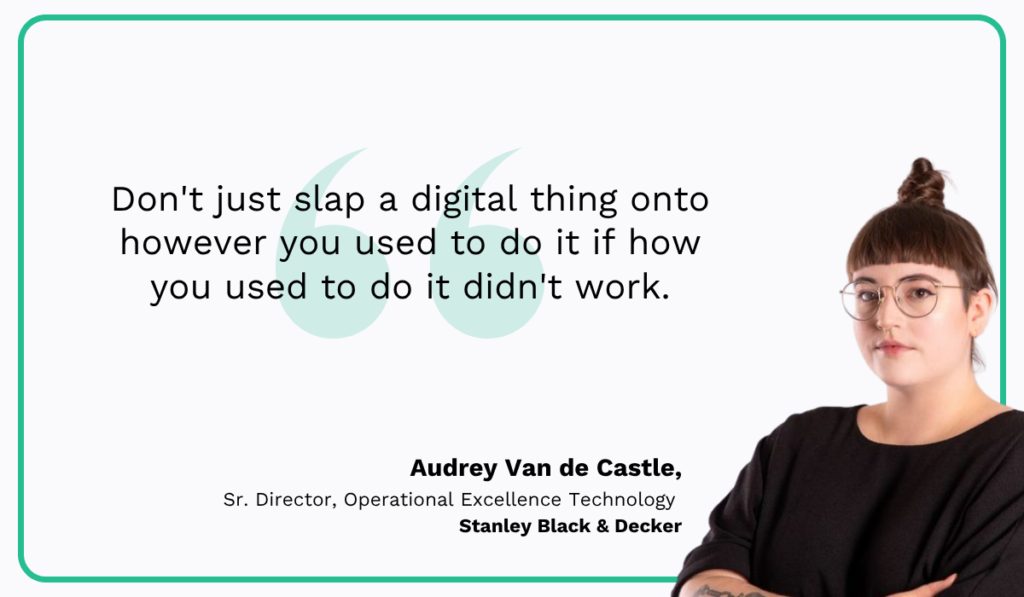
As she notes, software alone won’t fix weak accountability or team culture, so it pays to look at those first.
A new system tends to copy any current inefficiencies rather than remove them without that baseline.
A digital tool runs your process exactly as it is, so any weak or wasteful steps are just carried out faster rather than being fixed.
With that in mind, the goal is to map out your key maintenance processes from start to finish.
Look at how you handle preventive and scheduled maintenance, then do the same for reactive, breakdown work, and so on.
What you want at the end is a clear view of each maintenance flow, end to end.
An example flow for a directly reported incident might look like the image below.
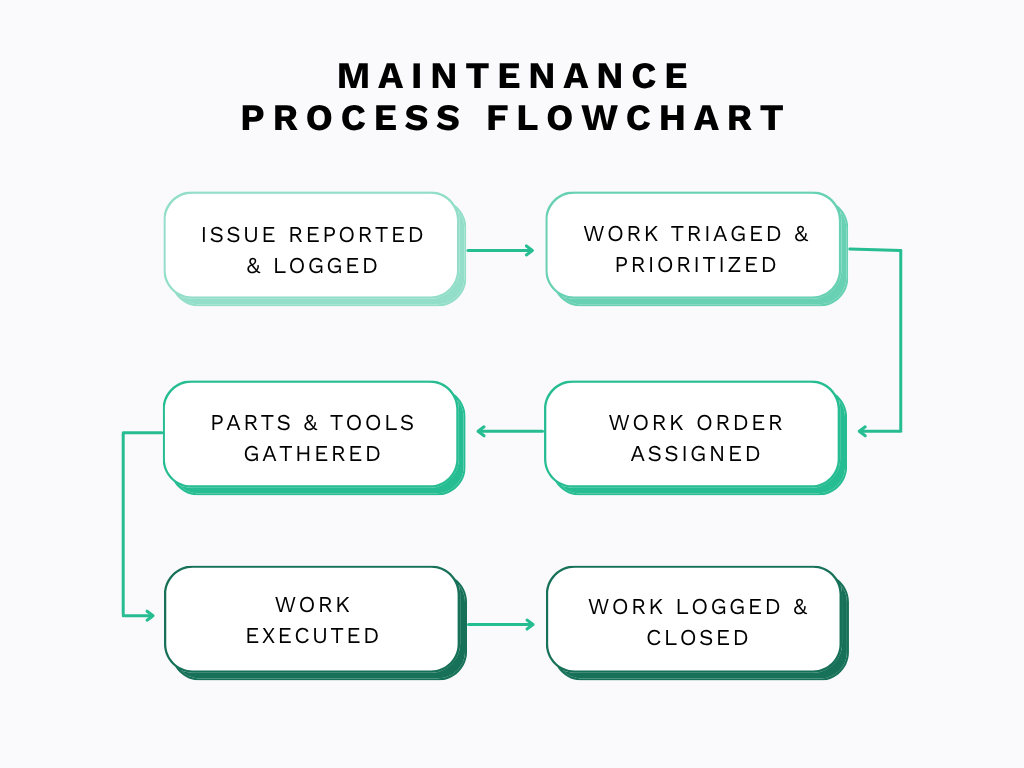
Of course, this is a simplified flowchart, and your own maps should capture as much detail as possible.
That includes aspects such as flow branches for when a request is approved or rejected, as well as your assignment rules and approval steps.
It also helps to ask a few guiding questions about each process, shown next.
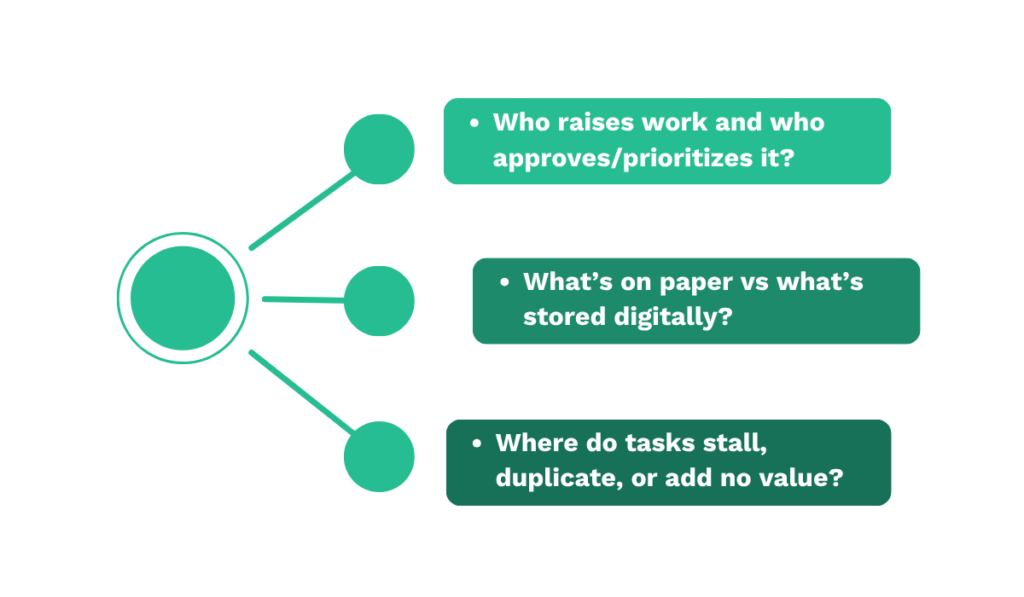
Answering these for every workflow surfaces the gaps and handoffs that a digital tool will later need to support.
Once this is done, you’ll have a documented baseline of how your maintenance runs today, which sets up every decision that follows.
2. Define What You Want the New Tool to Achieve
Once you have your processes mapped, the following step is to figure out how a digital tool fits into them and what you want it to achieve.
This step matters more than it might seem, because choosing the right software is something many teams struggle with.
In fact, according to data from Capterra, almost half of the surveyed manufacturers had trouble identifying the right solution for their needs, and many later regretted their purchase.
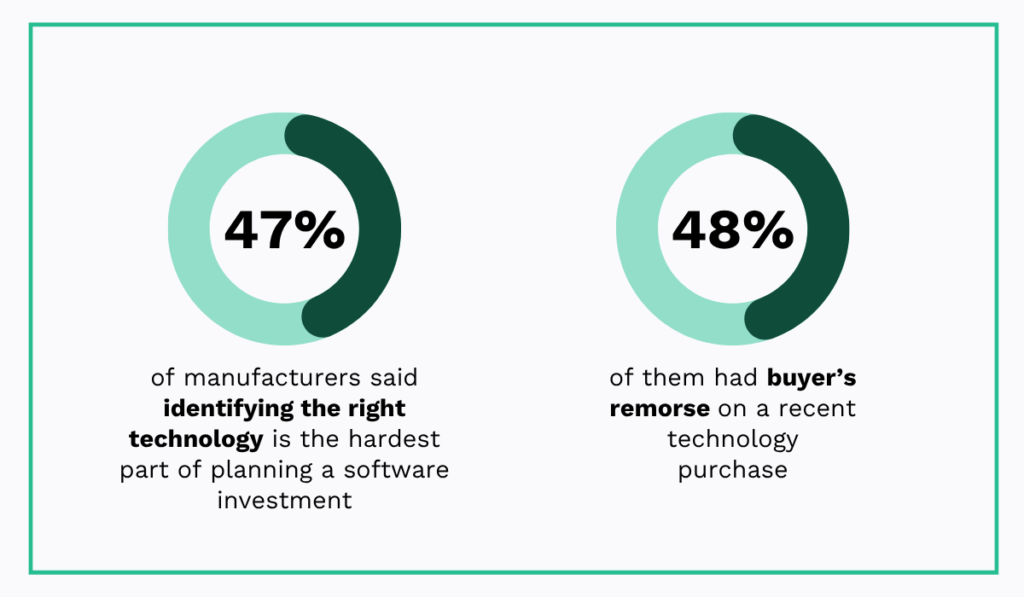
A big reason for this is that teams focus on flashy features rather than their own goals first.
What tends to happen is that companies compare systems by feature depth and unique capabilities, then commit to the most impressive option.
The problem is they never planned how those features would support their actual maintenance work, so they end up dissatisfied.
That is why it helps to start with the broader goals you want to reach, paired with specific KPIs to track your progress.
The image below shows two sample goals and a few metrics tied to them.
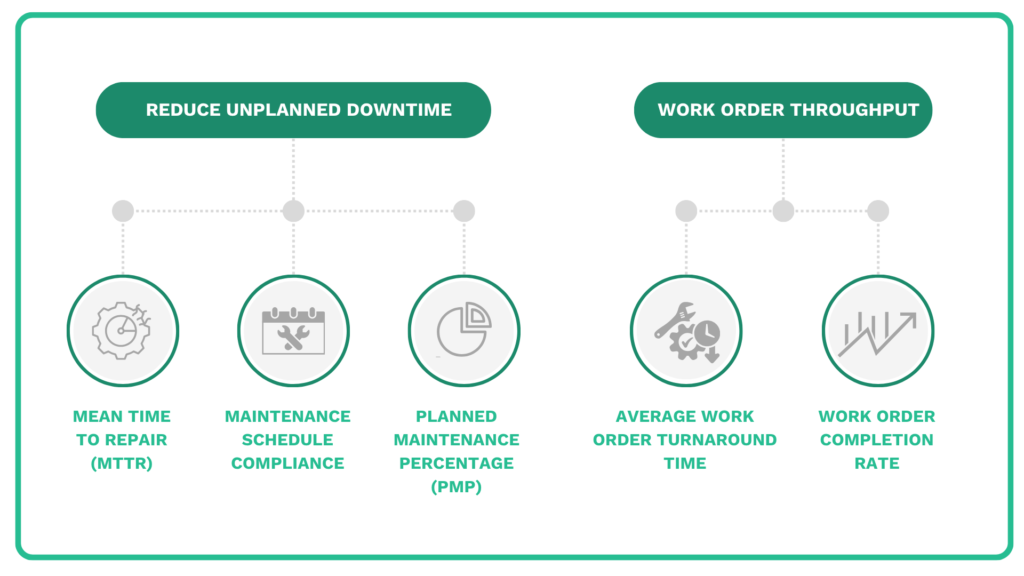
Your own goals will depend on where your operation needs the most help.
A simple way to set them is to look at your biggest pain points from the mapping step, then attach one or two measurable targets to each.
With clear goals and metrics established, you have a way to measure success.
3. Find the Right Tool
The right tool should fit your operation’s size and workflow complexity, and stay within your team’s technical comfort zone.
And, since you now should have some concrete goals and metrics, you can try to find tools that will move you toward them.
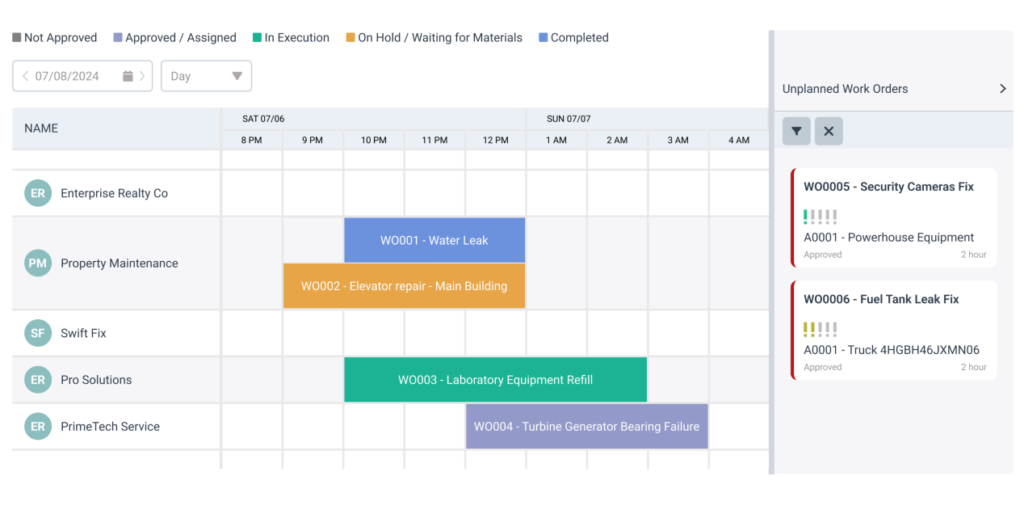
Say, for example, you want to reduce unplanned downtime, with better schedule adherence as the KPI you track.
You could then look for a tool with an intuitive scheduler like the one below, plus features that show each work order’s status.
If that same tool also pushes you toward your other goals, even better.
In your own operations, you might need one highly specific system that is focused on a single workflow, or something more general that covers many use cases.
The table below maps some common goals to the tool types that typically fit them best.
| Goal | The tool type that fits |
|---|---|
| Cut unplanned downtime | CMMS with strong PM scheduling |
| Stop running out of parts | Parts & inventory management system |
| Digitize inspections & checklists | CMMS with mobile app, digital forms app |
| Stay audit- and compliance-ready | CMMS with checklists & audit trails |
| See across multiple sites | Enterprise CMMS or EAM |
| Predict failures before they happen | CMMS with condition monitoring, IoT platform |
As you can see, CMMS appears repeatedly in this table because it is generally the best digital tool for streamlining maintenance overall.
Take WorkTrek as an example, our own cloud-based CMMS built to manage maintenance work in one place.
It covers the core areas most teams need, with features like:
- Work order management
- Preventive maintenance scheduling
- Inventory and parts management
- Digital checklists and inspections
- A mobile app for technicians
- Dashboards and reporting
In practice, with WorkTrek, a request can come in, turn into a work order, get scheduled and assigned, then close with parts and history logged in the same system.
Ultimately, a CMMS system like this one supports many processes at once, which is what makes it a natural fit for streamlining maintenance workflows.
4. Centralize Data
Another major source of inefficiency in maintenance is fragmented information.
This simply means your maintenance data is stored in many separate places instead of one, so no one has the full picture.
It can happen for many reasons, from old habits to skipping shared processes and letting each person track work their own way.
Whatever the cause, the result is usually messy.
One Reddit thread captures this well, with the writer describing maintenance data spread across several digital systems or jotted down on paper, when it gets recorded at all.
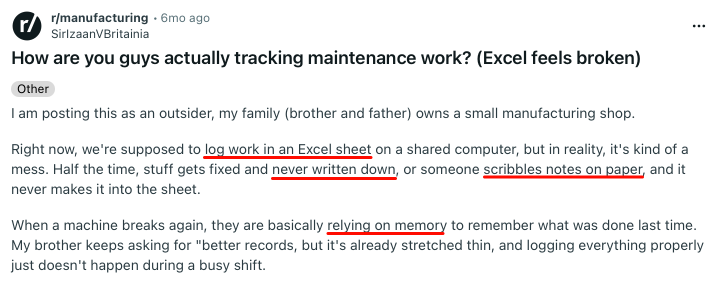
Their main frustration is that almost nothing is tracked in a reliable, consistent way.
The fix is to bring all that scattered data into one place and create a single source of truth.
This takes real effort, since it means pulling data from many different sources, a few of which are shown below.
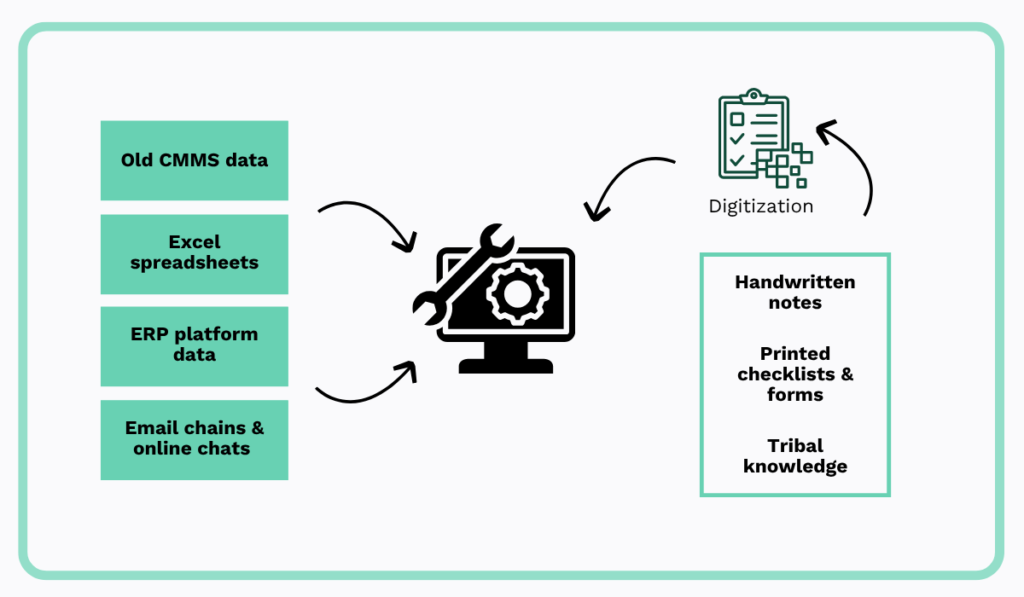
Centralizing data that is already digital tends to be easier, especially if some standardization was followed along the way.
It usually involves organizing records from legacy systems and spreadsheets, then moving them into one place.
Physical data is a bit trickier to handle.
Handwritten notes and paper checklists need to be digitized and matched to the right assets before they are useful.
Then there is tribal knowledge, the undocumented knowledge that your technicians hold, which you will want to write down and store in the system while those people are still around.
The point is that this work has to be done for the rest of your digital effort to succeed.
Done well, it turns scattered records into data your whole team can trust.
5. Digitalize Only One Key Workflow First
Once your data is centralized, it can be tempting to digitize every workflow at once.
That is usually a mistake.
A better approach is to gradually introduce this digital change and start with one high-impact process.
In essence, you want to prove the system works to yourself and your team and refine your process before expanding.
Some useful data here comes from Prosci’s Best Practices in Change Management research, which surveyed more than 2,600 change practitioners across projects that included implementing new digital technology.
Their findings show that teams with excellent change management were about seven times more likely to meet or exceed their objectives.
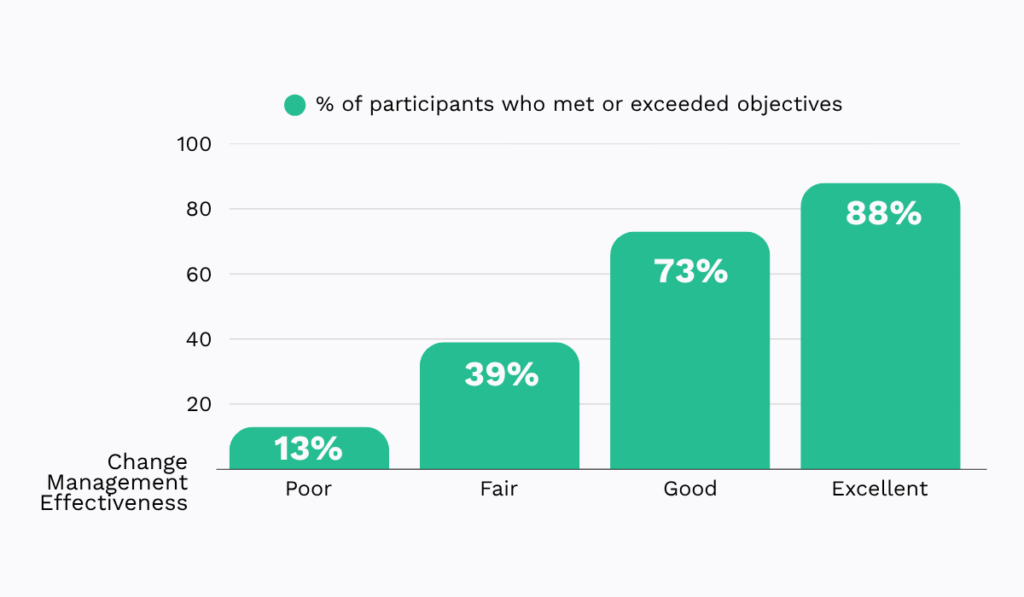
Even without a dedicated change manager on staff, the lesson here is that a careful and well-planned rollout beats rushing.
For digital tools specifically, a gradual approach works best, so we suggest focusing on improving a single workflow first.
This can be a fairly simple process that lets you test the system in real conditions.
You have plenty to choose from, and even one work-order lifecycle has several points worth improving, like assignment automation, work order prioritization, mobile checklists, and forms…the list goes on.
No matter the workflow you choose, you want to consider specific types of improvement to aim for, with three key categories shown below.
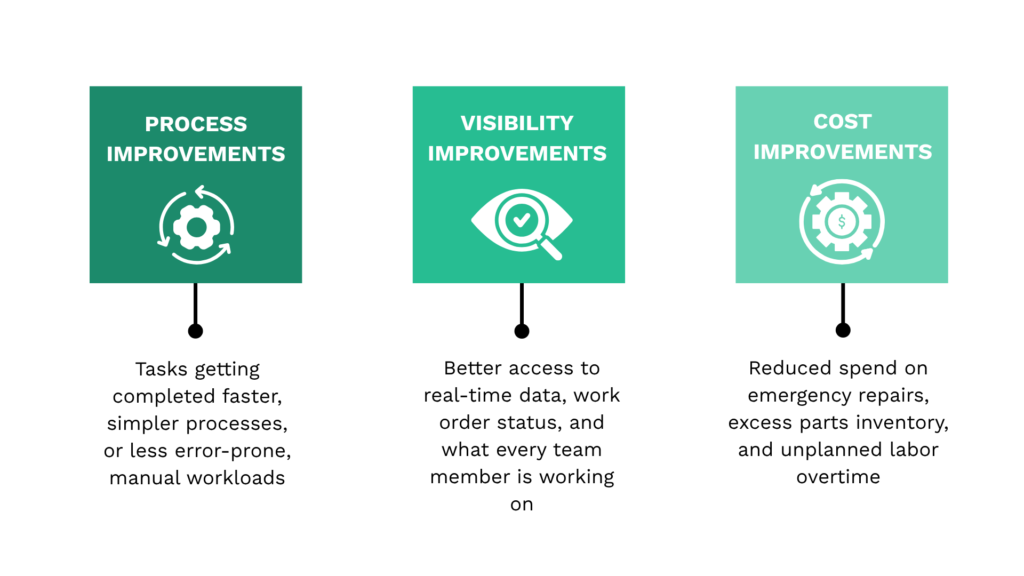
These overlap quite a bit, so treat them as a general direction rather than strict aspects.
Which one you start with depends on the workflow you pick and your situation.
If your team lacks clear insight into work order assignments, you could start by improving this workflow’s visibility.
On the other hand, if some processes already work but cost too much time or money, you could focus on efficiency and spending instead.
In short, starting with one workflow and a specific type of improvement keeps the change manageable and gives you a model to repeat.
6. Train Your Team
With all this focus on tools and digitizing, it is easy to overlook your team, the people who will use the new system.
They are the ones who decide whether your investment pays off.
For that reason, proper training is not optional; it is what turns a new tool into a daily habit.
The exact training will depend on your team and your system, but a few practices tend to help in most cases.
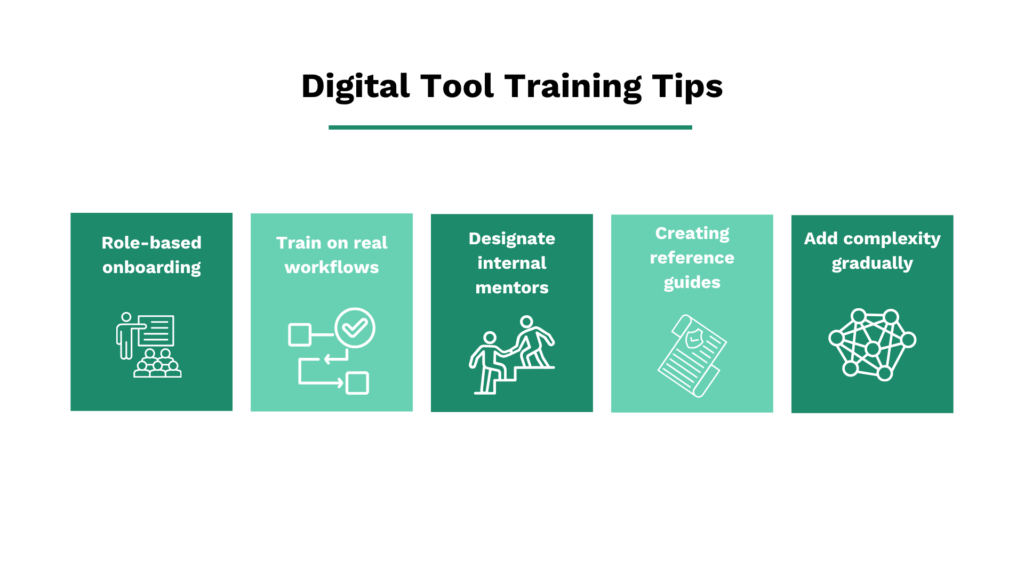
To highlight one training tip, you want to keep it as realistic as you can.
Where possible, train people on the workflow you chose to digitize first, and have your more tech-savvy staff act as internal mentors who support others.
This gives everyone hands-on practice and a clear person to ask when questions come up.
Next, role-based onboarding also matters a lot when you are working with a feature-rich platform like a CMMS.
After all, not everyone needs to know every aspect of the system.
As an example, a technician might mainly learn about work orders and the mobile app, while a maintenance planner would focus more on scheduling and reporting features.
On that topic, Steven McKissick of MRI Software points out that the right system can make this learning and onboarding process easier, depending on how clean its interface and overall design are.
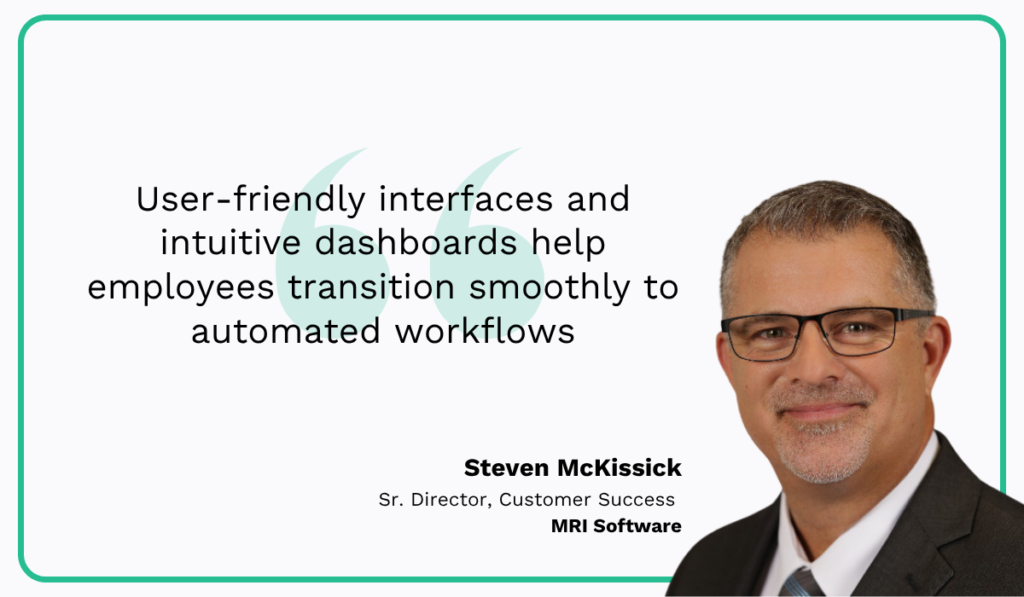
In other words, an intuitive tool lowers the training load for the whole team.
Get this right, and your team adopts the system instead of avoiding working with it.
That adoption is what makes the rest of your effort worthwhile.
7. Create Operational Guidelines for the New Tool
One last piece that is closely related to training is giving your team standard operating procedures, or SOPs.
These are written rules for how work, and the system itself, should be handled.
A good SOP follows a clear, repeatable structure, with a handful of essential elements.
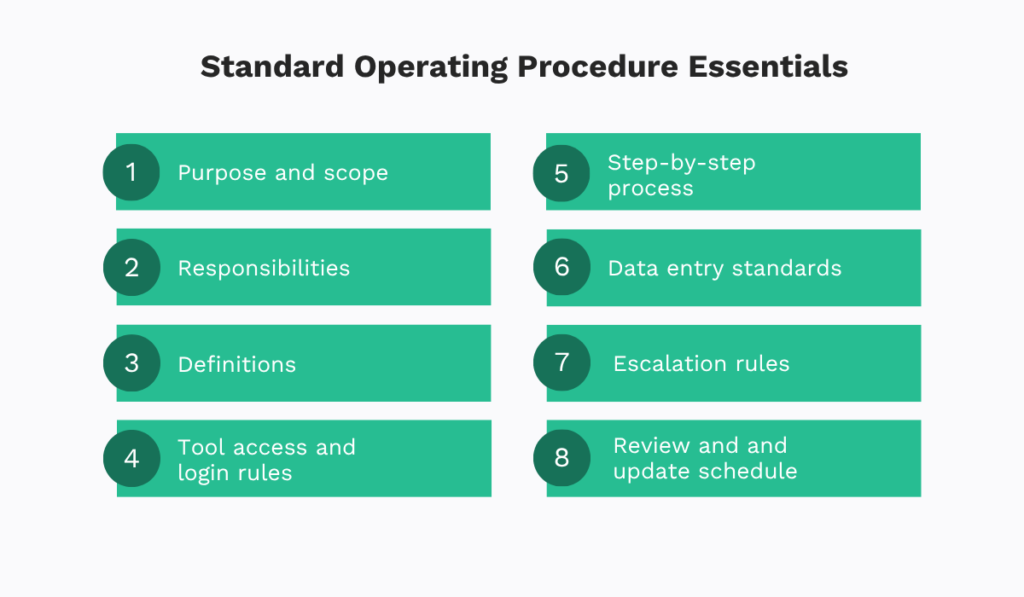
The purpose of these elements is to ensure anyone can pick up a procedure and carry it out the same way every time.
After all, when every technician uses the tool the same way, your workflows become smoother, and data reflects what is happening.
The digital tool you choose can take on a lot of this work for you.
For instance, a solid knowledge base, tied to features like work order management, can hold your step-by-step instructions right where the work happens.
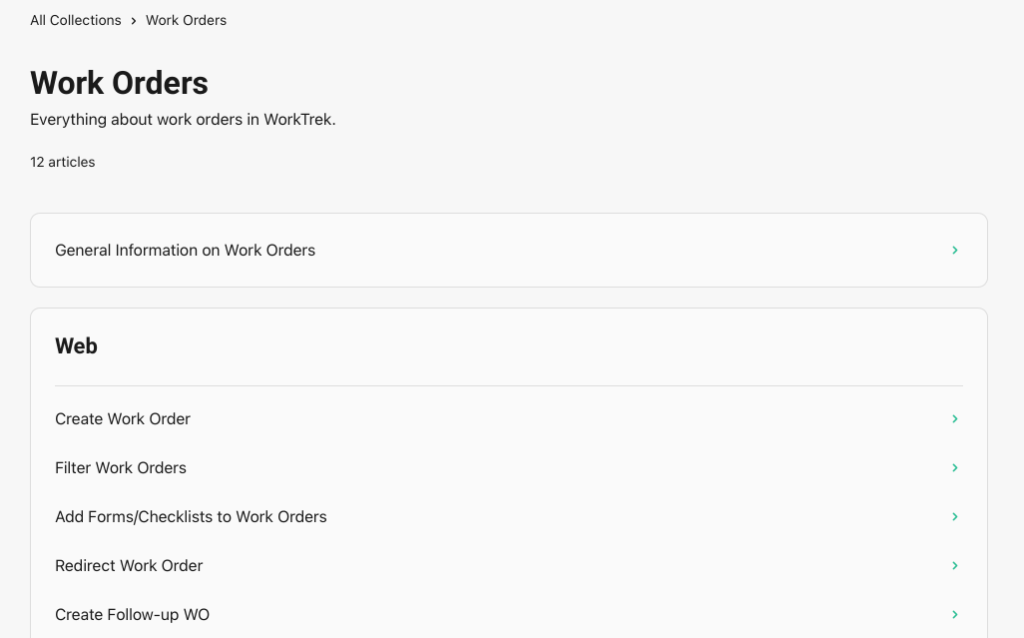
You will still need to adapt and build on these over time, but the overall goal is to make them fit naturally into your wider maintenance workflows.
Done consistently, SOPs keep your data reliable and your whole team working the same way.
Conclusion
And that is the overall process.
It gives you a steady way to bring a digital tool into your maintenance operation without the usual headaches, if followed step by step.
Above all, start slow and begin with your own needs and a close look at your current processes before you pick tools.
Do that, and you give your new system the best possible chance to be adopted and improve how your team works.