


Get a Free WorkTrek Demo
Let's show you how WorkTrek can help you optimize your maintenance operation.
Try for freeMaintenance tracking software has evolved far beyond basic work order logging.
Today’s platforms help teams manage preventive maintenance, track asset history, monitor inventory, standardize inspections, and improve visibility across entire facilities from both desktop and mobile devices.
However, not every tool approaches maintenance tracking the same way.
Some focus on simplicity and fast implementation, while others lean heavily into predictive maintenance, production monitoring, or advanced asset intelligence.
In this guide, we review six maintenance-tracking software tools that stand out for their distinct strengths, beginning with our very own WorkTrek CMMS.
WorkTrek
No more relying on scattered and disorganized spreadsheets, paper checklists, or maintenance records. WorkTrek is built to bring everything into one place.
WorkTrek CMMS combines maintenance tracking, work orders, preventive maintenance, asset history, inventory, and maintenance requests inside a centralized system.
Below is WorkTrek’s dashboard, where you can find all of the above and easily track maintenance tasks.
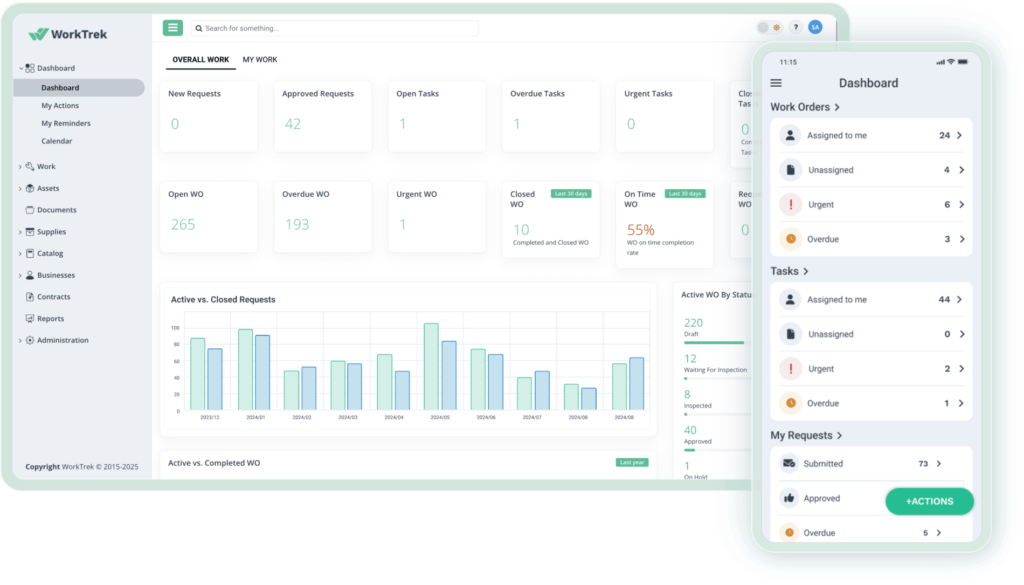
Every completed task, inspection, checklist, uploaded image, and technician update stays attached to the asset record, making it much easier to track recurring issues, audits, and long-term upkeep performance.
You can also monitor who worked on what, when tasks were completed, and how long jobs took.
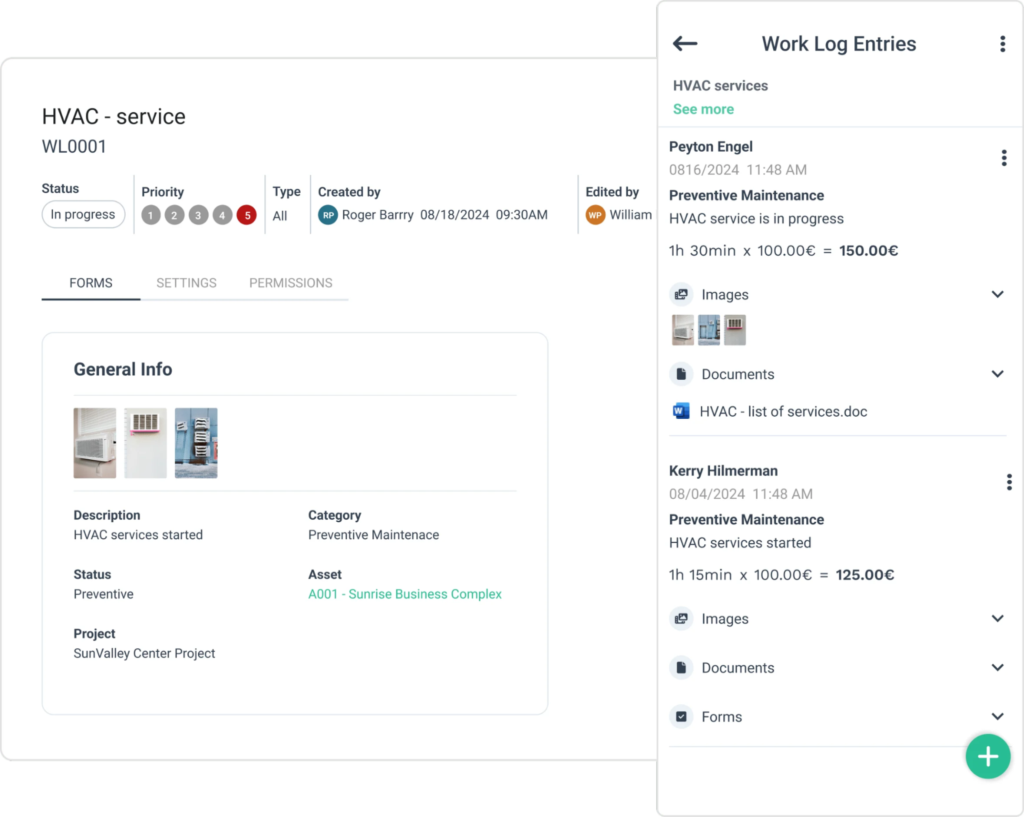
What’s more, planning and scheduling maintenance couldn’t be easier.
Teams can schedule recurring tasks (e.g., daily, monthly, yearly), attach digital procedures and inspections to each task, and thus standardize maintenance workflows across facilities or shifts.
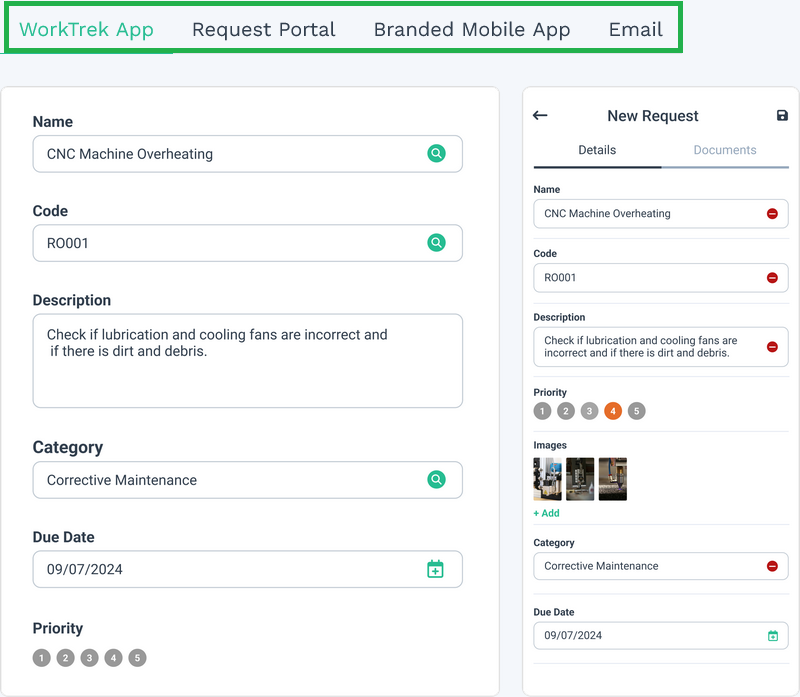
WorkTrek also includes maintenance request management.
Maintenance requests can be submitted through a portal, email, the WorkTrek mobile app, or even a branded request app, making it easier for operators and employees to report issues quickly.
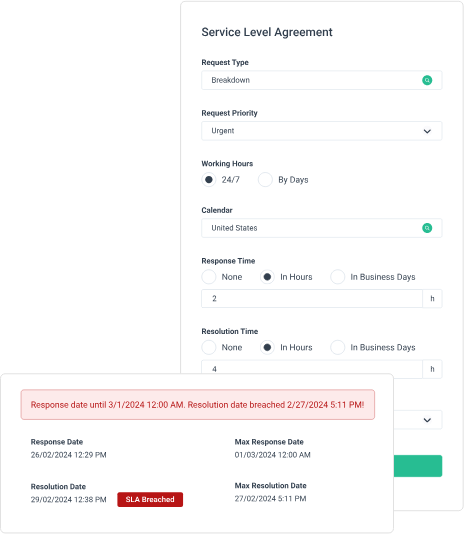
Another feature worth mentioning is SLA tracking.
Teams managing service contracts can monitor response and resolution times in real time to see whether maintenance work meets internal or customer service targets.
The platform is also designed for field teams.
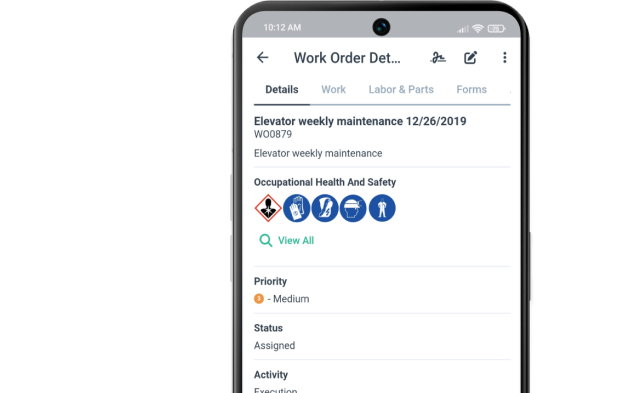
Technicians can create and update work orders, upload photos, scan barcodes, complete inspections, and access maintenance information directly from the mobile app.
The app also works offline, which is especially useful in plants, warehouses, or remote facilities with inconsistent connectivity.
Compared to platforms like Fabrico or Tractian, WorkTrek focuses less on production monitoring and predictive maintenance and more on giving teams a practical, centralized system for daily operations and long-term maintenance tracking.
Pricing starts at $29 per user/month, and unlike some competitors on this list, WorkTrek supports unlimited assets across all pricing tiers.
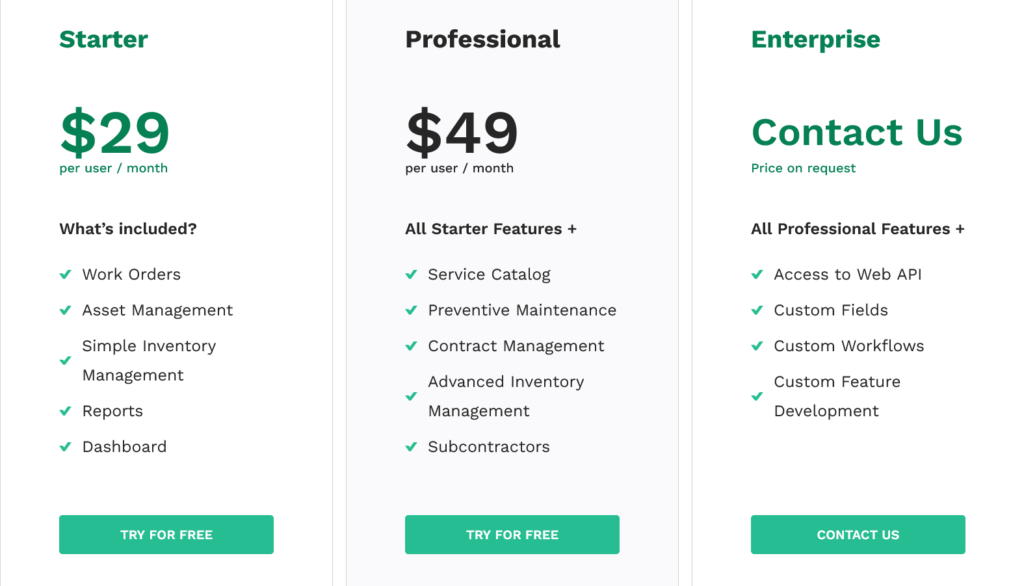
That matters more than many companies initially realize, since asset or task limits can become restrictive as maintenance operations scale.
To sum up, WorkTrek is best suited for teams that want a modern, mobile-friendly maintenance-tracking platform with strong asset visibility features, without the complexity of larger, enterprise-heavy systems.
Fabrico
Fabrico combines CMMS functionality with production monitoring, which makes it feel quite different from more traditional maintenance tracking platforms.
Like WorkTrek, the platform covers the core maintenance tracking features most teams expect:
- Preventive maintenance
- Inventory management
- Mobile functionality
- QR-code scanning
- Work orders
- Reporting
You can manage assets in one place, create urgent maintenance tasks directly from the plant floor, and quickly pull up machine history or checklists by scanning a QR code.
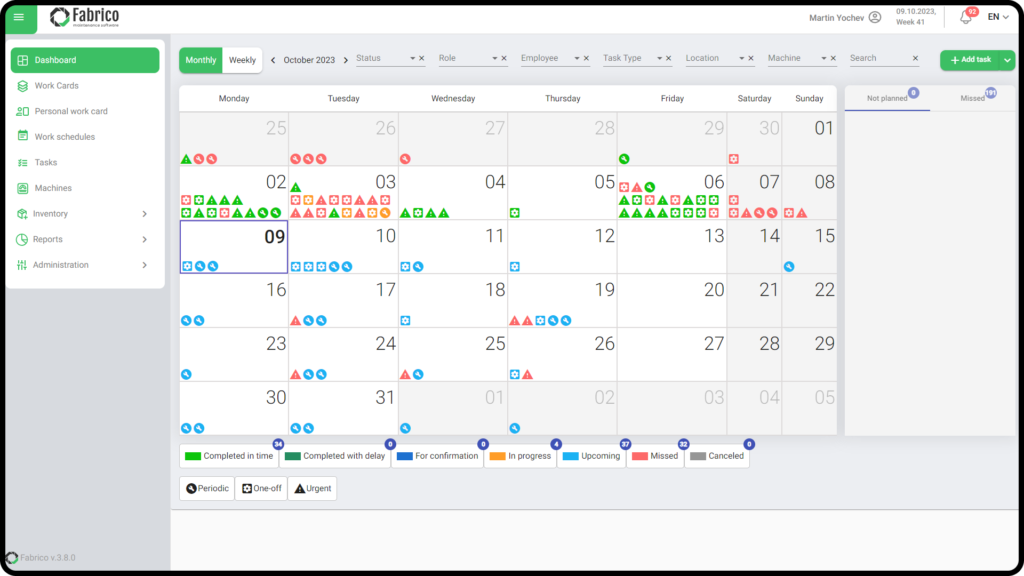
Fabrico also puts a strong focus on shop-floor visibility.
Technicians can scan physical machines to instantly access digital lubrication procedures, cleaning checklists, maintenance history, and inspection records on a mobile device.
Where Fabrico really stands out is the connection between maintenance and production data.
The platform can connect directly to machine controllers or legacy equipment through gateway devices.
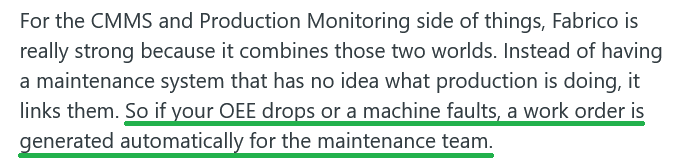
When a machine reaches a certain cycle count or fault condition, Fabrico can automatically generate a usage-based work order instead of relying on someone to manually report the issue.
That production-to-maintenance connection is something users mention frequently as one of the platform’s biggest advantages:
The platform even includes computer vision functionality for manual assembly stations.
Overhead cameras can detect inefficiencies and capture downtime footage, while Fabrico’s Inefficiencies Zoom-In module connects OEE data with real production-floor video for visual root cause analysis.
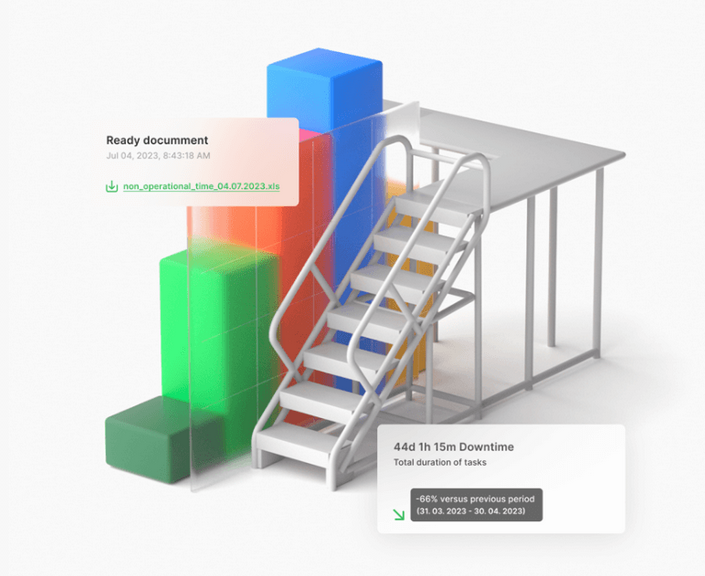
Compared to WorkTrek or Maintainly, Fabrico leans much more heavily into manufacturing intelligence and operational analytics rather than just maintenance workflows.
That said, it’s important to note that some of Fabrico’s AI-focused capabilities are still add-ons or beta features rather than part of the standard platform.
Features such as AI-driven schedule optimization and generative troubleshooting assistance are currently on the company’s roadmap.
Some users also mention that the platform can feel slightly overwhelming at first.
On G2, reviewers noted that the dashboard may feel too data-heavy for teams unfamiliar with analytics-focused systems, while others mentioned that the scheduling interface could be more intuitive.

Pricing is another area worth paying attention to.
Fabrico offers four pricing tiers and a free trial, but pricing itself is not publicly listed.
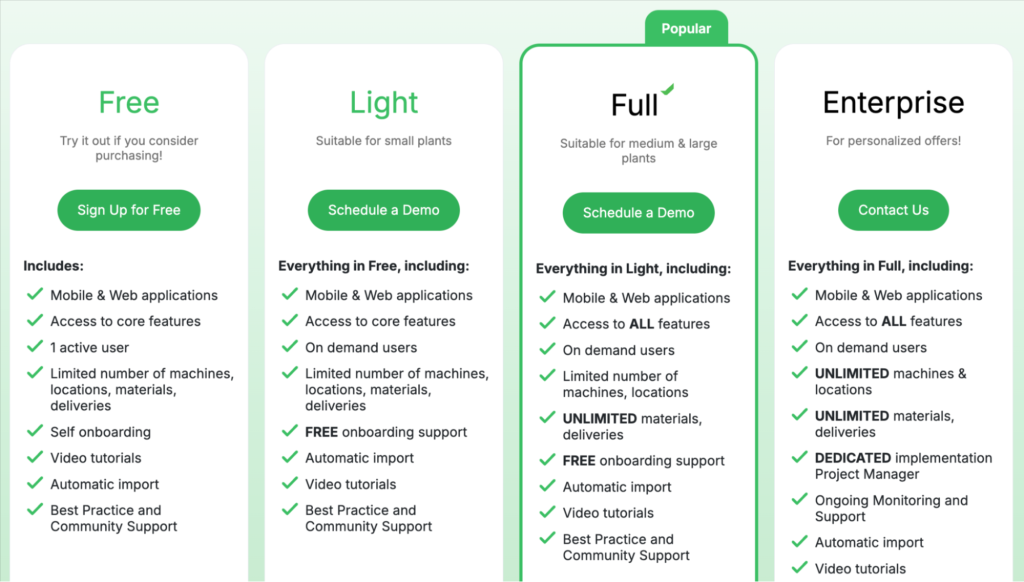
More importantly, lower plans come with asset and operational limits.
For example, the Free plan only supports up to 10 machines, 10 locations, and 200 tasks, while unlimited machine tracking is reserved for the Enterprise plan.
Reporting and analytics are only available in the more advanced plans, while work scheduling functionality is restricted to the Enterprise tier.
Overall, Fabrico feels best suited for larger manufacturing companies that want maintenance tracking tightly connected to production performance, machine data, and operational visibility.
Makula
Makula is a maintenance tracking platform that puts a strong focus on asset structure, inspections, and technician workflows.
The platform includes the core CMMS features, such as:
- Work order management
- Preventive maintenance
- Inventory tracking
- Inspections
- Mobile functionality
- Analytics
Compared to some simpler maintenance tracking tools, Makula stands out most in the way it organizes assets.
You can create parent and child assets, build clear equipment hierarchies, and link spare parts directly to specific machines or components.
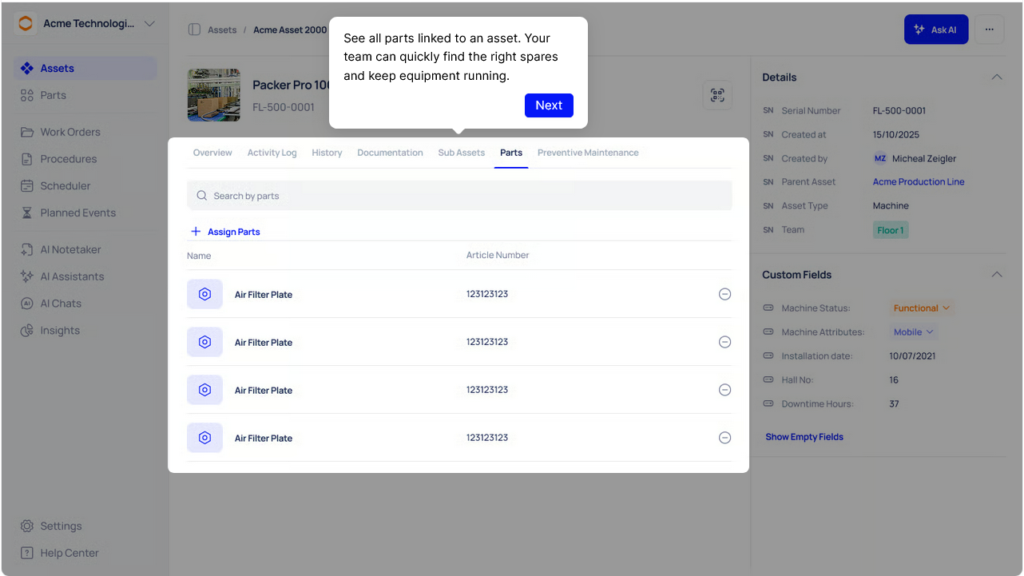
That makes it much easier for technicians to understand how assets are connected and what parts are needed before starting work.
Preventive maintenance workflows are also flexible.
Teams can schedule multiple recurring tasks for the same asset (monthly, annually, biannually, or custom intervals) while attaching procedures, inspections, and digital checklists directly to the work order, similar to WorkTrek.
Makula also does a good job with inspection tracking.
Technicians can complete checklists directly from the app, upload photos, collect signatures, and keep a detailed history of completed inspections, observations, and maintenance activity tied to each asset.
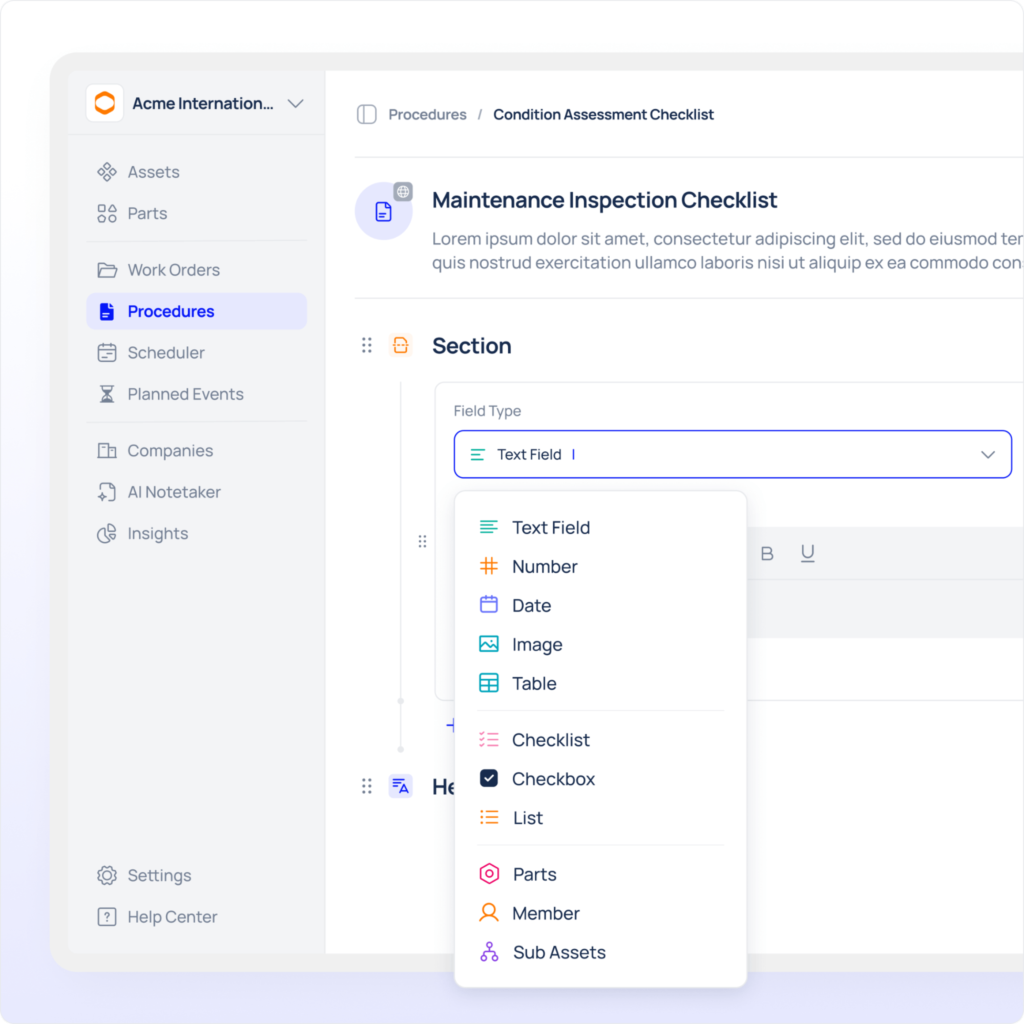
The interface itself feels more visual than some enterprise-heavy CMMS platforms.
Kanban boards make it easier to track work orders and maintenance status at a glance.
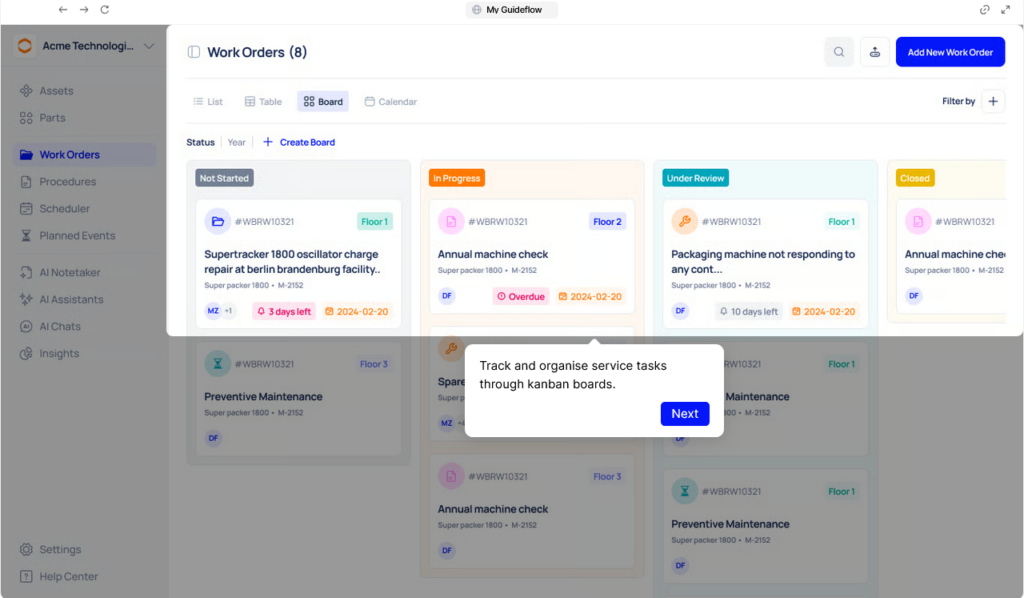
Like WorkTrek and Fabrico, Makula also offers an offline-capable mobile app, so technicians can work easily even in facilities with poor connectivity.
The platform has also introduced several AI-focused add-ons, including an AI Copilot, voice-based note-taking, and AI-assisted procedure filling.
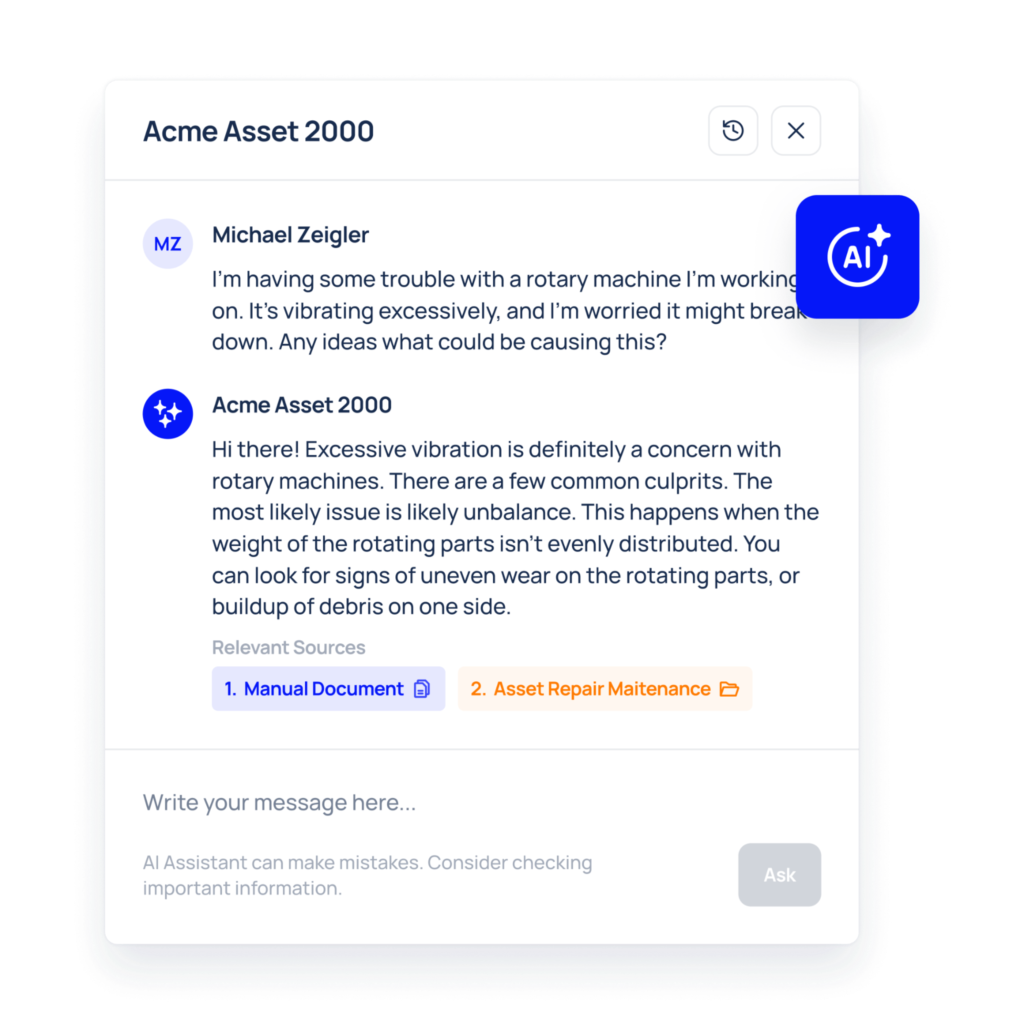
Similar to Fabrico, though, these AI features are modular rather than built into the standard platform.
Pricing starts at €55 per user/month for the Pro plan, with unlimited assets included.
However, some advanced functionality, including ERP integrations, API access, advanced security controls, and IoT integrations, is reserved for custom enterprise plans or comes with additional implementation costs.
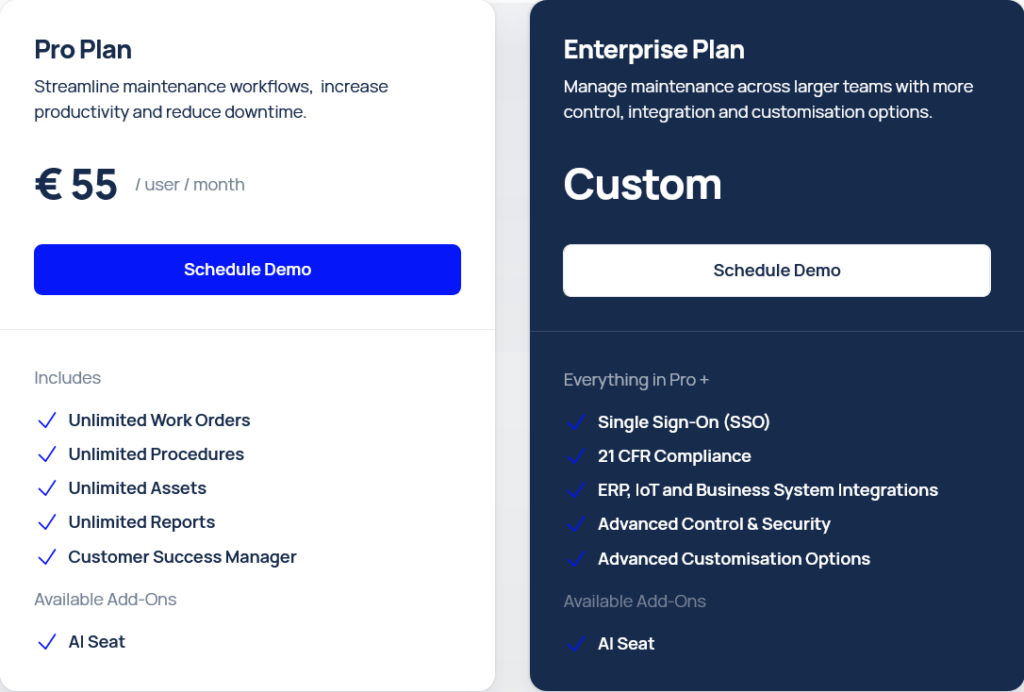
That implementation complexity is something buyers should keep in mind.
According to Research.com, ERP integrations and API setup may require additional consulting hours, which can increase both implementation time and overall cost.
Some users also report that the mobile experience is currently stronger on Android than iOS.
Overall, Makula feels best suited for teams that need strong asset hierarchy management, detailed inspection tracking, and flexible preventive maintenance workflows without moving fully into enterprise-level complexity.
Tractian
Instead of focusing mainly on work orders and preventive maintenance, Traction combines three connected systems: CMMS, condition monitoring, and OEE tracking.
That makes it feel closer to an industrial reliability platform than a traditional CMMS.
On the maintenance side, Tractian includes the core features most teams expect:
- Work order management
- Preventive maintenance
- Parts inventory
- Mobile app
- Checklists
- SOPs
Through the app, technicians can monitor asset status, access upkeep history, manage work orders, and navigate asset trees that show how equipment and components are connected across the facility.
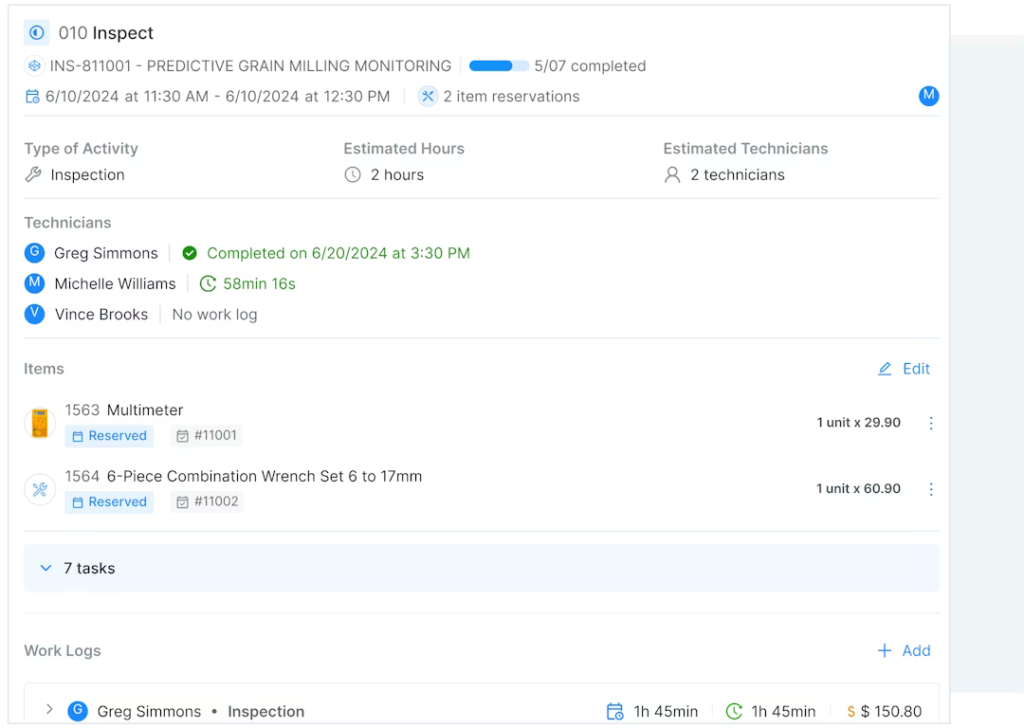
That asset hierarchy feels somewhat similar to Makula’s, especially for larger operations that manage complex equipment relationships.
But the biggest differentiator is the connection between maintenance workflows and live machine condition data.
Tractian’s sensors continuously monitor vibration, temperature, runtime, RPM, and ultrasonic activity to detect early signs of equipment failure.
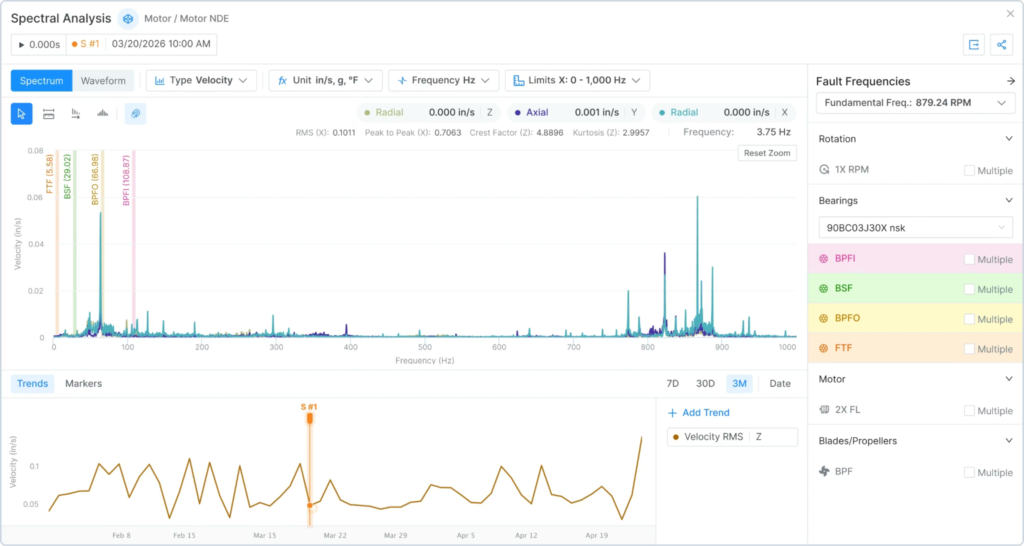
Instead of waiting for operators or technicians to notice issues manually, the system can automatically trigger alerts when abnormal machine behavior is detected.
Teams can also automate recurring maintenance tasks by connecting them directly to machine health insights and sensor data, helping shift maintenance operations from reactive to predictive maintenance.
For manufacturing companies, Tractian also adds OEE and production analytics into the same ecosystem.
Teams can monitor production lines, operator performance, downtime trends, and process analytics through live dashboards and AI-powered reporting tools.
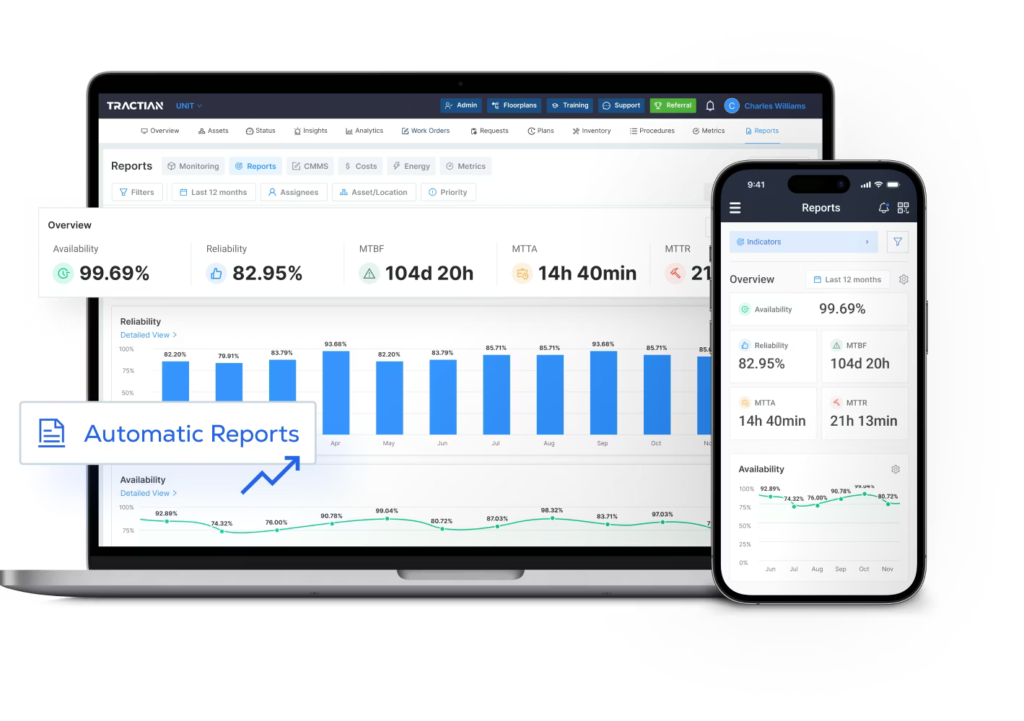
Compared to platforms like WorkTrek or Maintainly, Tractian is much more focused on predictive maintenance and industrial monitoring than day-to-day maintenance administration.
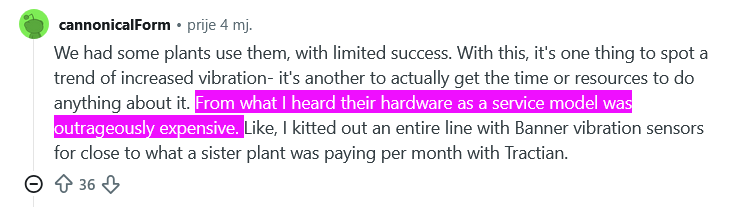
That hardware-first approach does come with tradeoffs, though.
In Reddit discussions, some users mentioned that Tractian’s hardware-as-a-service model can become expensive compared to building monitoring systems with third-party sensors.
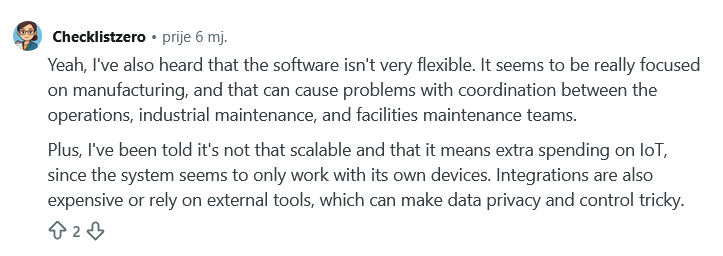
Others noted that the platform appears heavily optimized for manufacturing environments and may feel less flexible for mixed operations or facilities maintenance teams.
One Reddit user also pointed out concerns around scalability and integrations, mentioning that some advanced functionality relies heavily on Tractian’s own hardware ecosystem.
Pricing starts at $60 per user/month for the Standard plan, with a five-user minimum.
Both Standard and Enterprise plans include unlimited assets and unlimited requesters, while the Bundle plan combines the CMMS platform with Tractian’s condition-monitoring sensors and predictive maintenance tools.
All things considered, Tractian is best suited for industrial and manufacturing companies that want maintenance tracking tightly integrated with machine health monitoring, reliability analysis, and predictive maintenance workflows.
eMaint
eMaint combines CMMS, EAM, and IIoT functionality inside a cloud-based system from Fluke Reliability.
Core features include:
- Mobile maintenance tools
- Preventive maintenance
- Spare parts inventory
- Condition monitoring
- Asset management
- Work orders
- Reporting
One area where eMaint stands out is preventive maintenance flexibility.
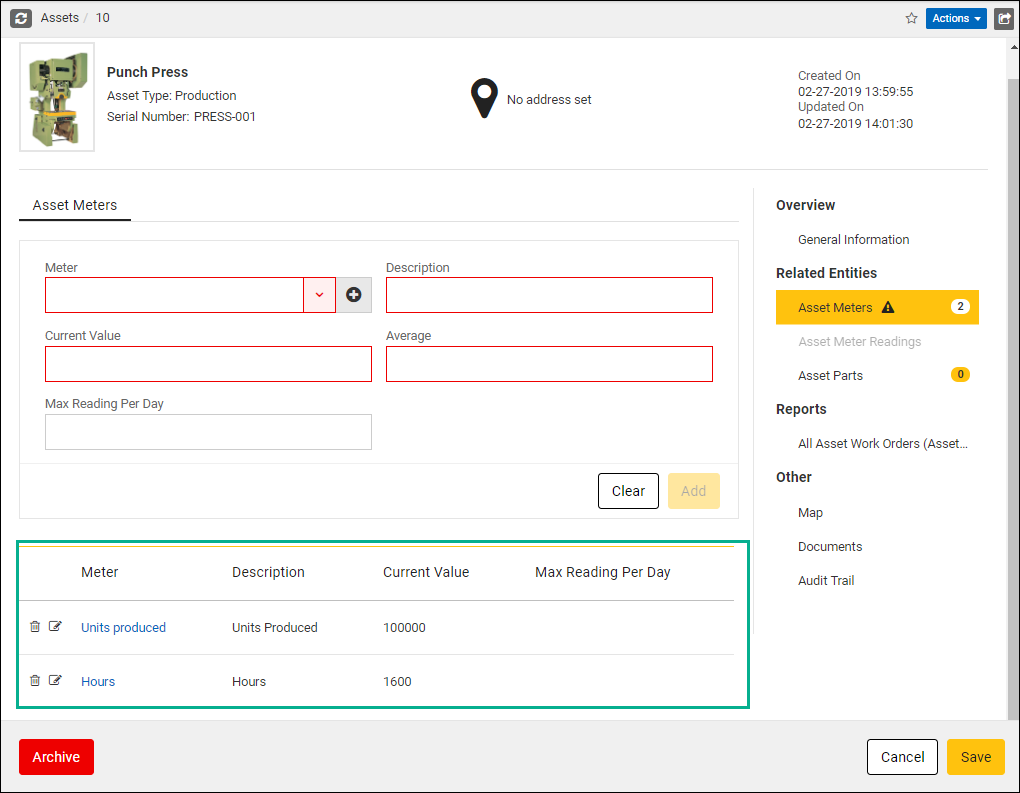
Teams can create calendar-based PMs, meter-based PMs, or combine multiple triggers for the same asset.
For example, maintenance can automatically trigger based on runtime hours, mileage, production output, or custom thresholds.
The platform also handles complex asset structures well.
Similar to Makula, eMaint supports parent-child asset relationships, allowing teams to manage multiple connected assets inside the same maintenance workflow.
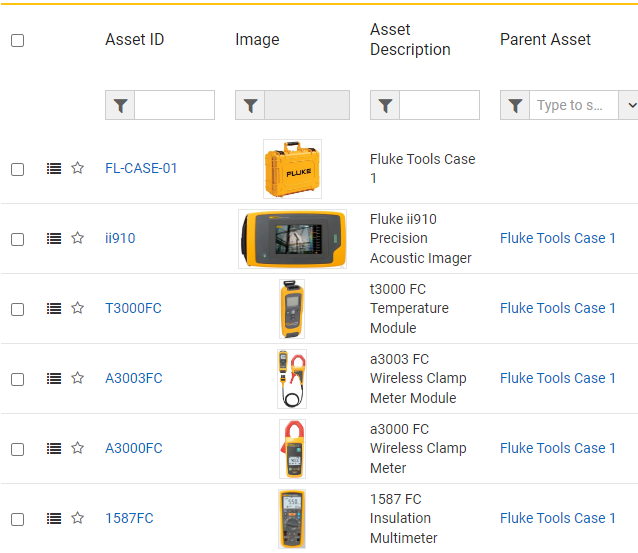
That becomes especially useful for production lines, fleets, or larger facilities where maintenance tracking can quickly become difficult to manage manually.
Another strong point is mobile maintenance tracking.
Technicians can scan QR codes or barcodes to pull up asset details, maintenance history, spare parts, and open work orders directly from the field.
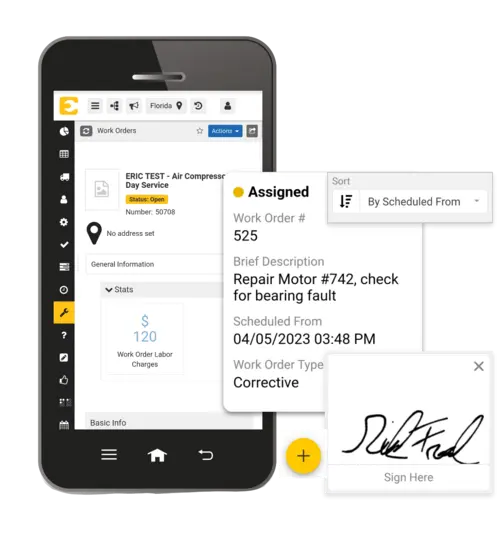
The mobile app also supports offline work, allowing technicians to complete tasks and sync updates once connectivity returns.
That makes eMaint more comparable to platforms like WorkTrek and Makula in terms of field usability.
Compared to Tractian or Fabrico, though, eMaint focuses less on production monitoring and predictive maintenance, and more on configurable maintenance workflows and enterprise asset management.
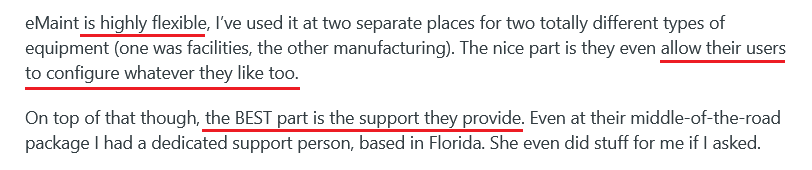
That flexibility is one of the reasons users on Reddit and G2 often praise the platform.
Many companies note that eMaint adapts well across industries and maintenance operations, rather than being tied heavily to manufacturing alone.
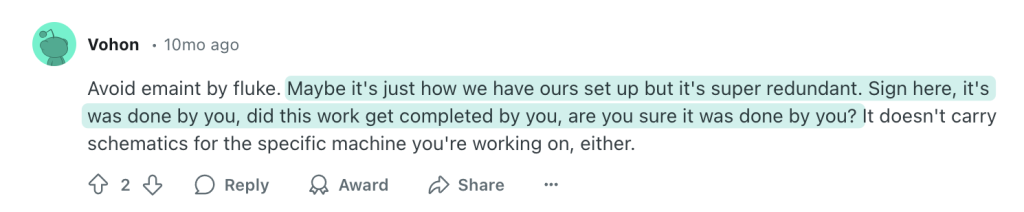
At the same time, several users note that the system can occasionally feel overly detailed or repetitive, especially during setup and workflow configuration.
Pricing starts at $69 per user/month with a three-user minimum, and all plans support unlimited assets.
However, some important maintenance-tracking features, including mobile offline work, QR-code request functionality, and unlimited request logins, are reserved for higher-tier plans.
Altogether, eMaint feels best suited for organizations that need highly configurable maintenance tracking, detailed preventive maintenance workflows, and scalable asset management across larger or more complex operations.
Maintainly
Compared to some of the larger CMMS platforms on this list, Maintainly takes a much simpler and more lightweight approach to maintenance tracking.
The platform focuses on the core features maintenance teams use daily:
- Mobile maintenance workflows
- Preventive maintenance
- Maintenance requests
- Asset tracking
- Work orders
- Audit history
Instead of trying to turn the system into a large enterprise platform, Maintainly keeps things relatively easy to implement and navigate.
That simplicity is actually one of its biggest selling points, and that’s why this tool is also suited for hotels, churches, aged care, and sports facilities.
Teams can create preventive or reactive maintenance tasks, scan QR codes to pull up assets and work orders, upload photos and files, and manage maintenance requests directly from the mobile app.
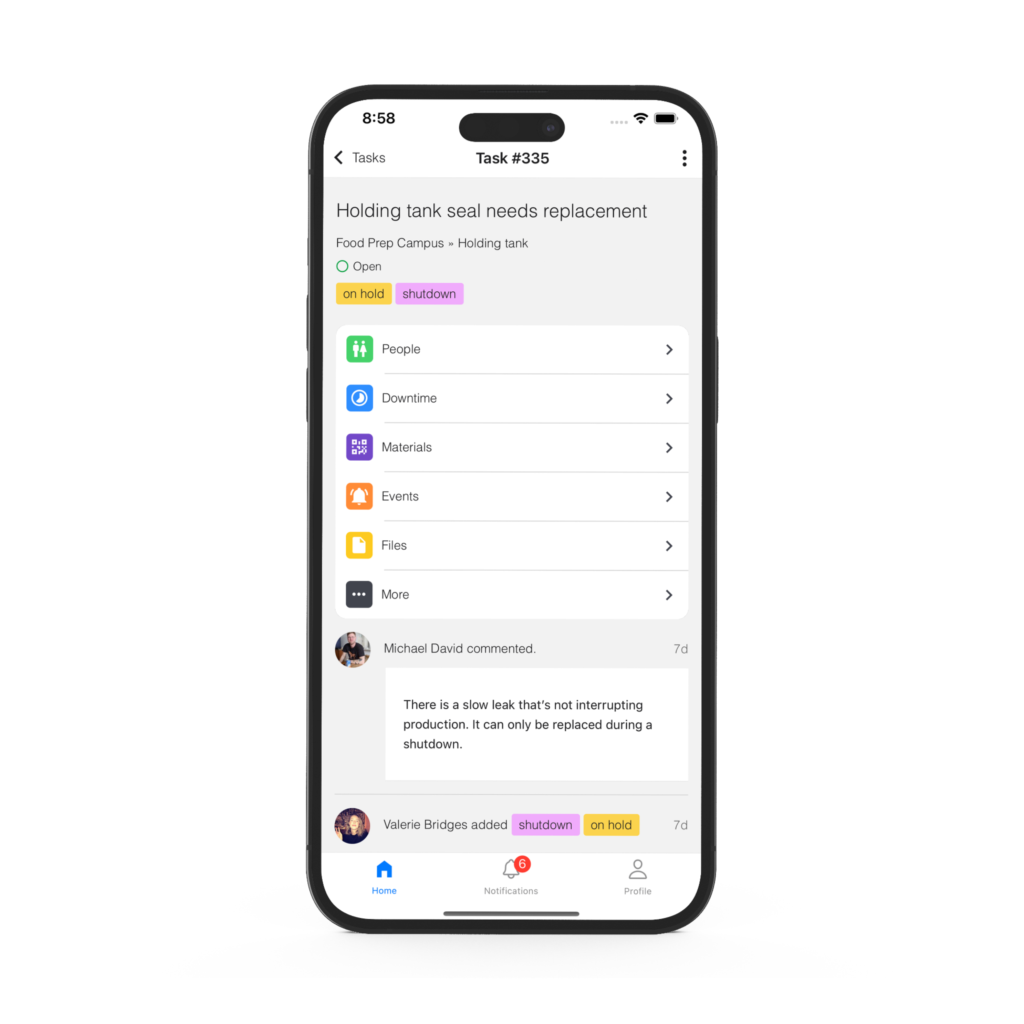
The platform also supports flexible asset hierarchies, which help teams organize equipment across facilities, production areas, or movable assets.
Maintainly also puts a strong focus on maintenance history and audit trails.
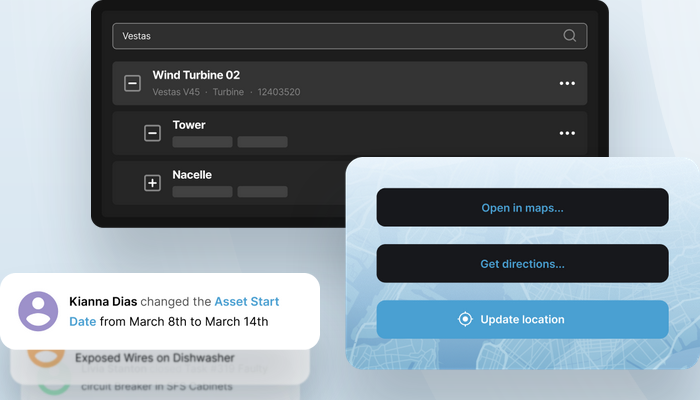
Service reports, uploaded documents, technician notes, completed work orders, downtime records, and parts usage all stay attached to the asset history, making it easier to troubleshoot recurring issues or track maintenance activity over time.
Unlike platforms like Tractian or Fabrico, Maintainly is not focused on predictive maintenance or production analytics.
Instead, it focuses on making maintenance tracking accessible, mobile-friendly, and easy to roll out quickly.
The company even highlights that only 2% of customers require formal training to start using the platform.
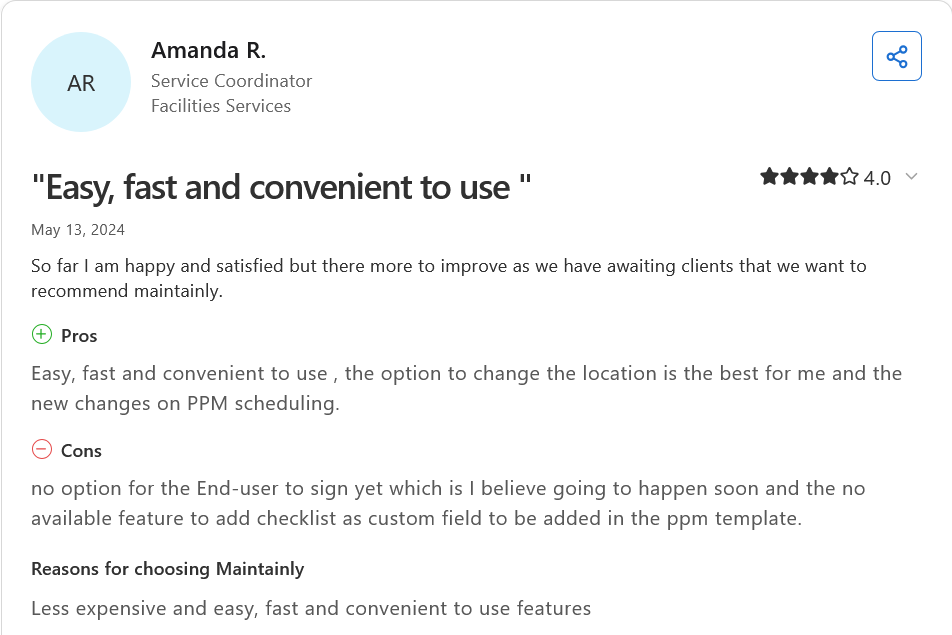
That ease of use also shows up in customer feedback.
But at the same time, some users mention that a few workflow features still feel somewhat limited compared to larger enterprise CMMS systems.
Pricing is one of Maintainly’s strongest advantages.
The platform offers a free plan with unlimited work orders, mobile access, repeating tasks, checklists, meter readings, QR asset labels, and unlimited request users.
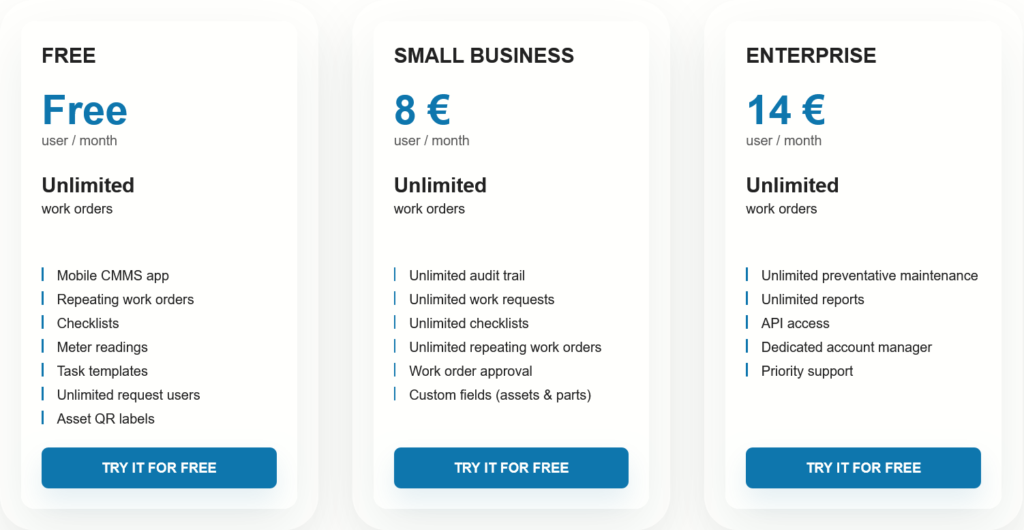
Paid plans start at €8 per user/month, while more advanced reporting, API access, and unlimited preventive maintenance are reserved for the Enterprise tier.
However, keep in mind that inventory management and timesheet tracking are available only as optional add-ons.
Overall, Maintainly feels best suited for small- to mid-sized maintenance teams that want a clean, mobile-friendly maintenance-tracking system without the implementation complexity or pricing structure of larger enterprise CMMS platforms.
Conclusion
Maintenance tracking software can help you define how clearly you see your assets, how fast you react to issues, and how effectively you prevent downtime.
Some tools we covered today focus on simplicity and fast adoption, others on deep analytics, predictive maintenance, or full production visibility.
As always, the right choice comes down to what your operation actually needs today, and how much complexity you’re ready to scale into tomorrow.