Get a Free WorkTrek Demo
Let's show you how WorkTrek can help you optimize your maintenance operation.
Try for freeKey Takeaways:
- 58% of software buyers regret at least one software purchase.
- Workers lose about 2.33 hours every week due to software-related challenges.
- Implementation challenges often have more to do with people than technology.
- Clear goals, executive support, and training can improve software adoption rates.
Maintenance software can transform how a team plans work, tracks assets, and prevents downtime. Yet many implementations don’t go as smoothly as expected.
Maybe you’ve already seen some warning signs.
Technicians are hesitant to adopt a new system, leadership wants results but hasn’t clearly defined what success looks like, or perhaps you’re worried about investing in software only to discover it doesn’t solve the problems you hoped it would.
The good news is that most implementation challenges are predictable and preventable.
In this article, we’ll look at the most common obstacles maintenance teams face when implementing new software and what you can do to avoid them.
Unclear Goals
Companies often implement maintenance software before clearly defining what they’re trying to achieve.
The conversation often starts with a general desire to improve efficiency or modernize maintenance operations.
While those goals sound reasonable, they’re too vague to guide software selection, implementation decisions, or long-term success.
As a result, teams end up evaluating software features without first identifying the problems those features are supposed to solve.
Alex J. Johnson, founder of MaintenanceMatters Consulting and a maintenance systems consultant with more than a decade of implementation experience, has seen this happen repeatedly.
“I consulted for a midsize chemical processor (…). Their executives bought an industrial-grade CMMS with modules their maintenance team never asked for. Eight months and $130K later, they were still using Excel spreadsheets for work orders.”
The software wasn’t necessarily the problem.
The organization never established a clear connection between its maintenance challenges and the solution it purchased.
Johnson shared a very different example from a food processing facility that approached implementation with specific objectives in mind.
Before evaluating software, the team identified the issues they wanted to fix:
- Nearly 30% of preventive maintenance tasks were being missed each month
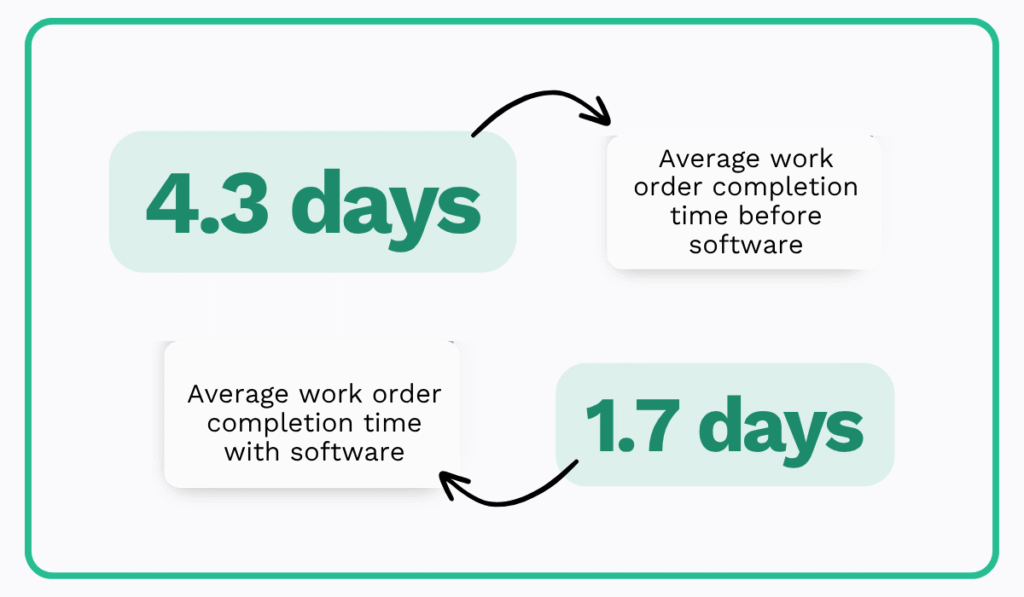
- Work orders took an average of 4.3 days to complete
- Compliance documentation required roughly 11 hours of work every week
- Inventory inaccuracies were causing multiple downtime events each month
Because the team knew exactly what needed improvement, selecting the right system and measuring whether it worked became much easier.
According to Johnson, the facility eventually reduced missed preventive maintenance tasks to less than 8% and cut average work order completion time to 1.7 days.
Research suggests this approach is common among successful technology initiatives.
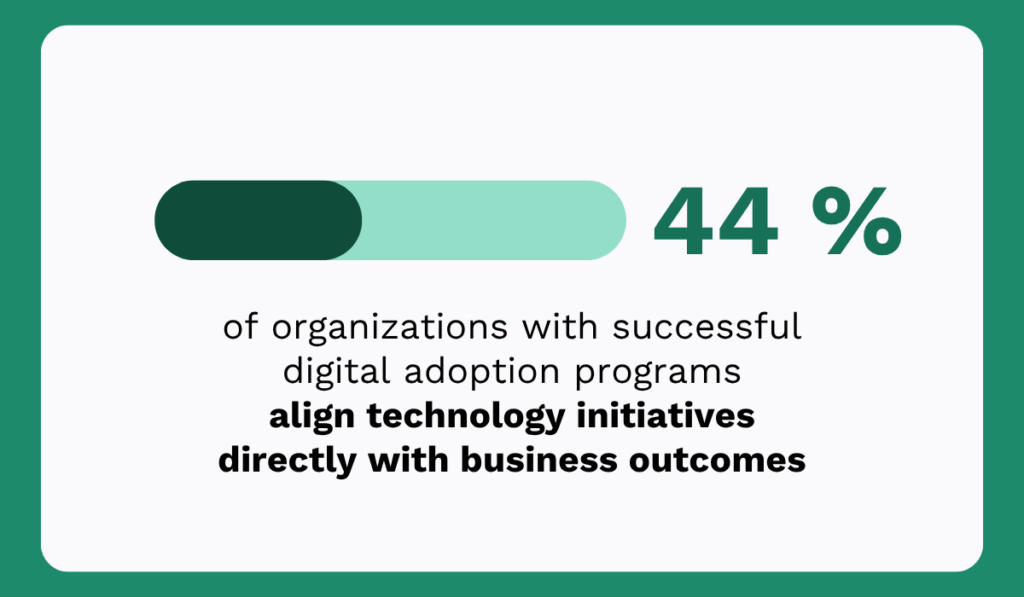
According to WalkMe’s 2024 State of Digital Adoption report, 44% of organizations with successful digital adoption programs align technology initiatives directly with business outcomes.
Therefore, before evaluating maintenance software, take time to identify the metrics and processes that need improvement. Ask questions such as:
- Are preventive maintenance tasks being missed?
- Is downtime occurring more frequently than expected?
- Are technicians spending too much time searching for information?
- Is compliance documentation difficult to manage?
- Do work requests regularly fall through the cracks?
The more specific your objectives are, the easier it becomes to choose software that addresses your needs instead of simply offering the longest feature list.
And perhaps more importantly, you’ll have a clear way to measure whether the implementation was successful once the software goes live.
Resistance to Change
Even the most capable maintenance software will fail if people don’t use it.
That sounds obvious, but many organizations underestimate how difficult it can be to change established maintenance routines.
Technicians who have spent years relying on paper records, spreadsheets, whiteboards, or legacy systems may view new software as an unnecessary complication rather than an improvement.
From their perspective, the current process works well enough. They know where information is stored, how work gets assigned, and what needs to be done each day.
Introducing a new system can feel like extra work, especially if they don’t immediately understand how it will make their jobs easier.
This is why software implementation is often more about people than technology.
After analyzing dozens of CMMS implementations, maintenance consultant Alex J. Johnson came to a simple conclusion:
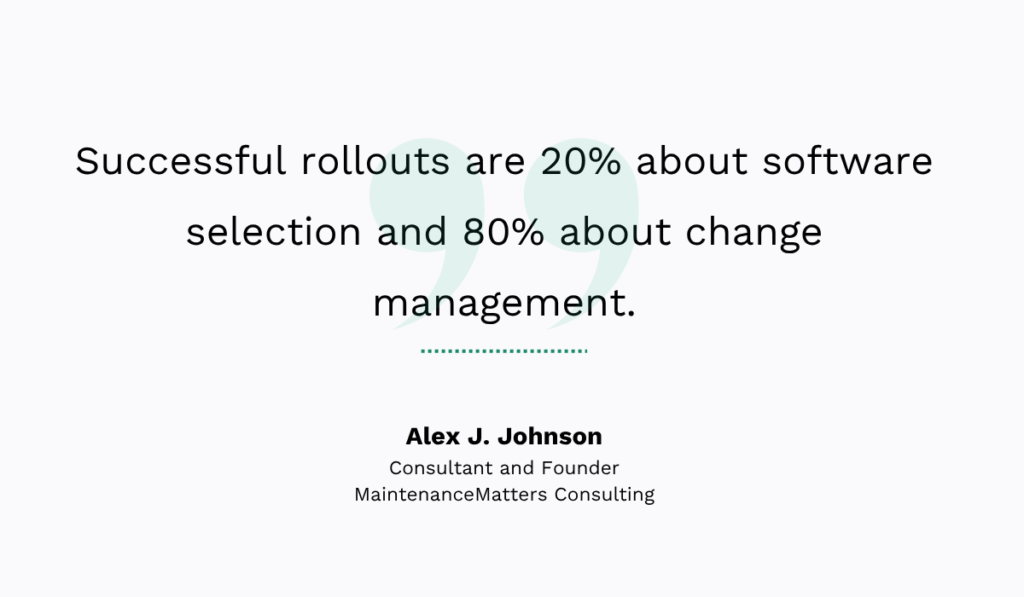
One of his most successful clients, a large manufacturing facility that achieved an impressive 99% CMMS adoption rate, didn’t focus on selling employees a new software platform.
Instead, they focused on solving everyday frustrations. The maintenance supervisor in that facility explained:
“People don’t resist change. They resist pain. Show them how you’re removing pain, not adding it.”
That’s an important distinction.
If technicians believe the new system will create more administrative work, require endless data entry, or slow them down in the field, resistance is almost inevitable.
On the other hand, if they see that the software can help them find asset histories faster, access procedures on a mobile device, reduce paperwork, or simplify work order management, adoption becomes much easier.
Maintenance professionals themselves often point to usability and value as the deciding factors.
In a Reddit discussion about encouraging CMMS adoption, one technician summed it up simply:
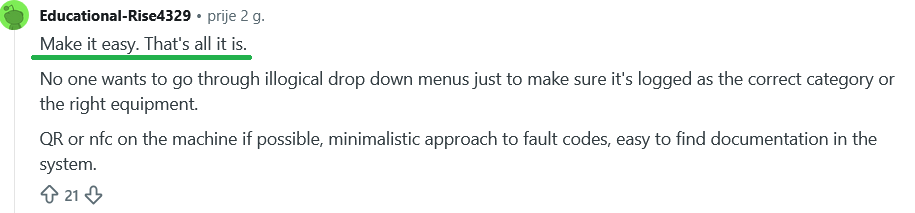
Others echoed a similar sentiment, noting that if software takes more time to use than it saves, many technicians will quickly abandon it.
So, don’t wait until implementation is complete to start talking about benefits.
Instead, involve maintenance teams early in the process.
Ask them about their biggest frustrations with current workflows. Show them how the new system will help solve those problems.
Demonstrate features that directly support their daily work rather than overwhelming them with every capability the software offers.
For example, instead of saying:
“The new software has advanced reporting and workflow automation features.”
Try explaining:
“You’ll be able to pull up an asset’s maintenance history in seconds instead of searching through folders or spreadsheets.”
The second message connects directly to a problem technicians experience every day.
When employees understand how the software helps them do their jobs more efficiently, they’re far more likely to embrace the change.
Lack of Executive Support
Many organizations treat maintenance software implementation as a maintenance department project, when in reality, it’s a business project.
While maintenance teams may use the software every day, its success depends heavily on leadership support.
Budget approvals, implementation timelines, training resources, and organizational priorities are all influenced by executive decisions.
When leadership is actively involved, teams are more likely to receive the resources and support they need.
However, when executive attention fades after the software purchase is approved, implementation often loses momentum.
Organizations with successful digital adoption strategies understand this.
According to WalkMe’s 2024 State of Digital Adoption report cited above, 68% of enterprises have six or more employees dedicated to managing digital adoption efforts.
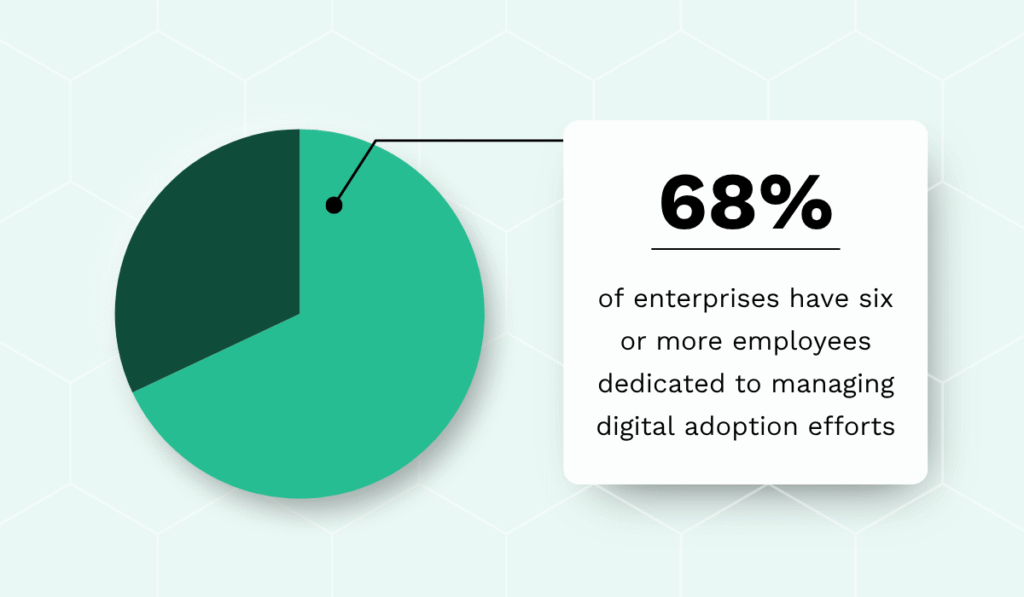
The finding highlights an important reality: implementing new technology requires ongoing support, not just a software purchase.
Before implementation begins, secure an executive sponsor who understands both the project’s purpose and the expected outcomes.
Instead of focusing on software features, connect the investment to business goals such as:
- reducing downtime
- improving asset reliability
- increasing preventive maintenance compliance
- lowering maintenance costs
Just as importantly, keep leadership informed throughout the rollout. Sharing early wins and measurable improvements helps maintain engagement and reinforces the project’s value.
When executives visibly support the implementation, employees are far more likely to view it as a priority, and the chances of long-term adoption increase significantly.
Inadequate Training
A common assumption is that once maintenance software is installed, employees will naturally figure out how to use it.
However, in reality, even the most intuitive software requires training. Without it, users often become frustrated, avoid certain features, or revert to old processes altogether.
The problem isn’t usually a lack of willingness. More often than not, employees simply don’t feel prepared.
According to the 2023 Yooz Survey: Technology in the Workplace, 24% of employees identified a lack of training as one of the biggest technological barriers to completing their jobs effectively.
When asked why they felt unprepared to use new workplace technologies, nearly 34% said they weren’t given enough time to learn them before being expected to use them, while 18% felt the training they received wasn’t thorough enough.
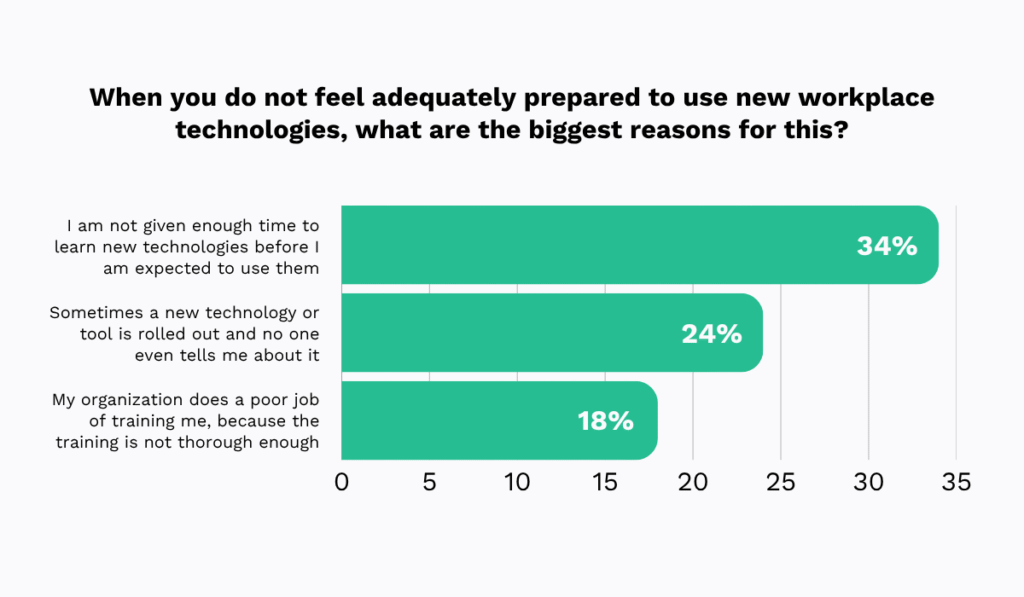
These numbers reveal that successful software implementation requires more than a single onboarding session.
Maintenance consultant Alex J. Johnson saw this firsthand while working with a healthcare facility implementing a CMMS.
To support adoption, the team created short 10-minute video tutorials covering each core function employees needed to perform.
They also installed a dedicated computer in the maintenance area with the tutorials readily available whenever questions came up.
As a result, questions dropped significantly, and system usage increased.
The approach worked because training didn’t stop after launch. Employees could revisit information whenever they needed a refresher.
Johnson also recommends keeping training practical and manageable:
- Limit sessions to 45 minutes or less
- Focus on features employees will use immediately
- Use real facility and asset data during training
- Provide simple job aids or cheat sheets
- Schedule follow-up training sessions after implementation
This last point is especially important.
Employees rarely remember everything from a single training session, particularly when they’re balancing maintenance responsibilities at the same time.
Think of software training the same way you think about preventive maintenance. A single intervention isn’t enough to ensure long-term performance.
Regular reinforcement keeps the system, as well as the people using it, operating effectively.
Of course, training becomes much easier when the software itself is easy to learn. But that’s not always the case.
Overly Complex Tools
When evaluating maintenance software, it’s easy to assume that the platform with the most features will deliver the best results.
The opposite is often true. Many organizations select software packed with advanced capabilities they rarely use.
While these systems may look impressive during a demo, they often come with steeper learning curves, longer implementation timelines, and lower user adoption.
This challenge isn’t unique to maintenance software.
According to Capterra’s 2024 Tech Trends Survey, 58% of software buyers regret at least one software purchase made within the previous 12 to 18 months.
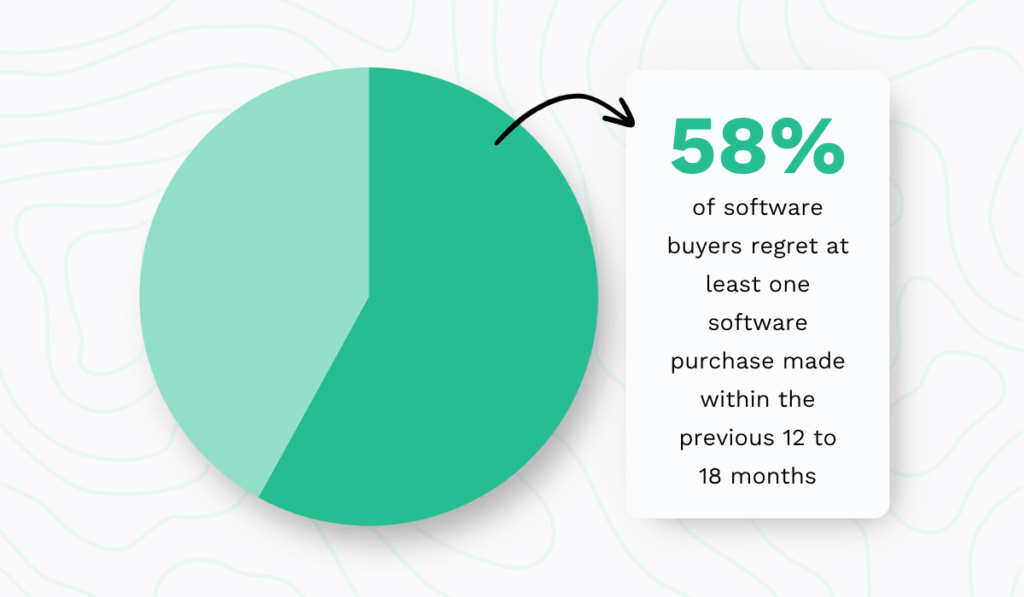
The research also found that buyers frequently limit their evaluation to an initial list of vendors, increasing the likelihood of selecting a solution that isn’t the best fit for their needs.
Complex software can continue creating problems long after implementation.
Userlane’s 2023 State of Digital Adoption report found that employees lose an average of 2.33 hours every week due to software-related challenges.
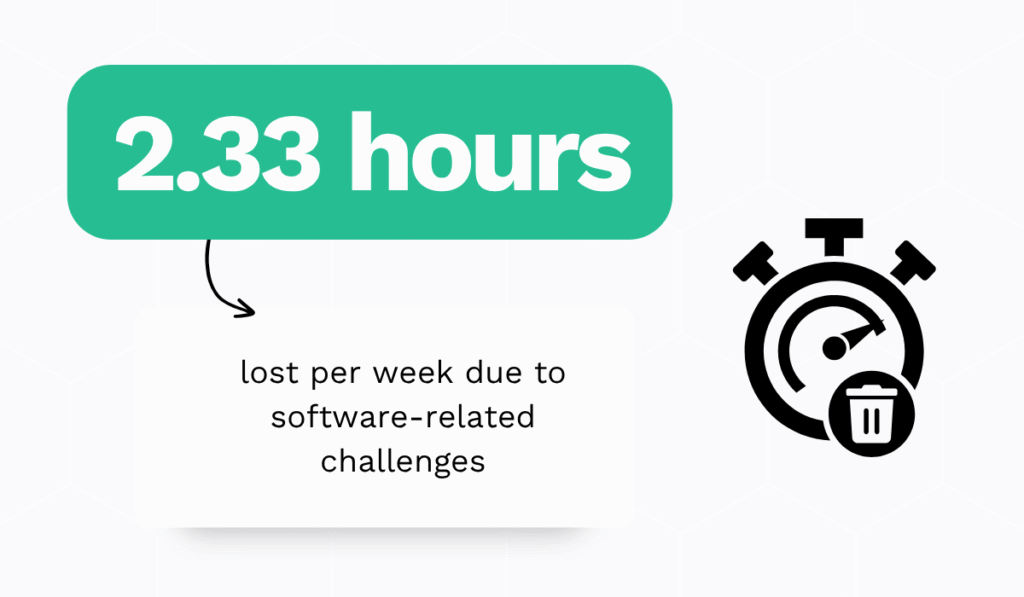
This is what often happens when you choose software based on the number of features it offers.
So instead, choose software that matches your organization’s size, maintenance processes, and technical maturity.
Most importantly, choose a tool that will make common maintenance tasks easier.
For example, maintenance teams need quick access to complete asset records.
WorkTrek, our own CMMS, allows users to view asset information and maintenance history from a single location.
You also need an easy way to submit and track maintenance requests. WorkTrek includes a centralized work request system that helps ensure nothing falls through the cracks.
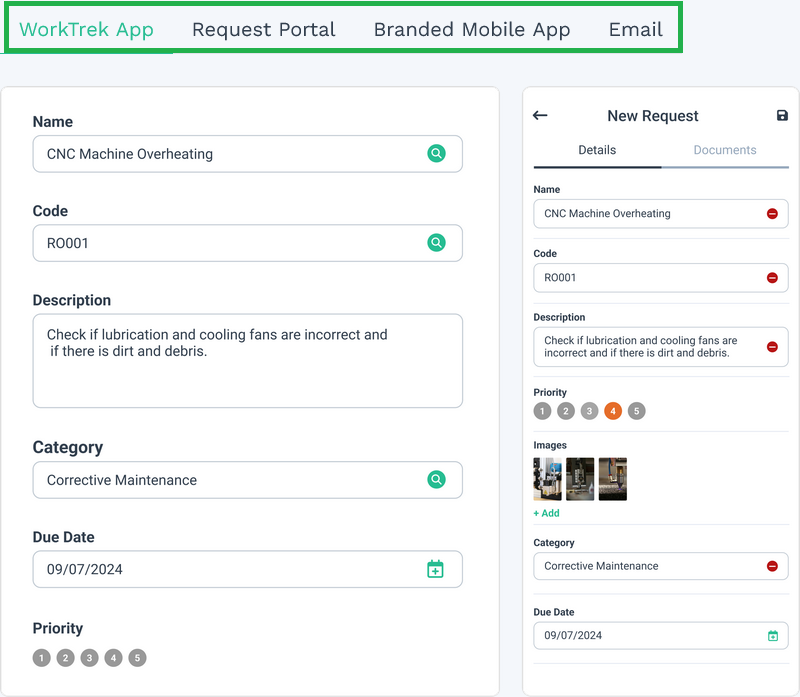
You need a straightforward process for creating, assigning, and managing work orders. WorkTrek provides dedicated work order management tools that keep everyone aligned.
Moreover, you need preventive maintenance schedules that adapt to real operating conditions.
WorkTrek allows maintenance tasks to be triggered based on time intervals, usage, meter readings, and other asset-specific criteria.
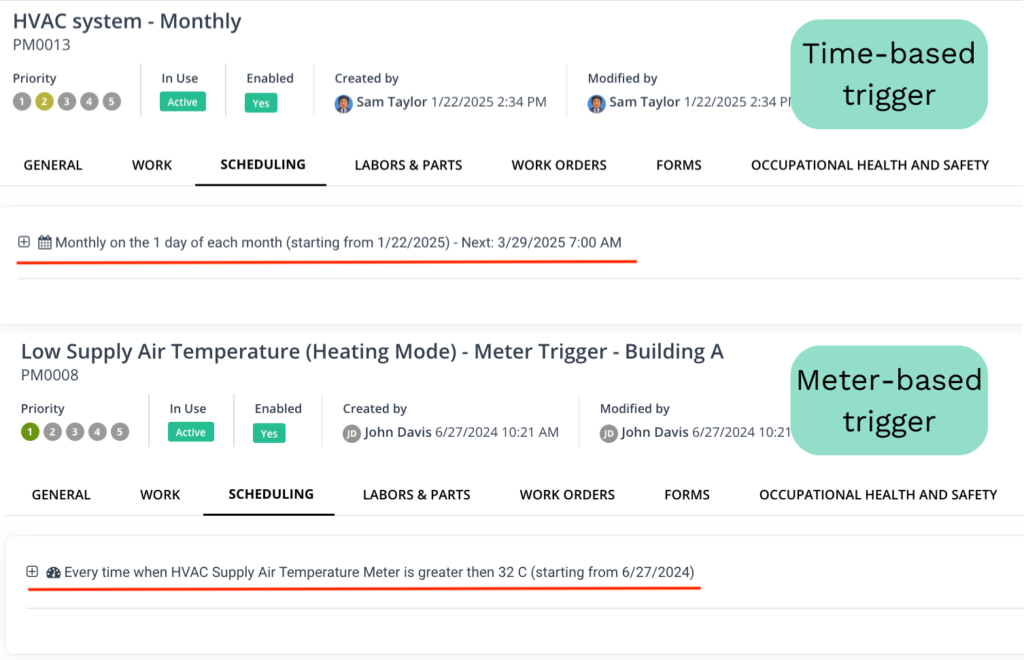
Technicians also need access to information while they’re in the field.
Through WorkTrek’s mobile application, they can view asset details, maintenance procedures, and safety instructions without returning to the office.
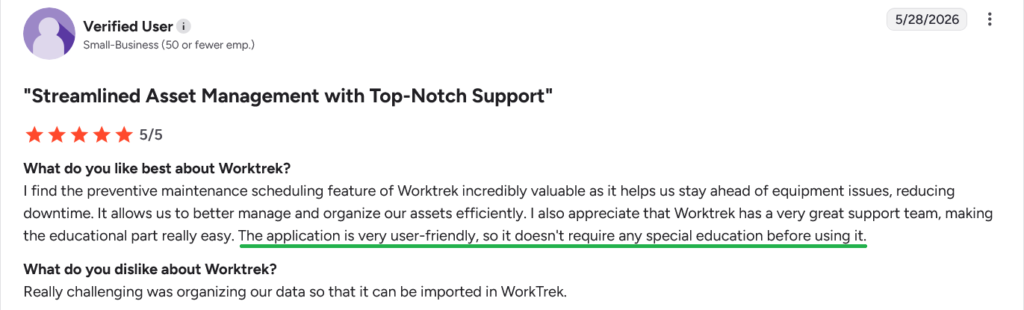
Most importantly, WorkTrek is built to be accessible without extensive training or technical expertise.
And its users appreciate it:
At the end of the day, successful maintenance software isn’t the software with the longest feature list. It’s the software your team can learn quickly, use consistently, and rely on every day.
Choose one like that, and you can avoid all of these challenges.
Conclusion
Most maintenance software implementation challenges have little to do with the software itself.
More often, they stem from unclear goals, poor communication, or insufficient training.
Address those issues early, and you’ll be far more likely to achieve what every implementation is meant to deliver: better maintenance outcomes with less effort.