


Get a Free WorkTrek Demo
Let's show you how WorkTrek can help you optimize your maintenance operation.
Try for freeChoosing work order software for a manufacturing facility can get confusing pretty quickly.
Mainly because most work order software covers the same basics, such as creating and assigning work orders, scheduling jobs, tracking labor and parts, and keeping a record of completed work.
They all have some sort of work request form and a calendar to schedule work.
However, there are some nuances that distinguish them and make them more or less appropriate for a manufacturing facility’s needs.
With that in mind, here are five work order software options to consider.
WorkTrek
Our own CMMS, WorkTrek, keeps work order management pretty straightforward.
You get all the features you would expect from a work order system, but they are organized in a dashboard that is easy to learn and use.
You can also manage work orders from the mobile app, which is useful when you are on the shop floor rather than sitting at a computer.
As you can see below, there is quite a lot you can add to a WorkTrek work order.
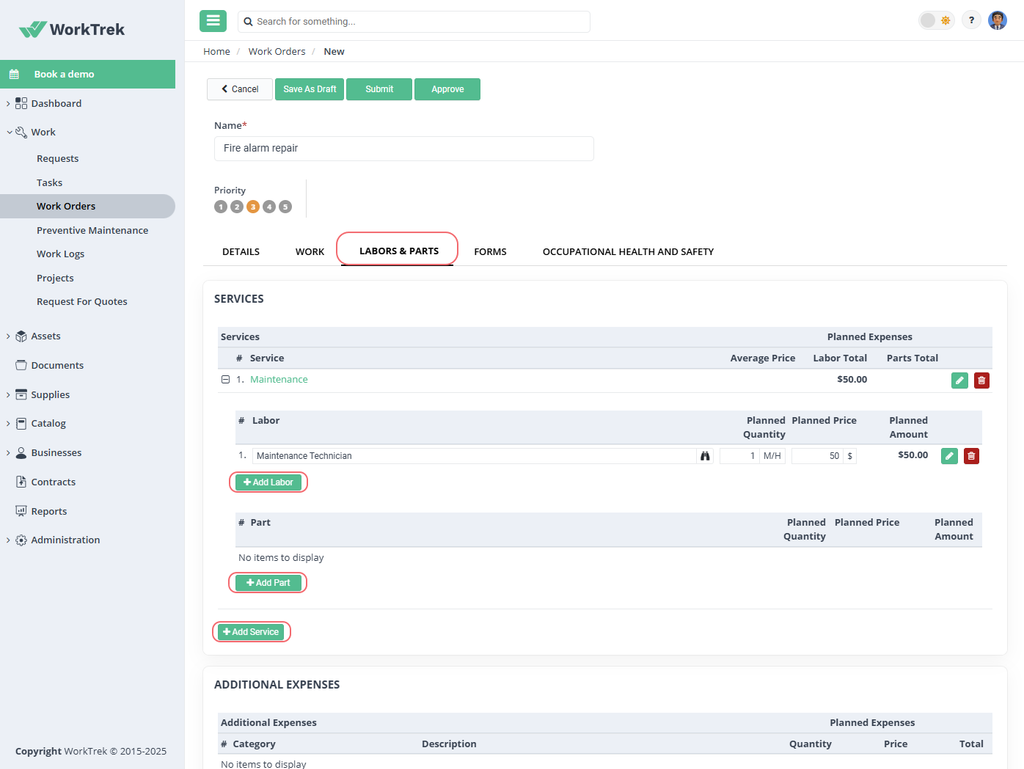
You can link it to an asset, set the priority and assignee, schedule the work, and track labor, parts, materials, expenses, documents, photos, and signatures.
You can also add checklists, safety information, and work history, while serial-numbered and disassembled parts give you more detailed tracking when you need it.
Most work order software lets you record many of the same details. What stands out more is how WorkTrek lets you get to the work order in the first place.
A work order can start as a regular maintenance request, but it can also come from a preventive maintenance schedule or an inspection.
You can even turn a work log entry into a work order.
For example, a technician can record an issue in a work log, and you can use that information to create a work order.
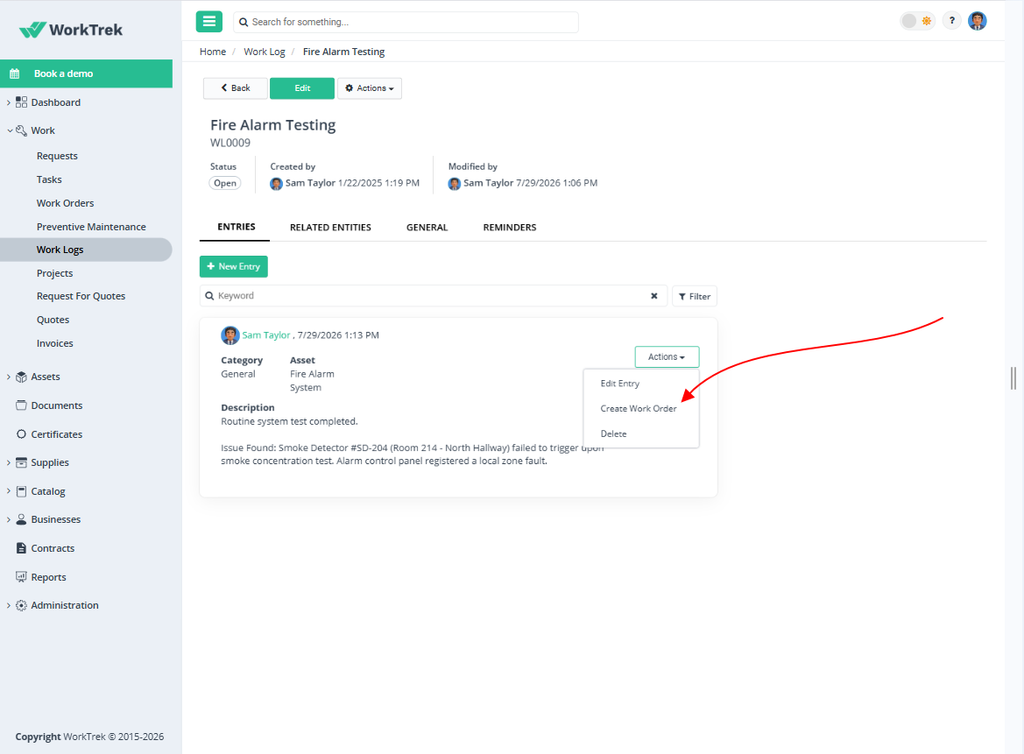
The asset and description carry over automatically, so you don’t have to enter the same information again.
You can then add anything else you need, such as the priority, assigned personnel, labor and parts, due date, or additional instructions.
That can be particularly useful when your technicians record problems as they find them and someone else handles the actual work-order planning.
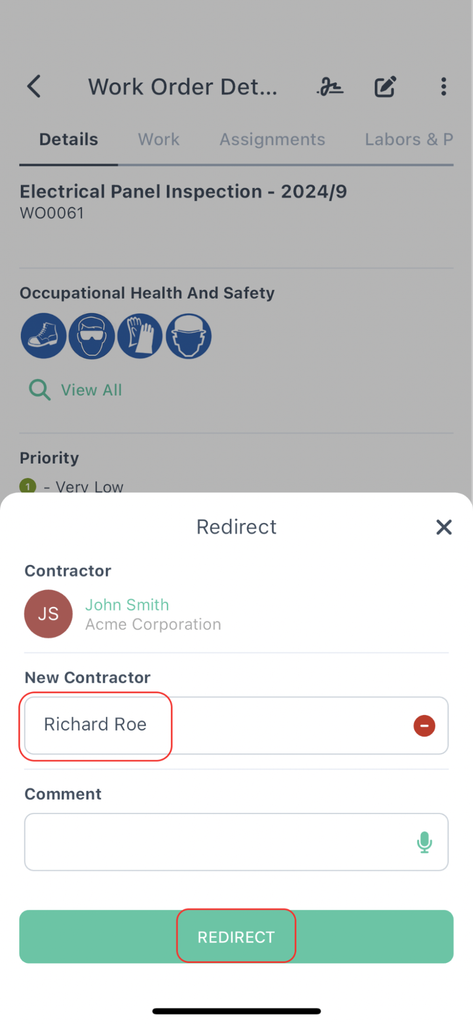
It is also worth mentioning that in WorkTrek, you can easily redirect a work order to another technician if the original technician/contractor is not available, without having to enter all the information again.
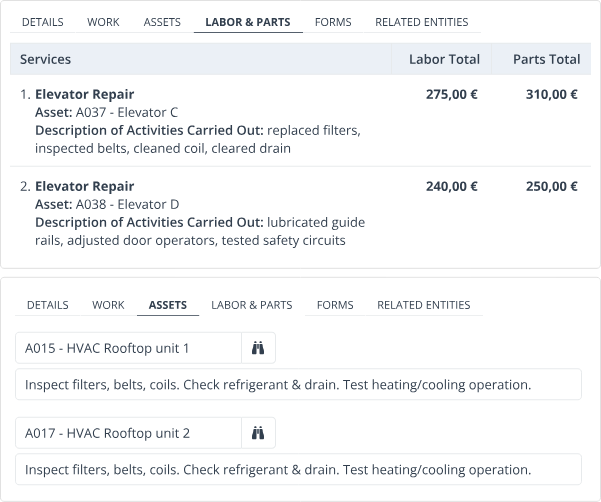
WorkTrek also lets you create one work order for multiple asset instances or even an entire production line.
Instead of splitting related work into several work orders, you can keep the tasks, labor, and parts together under one job.
Basically, you can customize work orders to your needs, and that is what our clients appreciate most.
Ashley M. Stadelmaier, Production Planning and Procurement Specialist at Cygnus Manufacturing Company, confirms:
“One of the things we love about WorkTrek is that it is fully customizable, so it fits perfectly into our operations and meets all our needs… WorkTrek is intuitive and easy to use.”
When it comes to cost, WorkTrek has three pricing plans, starting at $29 per user per month.
If you are mainly looking for straightforward work order and asset management, Starter covers the basics.
If you need more maintenance and inventory capabilities, Professional adds those tools, while Enterprise gives you more room to adapt the software to your existing processes.
Of course, these are just some of the features WorkTrek offers.
If you want to see how it would fit into your manufacturing facility, you can try it for free and explore our software firsthand.
FMX
FMX is another work order software that covers the usual work order basics and brings requests, scheduling, technician assignment, mobile work, inventory, and reporting into one system.
One of the most useful parts is its calendar.
You can create a maintenance request or planned maintenance task directly from the calendar, and supervisors can drag and drop work to adjust assignments and schedules.
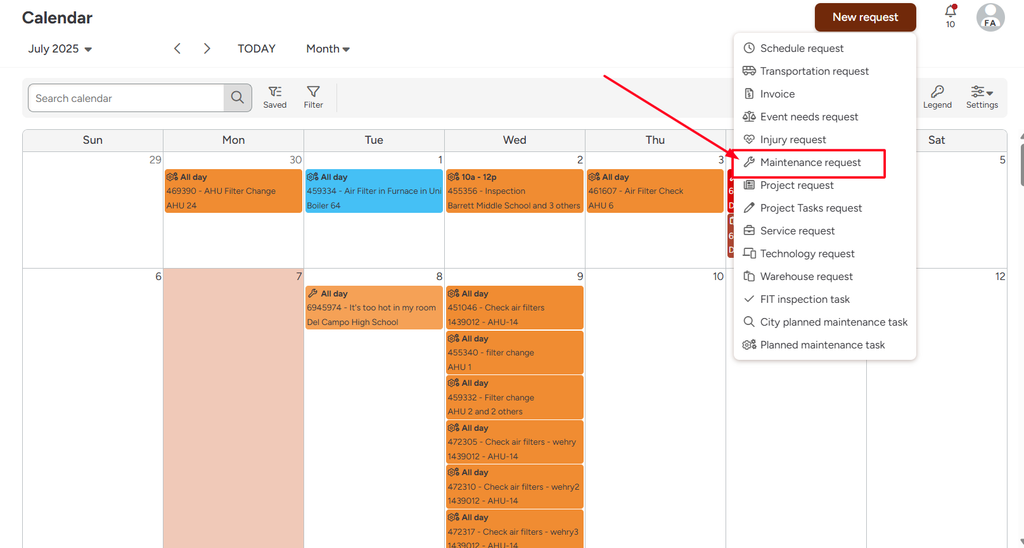
This can be helpful when you manage several technicians and need to see what is coming up, who is handling each job, and where you may need to adjust the workload.
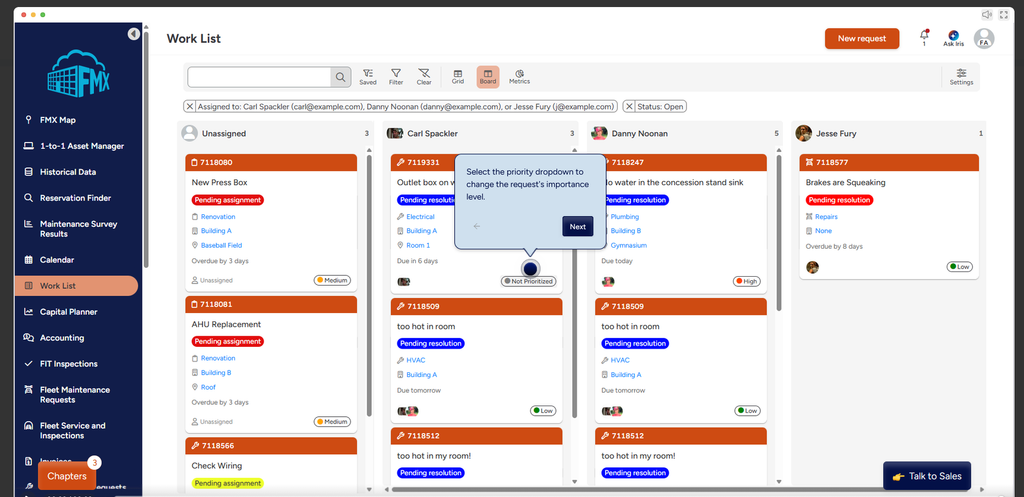
Work orders can also come from several other places.
You can create them manually, or FMX can generate them from inspections, scheduled preventive maintenance, or external integrations. So, like in WorkTrek, you are not limited to creating every work order manually.
Once a technician gets the job, the workflow is also fairly familiar to WorkTrek’s.
They can open the work order from their phone, record labor hours and parts used, add photos, and complete the work from the mobile app.
FMX can also automatically update on-hand inventory when parts are used on a work order.
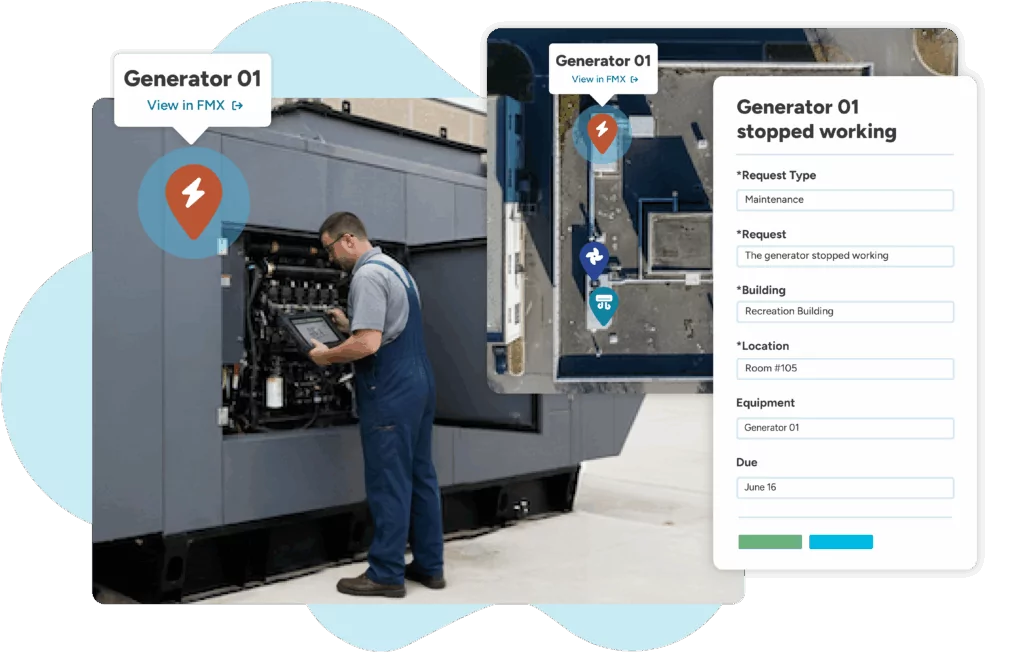
Another practical feature is interactive mapping. You can see open work on a map, which can help when technicians need to handle jobs across a larger facility or multiple locations.
User feedback is generally positive about the software’s ease of use and customization.
But there are also some specific issues to keep in mind.
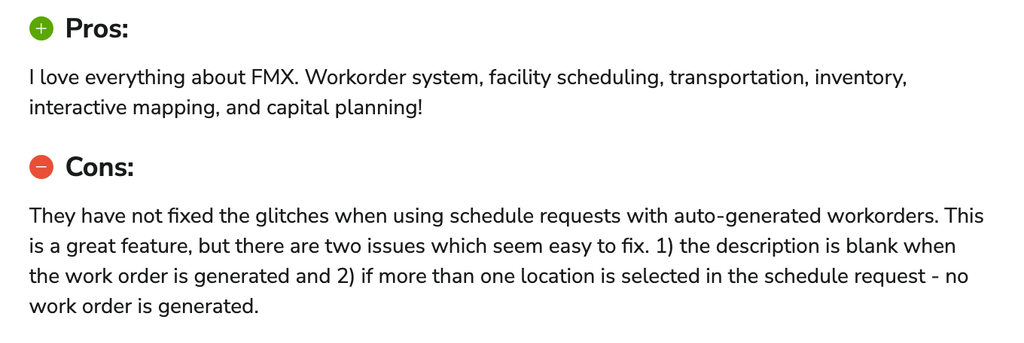
The same reviewer reported glitches when using Schedule Requests with automatically generated work orders.
According to the review, the generated work order can have a blank description, and selecting more than one location in a schedule request may prevent a work order from being generated.
That is worth considering if you plan to rely heavily on automated work order creation from scheduled requests.
FMX does not publish standard pricing for its plans. You need to contact the company for a quote, and there is also a one-time implementation fee.
Additional fees may apply for in-person implementation and other services.
OxMaint
OxMaint takes a fairly structured approach to work orders.
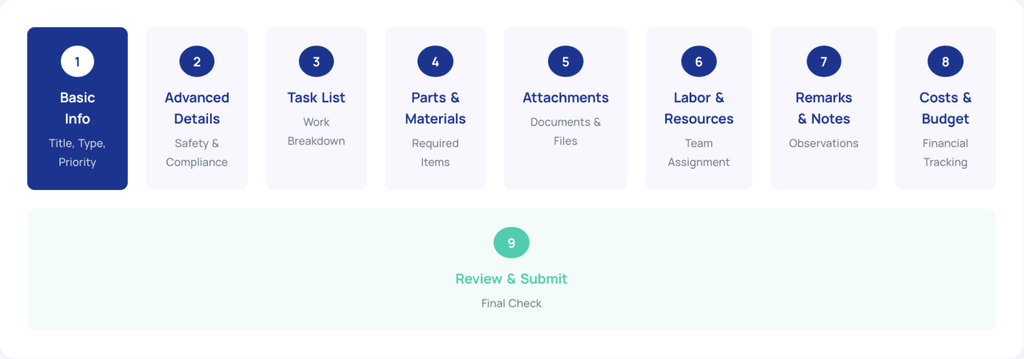
Its 9-step workflow takes you from basic information and safety requirements through tasks, parts, labor, attachments, costs, and notes before you review and submit the work order.
İt also has mobile apps for iOS and Android, so technicians can create, view, and manage work orders from the field.
But the more interesting part is what OxMaint can do to create and trigger work orders.
Its Synapse AI Assistant can generate a work order from a description of the maintenance need and suggest the task breakdown, required parts, safety procedures, labor time, and estimated costs.
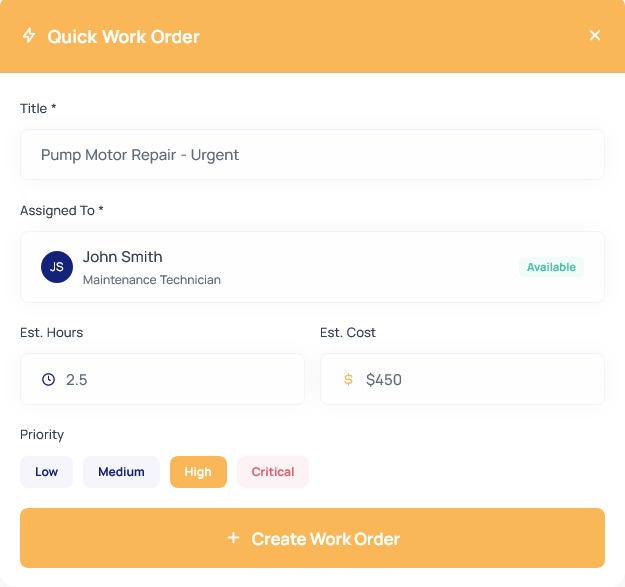
For urgent repairs, Quick WO lets you create and assign a work order with only the essential information and fill in the rest later.
You can also link work orders dırectly to planned shutdown periods.
This is a useful detail for manufacturing because planned downtime can give maintenance teams a window to work on equipment without interrupting production unexpectedly.

For manufacturing, OxMaint also supports cycle-based preventive maintenance, so you can trigger work based on runtime, parts produced, strokes, or spindle hours.
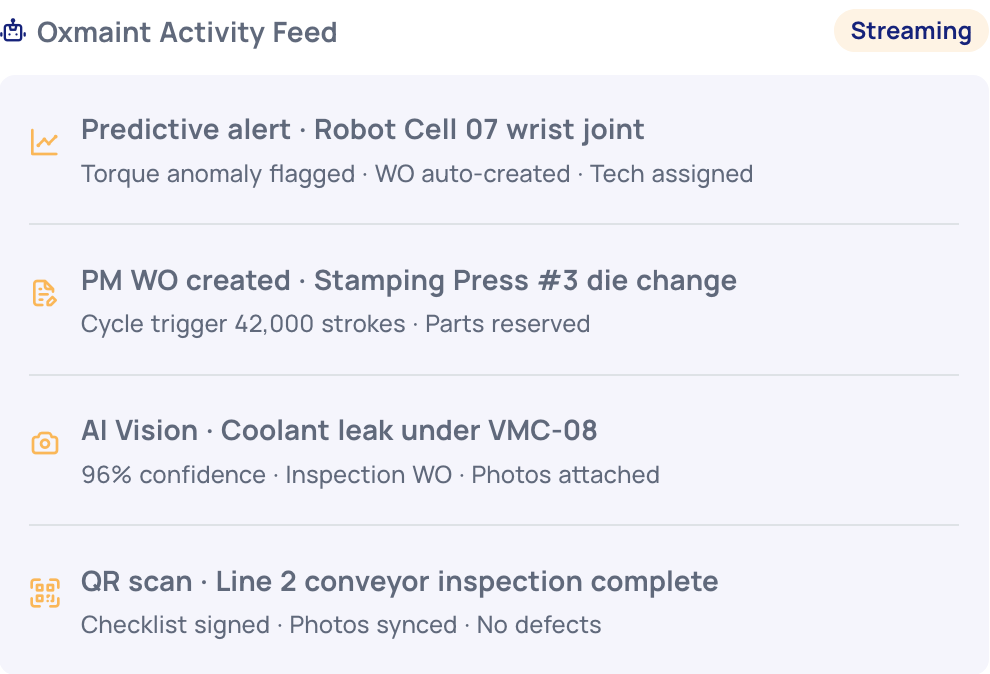
Its predictive maintenance tools can use sensor data to detect anomalies and automatically create work orders, while work order data can feed into downtime and OEE tracking.
When it comes to user feedback, there is one thing to keep in mind.
This software has ratings in mobile app stores and publishes customer testimonials, but it has limited independent feedback on software-review platforms.
Capterra and Software Advice currently do not have a substantial collection of user reviews, making it harder to get a clear picture of how people use the software in real-world manufacturing environments.
How much does OxMaint cost?
İt has four plans: Lite is free and allows up to three work orders per month, Pro costs $19/user/month, Agentic costs $49/user/month, and Enterprise uses custom pricing.
The main difference between Pro and Agentic is the addition of AI-powered maintenance capabilities in the Agentic plan.
iFactory
iFactory AI divides the work order management process into four steps:
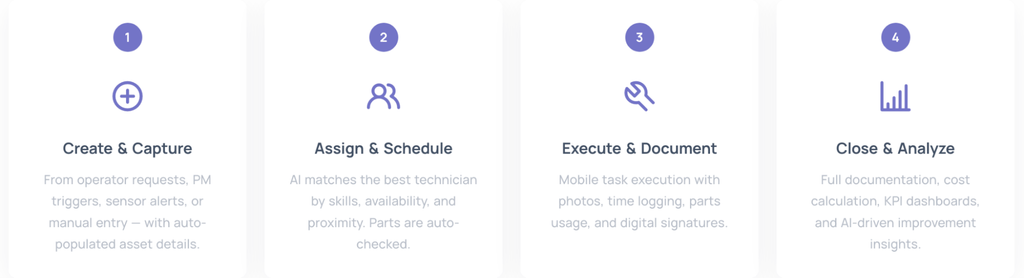
The first step covers operator requests, preventive maintenance triggers, sensor alerts, or manual entry, with asset information automatically added to the work order.
The assignment step is where iFactory puts more emphasis on AI. Its Smart Assignment Engine can match a work order to a technician based on skills, certifications, workload, shift schedule, availability, and proximity.
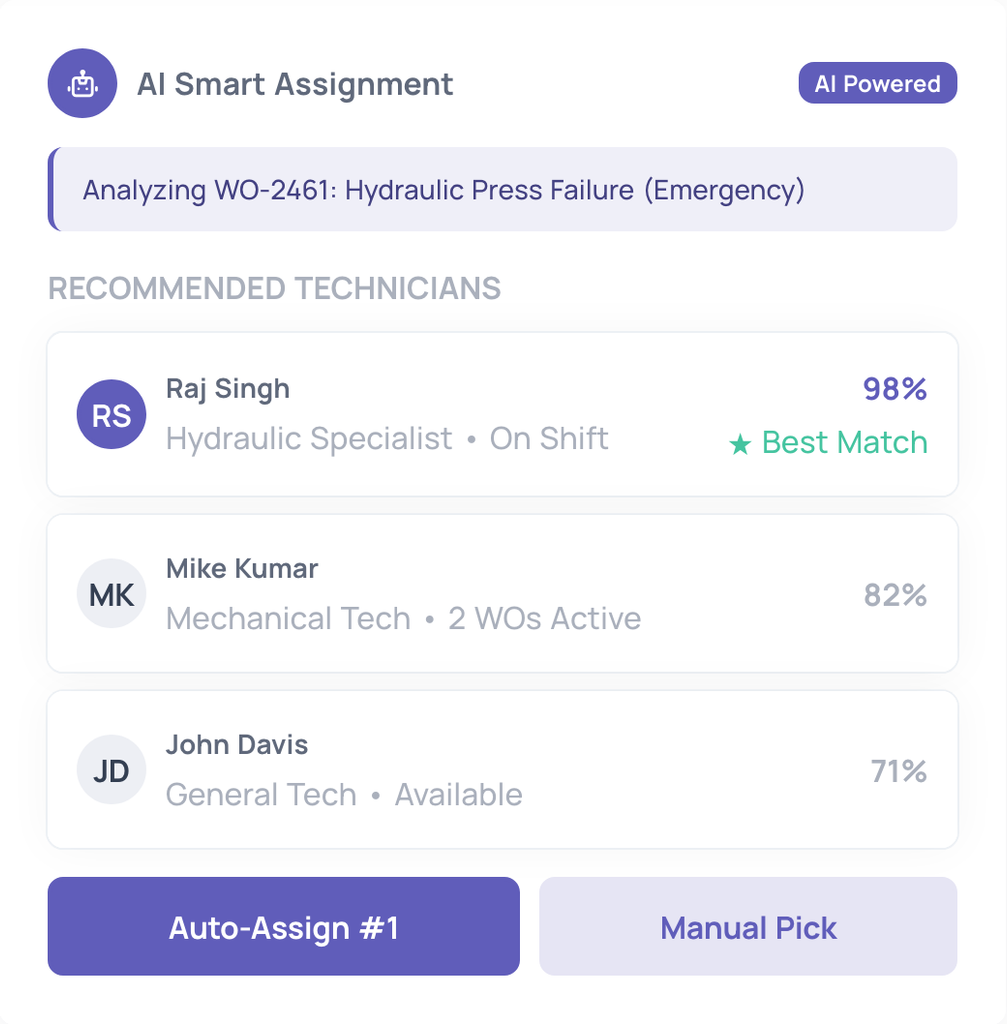
It can either assign the job automatically or provide ranked recommendations for a supervisor to approve.
Once the work is assigned, technicians can manage it from the mobile app, including task checklists, photos and videos, time and parts tracking, barcode or QR scanning, and digital signatures.
The app also works offline and syncs updates when the connection is restored.
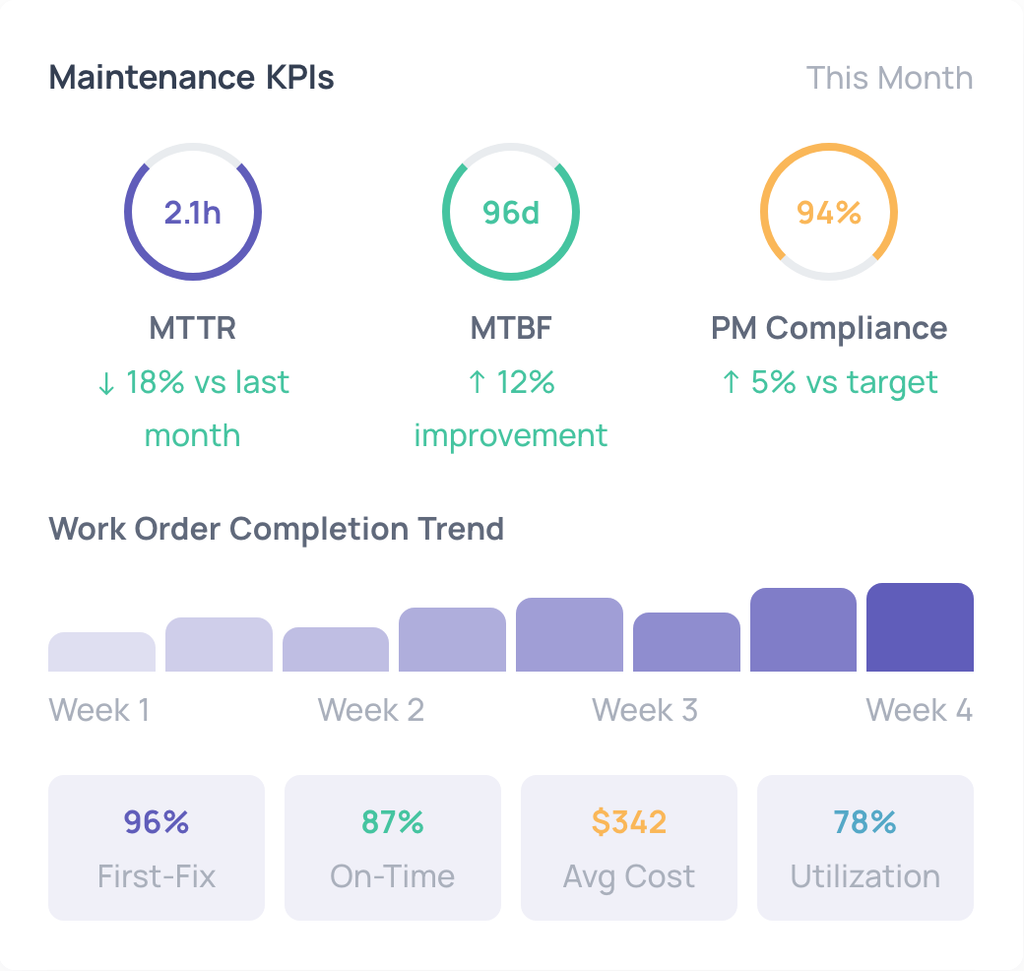
iFactory also puts a lot of information around work orders into dashboards and reports. You can track metrics such as MTTR, MTBF, PM compliance, backlog aging, work order costs, and technician productivity, with options to drill down and export reports.
Another useful part is the maintenance request portal. Operators and other employees can submit a request with an asset, photo, and urgency, and approved requests can be converted into tracked work orders.
For manufacturing teams, iFactory also connects work orders with parts, labor, inventory, safety, and production data.
This makes the system less about simply creating and closing work orders and more about connecting the maintenance job with what is happening around it.
Do keep in mind, though, that there are currently no substantial independent user reviews available on the main software review platforms, so most of the information available about its features comes directly from iFactory.
iFactory AI also doesn’t publish standard pricing. The cost depends on the setup and modules you need, so you need to contact the company for a quote.
Snapfix
Snapfix takes a notably visual approach to work order management.
Instead of asking technicians or other frontline employees to fill out a traditional maintenance request, you can create a task using a photo, video, voice note, or QR code.
The traffic-light system is probably the easiest feature to recognize.
The three dots that also appear in the Snapfix logo show the status of a task at a glance: red means it still needs attention, yellow means it is in progress, and green means it is done.
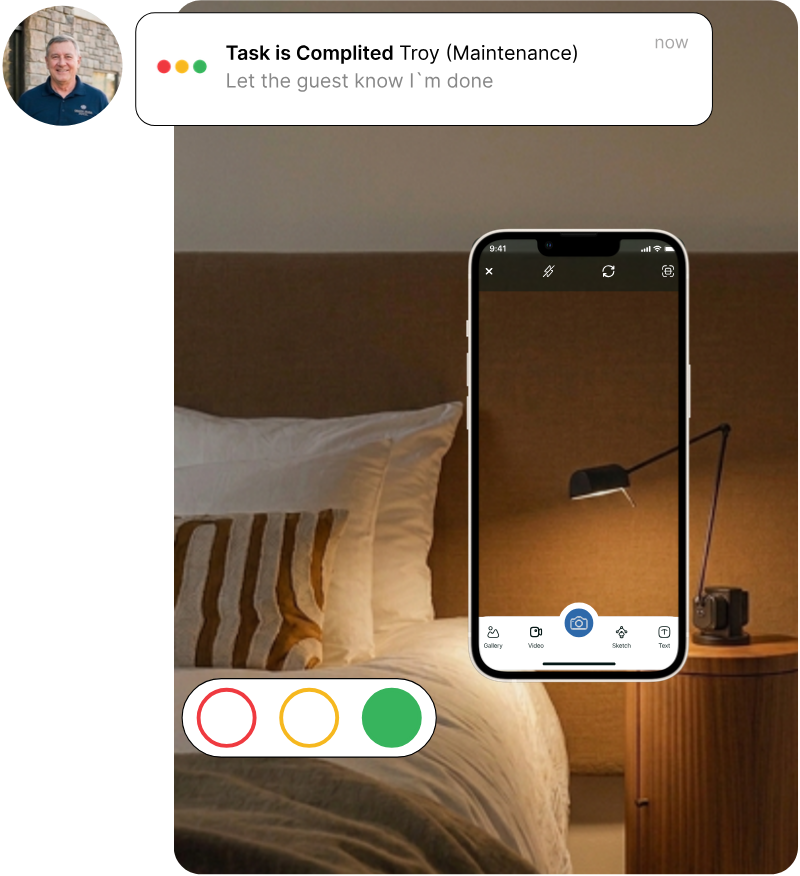
That may sound simple, but it is also what makes Snapfix different from a more traditional work order system.
The idea is to make reporting and checking tasks quick and visual, especially for people who do not spend their whole day working in maintenance software.
You can also scan a QR code attached to a room, asset, or piece of equipment to create or view related tasks.
Preventive maintenance schedules, offline access, voice notes, and a multilingual interface add to the same focus on quick, practical use in the field.
Another feature worth mentioning is Snapfix Rooms. It lets teams keep track of all tasks connected to a particular room or unit, including maintenance, inspections, and cleaning.
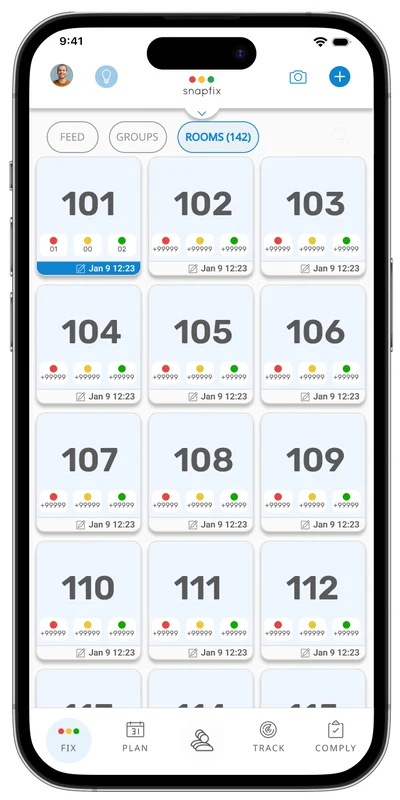
This feature is especially useful in hotel and property operations, where teams need to keep a history of everything that happens in a room, but the same idea can also be useful for facilities and other multi-site operations.
Snapfix has particularly strong roots in hospitality and property management, but the company has also extended its photo-first workflow to manufacturing and industrial maintenance.
For a manufacturing team, the main appeal is therefore less about having a completely different set of work order features and more about making it easier to report, understand, and track work visually.
What do users say about this approach to maintenance?
Users on G2 like the photo-centric approach and traffic-light system, with one reviewer also mentioning their usefulness for inspections and compliance audits.
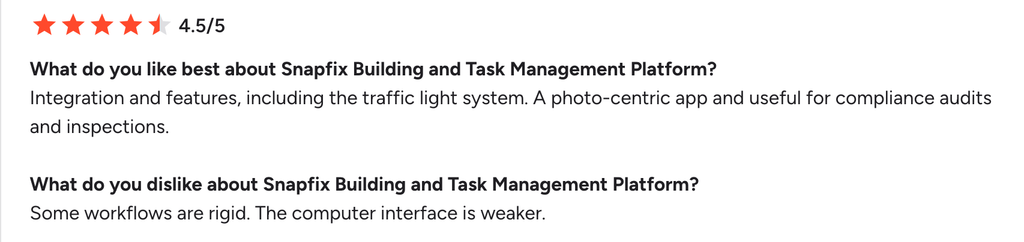
There are some criticisms, too. The same reviewer found certain workflows too rigid and felt that the desktop interface was weaker than the mobile experience.
Snapfix does not use a simple public per-user pricing model. You need to contact the company for pricing based on your requirements.
Conclusion
At the end of the day, most work order software can do the basics. It all comes down to what you actually want your maintenance team to get out of it.
Maybe scheduling is your biggest headache, or you want AI and machine data to take more work off your team’s plate.
Or maybe you just want technicians to be able to report an issue without filling out a dozen fields.
That’s really what to look at when comparing these tools – how they will fit into your team’s day-to-day work.