


Get a Free WorkTrek Demo
Let's show you how WorkTrek can help you optimize your maintenance operation.
Try for freeIf your work orders are still managed through spreadsheets, emails, paper notes, or verbal requests, you may already know how easy it is to miss important information or even tasks.
But moving to software can feel like trading one problem for another.
Will your team actually use it? Will it be too complicated? And is it worth the cost?
The good news is that you do not need a complex system. There are simple work order tools built to fit smaller teams, budgets, and busy schedules.
Here are five worth considering.
WorkTrek
Our CMMS WorkTrek can help you replace scattered work requests and manual work order tracking with one place to manage all your maintenance work.
You can start with a work request, turn it into a work order, assign it to the right person, schedule the job, and track its progress until it is completed.
In WorkTrek, your team can submit work requests from the web or mobile app. You can also let employees, tenants, or other users send requests through the portal or email.
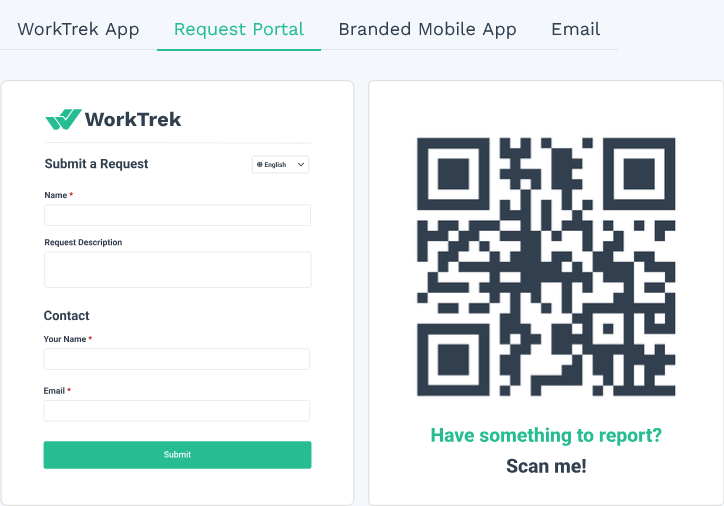
Once you turn a request into a work order, you can add photos, documents, and instructions, and leave comments for technicians.
For recurring jobs, you can set up preventive maintenance tasks, as well as attach procedures, checklists, and safety information to each work order.
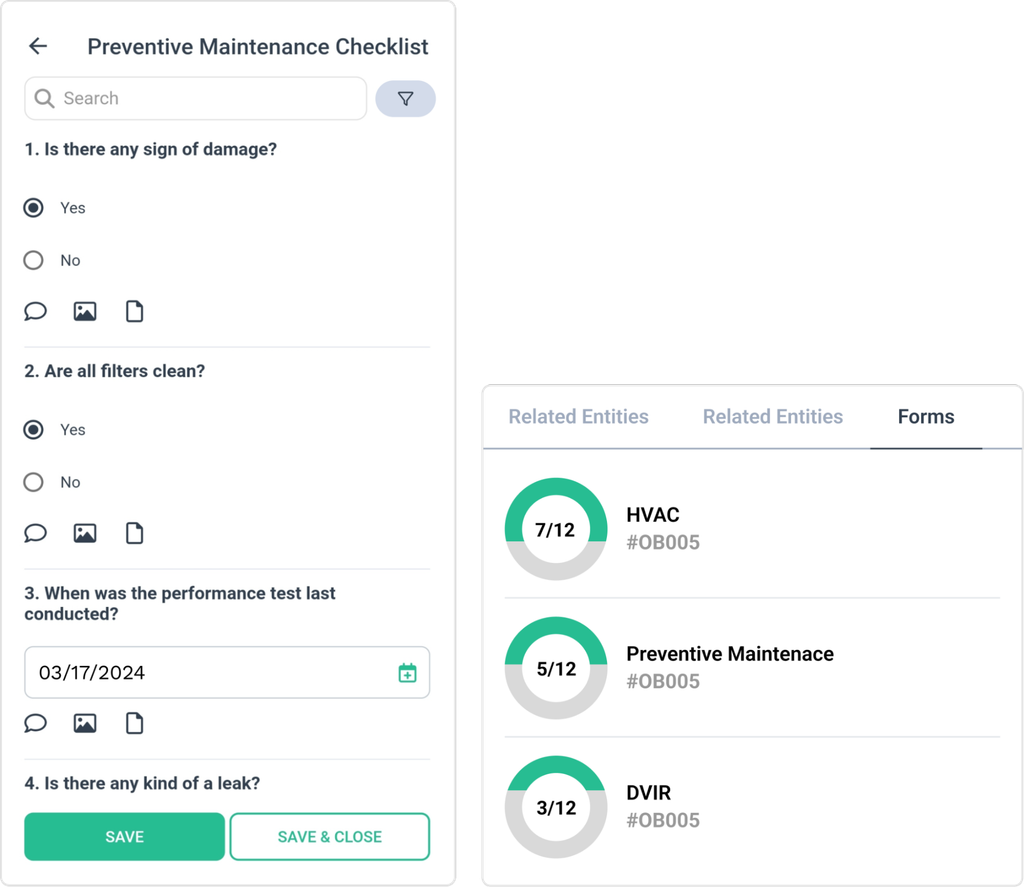
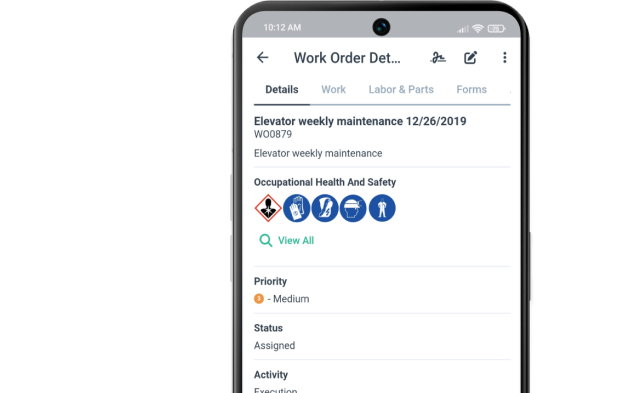
Technicians can access work orders on their phones, do their work, and record all the details the office needs, including how much time it took them and which spare parts and materials they used.
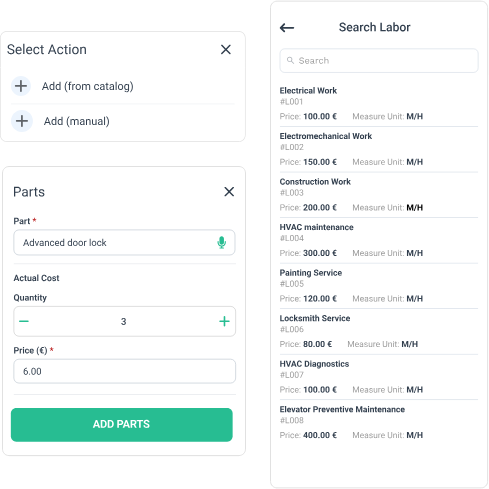
When the work is completed, they can also sign it digitally.
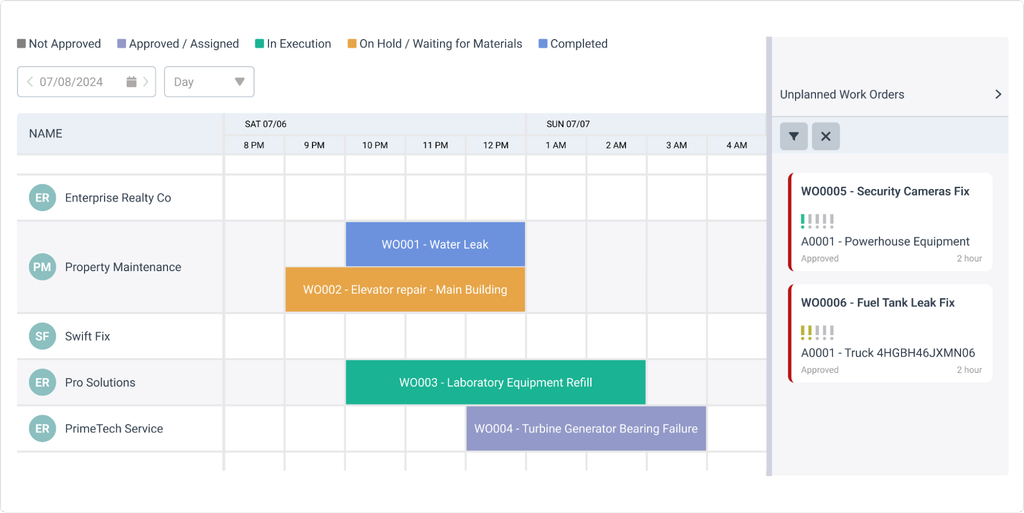
You can organize all these work orders in a list, map, or scheduler view where you can clearly see which orders are approved, assigned, in execution, waiting for material, or completed.
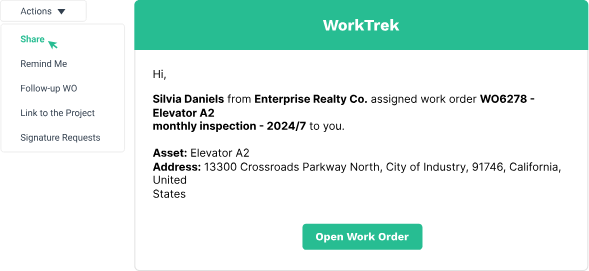
If you work with external contractors, you can invite them to track work progress and completion as well.
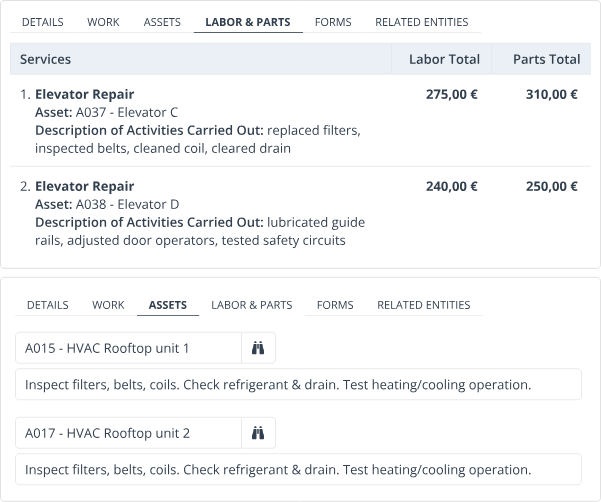
For teams responsible for multiple similar machines or an entire production line, WorkTrek supports multi-asset work orders.
Instead of creating a separate work order for every identical asset, you can group them together and track the labor and parts used for each one.
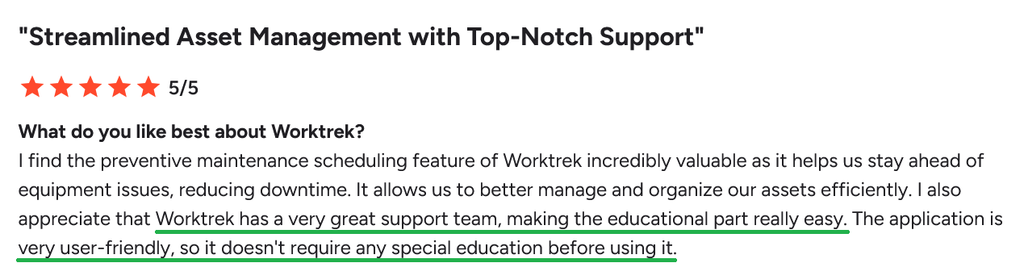
Although WorkTrek is abundant with all these features, its users highlight that it’s still incredibly easy to use:
Pricing plans start at $29 per user per month, with work orders, asset management, simple inventory, reports, and dashboards included in the Starter plan.
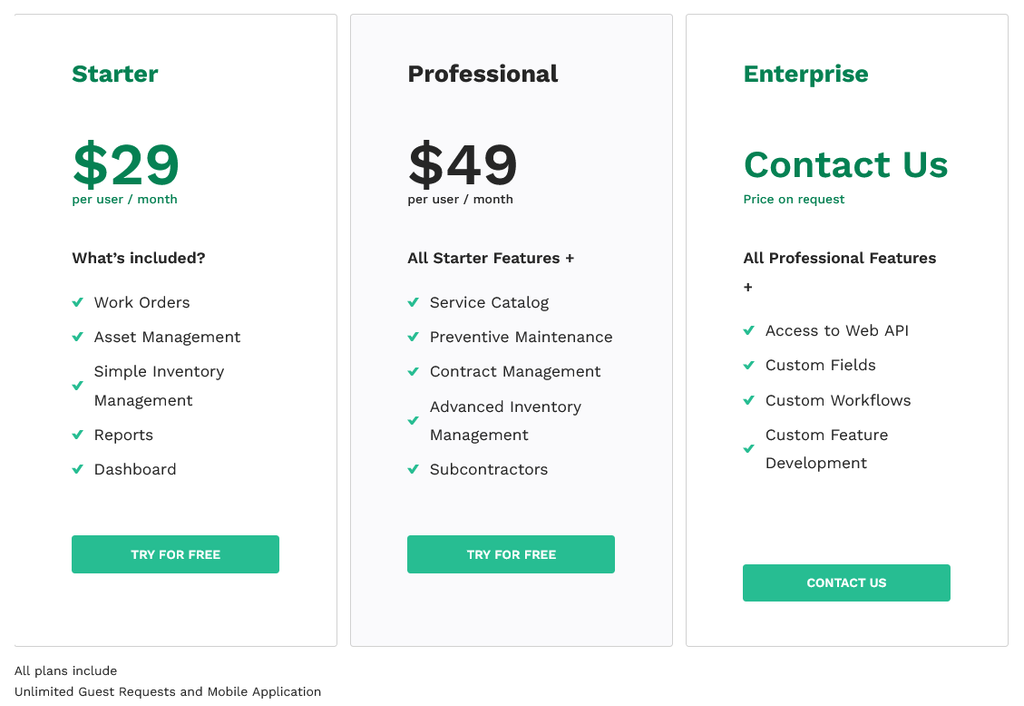
Preventive maintenance, advanced inventory, contract management, and subcontractor management are available on the $49 Professional plan.
You can try WorkTrek for free and see the work order management in action!
Coast
If you want a straightforward way to keep your team on top of work orders, Coast is another software worth trying out.
You can create work orders, assign them to team members, set priorities, and update their status as work progresses.
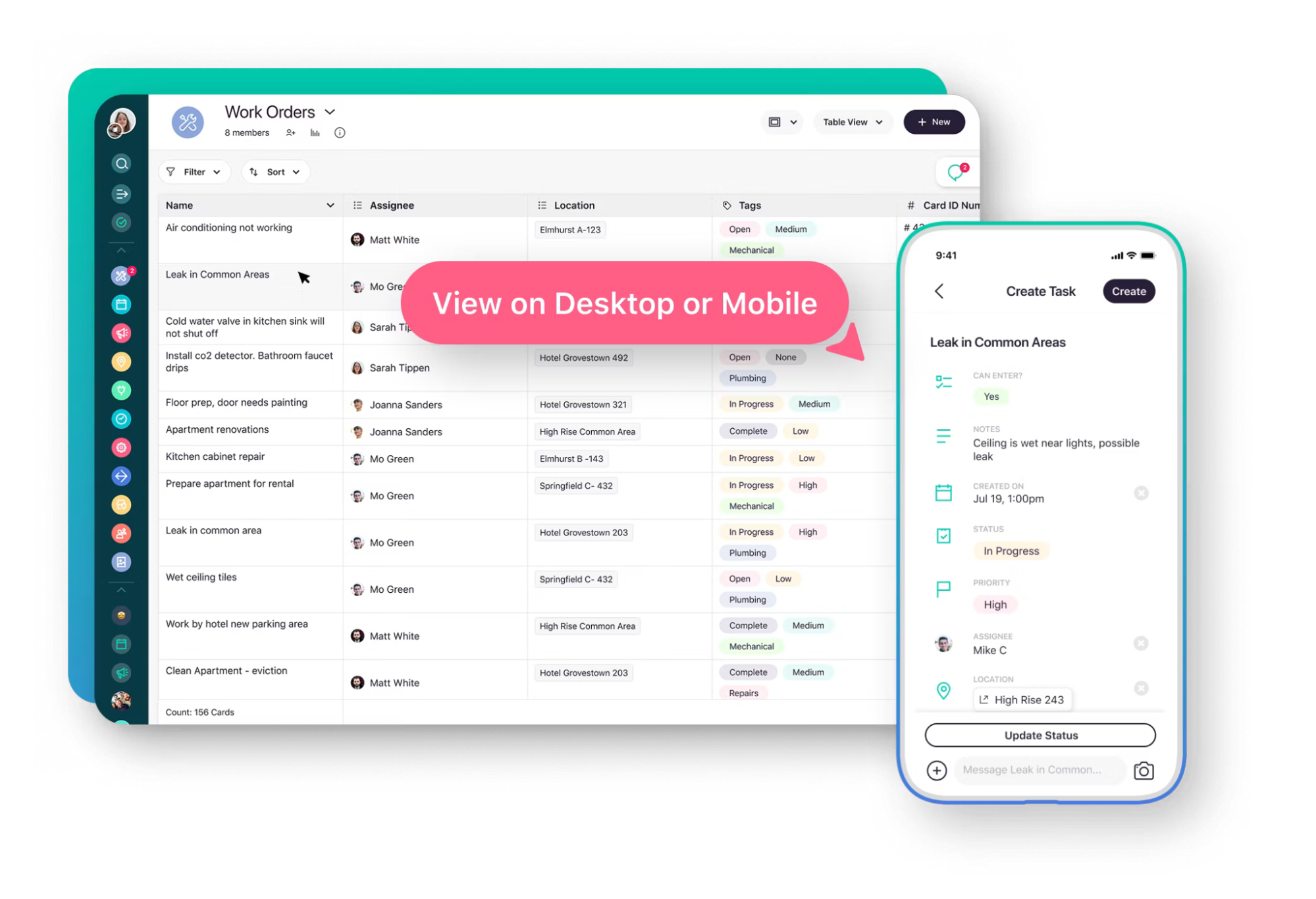
Your team can add notes, checklists, procedures, photos, and other attachments to each order, just as in WorkTrek.
Real-time messaging also keeps conversations connected to the work order, so important details do not get lost in separate emails or chat messages.
Coast also supports repeating work orders, notifications, and workflow automations.
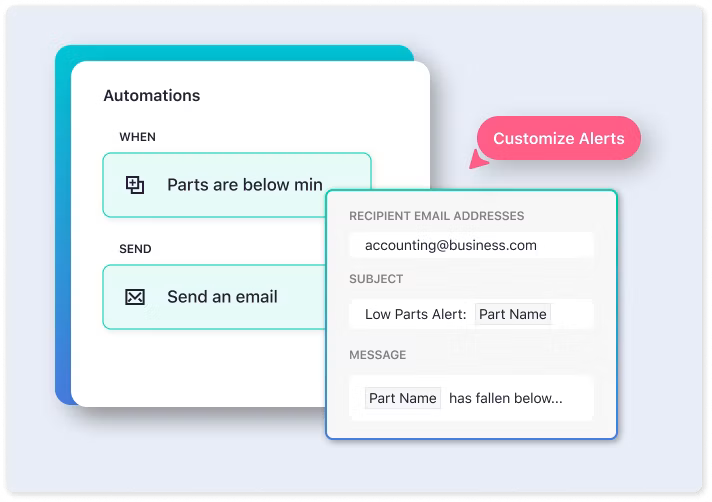
That can be useful if you regularly handle the same maintenance tasks and want to reduce manual follow-up.
Users seem to appreciate these features.
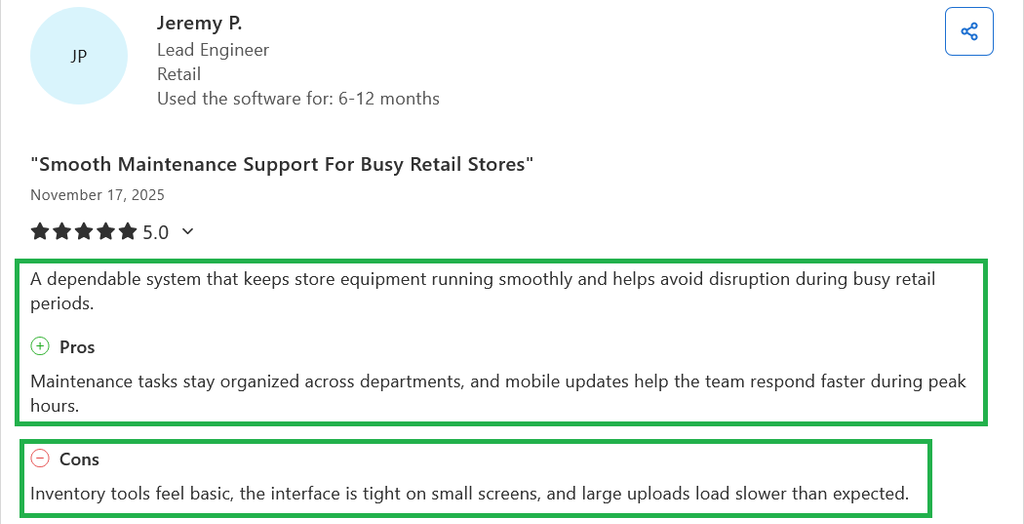
One review notes that maintenance tasks stay organized across departments and that mobile updates help the team respond faster during busy periods.
There are a few things to keep in mind, though.
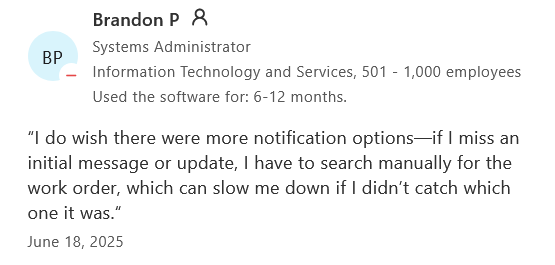
The same reviewer finds the inventory tools basic, while another reviewer wished there were more notification options and found it difficult to locate a work order after missing an initial update.
When it comes to pricing, the free plan is a useful place to start for a small business.
It includes unlimited work orders, real-time messaging, file uploads, and up to five repeating work orders.
If you need unlimited repeating work orders, time and cost tracking, permissions, or workflow automations, you will need the Starter plan at $25 per user per month at the current promotional rate.
Keep in mind that some really important features, including multiple reminders, reporting, dashboards, signature capture, and external request forms, are available only in higher plans.
eWorkOrders
If you want a more traditional CMMS with plenty of maintenance features, eWorkOrders gives you a solid set of tools for managing work orders, assets, preventive maintenance, materials, and service requests.
When someone submits a service request, eWorkOrders can turn it into a work order and assign the task to a technician based on factors such as their skills, availability, and location.
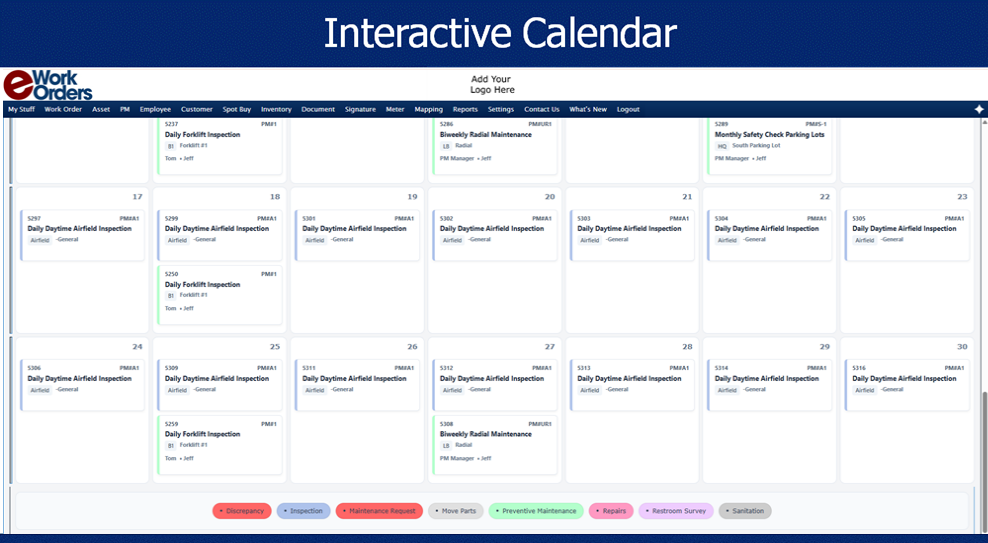
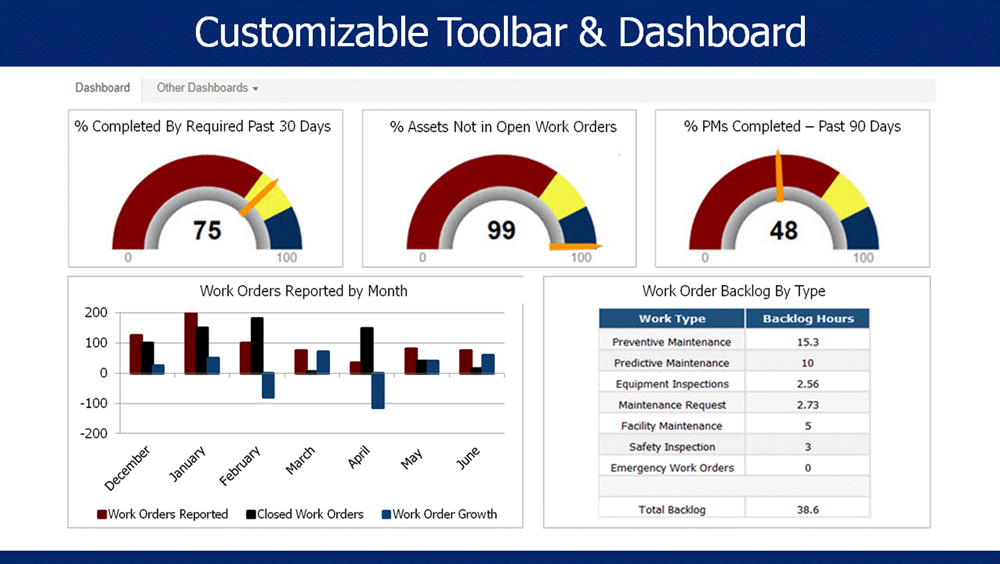
You can also use the software to manage preventive maintenance, track assets and materials, store documents, and monitor performance through reports and dashboards.
User feedback is generally positive about ease of use and support.
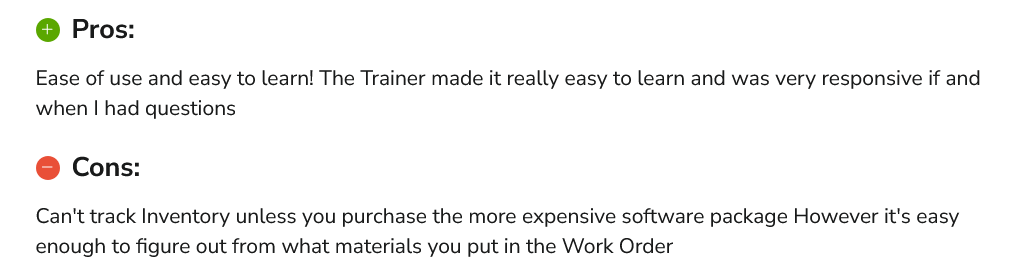
One reviewer described the software as easy to learn and praised the trainer for making onboarding straightforward, but he also noted that inventory tracking required a more expensive package, which is worth considering if parts management is important to you.
For a small business, the biggest question is probably how much functionality you actually need.
The Starter plan costs $380 per month and includes unlimited users, work orders, asset management, preventive maintenance, materials management, reporting, and customer service requests.
However, mobile and tablet access, along with QR and barcode scanning, start with the Advanced plan at $480 per month.
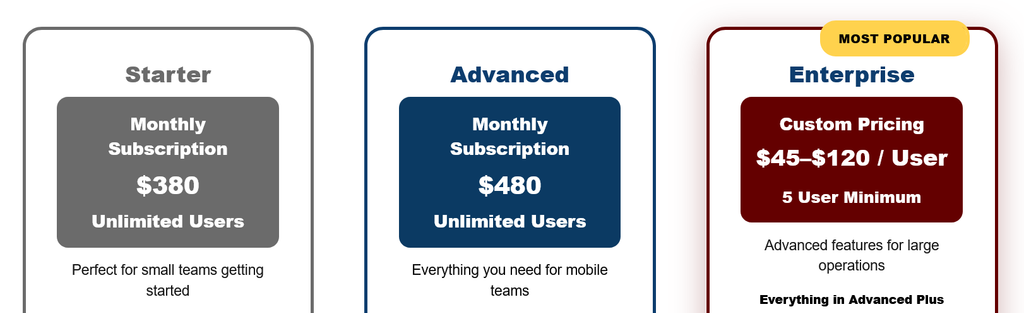
The unlimited-user model can make the pricing more attractive as your team grows. For a very small team, however, the monthly cost may be harder to justify.
You should also check which features you need before deciding, as inventory control, multi-site management, API access, and signature capture are reserved only for Enterprise.
RO App
RO App is built with repair and service businesses in mind, making it particularly relevant if you run a repair shop or a small field service operation.
You can create work orders from leads or client requests and manage the whole job from one place.
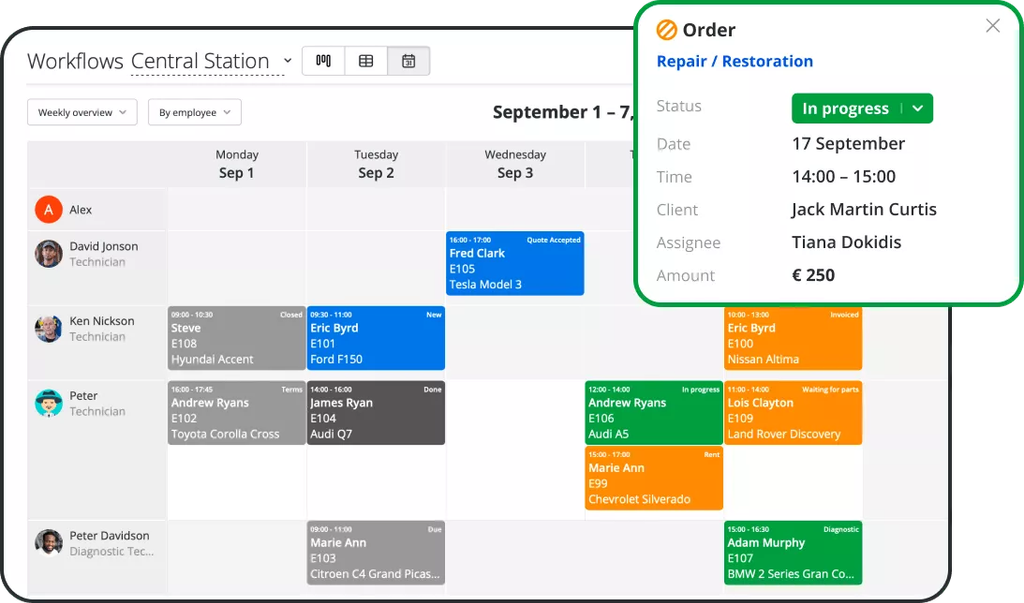
The system can automatically fill in customer and asset information, assign jobs, track technician hours, and update inventory as parts are used.
Your team can also create estimates and invoices, collect signatures and payments, and let customers approve work online.
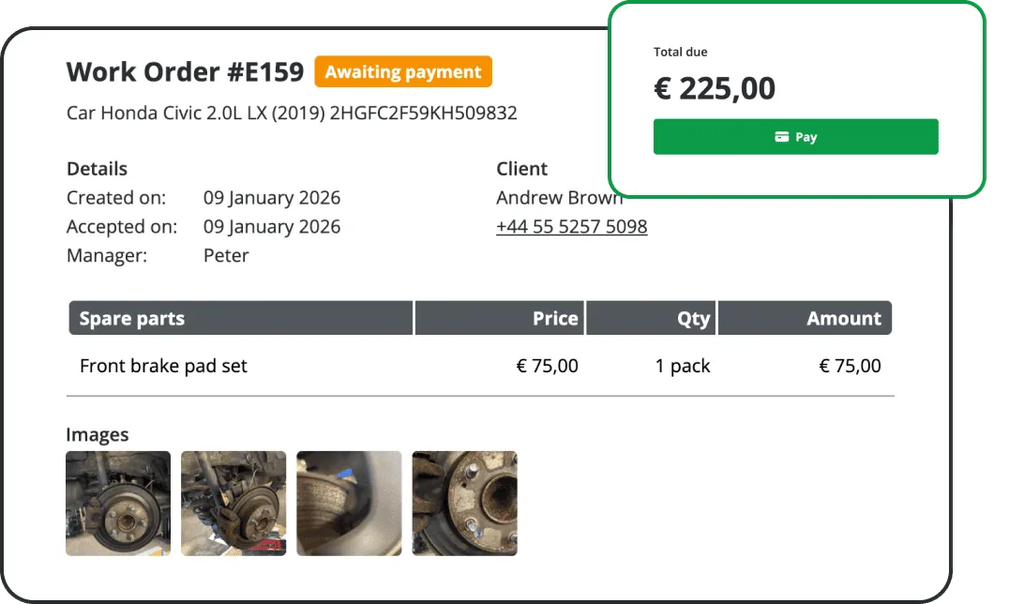
Technicians can create, update, and complete work orders from their phones while staying connected to customer information and schedules.
You can also customize work order forms by choosing which fields are required, setting default values, and adjusting the information your team sees.
User feedback for the Ro App is generally positive.
One repair shop user described the interface as very easy and intuitive and praised its customization options.
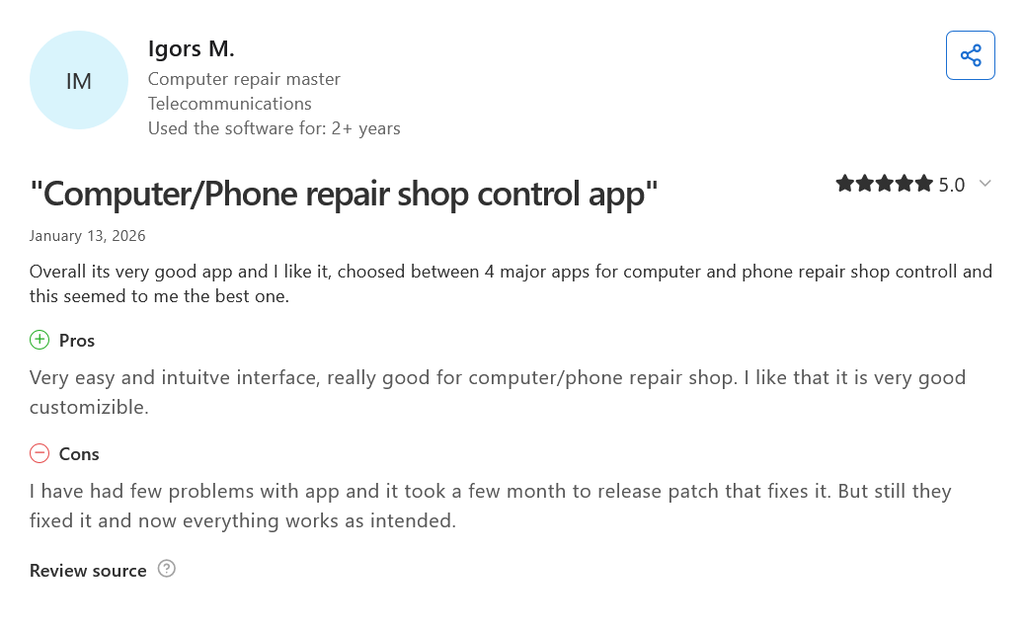
Another reviewer liked the mobile app and photo uploads but found the way the system handles dates problematic.
Pricing starts at €29 per month for the Startup plan, which includes three employees, with additional employees costing €5 per month.
The Business plan starts at €69 per month, while Enterprise starts at €99 per month.
There is also a €15-per-month Hobby plan for very small operations, although it limits you to two employees and 100 work orders or sales per 30 days.
Field Ascend
If you run a small field service business, Field Ascend gives you a way to manage work orders alongside scheduling, dispatch, customer communication, and preventive maintenance.
That makes it more relevant to businesses where technicians regularly travel to customer sites than to teams managing maintenance entirely in-house.
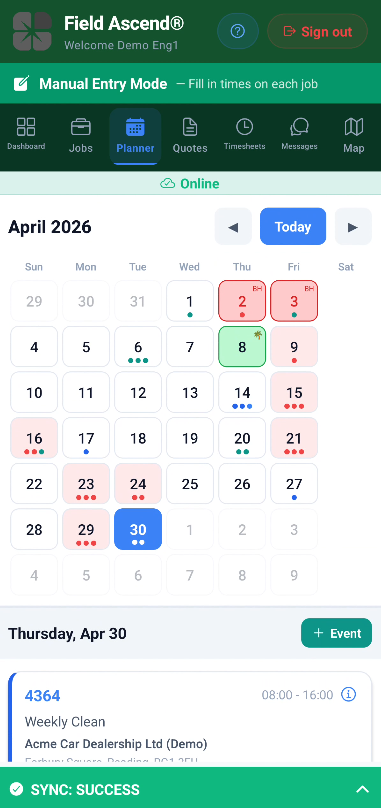
You can create jobs, assign them to technicians, and manage them from a planner board or map.
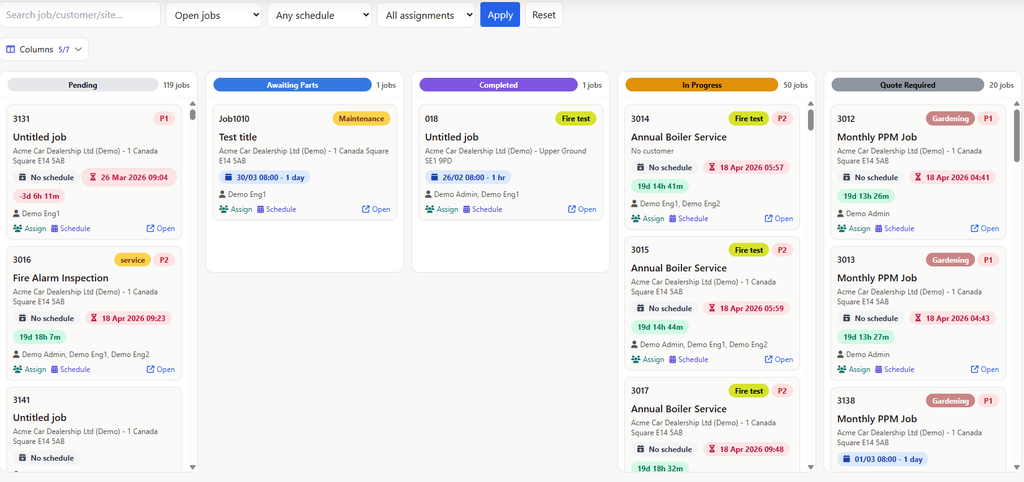
Work orders can include equipment details, tasks, job instructions, parts, notes, and photos.
Technicians can access their tasks through the mobile app, update task progress, and record what they did on site.
You can also connect preventive maintenance findings to follow-up repair jobs, then keep the completed work, labor, materials, and customer documentation together.
The platform also includes a customer portal, quotes, invoices, reports, and dashboards, so you can manage more of the service process from one place.
When it comes to user feedback, people generally like the software’s ease of use and flexibility.
One reviewer appreciated the different settings, filters, and views and highlighted the customizable preventive maintenance check sheets.
They also noted that the Projects module still needed further development.
Pricing-wise, the Pro plan costs $13 per user per month, with a minimum of three users, so pricing starts at $39 per month.
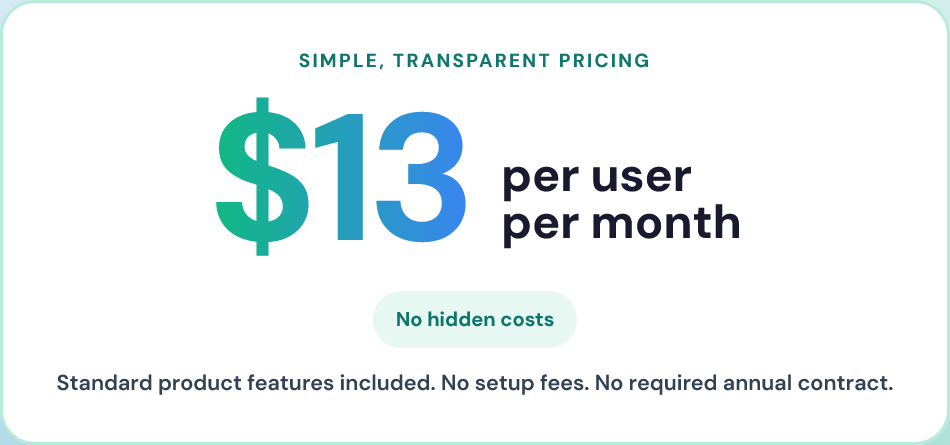
You get scheduling, dispatch, work orders, mobile access, preventive maintenance, customer portal visibility, quotes, invoices, reports, and dashboards.
There is also a 30-day free trial with no setup fee or required annual contract.
Conclusion
Hopefully, one of these tools caught your attention.
If you need a flexible work order and maintenance system that can grow with your team, WorkTrek is worth a closer look.
If you run a repair or service business, RO App may be the best fit, while Field Ascend makes sense if scheduling technicians and managing customer jobs are a big part of your day-to-day work.
Choose software that fits the way your team already works and make it better.