

Get a Free WorkTrek Demo
Let's show you how WorkTrek can help you optimize your maintenance operation.
Try for freeSeptember brings a redesigned Asset Module and several improvements to the WorkTrek mobile app. This update makes it easier to navigate and manage your assets, while giving mobile users more flexibility when working with parts and regional settings.
1. Redesigned Asset Module
Managing assets in WorkTrek is now simpler and more intuitive with our redesigned Asset Module.
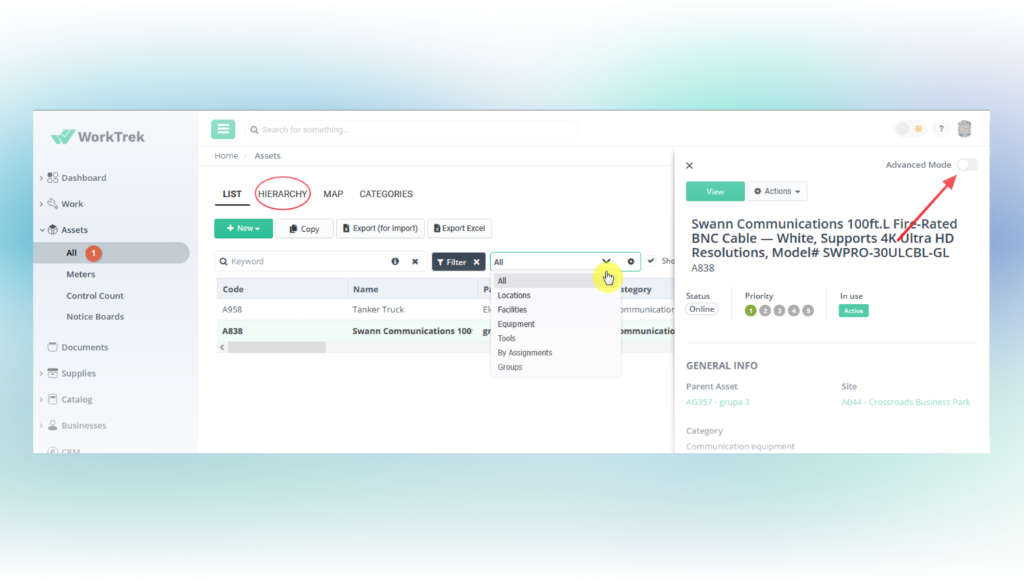
The new interface makes navigation and editing easier, with a more streamlined way to work with your assets. You can now use Advanced Mode to view and edit asset details directly from the list or hierarchy view, without having to open each asset separately.
We’ve also brought all asset types into one place. Using the view selection dropdown, you can easily switch between Locations, Facilities, Equipment, Tools, and Groups, making it faster to find and manage exactly what you need.
2. Mobile App Updates
The WorkTrek mobile app gets two useful improvements this month.
Barcode Support for Parts
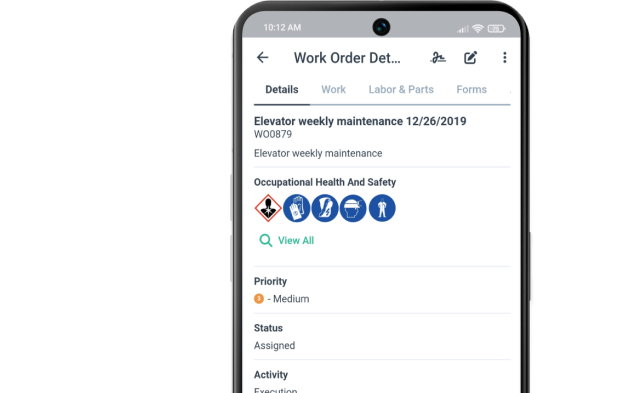
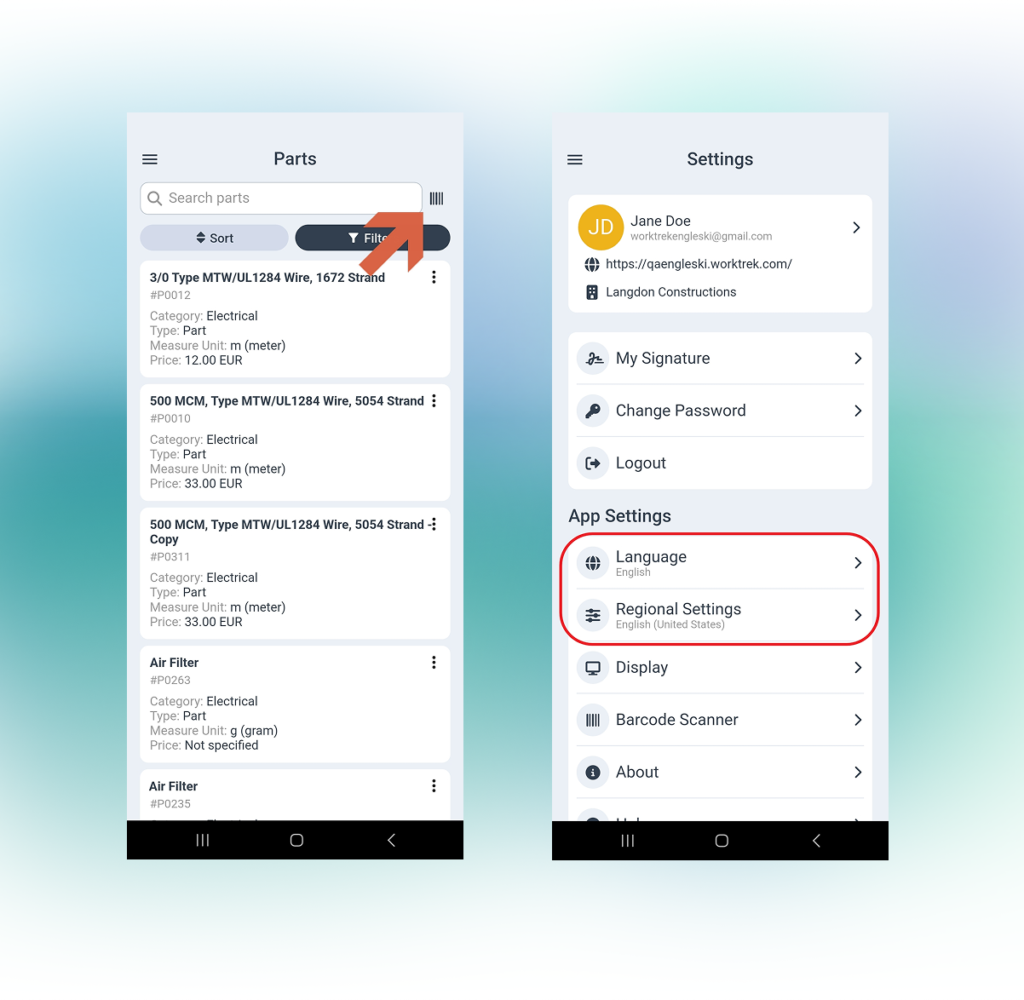
You can now use barcodes to identify parts directly in the mobile app. This makes it faster and easier to find and work with spare parts while performing maintenance in the field.
Language & Regional Settings
Users can now configure their language and regional format settings directly from their mobile profile. You can choose your preferred language and control how dates and numbers are displayed, making WorkTrek more convenient for users working across different countries and regions.
Ready To See These Features in Action?
We work hard to keep delivering tools that make your maintenance operations smoother and more powerful. Septembers’s updates are all about saving time and boosting productivity — and we can’t wait for you to experience them.Start your free trial or book a demo today and take your maintenance management to the next level!