


Get a Free WorkTrek Demo
Let's show you how WorkTrek can help you optimize your maintenance operation.
Try for freeKey takeaways:
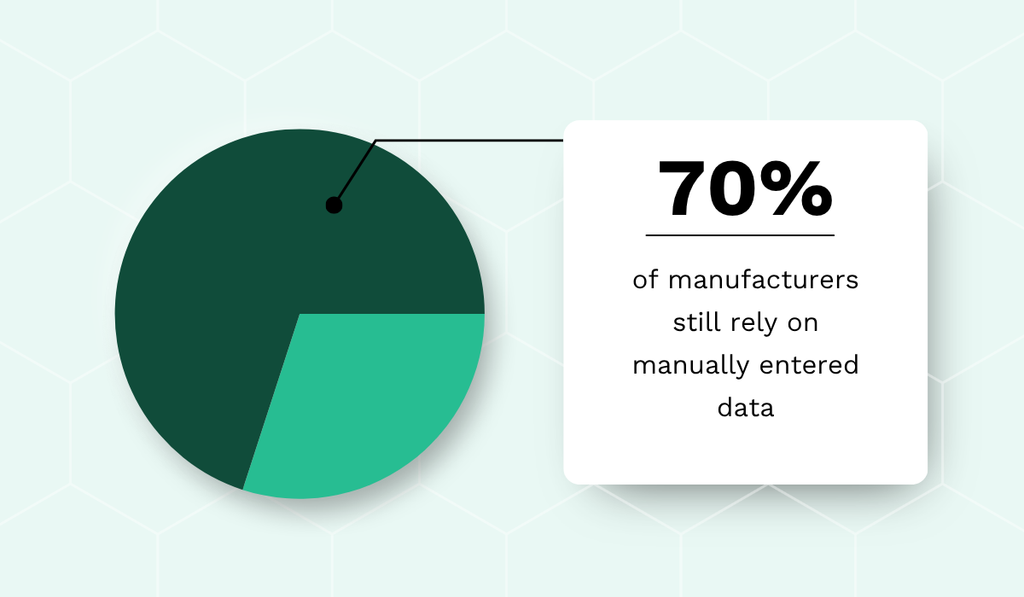
- 70% of manufacturers continue to collect and enter data manually.
- A plant that tied its work orders to real-time OEE monitoring reduced downtime by 20%.
- Intuitive, mobile-friendly work order tools lower the adoption barrier for workers.
Did you know that one hour of unplanned downtime costs the typical industrial business around $125,000?
Manufacturers face these costs regularly, yet many of them run maintenance on paper forms and spreadsheets.
Digital work order management replaces that manual routine with connected processes that update in real time.
Read on if you want to understand how the digital approach works and how to adopt it without the usual challenges.
The Difference Between Digital and Traditional Work Order Process
Every maintenance job in a plant begins with a work order, so the way those orders are created and tracked shapes how the entire maintenance operation performs.
Simply put, a traditional process runs on paper forms and spreadsheets, while a digital process runs on software that connects everyone involved in the work.
Consider the fact that most manufacturers continue to rely on manually entered data, as survey results from the Manufacturing Leadership Council show.
Manual entry slows every step that depends on the data and introduces errors that spread into schedules and reports.
In fact, the digital approach exists because the manual one loses time at almost every step.
To see how, it helps to compare the two across the full work order management process.
| Aspect | Manual process | Digital process |
|---|---|---|
| Creating a work order | Handwritten form or verbal request | Generated instantly from a service request |
| Assigning work | Whiteboard, phone calls, or whoever is nearby | Auto-assigned by priority, location, skill, and availability |
| Field access | Technician walks back to the office for instructions or manuals | Full job details, history, and manuals open on a mobile device |
| Tracking status | Manager walks the floor or calls technicians | Real-time status for every open order on one dashboard |
| Equipment history | Paper records in filing cabinets, slow to search | Searchable asset record, pulled up in seconds |
| Reporting | Hours spent compiling data by hand, often after the fact | Dashboards and reports update automatically as work is logged |
The main difference is in how information is handled.
A manual process keeps information on paper or with individual people, so every update requires a walk to the office or a phone call.
A digital process keeps every request, assignment, status change, and completed job in one shared system that updates in real time.
Technicians open job details on a mobile device at the machine, managers follow progress without leaving their desk, and the equipment history builds itself with each closed order.
This means the same team can complete more work with less coordination effort.
Why Manufacturers Should Consider Digitalizing Their Work Orders
The efficiency gap alone makes a case for going digital, but manufacturing adds pressures that most other industries do not face.
Production runs on tight schedules, and a single stalled asset can stop an entire production line along with the revenue attached to it.
Regulators also watch the industry closely, so gaps in documentation carry consequences of their own.
The three benefits below show where digital work orders help manufacturers most.
Fewer Unplanned Line Stoppages
An unplanned line stoppage is among the most expensive events for a company, and reducing how often it happens is the clearest benefit of digitalized work orders.
The connection becomes visible through overall equipment effectiveness (OEE), the standard measure of how much of your planned production time is truly productive.
Digital work order systems can influence all three components of OEE.
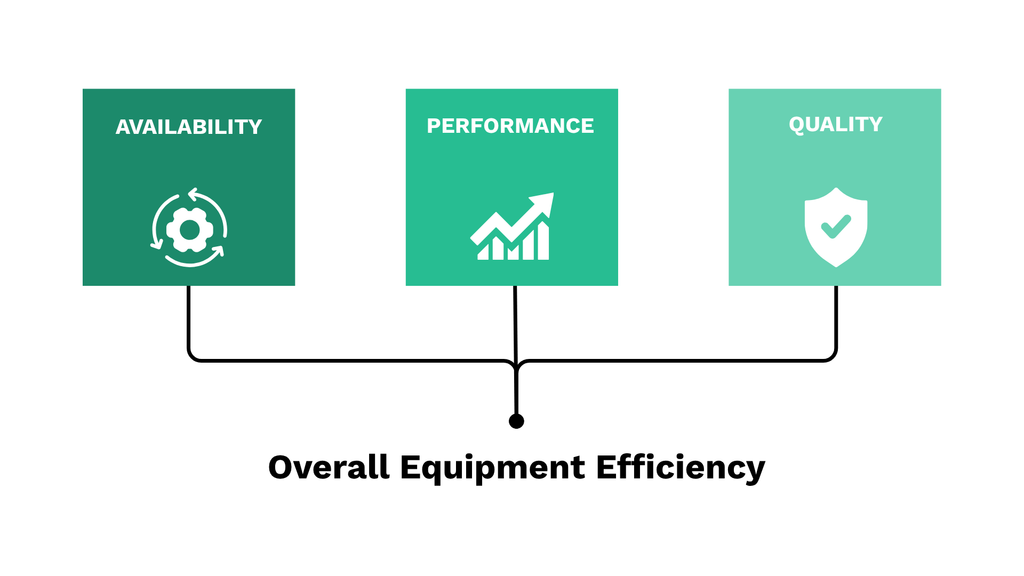
Availability and performance gain the most.
Work orders tied to real-time machine data turn a developing machine issue, such as rising vibration or temperature, into a scheduled job before it forces the line to stop.
Maintenance then happens in a planned window instead of as an emergency, so availability rises, while slowdowns and minor stops are reported and resolved sooner.
Quality benefits as well, since equipment serviced on time produces fewer defective units.
These effects are not hypothetical.
For a real-life example, TeepTrak describes an automotive parts plant that suffered frequent unexpected downtime caused by poor team coordination and inadequate performance monitoring.
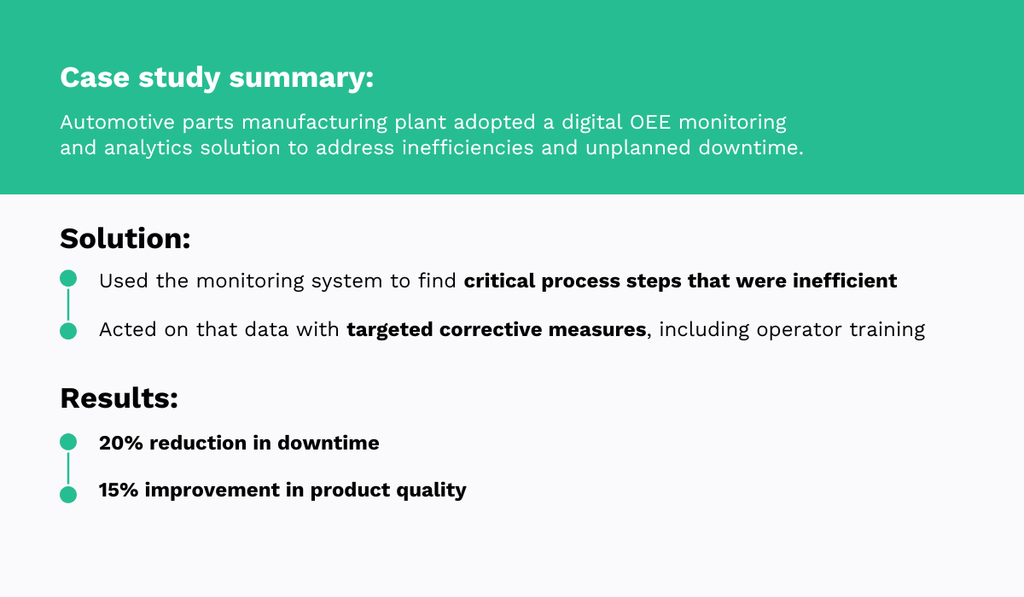
The plant connected its work order management to real-time OEE monitoring, identified the process steps where inefficiencies concentrated, and corrected them, with operator training among the measures taken.
ABB data reveals that outages cost the typical industrial business $125,000 per hour, so improvements of this size translate into money saved.
At that price, no source of inefficiency is minor enough to ignore.
Overall, digitalizing work orders gives you the data and the scheduling control to remove those inefficiencies, and fewer stoppages follow.
More Audit-Ready Compliance Documentation
Manufacturing is a heavily regulated industry, and maintenance records are a regular target of audits.
You answer to bodies like OSHA and the FDA depending on what you produce, and many plants hold ISO certifications that bring audits of their own.
Each of these expects every maintenance action to be documented and traceable.
Manual, paper-based processes force teams to reconstruct that documentation after the fact, so audit readiness sometimes becomes a rushed, periodic project.
Sarah Boynton, a manufacturing quality consultant at Quality Executive Partners, recalls situations from her career when organizations rushed to prepare for audits in this way.

However, even with planned audits, Boynton notes that the last-minute push rarely produces lasting change.
On top of that, we can add that reconstructed documentation brings errors, and individual records can be forgotten entirely.
With digital work order management, documentation stops being a separate task because every completed job generates its own record.
CMMS platforms and ERP solutions log each entry with a timestamp and the technician’s name, keep related documents in one place, and track the full history of every asset.
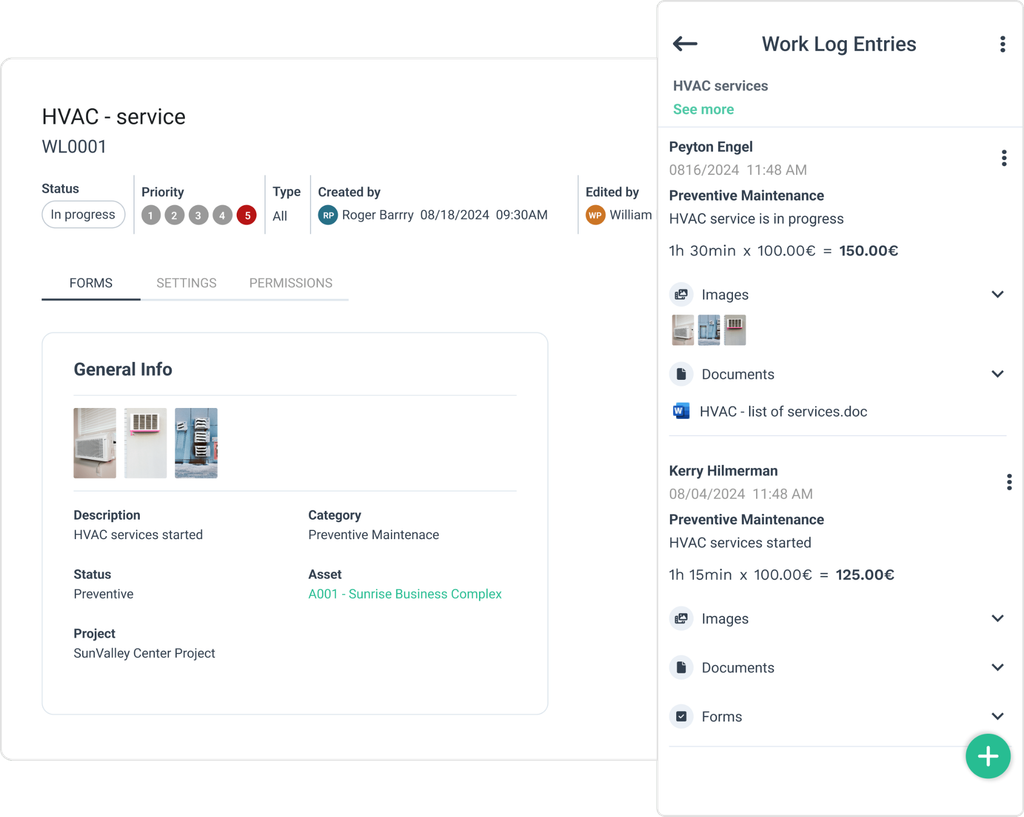
The same records serve managers beyond audits, as a searchable archive for analyzing failures and justifying decisions.
In a regulated environment, that combination of traceability and accessibility is what audit readiness means.
One Unified View Across Plant Systems
A digital work order system, as the previous section showed, acts as a central location for maintenance data.
Its value grows when it connects with the rest of the plant, from the ERP to the MES and inventory records, so maintenance data and production data stop living in separate silos.
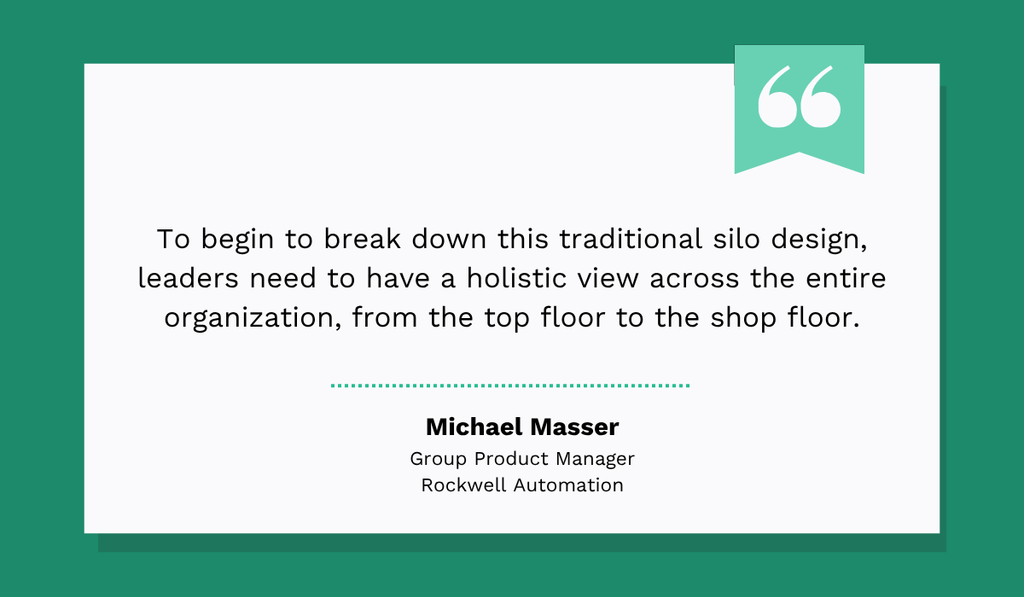
Michael Masser, Group Product Manager at Rockwell Automation, explained in an interview with Design News that this kind of cohesion is only possible when leaders can see the whole operation at once.
Consider a scheduler planning the following week of production without knowing that a critical press is due for servicing.
The maintenance window appears in the production plan automatically when systems are connected, and the required spare parts are reserved before the job starts.
This connectedness produces measurable results.
Deloitte’s 2025 Smart Manufacturing Survey examined smart manufacturing initiatives, which are focused on connecting digital tools, sensors, and machinery.
Respondents reported several improvements across their operations, shown below.
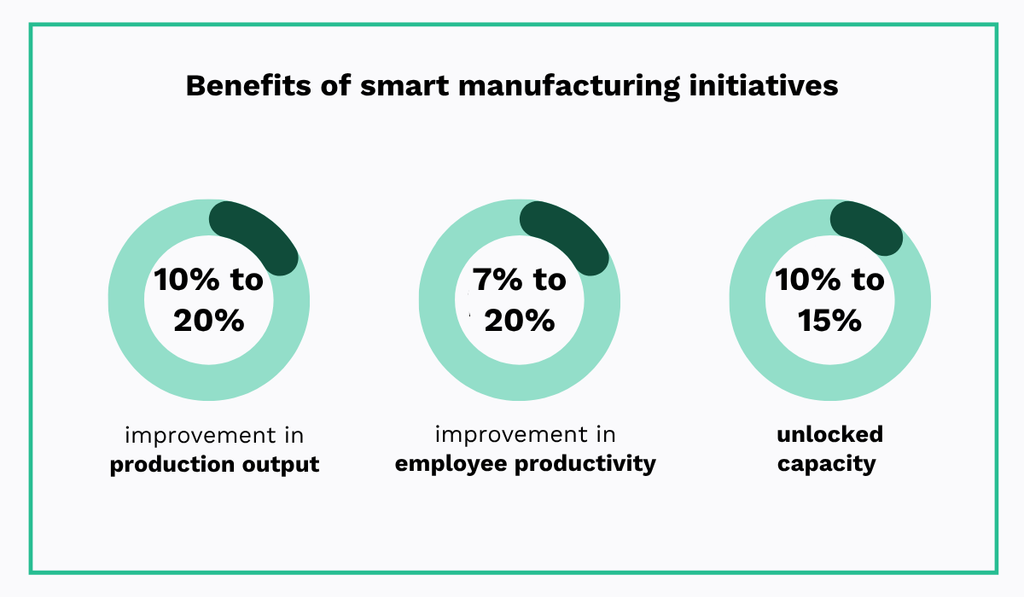
Gains of this size are not surprising, since connected systems remove the delays and blind spots created by re-entering the same data in several places.
Decisions improve when every department works from the same current information.
A digital work order system that integrates with the rest of your plant turns maintenance from an isolated department into an active contributor to production planning.
Digitalizing Work Order Management in Manufacturing: Key Challenges
The benefits are clear, but reaching them takes more than purchasing software.
Digitalization projects in manufacturing fail for predictable reasons, and most of them have little to do with the technology itself.
The three challenges below cause the most problems in practice.
Resistance to Change from Operators and Maintenance Teams
Any new addition to an established workflow meets some resistance, and maintenance software is no exception.
One reason is that people build habits around the current process, even when that process costs them time every day.
Change management research from Prosci shows that resistance is unevenly distributed, with some groups in an organization more skeptical than others.
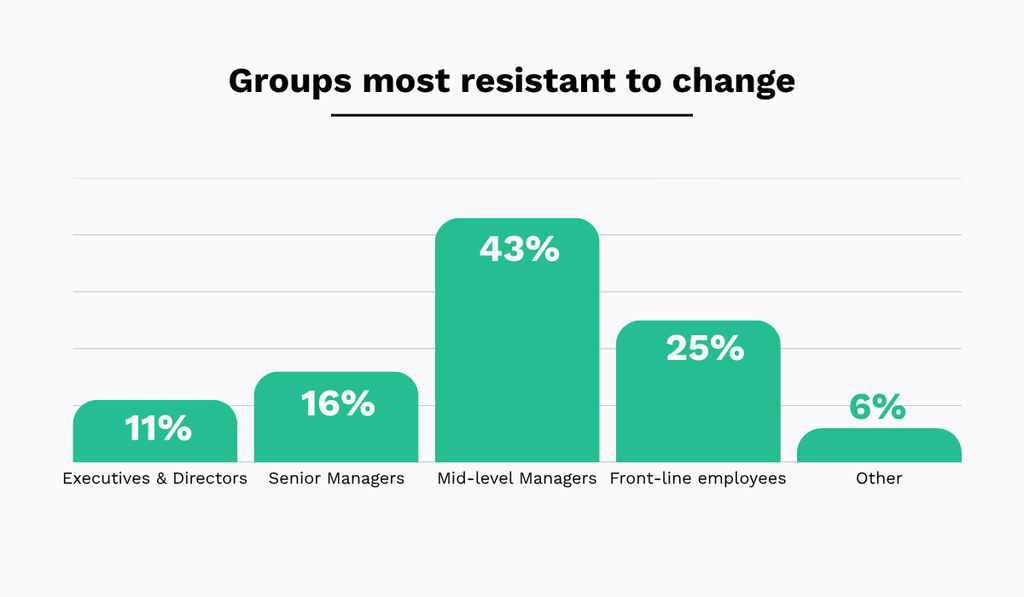
In manufacturing, this tends to be shop floor operators and maintenance technicians.
Their reaction is expected, since they are the ones a new system asks to change their daily habits.
Adoption can be harder for older technicians, as Brett Pyper, who leads reliability and uptime at Hudsonville Ice Cream, explained in an interview.
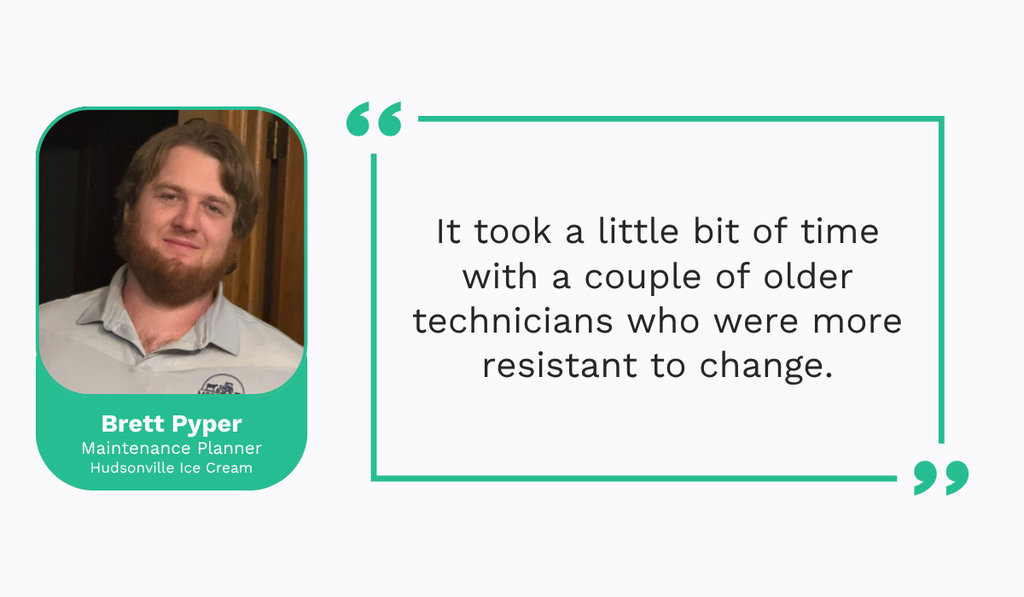
Pyper says that the solution is a gradual rollout with training along the way, so each worker sees how the system helps them before they are asked to depend on it.
Of course, an intuitive product makes this easier, because a tool that is easy to use needs less convincing.
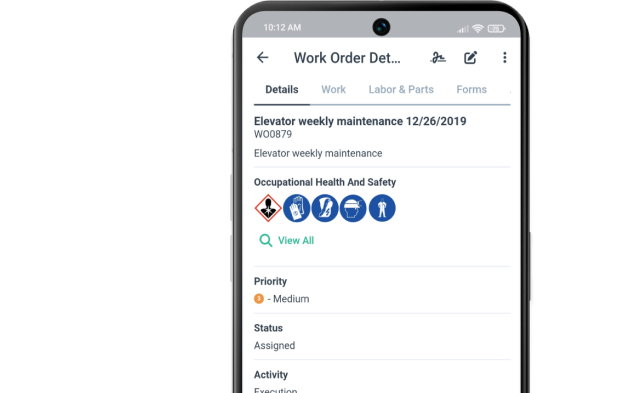
WorkTrek was built with that in mind, as a mobile-first work order management tool that operators and technicians can learn quickly.
With a clean interface, shown below, workers have an easier time figuring out the features and can start using them much sooner.

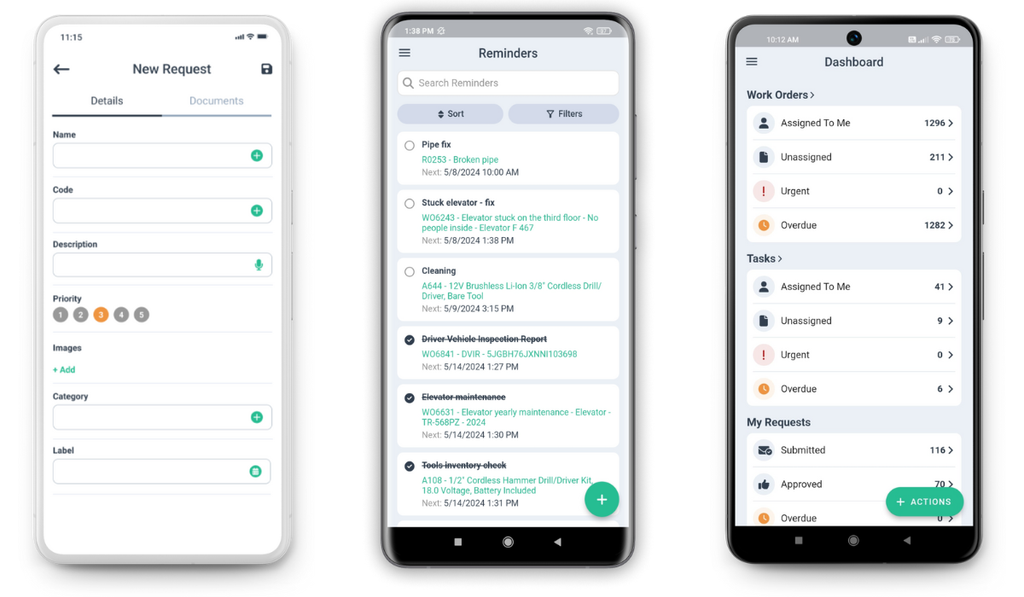
With WorkTrek, a technician can open a job on a phone, follow a checklist, attach a photo, and close the order without visiting a desktop or taking a paper note.
Despite the system being straightforward to use, it has a full set of features that cover the entire work order management process.
That balance of features and usability is what turns a skeptical crew into one that opens the app without being asked.
Defining the Right Workflow
A maintenance workflow that is broken or undocumented will not be repaired by digitization, no matter how capable the software is.
Tor Idhammar, president of the reliability consulting firm IDCON, makes this point about maintenance systems in particular.
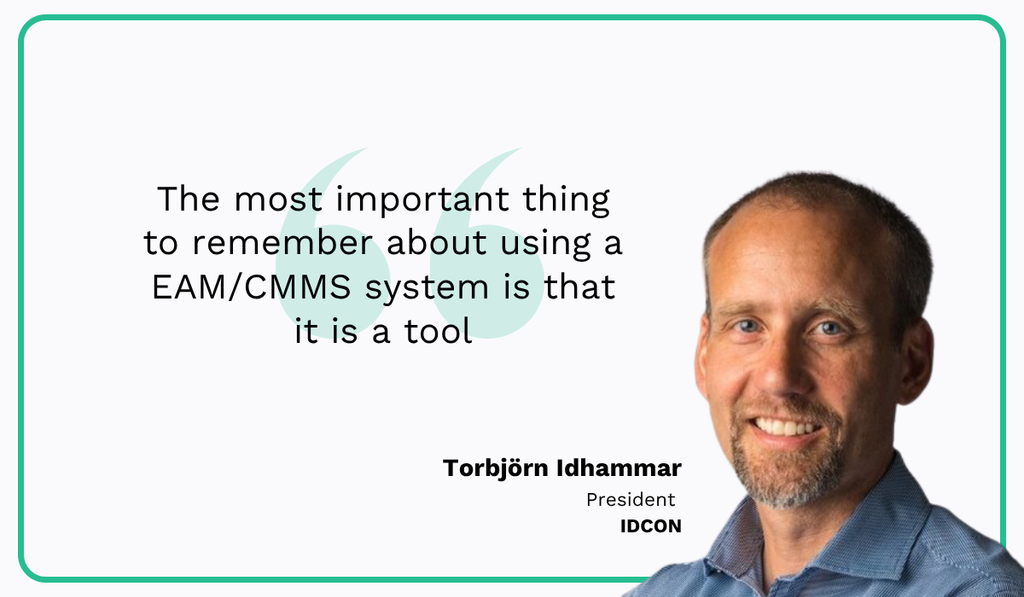
He elaborates that a work management workflow should be identified first, and only then is a team ready to add a tool to support it.
In practice, this means mapping and refining your actual maintenance workflow before configuring a new system around it.
The mapping does not need to be complicated, and the steps below cover the essentials.
The first steps should ignore the software entirely, and their job is to clarify how work orders move through your team.
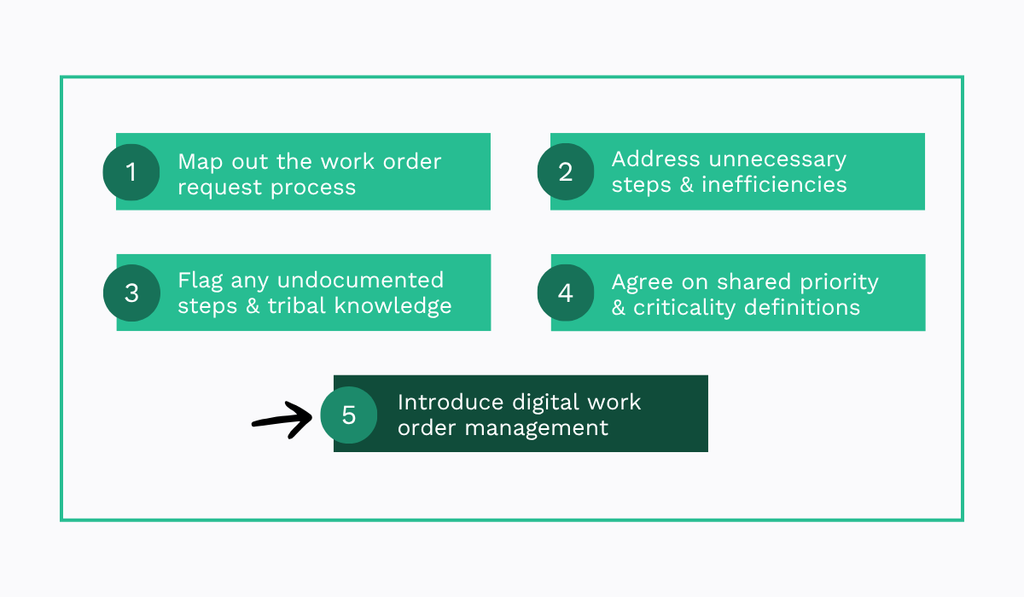
Each step builds on the one before it, so skipping ahead to the software undoes the whole point of mapping in the first place.
Once the workflow is refined, implementation should have a targeted approach, with the system configured to match the process you defined.
The result should be a system that supports and improves workflows your team already understands.
Measuring ROI the Right Way
Digital work order tools come with subscriptions, frequently priced per user, so manufacturers tend to focus their evaluation on exactly that.
They track the total software cost and number of licenses and stop there, without asking what the system returns.
Cost deserves attention, of course, but without tracking key operational metrics, it is impossible to prove the system’s value.
Consider how decking manufacturer Fiberon approached this, as reported by Plant Services.
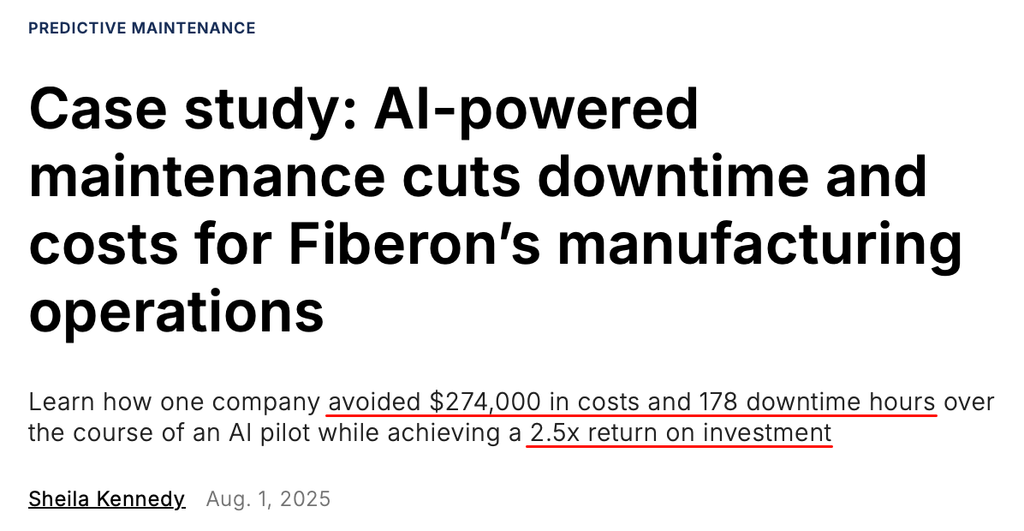
The company tracked avoided costs and downtime hours throughout its maintenance technology pilot, which is why it can state its return with confidence.
Had those figures gone unmeasured, there would be nothing to compare the investment against, and the program’s value would rest on impressions.
Your own metrics may vary according to what matters most in your operations.
In general, the ones below give a true sense of return on investment.
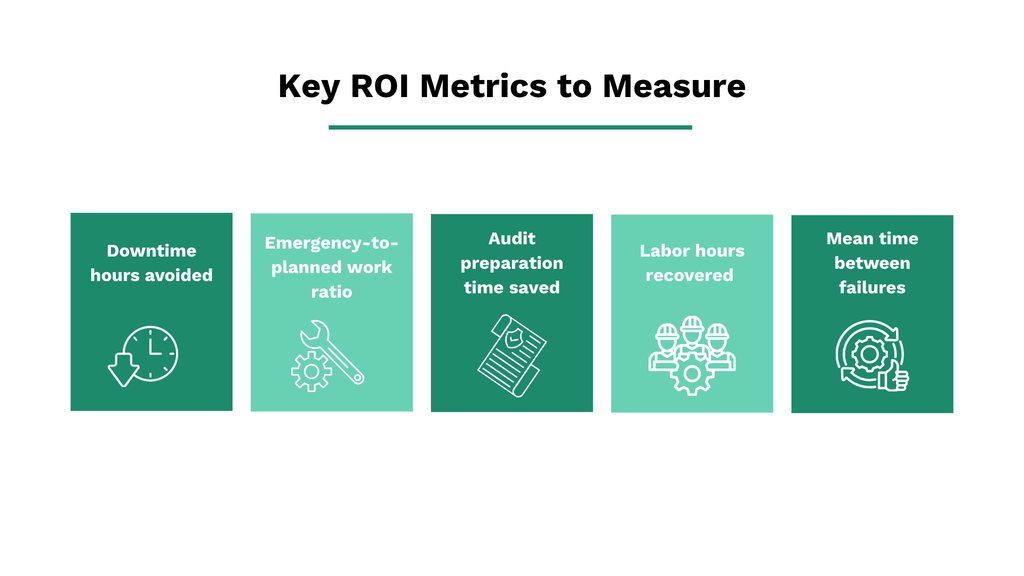
The best practice is to measure the metrics you select before implementing anything.
That gives you a baseline that describes how the operation performs today, before any software enters the picture.
Then introduce the system and keep measuring, which becomes easier with a digital solution that includes reporting and analytics capabilities.
The result should be a clear before-and-after comparison to see which improvements the system produced.
Conclusion
With that, we covered how the digital approach differs from manual processes and what it takes to adopt one successfully.
If a single idea stays with you, let it be that the data your plant already generates only creates value once it is captured and used.
The tools for that are established and proven, and every day spent on paper delays the gains.
So map your current workflow, then take the first step toward digitizing it.