

Get a Free WorkTrek Demo
Let's show you how WorkTrek can help you optimize your maintenance operation.
Try for freeHere is an overview of the key updates and new features introduced this month to streamline your daily workflow and further optimize system processes.
Work Orders & Assets
Enhanced filtering capabilities allow you to add, remove, and save customized private or public views for quick data access. You can easily add, remove, and reorder table columns using intuitive drag-and-drop functionality, view record details with an “Advanced” mode for full editing access, and use a “Dock” feature to enable smooth horizontal scrolling across table columns.
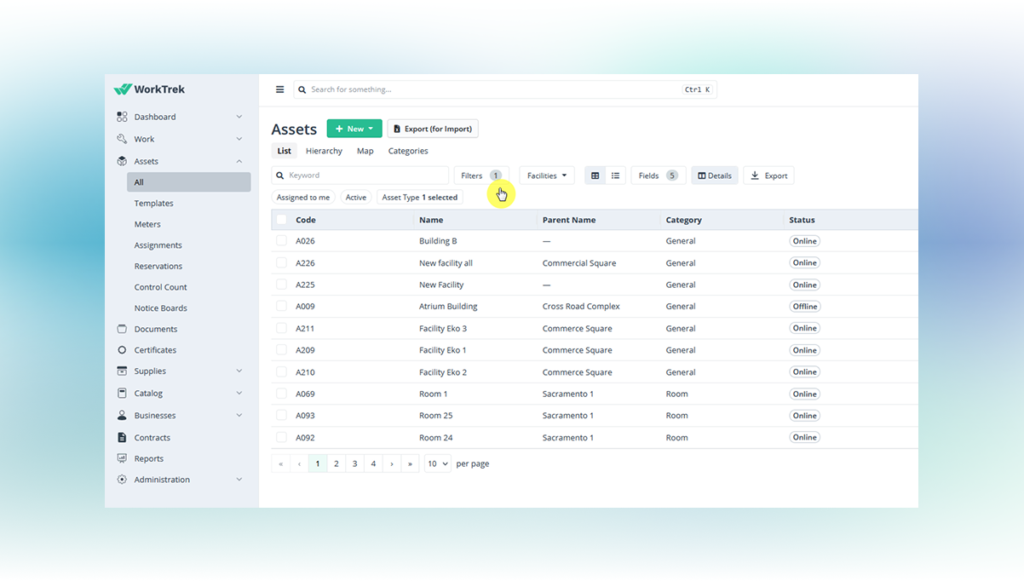
Additionally, you can select and redirect or delete multiple work orders simultaneously, subject to status and permission validation. You can also delete multiple asset items at once.
Interface & Navigation
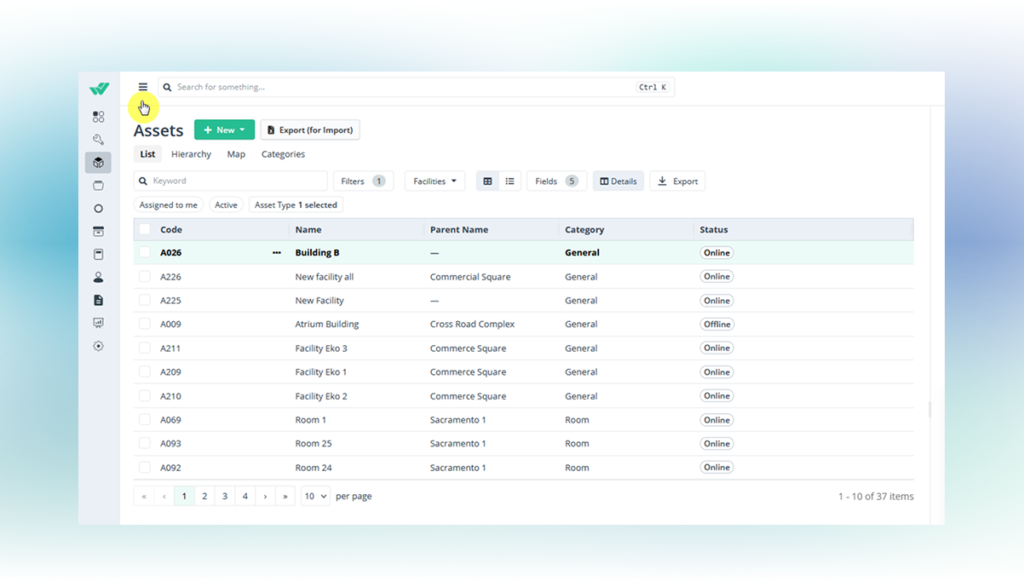
You now have the option to collapse the left navigation sidebar to maximize screen space for your workspace.
Administration & Settings
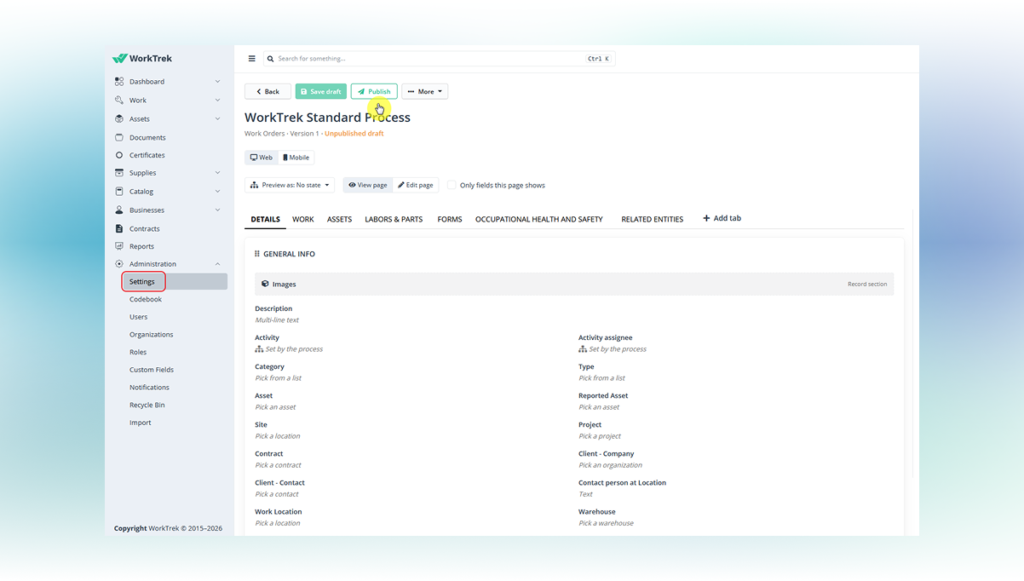
Flexible layout customization is available for tabs, panels, and fields across web and mobile versions, which are adaptable per workflow status.
Furthermore, you have the option to rename fields and customize system translations to fit your organization’s terminology.
Mobile App
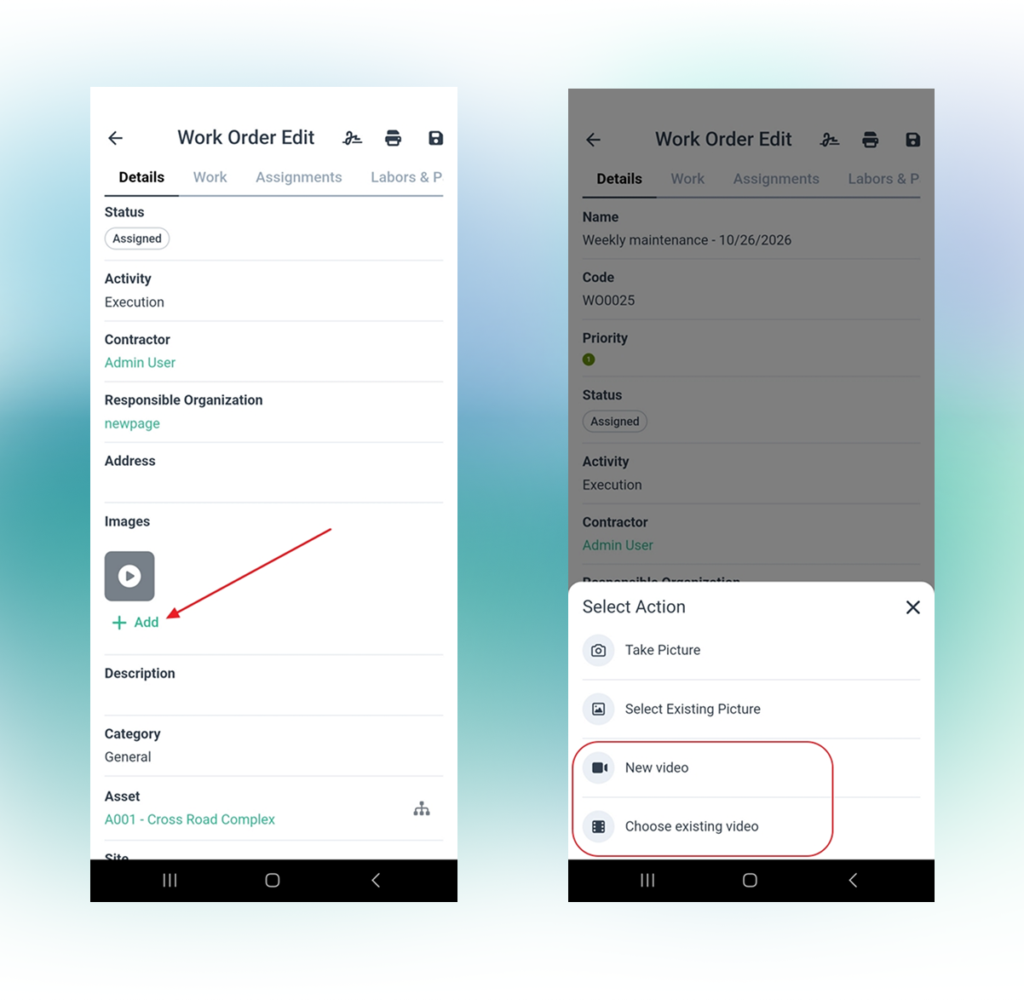
You can now play video files directly within the mobile app and record new videos directly using your device’s camera for faster field documentation.
Ready To See These Features in Action?
Every update we build is designed to simplify your daily work and give you greater control over your operations. With November’s new features, managing work orders, assets, and custom workflows is faster than ever. Start your free trial or Book a demo today to take your maintenance management to the next level.