


Get a Free WorkTrek Demo
Let's show you how WorkTrek can help you optimize your maintenance operation.
Try for freeKey Takeaways:
- Workers are more likely to adopt digital tools when they make their work easier.
- Redimix reduced maintenance costs by 66% through digitization.
- CMMS tools help standardize recurring work through templates and service catalogs.
Maintenance teams often struggle simply because information gets lost.
A work order sits on someone’s desk, a technician doesn’t get the latest update, or an inspection note never makes it into the spreadsheet.
Three weeks later, nobody remembers who touched the asset last, or whether the repair actually solved the problem.
That’s exactly why more organizations are moving away from paper forms, spreadsheets, and disconnected systems toward digital work order management.
Let’s see how it works and why you, too, need it.
How Digital Work Order Management Works
The easiest way to understand digital work order management is by looking at the day-to-day problems it solves.
In a traditional setup, work orders are often scattered across spreadsheets, whiteboards, emails, paper forms, or even text messages.
It’s only natural that in such an environment requests get missed, technicians lose time tracking down information, and managers struggle to see what’s completed, what’s overdue, and where bottlenecks are forming.
Digital work order management brings all of that into one centralized system.
Instead of manually creating, assigning, updating, and tracking work, you can manage the entire work order lifecycle digitally, from the initial request through completion and reporting.
A good way to visualize this is through a platform like WorkTrek.
In WorkTrek, maintenance teams can create work orders directly from incoming service requests instead of relying on calls, emails, or handwritten notes.
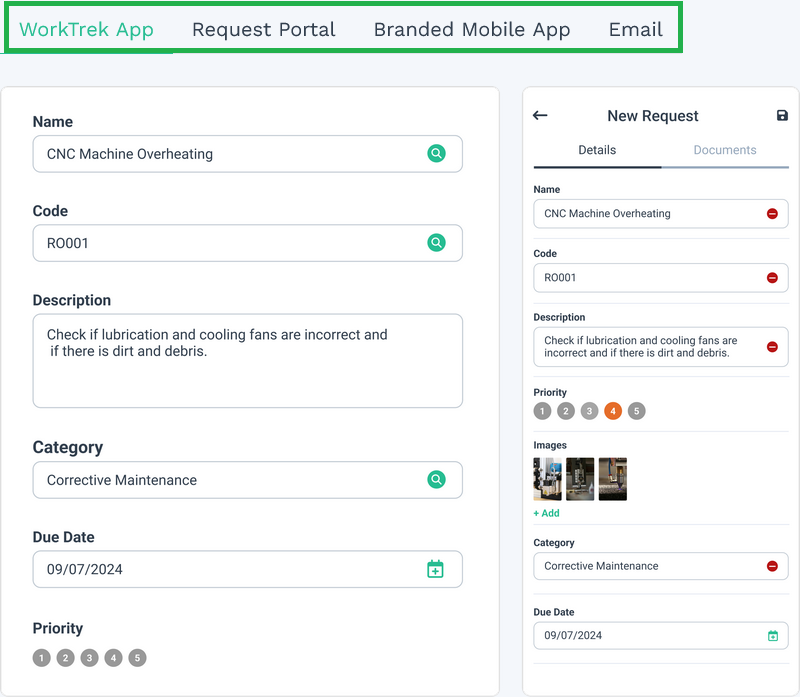
From there, supervisors can assign jobs based on priority, urgency, location, asset type, or technician availability.
Digital systems also give technicians access to the information they actually need while they’re in the field.
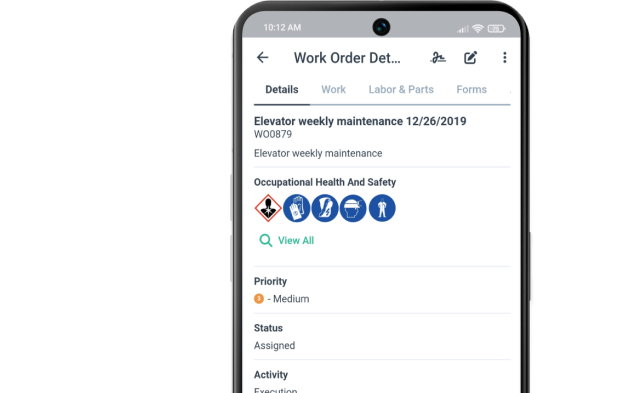
Rather than walking back to the office for instructions or paperwork, technicians can open a work order on a mobile device and immediately see:
- Task details
- Asset history
- Safety instructions
- Checklists
- Required parts
- Attached images or documents
That’s a huge difference from relying on tribal knowledge or hoping someone remembered to include all the details in an email.
With CMMS like WorkTrek, teams can also standardize recurring work through templates and service catalogs.
So instead of recreating the same preventive maintenance work order over and over, maintenance planners can predefine labor estimates, required materials, safety procedures, forms, and step-by-step instructions in advance.
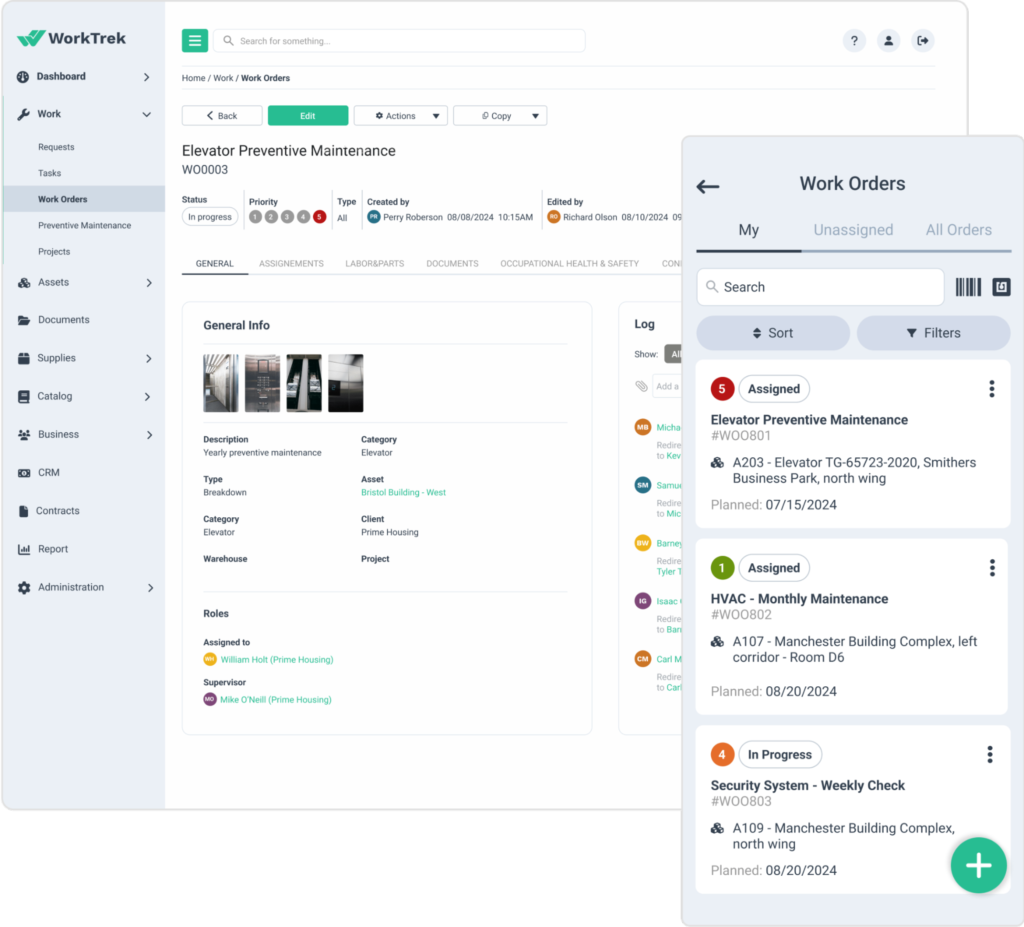
This consistency matters more than many teams realize.
Standardized work orders help reduce missed steps, improve documentation quality, and make onboarding new technicians significantly easier.
Some systems also simplify maintenance across multiple identical assets or entire production lines.
Instead of creating separate work orders for each unit, teams can group work under a single work order while still tracking labor, materials, and completion details for each asset.
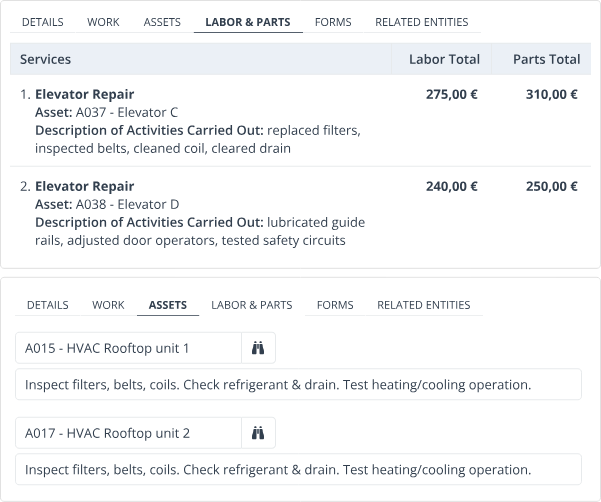
In larger operations, this can significantly reduce administrative work and make recurring maintenance easier to coordinate.
Digital work order management also improves follow-through.
If an inspection uncovers a failed component or another issue that requires additional work, you can generate follow-up work orders on the spot rather than relying on someone to remember to create a new request later.

Because everything is tracked digitally, managers gain much better visibility into overall maintenance activity.
Instead of piecing together updates from different people, they can quickly see completed work, overdue tasks, labor hours, parts usage, recurring failures, and preventive vs. reactive maintenance trends.
All of that data is centralized within dashboards and reports, giving teams much better visibility into maintenance performance.
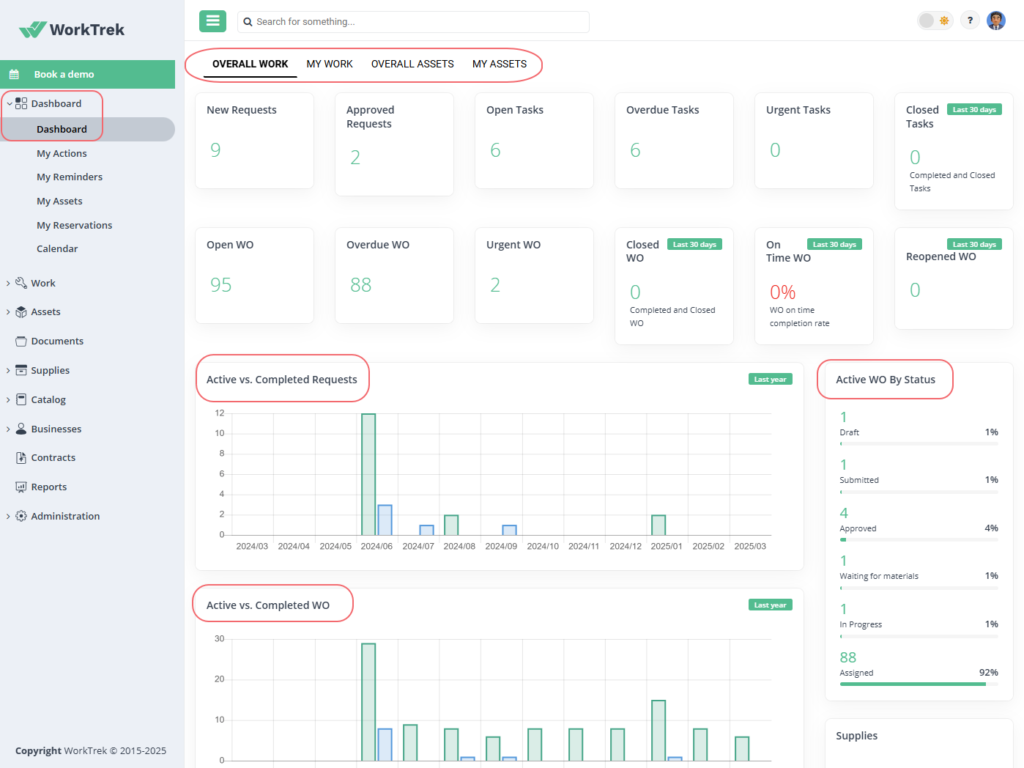
At its core, digital work order management is really about one thing: removing friction from maintenance operations.
Less time chasing paperwork, less guesswork, less duplicated communication, and a much clearer picture of what’s actually happening in your facility.
Why Digital Work Orders Outperform Manual Systems
Paperwork orders, spreadsheets, whiteboards, sticky notes… Most maintenance teams have used some combination of all four.
And to be fair, they can work for a while.
However, once operations grow, assets multiply, or teams spread across multiple sites, manual systems usually start creating more problems than they solve.
Read on to see how digital work order management changes that.
Increased Data Reliability
With manual systems, maintenance data is rarely as reliable as teams think it is.
From paperwork getting misplaced and technicians documenting repairs differently to important updates ending up buried in emails, spreadsheets, or handwritten notes.
And once work orders start moving between departments or shifts, keeping records complete and consistent becomes much harder.
That becomes a serious problem when teams need to investigate recurring failures, review maintenance history, prove compliance, or make budgeting decisions based on past repairs.
So, here’s what digital work orders do differently.
To begin with, going digital creates a centralized, standardized record of maintenance activity, where every update, inspection, completed task, labor entry, and attached document is stored in one place and directly tied to the asset or work order.
That means less guesswork and far fewer information gaps.
At Fleet Readiness Center East (FRCE), a Naval Aviation maintenance and repair depot, aircraft maintenance teams previously managed thousands of paper work orders during repair and overhaul operations.
Those documents regularly moved between teams and accumulated handwritten notes, inspection stamps, tabs, and revisions throughout the maintenance process.
Eric Macey, work lead at the depot’s New River detachment, recalls:
“Tracking that many work orders is never easy, especially when they are often moved or passed from person to person.”
But the real issue was the lack of consistency and traceability that came with it.
Records were difficult to locate, updates were missed, and maintenance history often depended on manually sorting through large volumes of documentation.
However, after implementing an electronic work order system, maintenance records, inspection plans, and quality checkpoints became centralized and searchable.

Teams could quickly retrieve work history, verify completed tasks, and track maintenance activity across the entire operation.
That level of traceability is especially important when something goes wrong.
As Wesley Crocker, the depot’s electronic work package manager, explained, if a torque wrench was later found to be out of tolerance, teams previously had to manually search paper records to identify every aircraft or component connected to that tool, and that “could take months.”
With digital work orders, they can now retrieve that information in seconds.
“Whereas now, with the electronic work order system, we could just type in that torque wrench number into the database and within seconds, the system would show us everything it has been used on.”
Most facilities aren’t maintaining military aircraft, of course.
Still, the underlying challenge is the same everywhere: maintenance decisions are only as good as the information behind them.
And when records are incomplete, inconsistent, or difficult to access, reliability suffers across the entire operation.
Greater Operational Efficiency
Manual work order systems create friction everywhere.
Technicians waste time tracking down paperwork, asking for updates, or trying to determine whether an issue has already been reported by someone else.
Supervisors spend hours coordinating work manually instead of actually managing operations.
And once teams are spread across multiple facilities or shifts, communication gaps can lead to delays, duplicate work, and reactive maintenance.
Digital work order management removes a lot of that operational drag.
Camp Fire Heart of Iowa experienced that firsthand.
The non-profit organization manages 60 buildings across 168 acres, plus five additional locations, all with the budget limitations typical of non-profits.
When Blake Barrett became Facilities Director, maintenance requests were still being handled through sticky notes.
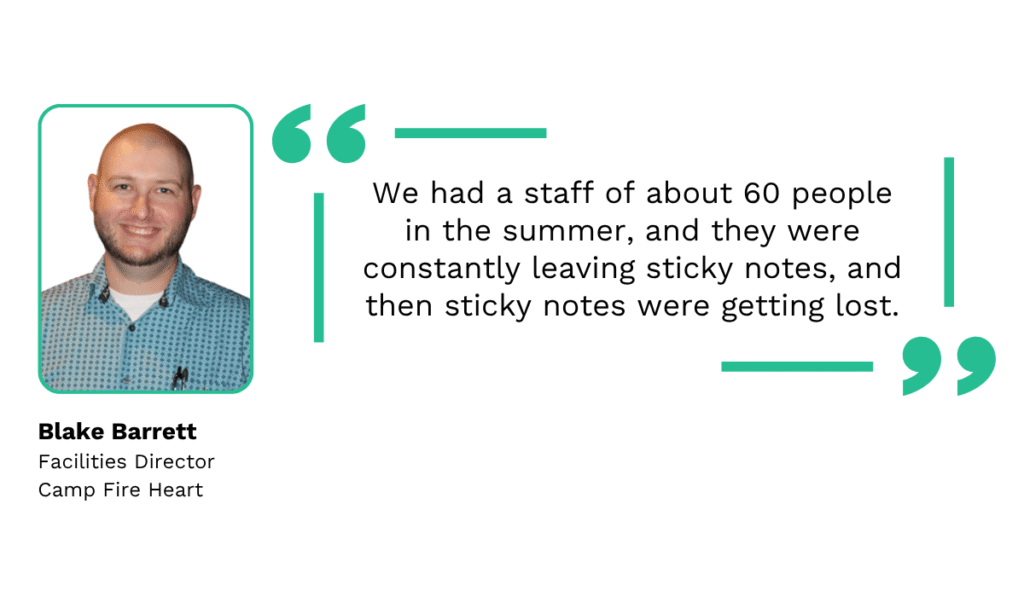
That created several operational problems at once:
- Maintenance requests disappeared
- Duplicate issues were difficult to identify
- Requesters had no visibility into job status
- Completed work wasn’t documented consistently
- Communication across sites became difficult to manage
After implementing a digital work order system, the organization gained a much more structured workflow.
Staff and volunteers could submit requests directly through the platform, making it easier to track work from submission to completion.
“Now it’s been great that we’ve been able to have the ability for people to request, whether it’s our staff. We also have volunteers set up that they can request through the email setup. That allows it to make sure that we’re not losing any of those requests.”
The improvements went beyond request tracking.
Because maintenance history and work order data were centralized, technicians could review prior repairs before starting work rather than relying solely on tribal knowledge or verbal handoffs.
The system also helped Camp Fire Heart manage one of its biggest operational challenges: seasonal staffing.
Every summer, the organization rapidly expands its workforce, including international staff members.
According to Barrett, built-in language support and easier access to maintenance information significantly improved onboarding and day-to-day coordination.
Digital work orders also gave the team better visibility into workload planning and recurring issues.
By analyzing maintenance data, Barrett could identify which locations generated the most requests, where staffing adjustments were needed, and which problems should be addressed proactively before becoming larger failures.
“I really want to be able to schedule my staff in an accurate way where it doesn’t feel like I’m overloading their daily work schedule.”
That visibility helped the organization gradually move away from reactive firefighting and toward more proactive maintenance planning.
That’s where a lot of the efficiency gains happen.
Not just from eliminating paperwork, but from helping maintenance teams coordinate work more effectively, reduce communication gaps, and spend less time reacting to problems they never had visibility into before.
Reduced Long-Term Costs
One of the biggest misconceptions about digital work order management is that it’s just another software expense.
In reality, manual systems often cost far more over time through:
- Unnecessary downtime
- Poor scheduling
- Lost labor hours
- Reactive repairs
- Inventory problems
- Inconsistent documentation
A large portion of those costs comes from inefficiency itself.
When technicians spend time chasing paperwork, searching for information, or manually coordinating work, that lost time quickly adds up across the entire operation.
Daniel Golub, former General Manager of Hippo CMMS, summed it up well:
“When maintenance professionals don’t have to waste time filling out paperwork, scrolling through e-mails looking for spreadsheet attachments, or running to the office to pick up their next assignment, departments get more bang for their maintenance buck.”
That’s exactly what companies like Redimix gained after moving away from spreadsheets, sticky notes, and maintenance knowledge stored mostly in employees’ heads.
To create a more structured operation, Redimix implemented a CMMS that centralized work orders, procedures, maintenance records, inventory data, and reporting.
With better visibility into maintenance activity, the company improved scheduling, strengthened preventive maintenance, and made better repair-versus-replace decisions.
The results were significant.
Within two years, Redimix reduced winter maintenance costs by 66% and lowered overall maintenance spend by 53.9%.
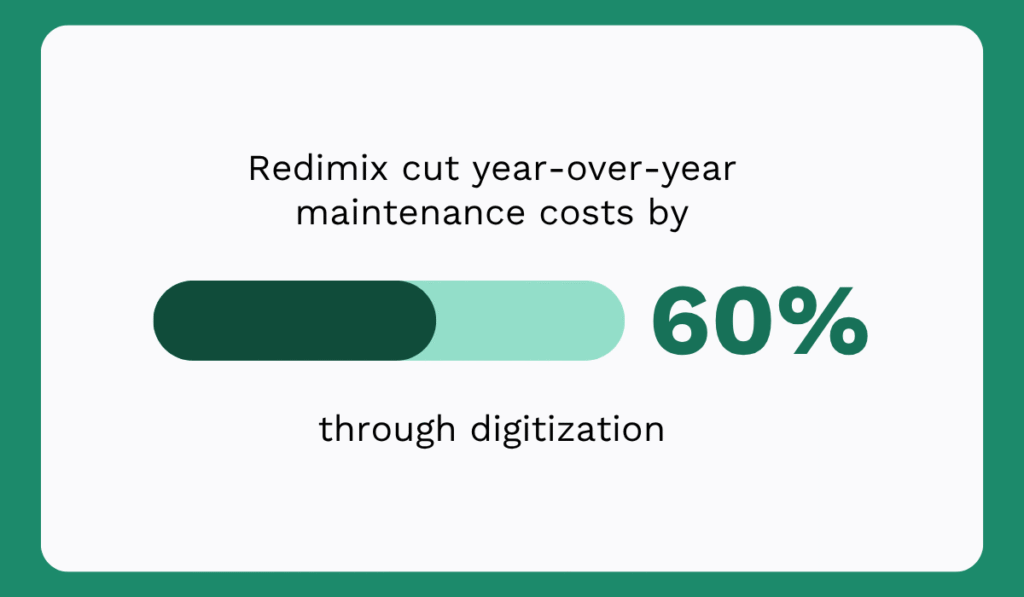
That’s really the bigger story behind digital work order management.
Yes, digital orders replace paper.
But they also give maintenance teams the visibility and structure they need to work more efficiently, make better decisions, and spend less time reacting to preventable problems.
And all this combined leads to lower operating costs over time.
How to Digitize Work Order Management Successfully
Hopefully, the benefits above already make a strong case for moving away from paper, spreadsheets, and disconnected maintenance workflows.
However, implementing digital work order management successfully takes more than just buying software and rolling it out company-wide.
The facilities that get the best results usually do three things well: they understand their existing process, choose a system that fits their operation, and ensure people fully adopt it.
Map Your Current Workflow
A lot of maintenance teams think they already know their process.
Then they actually map it out and realize half the workflow depends on verbal communication, tribal knowledge, or workarounds people created years ago.
That’s why process mapping matters before implementing any new system.
The easiest way to do this is to take a single work order (preferably a recent reactive repair) and trace it from beginning to end.
Start with the original request:
- How was the issue reported?
- Who received the request?
- How long did it sit before someone responded?
- Who decided the priority level?
- How was the technician notified?
- Where did the technician find asset information or repair instructions?
- How were labor hours and parts recorded?
- How was the completed work documented?
- Who confirmed the job was actually finished?
Write each step down exactly as it happens today, even if the process feels messy.
That’s important because most bottlenecks hide in the unofficial parts of the workflow:
- Phone calls
- Side conversations
- Spreadsheets nobody updates consistently
- Technicians relying on memory
- Approvals stuck in inboxes
- Duplicate requests nobody notices
Once the process is mapped out visually, problem areas usually become much easier to spot.
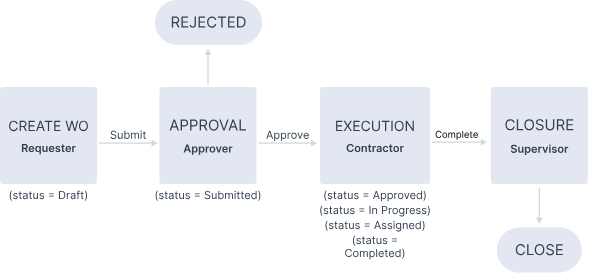
For example, you may realize that requests are getting delayed before assignment, or discover technicians spend too much time searching for information or manually entering the same data into multiple places.
This step also helps organizations avoid a common mistake: digitizing flawed processes rather than improving them first.
If approvals are already unclear or documentation is inconsistent, moving those same habits into software won’t solve much.
Choose The Right System For Your Business
Not every organization needs the same type of maintenance software.
Some teams simply need a better way to create, assign, and track work orders.
Others need broader CMMS functionality like preventive maintenance scheduling, inventory tracking, asset management, reporting, or mobile field access.
Larger operations may also want condition monitoring tools that automatically generate work orders when equipment readings cross certain thresholds.
The right choice usually depends on a few factors:
- Company size
- Number of assets
- Number of sites
- Maintenance maturity
- Reporting requirements
- Technician workflows
- Internal technical skills
Usability matters too.
A system packed with features won’t help much if technicians avoid using it because it feels overly complicated.
That’s one reason mobile accessibility has become such a major factor in software adoption.
If technicians can quickly open work orders, upload photos, log parts, and close tasks directly from the field, the system becomes part of their workflow instead of an extra administrative step.
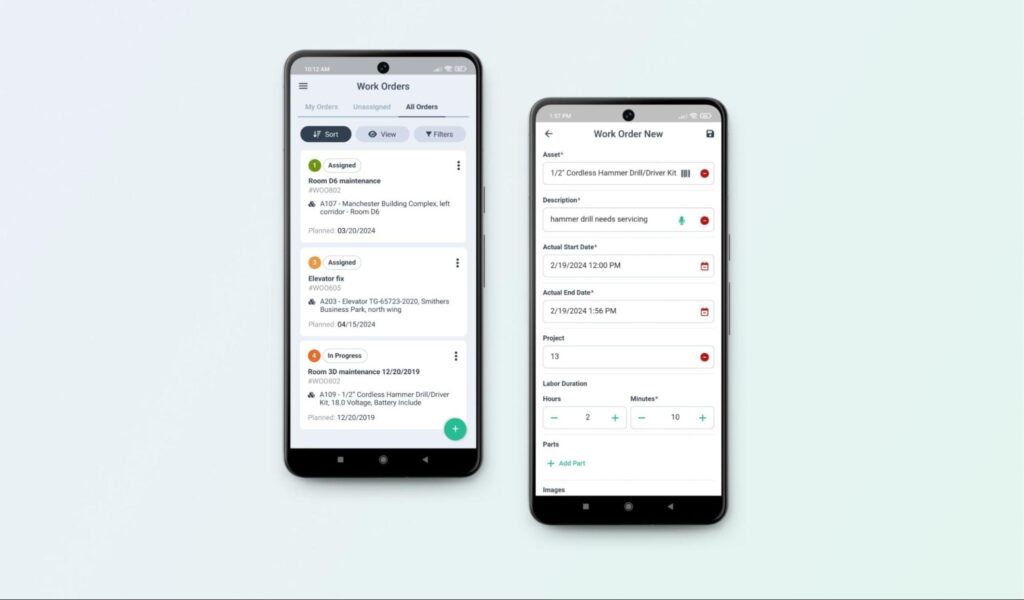
The best systems usually feel less like “another tool” and more like a central operating system for maintenance work.
Don’t Neglect Change Management
Implementing software is relatively easy, but getting people to consistently change how they work is much harder.
Even good systems fail when teams continue relying on texts, whiteboards, side spreadsheets, or verbal updates simply because those habits feel more familiar.
Good change management focuses on helping people actually adopt the new process. That usually includes:
- Clear communication about why the change is happening
- Proper onboarding and training
- Leadership support
- Realistic rollout timelines
- Simple, standardized workflows
- Ongoing feedback from technicians and supervisors
It also helps when teams quickly see practical value from the new system. Derrick Colyer, senior business development manager, explained it well:
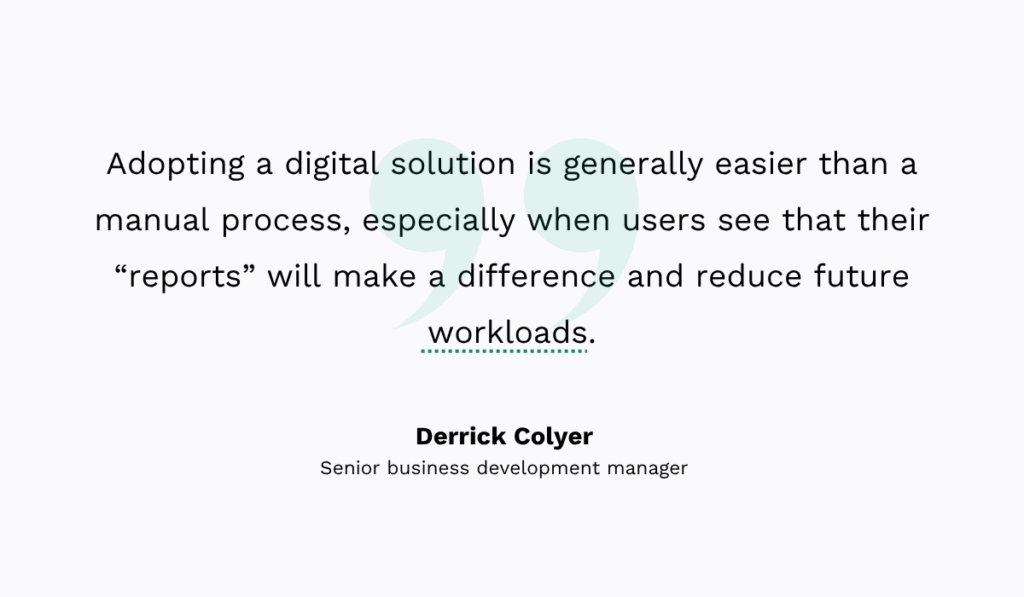
That’s an important point.
Technicians are far more likely to embrace digital work orders when the system actually makes their day easier; less paperwork, fewer phone calls, less duplicated communication, and faster access to information.
Because ultimately, successful digital transformation in maintenance is all about building processes people can realistically follow every day.
Conclusion
Maintenance teams already deal with enough uncertainty. Work order management shouldn’t add more of it.
By going digital, teams gain clearer visibility into maintenance activity, faster communication, more reliable data, and far less time wasted chasing information.
And over time, those improvements compound.
Better planning replaces constant firefighting, makes decisions easier to justify, and significantly lowers overall maintenance costs.